Cloud Based Backup Storage Benefits for Teams
Cloud Based Backup Storage Benefits for Teams If your team handles contracts, designs, proposals, brand images, spreadsheets, or shared project files, losing access to those assets is more than an inconvenience. It slows work, creates version confusion, and can put client relationships and internal operations at risk. That is why more organizations are moving from ad hoc local backups and scattered file storage to cloud based backup storage that is easier to manage, safer to recover from, and
 Kevin SimphiweJune 17, 20269 min read
Cloud Based Backup Storage Benefits for Teams
If your team handles contracts, designs, proposals, brand images, spreadsheets, or shared project files, losing access to those assets is more than an inconvenience. It slows work, creates version confusion, and can put client relationships and internal operations at risk.
That is why more organizations are moving from ad hoc local backups and scattered file storage to cloud based backup storage that is easier to manage, safer to recover from, and more practical for modern teams. Whether you are a solo founder building repeatable processes or a growing company coordinating across departments, the right setup helps you protect files without adding enterprise-level complexity.
An effective backup approach is not just about storing copies somewhere else. It is about making sure your team can find what it needs, restore what matters quickly, and keep working with minimal disruption. That is also where a platform like AssetHQ fits naturally into the broader file management picture: simple organization, fast file access, secure sharing, image previews, access controls, and scalable collaboration without bloated workflows.
What cloud based backup storage actually means
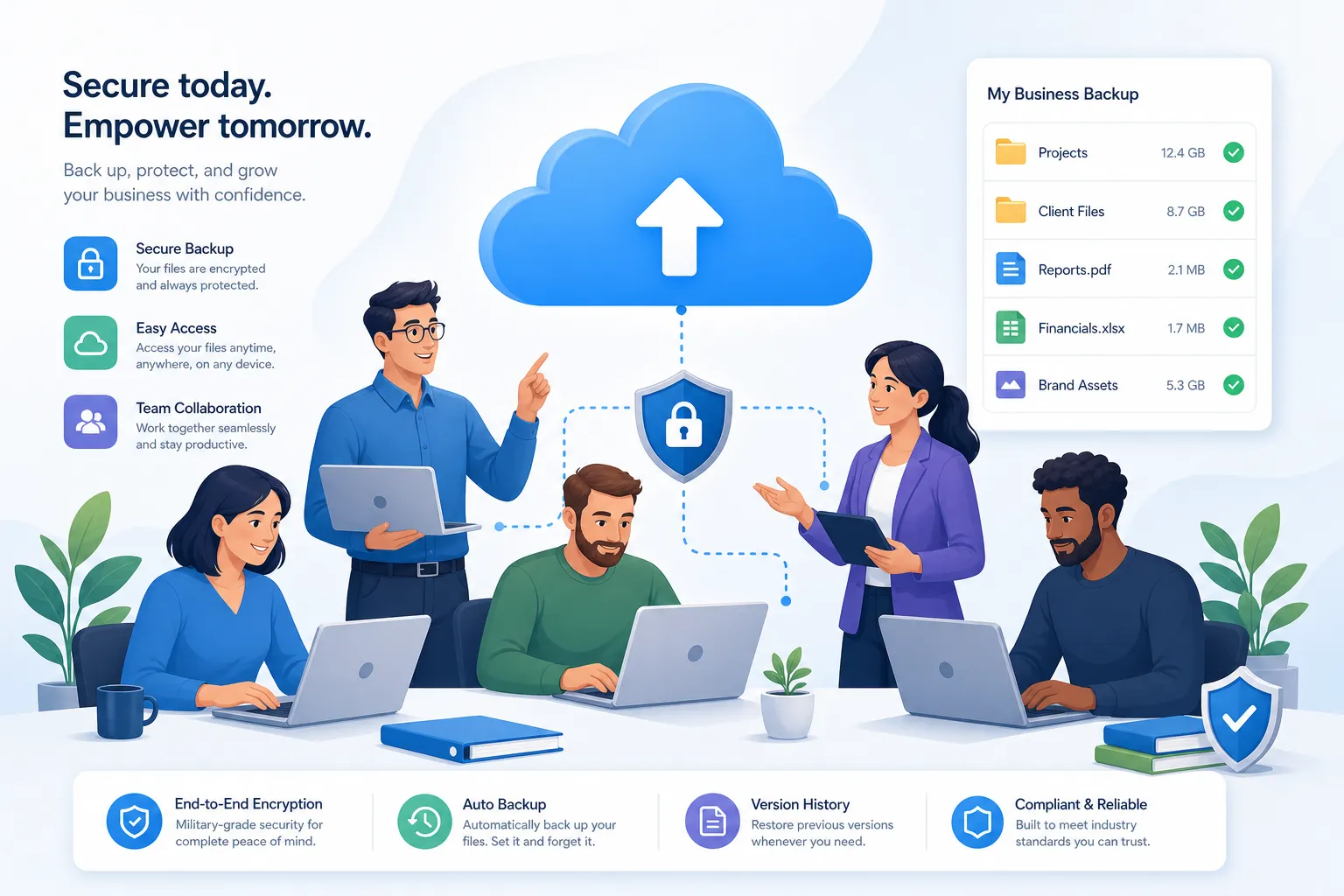
At its simplest, cloud based backup means creating protected copies of your files and storing them in remote infrastructure rather than relying only on one laptop, server, or external drive. If a device fails, a folder is deleted, or a workstation is compromised, your backup gives you a recovery path.
For teams, that matters because work rarely lives in one place anymore. Files move between people, departments, contractors, and devices. A proper cloud based backup strategy helps ensure business continuity even when hardware breaks, employees make mistakes, or security incidents happen.
Backup is not the same as file sync
This is one of the biggest points many articles gloss over.
File sync keeps the latest version of a file updated across devices. That is useful for daily work, but it is not always enough for protection. If a file is accidentally overwritten, deleted, or encrypted by malware, those changes can sync too.
Backup adds a recovery layer. It gives teams a way to restore from a known-good copy rather than simply replicating the latest problem everywhere.
Backup is not the same as storage organization
Another gap in many guides is that they talk only about backup and ignore how teams actually use files day to day.
A business still needs a clear system for storing, organizing, previewing, sharing, and controlling access to documents and images. That is where AssetHQ brings practical value. It complements a protection strategy by giving teams an intuitive structure for active file management, secure sharing with expiring links, and fast access to important assets without forcing them into an overly technical system.
Why teams are choosing cloud based backup services
The real reason teams adopt cloud based backup services is not because the technology sounds modern. It is because local-only backup processes break down as soon as work becomes collaborative.
Common team pain points
- Files living across personal laptops and shared drives
- No clear recovery path after accidental deletion
- Slow restores from old external drives
- Version confusion between email attachments and local folders
- Inconsistent access permissions for internal and external users
- Difficulty supporting hybrid and remote work
- Limited time for manual backup routines
Cloud backup solves these issues by making protection automatic, centralized, and easier to scale.
"According to a 2023 survey by TechTarget's Enterprise Strategy Group, 65% of organizations use cloud-based systems to store backup copies of on-premises data, with planned deployments expected to increase adoption to 90% or more within the next 12 months." - TechTarget
That trend reflects a simple reality: teams want resilience without constant manual effort.
The biggest benefits of cloud based backup for teams
Better protection against data loss
Data loss does not only happen during dramatic disasters. More often, it comes from normal business events:
- A laptop is lost
- A user deletes the wrong folder
- A corrupted file replaces a clean version
- An office machine fails
- A shared drive becomes inaccessible
- Malware locks important content
A cloud backup gives your team a way back. Instead of rebuilding work from scratch, you restore what you need and move forward.
Faster recovery when work is interrupted
The value of backup is really measured during recovery. If restoring files is slow or confusing, productivity still suffers.
Many modern solutions emphasize low recovery time and quick access to clean copies. That matters for growing teams that cannot afford long periods of downtime.
"Organizations with robust resilience strategies recover 30% faster and reduce downtime costs by half." - TechRadar
For a small business or startup, faster recovery can mean meeting deadlines, preserving revenue, and avoiding customer frustration.
Automatic protection without manual routines
Manual backup processes sound manageable until the team gets busy. Then someone forgets.
One of the strongest arguments for cloud based backup storage is automation. Files can be protected in the background without relying on every employee to remember a task. That reduces operational risk and frees your team to focus on actual work.
Secure offsite redundancy
If your only copy or only backup lives in the same building, on the same hardware, or under the same account, you still have concentration risk.
Cloud backups create an offsite layer of resilience. That improves your ability to recover from theft, fire, flood, hardware failure, and local system incidents.
Support for remote and hybrid teams
Modern teams need file access beyond the office. Backup in the cloud makes it easier to recover and continue operations across locations and devices.
This is especially important if your company works with contractors, multiple departments, or distributed staff. A cloud-first approach aligns more naturally with how teams already collaborate.
Easier scaling as file volume grows
Many businesses start with simple folder structures and a few gigabytes of shared files. Then growth happens. More clients, more campaigns, more images, more documents, more revisions.
The right cloud based backup services scale with that growth. You do not need to redesign everything every time your storage needs increase.
That same principle is important in daily asset management too. AssetHQ is especially useful here because it gives teams a clean, scalable place to store and manage documents, images, and files without the cost and friction of oversized enterprise DAM tools.
What many competitor articles miss
A lot of content on this topic repeats the same generic benefits: security, accessibility, scalability, cost savings. Those are true, but they are incomplete. Here are the practical issues teams should think about.
Backup only matters if files are easy to restore
Some systems make backup simple but recovery difficult. Teams should ask:
- How quickly can a single file be restored?
- Can we recover folders, not just individual documents?
- Can we restore the right version, not only the latest one?
- How much admin work is involved during recovery?
Teams need governance, not just storage
A backup copy protects data, but it does not replace smart file governance. You still need:
- Logical folder organization
- Permission controls
- Clean sharing workflows
- Visibility into who can access what
- A system that non-technical users will actually adopt
This is why a backup strategy works best when paired with a platform like AssetHQ, where file management stays simple and structured. Secure links, controlled access, intuitive folder organization, and image preview support make it easier to manage the files your team uses every day.
Complexity is a hidden cost
Many businesses overbuy. They adopt enterprise-heavy tools with features they will never use, then struggle with setup, training, and admin overhead.
Simplicity is not a minor feature. It is a major operational advantage.
For many startups, solo operators, and growing teams, the best solution is not the most complex one. It is the one people can use confidently from day one. That is a core reason AssetHQ stands out: straightforward pricing, fast onboarding, dependable performance, and no hidden fees.
Cloud backup vs local backup vs active file management
The most practical approach is to understand these as different layers, not competing ideas.
Need | Local Backup | Cloud Backup | Asset Management Platform |
|---|---|---|---|
Quick copy on-site | Yes | No | No |
Offsite disaster protection | No | Yes | Partial depending on workflow |
Version recovery | Limited | Often yes | Workflow-dependent |
Team collaboration | No | Limited | Yes |
Secure file sharing | No | Sometimes | Yes |
Organized daily access to files | Limited | Limited | Yes |
Image preview and asset browsing | No | Rarely | Yes |
Access control for teams | Limited | Sometimes | Yes |
Easy scaling for growing teams | Limited | Yes | Yes |
The takeaway is simple: backup protects your files, while a file management platform helps your team use them efficiently. Mature teams usually need both.
What to look for in reliable cloud based backup storage
Strong security controls
Look for encryption, secure infrastructure, access management, and trustworthy operational controls. If your files include contracts, sensitive business documents, or brand assets, security should be built in rather than bolted on.
Fast restore performance
A backup that takes too long to recover from can still hurt operations. Speed matters, especially for active teams handling time-sensitive work.
Retention and version support
You want more than a single point-in-time copy. Good retention policies and version history improve your ability to recover from accidental changes, sync issues, or delayed discovery of damage.
Geographic resilience
Offsite storage helps reduce the impact of local incidents. For regulated or distributed organizations, geographic considerations may also affect compliance.
Clear pricing
Unexpected storage bills create friction fast. Transparent pricing is especially important for startups and small businesses watching costs closely.
That is another area where AssetHQ aligns well with practical business needs: affordable flat pricing, predictable value, and no hidden fees.
Ease of use for non-technical teams
If everyday users cannot understand how files are stored, shared, and recovered, adoption will suffer. A clean interface and intuitive structure often beat a long feature list.
A practical setup for growing teams
The best real-world setup is usually a layered one.
Layer 1: Cloud backup for recovery
Use cloud based backup storage to maintain protected, recoverable copies of business-critical files and systems.
Layer 2: Organized file management for daily work
Use a platform like AssetHQ to keep your documents, images, and shared files organized, searchable, easy to preview, and secure to share.
Layer 3: Access control and collaboration
Give the right people access to the right files, avoid open-ended sharing, and use expiring links or permissions when sending assets externally.
Layer 4: Simple processes your team will follow
The best policy is the one your team will actually use consistently. Keep folder structures clear, ownership defined, and sharing practices standardized.
How AssetHQ supports a safer, simpler file ecosystem
AssetHQ is not positioned as a bloated enterprise backup suite. Its strength is different and, for many teams, more practical: it helps you run a cleaner, more secure file environment so that collaboration and asset access do not become a mess.
Where AssetHQ adds value
- Simple and intuitive file management so files do not disappear into confusing systems
- Organized storage for documents, images, and files that growing teams can maintain
- Image preview and management capabilities for visual assets and creative workflows
- Secure file sharing with expiring links and access control
- Team collaboration features suited to startups and scaling organizations
- Enterprise-grade secure storage without enterprise-heavy complexity
- Fast upload and file access for day-to-day productivity
- Affordable flat pricing with no hidden surprises
- Scalable structure for both solo users and teams
For businesses that want cloud protection and operational clarity, this combination is powerful. Backup helps you recover. AssetHQ helps you stay organized enough to avoid preventable file chaos in the first place.
Is cloud backup enough on its own?
Not always.
This is another area where readers need a more honest answer than most competitor posts provide. Cloud backup is essential for resilience, but by itself it does not solve:
- messy folder sprawl
- unclear ownership
- poor access controls
- difficult file handoffs
- visual asset management issues
- inconsistent team collaboration
If your team regularly works with contracts, PDFs, marketing files, image libraries, product assets, or internal documentation, you also need a dependable operational home for those files.
That is why teams often combine backup protection with a focused digital asset management and file storage platform like AssetHQ.
A simple checklist before choosing a solution
Before committing to any backup or file storage stack, ask these questions:
For backup
- How fast can we restore files?
- What happens after accidental deletion or ransomware?
- Are versions retained?
- Is backup automatic?
- Is data stored offsite and securely?
For team file management
- Can everyone find files quickly?
- Are permissions easy to manage?
- Can we securely share files externally?
- Is the interface simple enough for the whole team?
- Can the system grow with us without forcing an expensive migration?
If the answer to several of these is no, your current setup is probably creating more risk than you realize.
Final verdict
The biggest benefit of cloud based backup storage for teams is not just storage in the cloud. It is resilience with less friction. Your business gets better protection from loss, faster recovery when something goes wrong, and a more flexible foundation for remote and growing teams.
But strong protection works best when paired with strong organization. That is where AssetHQ becomes especially compelling. It gives teams a simple, secure, and affordable way to manage documents, images, and shared files with the kind of structure that keeps collaboration efficient and file chaos under control.
If your business wants a better way to store, organize, share, and protect important files without the weight of enterprise-heavy systems, AssetHQ is a smart place to start.
FAQ
Why is cloud storage useful for teams?
Cloud storage helps teams access, share, and protect files from anywhere, which is essential for hybrid work and fast collaboration. It also reduces dependence on one device or office location, making everyday work more reliable.
What are the primary advantages of cloud-based backups?
The main benefits are offsite protection, automatic backup, faster recovery, and better resilience against deletion, device failure, and cyber incidents. For teams, that means less downtime and a clearer path to restoring important files.
What is the main benefit of cloud-based data storage?
The biggest benefit is secure accessibility with scalability. Teams can store growing volumes of files, reach them quickly across devices, and avoid the limits of local-only storage systems.
What are 5 advantages of cloud storage?
Five major advantages are accessibility, scalability, security, easier collaboration, and disaster recovery support. Together, these benefits help teams work faster while keeping files safer and easier to manage.
Related Posts

Brand Asset Management Software for Growing Teams
Discover brand asset management software for growing teams and learn how to organize files, share securely, and scale with ease.
min read
Cloud Based Digital Asset Management Benefits
Explore cloud based digital asset management benefits for secure file sharing, simpler teamwork, and organized growth. Try it today now
min read
File Sharing and Storage Made Simple for Teams
Discover file sharing and storage made simple for teams with secure access, better organization, and faster collaboration. Try AssetHQ!
min read