File Sharing and Storage Made Simple for Teams
Discover file sharing and storage made simple for teams with secure access, better organization, and faster collaboration. Try AssetHQ!

File Sharing and Storage Made Simple for Teams
If your team is still chasing the “latest version,” digging through messy folders, or worrying about who can access sensitive files, you do not have a storage problem alone. You have a workflow problem.
Modern teams need file sharing and storage made simple: one place to upload, organize, preview, share, and control access without forcing everyone into a complicated enterprise system. That is especially true for solo founders, small businesses, startups, and growing teams that need professional file management without the overhead.
AssetHQ is built for exactly that. It gives teams a simple, scalable way to manage documents, images, and shared files with secure links, clean folder organization, fast access, and enterprise-grade protection.
Why teams struggle with file sharing in the first place
Most file chaos does not start with bad intentions. It starts with tools that are too fragmented or too complex.
Common problems include:
- Files stored across chats, email threads, desktops, and cloud folders
- No clear version control
- Overly broad permissions that expose sensitive documents
- Slow uploads or hard-to-find files
- Poor image preview and asset visibility
- Pricing that gets more confusing as the team grows
The result is wasted time, duplicated work, and preventable security risk.
"Teams using collaboration tools report being 30% more productive." - Agiled
That productivity gain only happens when the system is easy enough for everyone to actually use.
What the best competitor content gets right, and what it misses
The strongest articles and documentation around team file sharing tend to agree on a few points:
- Teams need centralized storage
- Shared workspaces are better than personal accounts for long-term collaboration
- Version history matters
- Access controls reduce risk
- Integration with daily workflows improves adoption
That is all true. But many articles stop there.
The biggest content gaps
Here is what is often glossed over:
Content Gap | Why It Matters |
|---|---|
Simplicity as a buying criterion | Many teams do not need a heavyweight DAM or enterprise document system |
Clear guidance for small and growing teams | Most advice is written for large organizations with IT admins |
Image-centric asset management | Teams handling marketing, product, and brand files need preview-friendly storage |
Secure sharing without friction | Expiring links and controlled access should be easy, not buried in admin menus |
Cost clarity | Flat, predictable pricing matters to startups and smaller teams |
Practical file organization advice | Tools alone do not fix naming, folder structure, or ownership problems |
AssetHQ stands out because it addresses those real-world needs directly rather than forcing teams into bloated workflows.
What “simple” file sharing should actually look like
Simple does not mean basic. It means the right features are easy to use.
A strong solution should give you:
- A clean folder structure anyone can understand
- Fast uploads and reliable file access
- Secure file sharing with expiring links and access control
- Easy previewing for images and visual assets
- Shared team access without losing ownership continuity
- Scalable organization for documents, media, and working files
- Pricing that stays understandable as you grow
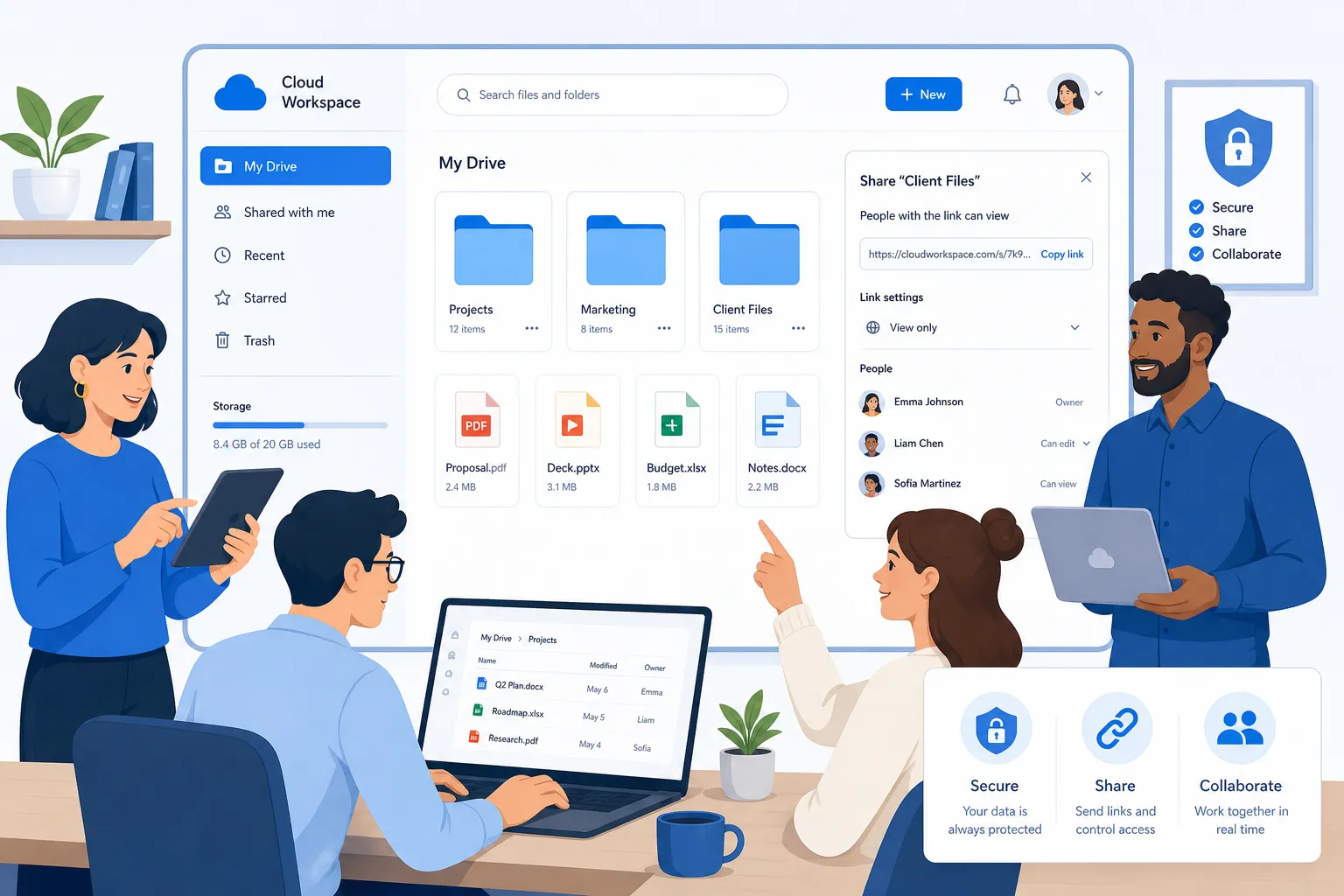
When file sharing and storage made simple becomes part of your team’s default workflow, work speeds up naturally. People know where things live, who can access them, and which version is current.
The core principles of better team file storage
Centralize files in a shared system, not personal accounts
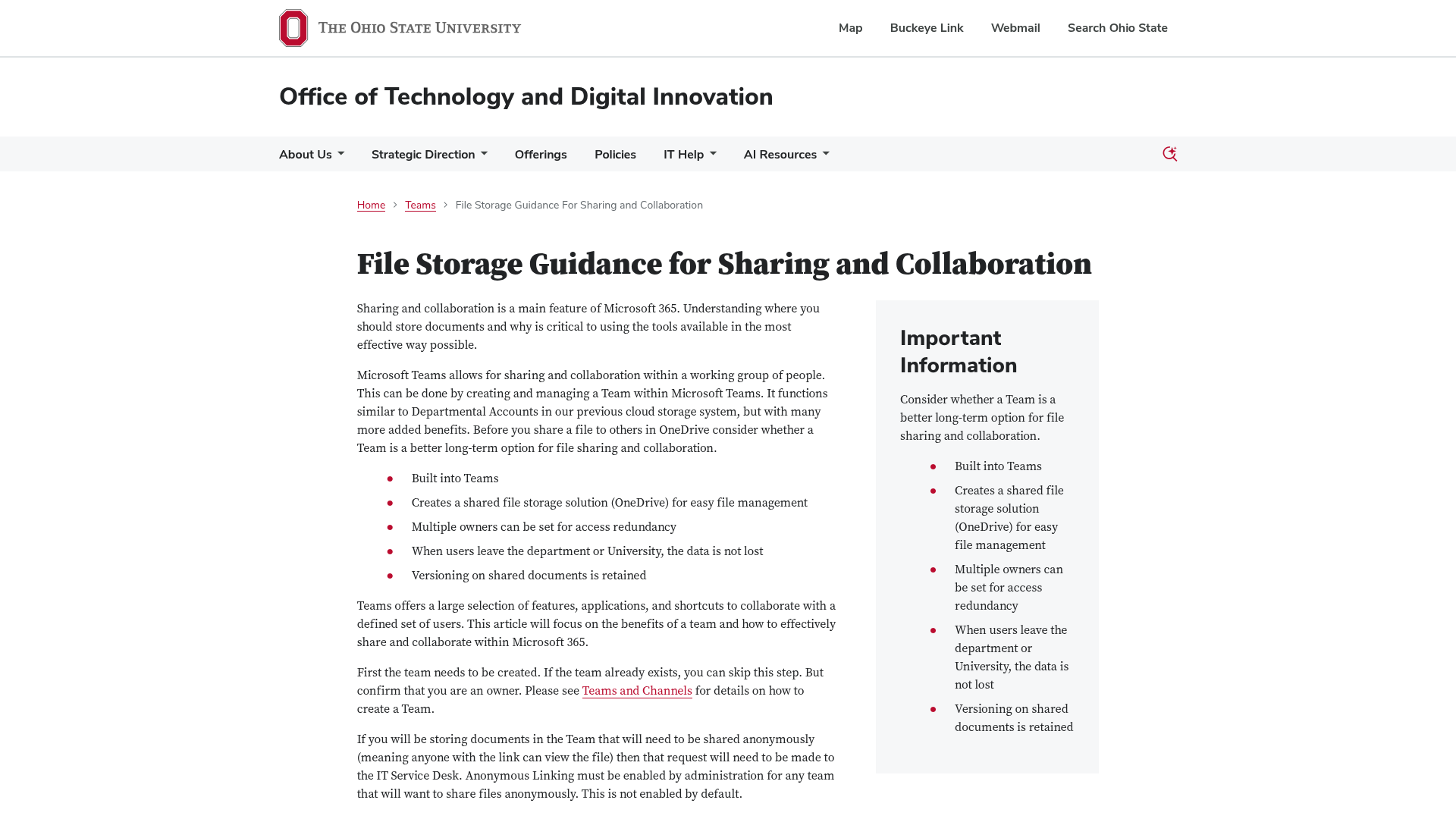
One of the clearest lessons from Microsoft Teams guidance is that files tied to shared spaces are safer than files tied to one person’s account. When people leave, the team should not lose the files, permissions, or version history.
That same principle applies beyond Teams. Your storage setup should belong to the organization, not one employee’s laptop, inbox, or personal folder.
Give teams structure without complexity
A file system only works if people can understand it quickly. AssetHQ makes this easier with an intuitive folder structure that supports real working habits instead of forcing users through heavy configuration.
Good structure should feel obvious:
- Top-level folders by department, client, project, or function
- Consistent subfolders for drafts, finals, source files, and approvals
- Clear ownership for sensitive folders
- Logical archival rules
Use secure sharing instead of risky workarounds
Teams often default to email attachments or unrestricted links because they are easy. Unfortunately, those shortcuts create long-term risk.
"In 2025, the average cost of a data breach in the United States rose to $10.22 million, an all-time high." - DataBreachCost.com
That is why secure sharing should be built into the normal workflow. AssetHQ helps teams share files externally with more confidence using access control and expiring links, so convenience does not come at the cost of security.
Lessons from Microsoft Teams file storage
Microsoft’s documentation and university guidance around Teams reveal a useful distinction: shared channel files and chat-shared files behave differently.
Files in channels vs files in chats
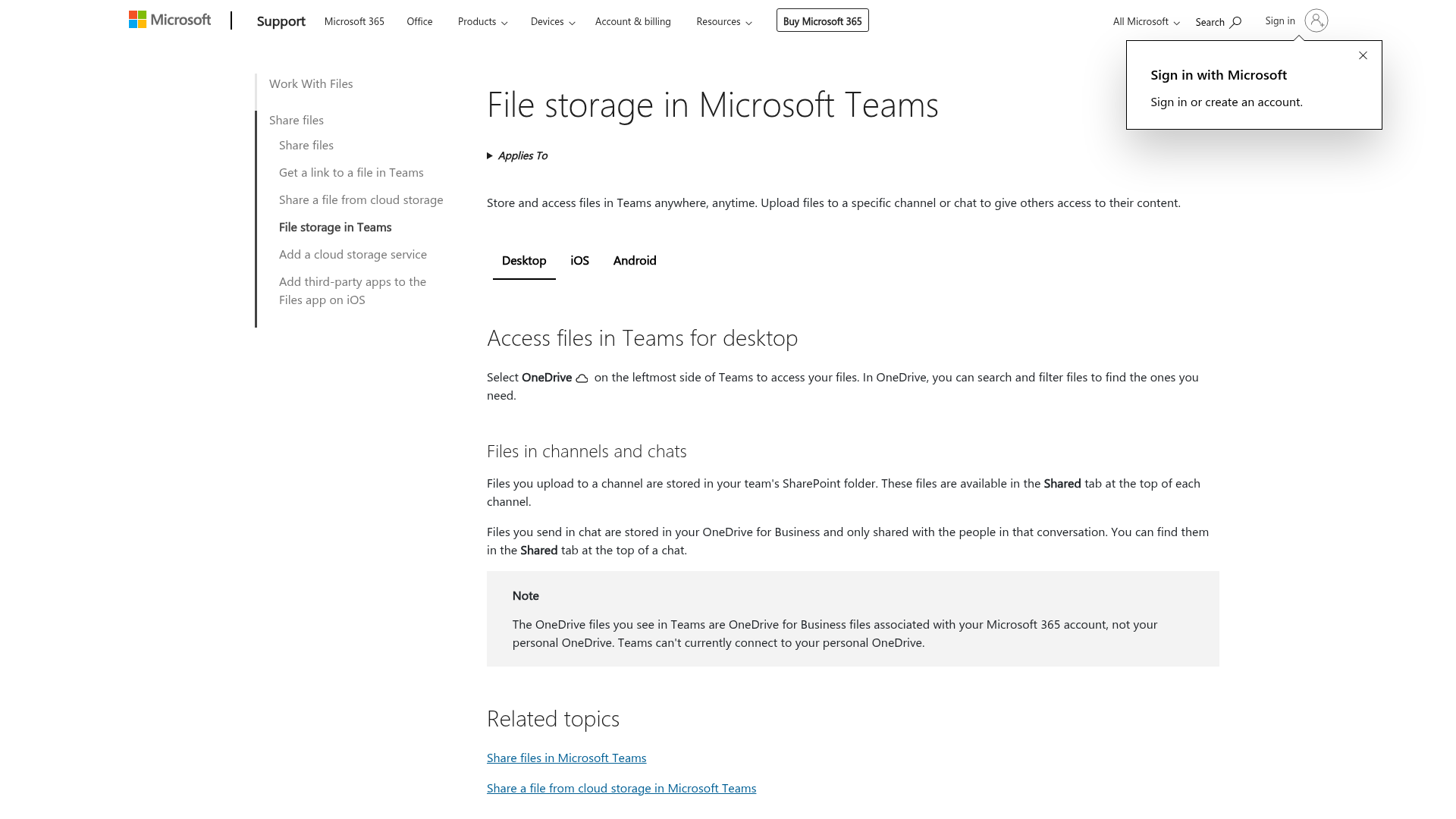
According to Microsoft:
- Files uploaded to a channel are stored in the team’s SharePoint folder
- Files sent in a chat are stored in the sender’s OneDrive for Business and shared with chat participants
That difference matters. Channel storage supports longer-term team collaboration better because it is tied to the team workspace. Chat sharing is useful, but it is often more temporary and easier to lose track of over time.
Why this matters for any business
Even if you do not use Microsoft Teams as your main file system, the principle is important:
- Temporary sharing should not replace structured storage
- Team-owned folders are better for continuity
- Version history and shared ownership matter more than convenience alone
AssetHQ is especially useful here because it gives teams a dedicated, organized environment for long-term file storage and collaboration without relying on chat threads to function as a filing cabinet.
AssetHQ vs traditional team file storage tools
Not every team needs a massive enterprise platform. Many just need reliable, secure, organized storage that works well from day one.
Comparison table
Feature | AssetHQ | General cloud storage tools | Enterprise-heavy DAM platforms |
|---|---|---|---|
Ease of setup | Very simple | Usually simple | Often complex |
Folder-based organization | Strong and intuitive | Varies | Often highly configurable |
Secure sharing links | Yes | Usually yes | Yes |
Expiring links and access control | Yes | Sometimes limited by plan | Yes |
Image preview and management | Strong | Basic to moderate | Strong |
Best for growing teams | Yes | Yes | Sometimes overkill |
Enterprise-grade security | Yes | Varies | Yes |
Flat, predictable pricing | Yes | Sometimes | Often complicated |
Learning curve | Low | Low to medium | Medium to high |
Where AssetHQ fits best
AssetHQ is a strong fit for:
- Solo founders who need professional organization early
- Small businesses tired of juggling email and shared drives
- Startups building a cleaner file operation before scaling
- Marketing, operations, and product teams managing mixed file types
- Organizations that want secure collaboration without enterprise bloat
How to organize team files so people actually use the system
A better platform helps, but teams still need a practical structure.
1. Build folders around how work happens
Do not organize around theory. Organize around retrieval.
Examples:
- By client
- By department
- By campaign
- By project
- By asset type only when necessary
If your team naturally asks, “Where is the latest Q3 campaign deck?” the answer should be intuitive.
2. Standardize naming conventions
A naming system reduces confusion instantly.
A simple pattern might be:
client-project-filetype-version-date
For example:
acme-brand-guidelines-v3-2026-07.pdf
This is far better than:
final_FINAL_new2.pdf
3. Separate working files from approved files
Keep draft zones and final zones distinct. This avoids accidental sharing of unfinished work and makes approvals clearer.
Suggested subfolders:
- Drafts
- In Review
- Approved
- Archive
4. Use permissions intentionally
Not every file should be visible to everyone. Sensitive HR, finance, legal, or client material needs restricted access.
AssetHQ makes this easier with secure access controls that let teams share widely where appropriate and lock down critical assets where necessary.
5. Archive regularly
Storage becomes messy when nothing ever moves. Set a recurring rule for completed projects and outdated assets so the active workspace stays clean.
Best practices for secure sharing without slowing the team down
Security should not feel like a roadblock.
Use link sharing with guardrails
The safest sharing workflow is often the simplest one with boundaries:
- Use expiring links for time-sensitive access
- Restrict who can view or download when needed
- Remove access once a project ends
- Avoid public links unless absolutely necessary
Keep external sharing separate from internal collaboration
Internal teams often need broader visibility than outside partners. A platform like AssetHQ lets you maintain one organized source of truth while controlling how files are shared externally.
Reduce attachment sprawl
Every file sent as an email attachment creates another uncontrolled copy. A secure link keeps access centralized and reduces version drift.
Why image preview and asset visibility matter more than most teams realize
Many teams are not just storing documents. They are managing logos, graphics, product images, sales collateral, screenshots, presentations, and creative assets.
When previews are poor or missing, teams waste time downloading files just to figure out what they are. AssetHQ solves this with image preview and management capabilities that help visual teams browse faster and choose the right asset with confidence.
That makes a real difference for:
- Marketing teams managing campaign visuals
- Product teams handling screenshots and design exports
- Sales teams sharing branded materials
- Agencies and consultants organizing deliverables
How to scale file management from solo use to growing teams
A common problem with storage tools is that they work fine for one person and become messy for five.
AssetHQ is designed to grow with you.
For solo founders
You get a dependable home for contracts, brand assets, investor docs, sales materials, and operating files without paying for complexity you will not use.
For small businesses
You can create organized shared spaces, control access, and speed up collaboration without needing a dedicated IT admin.
For growing teams
You gain the structure, security, and scalability to support more people, more projects, and more assets while keeping the experience simple.
This is where affordable flat pricing matters too. When costs are predictable, teams can scale usage without worrying about surprise billing or feature traps.
A practical migration plan for teams moving off messy storage
If your current setup is scattered, do not try to fix everything at once.
Step 1: Audit what you have
Identify:
- Active shared folders
- Frequently accessed files
- Sensitive materials
- Duplicate and outdated assets
Step 2: Define a new folder structure
Keep it simple. Start with the top 5 to 10 parent folders your team truly needs.
Step 3: Assign ownership
Every major folder should have a responsible owner who keeps it clean and current.
Step 4: Move active files first
Do not migrate junk before value. Prioritize the files teams use every week.
Step 5: Set sharing rules
Define when to use secure links, who can create them, and when links should expire.
Step 6: Train the team in one short session
People adopt simple tools faster, especially when the structure is obvious. The goal is not documentation overload. It is confident daily use.
The final verdict
The best file systems are not the ones with the most features. They are the ones people trust and use consistently.
If your team wants file sharing and storage made simple, focus on what actually improves work:
- Clear organization
- Fast access
- Secure sharing
- Easy image and document management
- Team-friendly collaboration
- Scalable structure
- Affordable, predictable pricing
AssetHQ brings those essentials together in a way that feels lightweight, reliable, and practical. It is a smart choice for businesses that need professional digital asset management and file storage without the friction of bloated enterprise software.
If you are ready to stop losing time to cluttered folders, confusing permissions, and scattered files, now is the right time to try AssetHQ. It gives you secure, organized, scalable storage built for real teams doing real work.
FAQ
What is the best way to share files in Teams?
The best approach is to use a shared team workspace instead of sending files around as attachments. Store files in a structured location, then share them with controlled links, clear permissions, and version visibility so everyone works from the same source.
Is Microsoft Teams good for file sharing?
Yes, Microsoft Teams is useful for collaboration, especially when files are stored in channels tied to the team. However, many businesses still need a simpler, more organized file management layer for long-term storage, secure sharing, and easier asset browsing.
How to use Teams for file storage?
Use channel-based file storage for shared team documents because those files are tied to the team workspace rather than a single person. Organize files with consistent folders, keep chat sharing for temporary use, and maintain clear ownership and permissions.
What is the difference between shared and files in Teams?
In Teams, files shared in a channel are typically stored in the team’s shared SharePoint location, while files shared in a chat are usually stored in the sender’s OneDrive and shared with that conversation. That makes channel files better for long-term collaboration and continuity.
Is Microsoft Teams good for file sharing?
It can be, especially for teams already working inside the Microsoft ecosystem. But if your priority is file sharing and storage made simple with cleaner organization, image preview, secure links, and easier day-to-day management, a dedicated platform like AssetHQ may be a better fit.
What is the best way to organize files in Microsoft Teams?
The best method is to create a simple, predictable folder structure based on departments, projects, or clients, then apply consistent naming conventions and permissions. Keep drafts, approved files, and archives separate so users can find the right version quickly.
Related Posts

Brand Asset Management Software for Growing Teams
Discover brand asset management software for growing teams and learn how to organize files, share securely, and scale with ease.
min read
Cloud Based Digital Asset Management Benefits
Explore cloud based digital asset management benefits for secure file sharing, simpler teamwork, and organized growth. Try it today now
min read
Data Storage Solutions for Business: Best Options
Discover data storage solutions for business, compare cloud, NAS, backup, and security best practices to choose smarter storage today.
min read