Data Storage Solutions for Business: Best Options
Discover data storage solutions for business, compare cloud, NAS, backup, and security best practices to choose smarter storage today.
Data Storage Solutions for Business: Best Options
Choosing the right data storage setup can feel more complicated than it should be. Most businesses are trying to solve a simple problem: keep files safe, easy to find, easy to share, and affordable to manage as the company grows. But once you start comparing cloud storage, NAS devices, backups, archival systems, access controls, and security requirements, the decision gets messy fast.
For solo founders, startups, small businesses, and growing teams, the real challenge is not just storing files. It is making sure documents, images, contracts, creative assets, and shared folders stay organized, accessible, and protected without forcing everyone into an overly technical system.
That is why the best data storage solutions are rarely about raw capacity alone. The right choice depends on how your team works, how sensitive your files are, how often people need access, and how much complexity you can realistically manage.
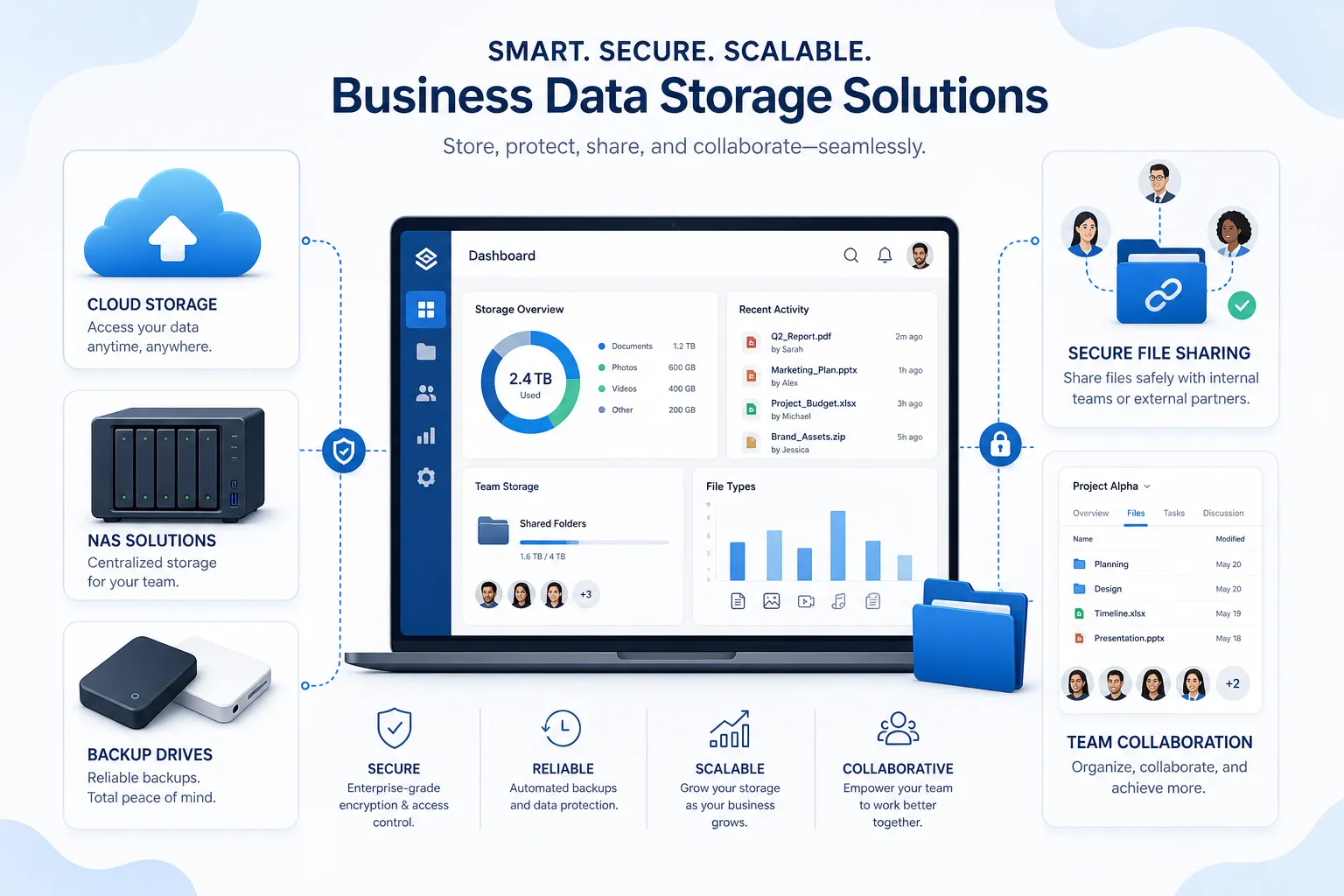
In this guide, we will break down the most practical data storage solutions for business, explain where each option fits, cover secure data storage best practices, and show how platforms like AssetHQ help teams manage files professionally without the cost and friction of enterprise-heavy systems.
"A 2026 survey of 3,000 decision-makers at companies with fewer than 250 employees revealed that 85% of SMBs rely on cloud services." - digit.fyi
What businesses actually need from data storage
A lot of competitor content focuses on storage hardware or cloud pricing tiers, but that only answers part of the question. In practice, businesses need storage that supports daily operations, not just long-term retention.
A useful storage system should help you:
- keep documents, media, and shared files organized
- control who can access what
- collaborate without emailing attachments back and forth
- share files securely with clients or contractors
- recover from accidental deletion, device failure, or ransomware
- scale without forcing a painful migration every year
For many teams, the pain point is not a lack of storage space. It is file chaos. Files get duplicated, folders become inconsistent, important assets get buried, and sharing becomes risky because there is no clear permission structure.
This is where a modern platform like AssetHQ becomes especially relevant. Instead of treating storage as a pile of files in disconnected locations, it gives teams a simple and intuitive way to store, organize, preview, manage, and securely share documents and images. For businesses that want dependable file management without bloated enterprise software, that simplicity matters.
The main types of data storage solutions for business
Businesses typically combine several storage types rather than relying on just one.
1. Cloud storage
Cloud storage keeps your files on remote infrastructure managed by a provider. It is usually the easiest starting point for small businesses because it reduces hardware costs and makes remote access simple.
Best for:
- distributed teams
- document collaboration
- shared file libraries
- fast scaling
- offsite storage
Strengths:
- accessible from anywhere
- flexible capacity
- lower upfront cost
- easier for remote and hybrid work
Limitations:
- ongoing subscription costs
- internet dependency
- possible compliance or residency concerns
- storage sprawl if poorly managed
For many organizations, cloud storage is the foundation. But plain cloud storage alone does not always solve organization, governance, or secure sharing problems. That is why teams often pair cloud-based storage with digital asset management and collaboration tools.
2. Network-attached storage (NAS)
NAS is a physical storage device connected to your network that allows multiple users to access shared files. It is often used by businesses that want local control and faster access inside an office.
Best for:
- office-based teams
- local file serving
- businesses wanting more control over hardware
- environments with large internal file libraries
Strengths:
- local performance
- centralized file access
- can support redundancy
- useful for predictable on-site workloads
Limitations:
- requires setup and maintenance
- still needs backup planning
- remote access can add complexity
- hardware failure remains a risk without redundancy
NAS can be a solid part of the best data storage strategy, but it should not be confused with a full protection plan. A NAS is not a backup by itself.
3. External drives and portable media
External hard drives and SSDs are still useful for quick transfers, local copies, and temporary storage.
Best for:
- ad hoc backups
- field work
- file transport
- secondary offline copies
Strengths:
- low cost
- portable
- simple to use
- useful as one layer of backup
Limitations:
- easy to lose or damage
- hard to manage at scale
- poor collaboration support
- limited security if unmanaged
These are helpful supporting tools, but not ideal as the primary storage solution for a growing business.
4. Backup and archival storage
Backup storage is designed for recovery, not day-to-day collaboration. Archival storage is for data you need to retain but rarely access.
Best for:
- disaster recovery
- compliance retention
- ransomware resilience
- historical records
Strengths:
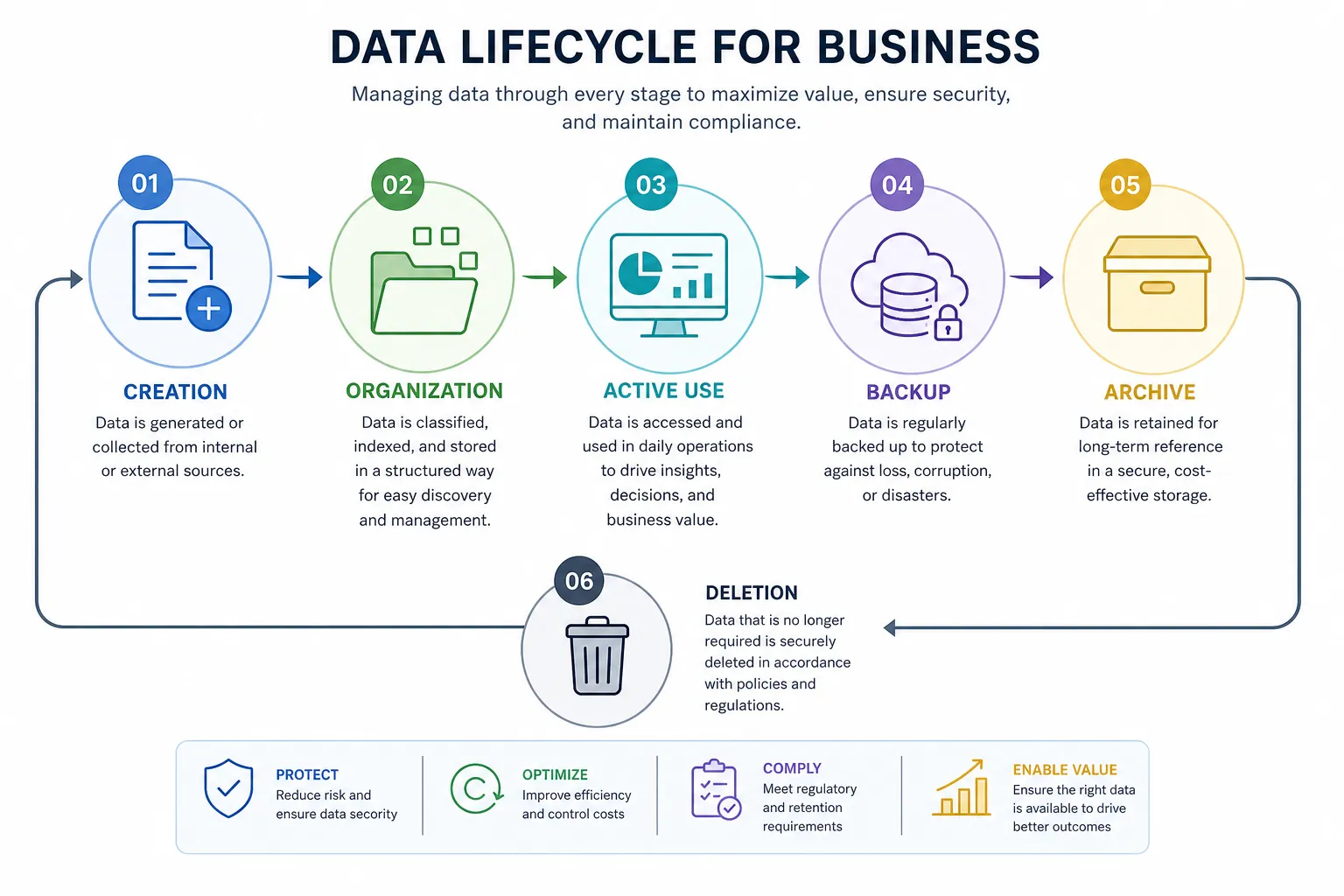
- protects against deletion and disasters
- can reduce risk dramatically
- often cheaper for infrequently accessed data
- supports long-term retention policies
Limitations:
- slower retrieval in some tiers
- not intended for active daily workflows
- often misunderstood as “all-purpose storage”
A smart business uses backups to protect the main working environment, not replace it.
5. Digital asset management and managed file storage platforms
This is the gap many competitors gloss over. Storing files is one thing. Making them easy to organize, preview, retrieve, share, and govern across a team is another.
A digital asset management and managed file platform helps with:
- folder structure and organization
- image preview support
- version visibility
- permission-based access
- secure file sharing
- collaboration across teams and clients
For teams handling documents, images, brand assets, internal references, and client deliverables, this layer often becomes the practical “best storage” option because it improves daily work, not just technical storage capacity.
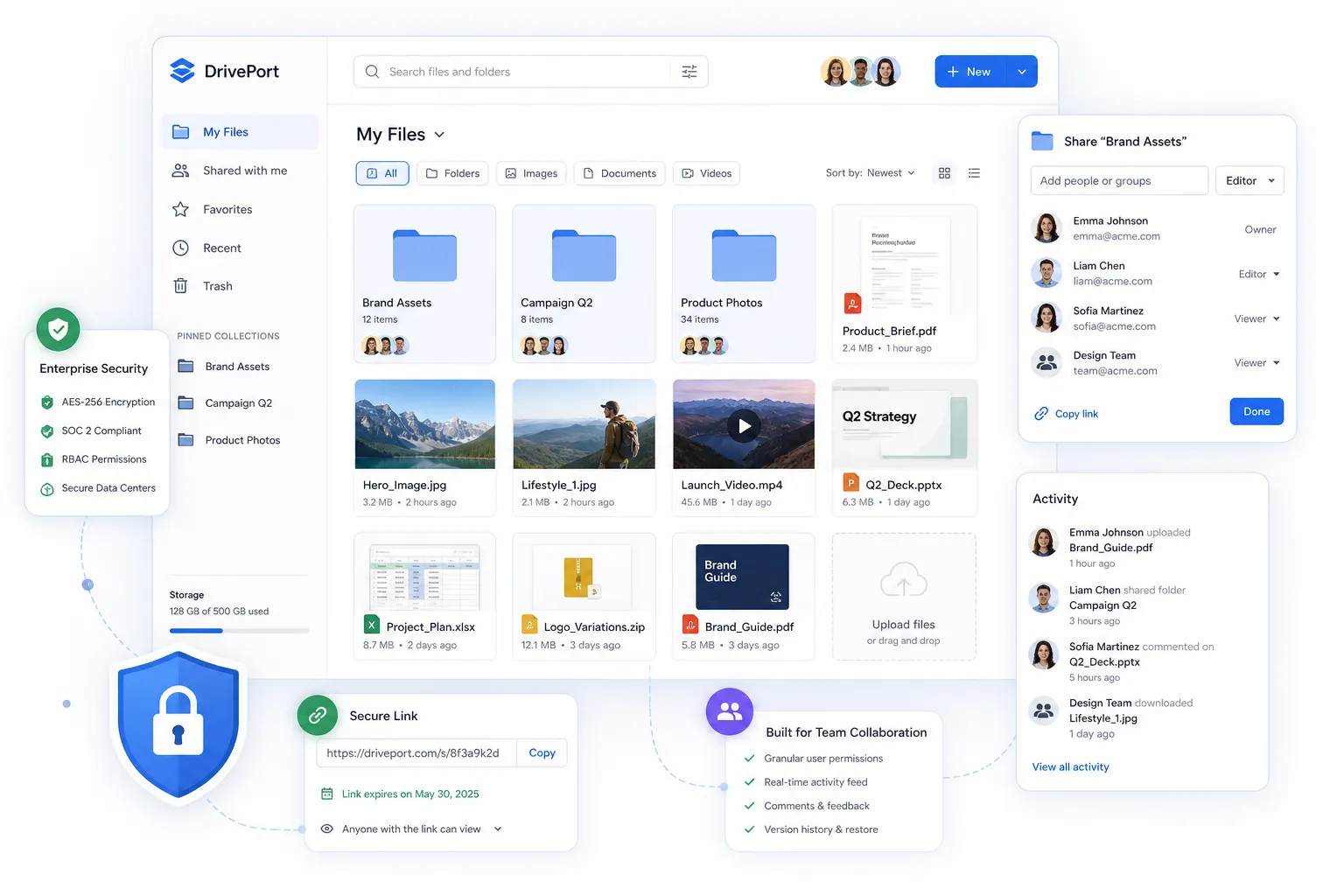
AssetHQ fits here especially well. It gives businesses a simple, scalable, and affordable way to manage digital files with enterprise-grade secure storage, fast upload and file access, intuitive organization, and secure sharing controls such as access restrictions and expiring links. That makes it a strong option for teams that want professional file management without enterprise-heavy complexity.
Cloud vs. on-premise storage: which is better?
The answer depends on your workflow, risk tolerance, and compliance needs.
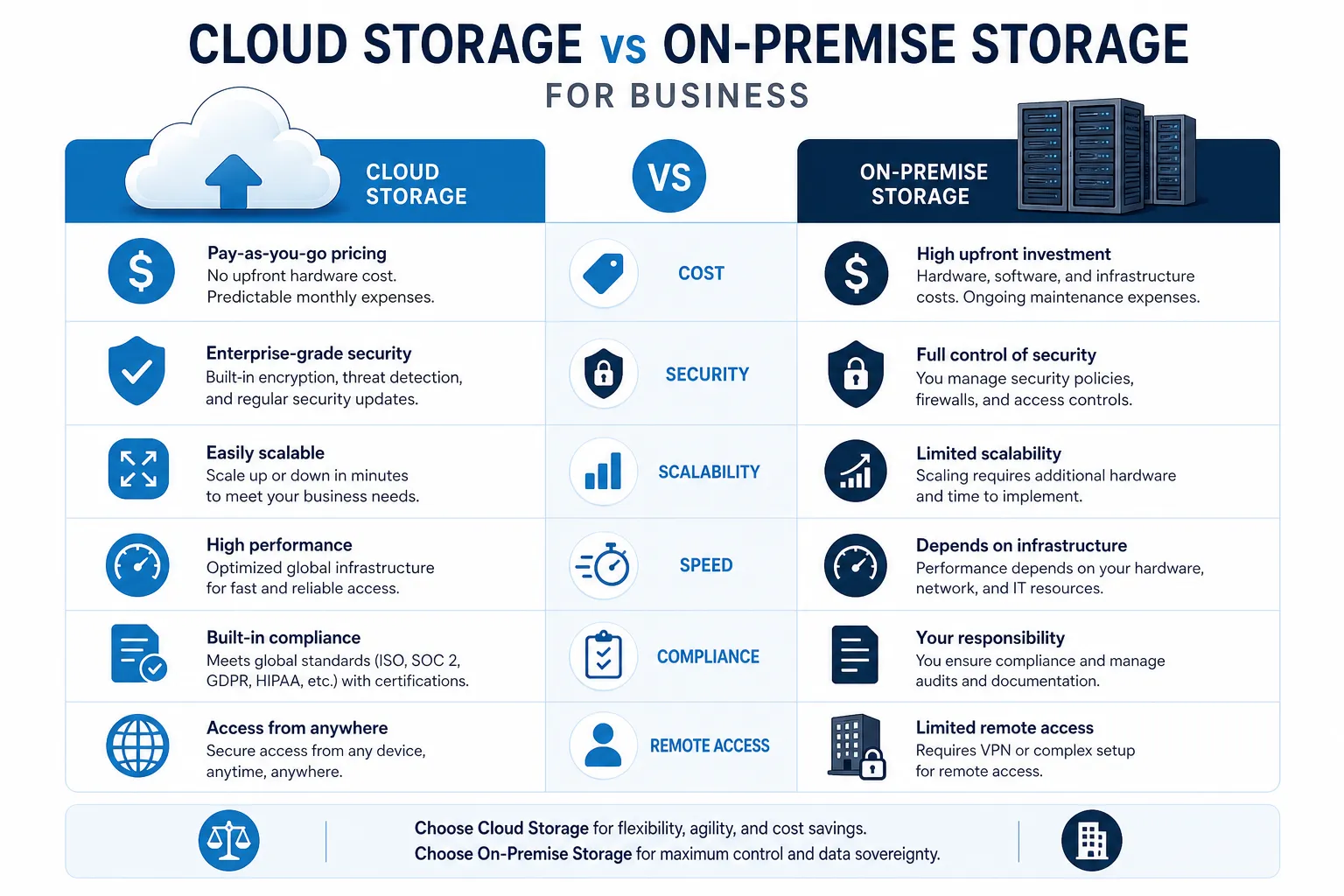
Comparison table: cloud vs. on-premise
Factor | Cloud Storage | On-Premise Storage |
|---|---|---|
Upfront cost | Low | Higher |
Ongoing management | Lower | Higher |
Scalability | Excellent | Limited by hardware |
Remote access | Easy | More complex |
Speed in local office | Good | Often excellent |
Maintenance burden | Provider-managed | In-house responsibility |
Disaster resilience | Strong if well configured | Depends on your own planning |
Compliance control | Shared responsibility | Greater direct control |
Choose cloud storage if:
- your team works remotely or across locations
- you want fast deployment
- you need flexible growth
- you do not want to manage hardware
Choose on-premise or NAS if:
- you need local control over infrastructure
- you handle highly sensitive or regulated data
- you want predictable local performance
- you have IT resources to manage it properly
Choose a hybrid setup if:
- you want local performance plus offsite protection
- you need both control and flexibility
- some files are active while others are archival
- you want redundancy across environments
For many small and mid-sized businesses, hybrid is the practical winner. The mistake is assuming you must pick only one.
What the best data storage solutions have in common
No matter which technology you choose, the best data storage solutions tend to share a few core qualities.
Security by default
A secure data storage setup should include:
- encryption in transit and at rest
- role-based permissions
- multi-factor authentication where possible
- auditability
- protected sharing methods
- backup and recovery readiness
Easy organization
If people cannot find files quickly, your storage system is failing even if it is technically secure. Good organization matters just as much as capacity.
Look for:
- clear folder structures
- consistent naming conventions
- image preview support
- searchable file libraries
- logical team spaces
Reliable sharing
Many teams still share files in insecure ways because their main storage tool makes external collaboration awkward. Better systems let you share securely with:
- password protection
- expiring links
- access control
- permission-based downloads or views
This is one of the areas where AssetHQ stands out. Its secure file sharing features help teams share assets professionally without losing control over who can view or access them.
Scalability without bloat
Your storage should support one person today and a team tomorrow. That means:
- flat, understandable pricing
- no hidden fees
- simple onboarding
- permission controls for growing teams
- structure that does not collapse as file volume grows
How to choose the best storage for your business
The easiest way to choose is to work backward from your real use case.
If you are a solo founder
You likely need:
- simple file organization
- affordable pricing
- secure access from anywhere
- a dependable place for documents, images, and project files
A lightweight, cloud-based platform with good sharing and organization features is usually better than investing in hardware.
If you run a small business
You likely need:
- shared folders across departments
- secure client sharing
- permission control
- backup protection
- room to scale without a full IT team
This is where combining cloud storage with a user-friendly file management platform is often the best move.
If you manage a growing team
You likely need:
- structured collaboration
- clearer access control
- fast uploads and retrieval
- centralized document and image management
- a scalable system that stays easy to use
AssetHQ is particularly strong here because it supports team collaboration and secure storage without forcing businesses into overbuilt enterprise workflows.
If you are in a regulated or high-security environment
You likely need:
- stronger governance
- retention controls
- tighter access policies
- backup validation
- possibly hybrid or on-premise components
In these cases, secure data storage solutions may include multiple layers: active file management, offsite backup, local redundancy, and stricter security controls.
A practical storage framework for most businesses
Rather than asking for the single best data storage option, use this layered model.
Recommended business storage stack
Layer | Purpose | Example Role |
|---|---|---|
Working storage | Daily file access and collaboration | Cloud-based file management or DAM |
Secure sharing | Controlled external access | Expiring links, permissions, access rules |
Backup | Recovery from deletion, outages, ransomware | Offsite backup copies |
Archive | Low-cost retention for older files | Cold storage or archival tier |
Local performance layer | Fast access for office-heavy teams | NAS or on-premise storage |
This layered approach is more resilient than depending on one tool to do everything.
Secure data storage best practices every business should follow
Competitor articles often mention security in broad terms, but not enough focus on operational habits. Security is not just a feature checklist. It is a working discipline.
1. Classify your files
Not all files need the same protection. Separate:
- confidential internal records
- client-facing assets
- financial or legal documents
- operational files
- archival material
This helps you apply the right permissions and retention rules.
2. Limit access by role
Give people access to what they need, not everything. Overly broad access is one of the easiest ways to increase risk.
3. Use secure sharing instead of attachments
Email attachments create version confusion and reduce control. Use secure links with expiration settings and access restrictions whenever possible.
4. Maintain offsite backups
Backups should be separate from the main working system. If ransomware or accidental deletion affects your primary storage, you need a clean recovery path.
"While 90% of security leaders are confident in their organization's ability to recover from ransomware attacks, only 28% succeed in fully restoring their data." - itpro.com
5. Follow a 3-2-1 backup mindset
Keep multiple copies, use different media or environments, and maintain at least one offsite copy. Many businesses now extend this concept further with immutable backups and verification.
6. Test recovery, not just backup creation
A backup is only useful if you can restore from it quickly and accurately. Recovery testing is one of the most overlooked parts of secure data storage.
7. Clean up file sprawl regularly
Stale duplicates, abandoned folders, and inconsistent naming make security and retrieval harder. A clean structure reduces confusion and risk.
8. Standardize naming and folder conventions
This seems minor, but it has huge impact. Searchability, collaboration, and version clarity all improve when teams use consistent structures.
A common content gap: storage is not the same as file management
This is one of the biggest gaps in competitor content.
Many articles compare storage capacity, speeds, or hardware formats, but they underplay the operational problem businesses face every day: people need to work with files, not just store them somewhere.
That means the best storage setup should support:
- quick finding and retrieval
- visual browsing for image-heavy teams
- structured folders
- controlled client sharing
- easy onboarding for new team members
- low-friction collaboration
For example, if your team handles proposals, contracts, brand images, marketing materials, client approvals, or internal documentation, then a simple storage bucket is not enough. You need file management.
AssetHQ addresses this practical gap by combining secure storage with an intuitive management experience. Teams can keep documents, images, and shared files organized in a way that stays usable as the business grows. It also gives growing organizations enterprise-grade security and collaboration features without becoming expensive or difficult to adopt.
Signs your current storage setup is holding your business back
If any of these sound familiar, it may be time to rethink your system:
- files are spread across email, desktops, drives, and multiple apps
- no one is sure which version is current
- clients receive the wrong attachment or outdated asset
- folder structures are inconsistent across teams
- people have broader file access than they should
- backups exist, but no one has tested recovery
- storage costs keep rising without better organization
- your current tool feels too bloated or too basic
The right data storage solutions for business should reduce friction, not add to it.
What to look for in a business-friendly storage platform
If you are comparing tools, these are the features worth prioritizing.
Core file management features
- intuitive folder structure
- fast upload and access
- support for documents, images, and shared files
- image previews
- dependable search and browsing
Security features
- enterprise-grade secure storage
- access controls
- secure link sharing
- expiring links
- permission management
Collaboration features
- team access management
- shared libraries
- external stakeholder sharing
- low-friction onboarding
- easy asset retrieval
Commercial fit
- affordable flat pricing
- no hidden fees
- works for solo users and teams
- scalable without major reconfiguration
This is exactly where AssetHQ has a compelling advantage. It gives businesses the structure and security they need while staying simple enough for everyday use. That balance is hard to find.
A simple recommendation by business type
Best storage fit by scenario
Business Type | Best Fit |
|---|---|
Freelancer or solo founder | Cloud-based managed file storage with strong organization and secure sharing |
Small business with limited IT support | Simple cloud storage plus collaboration-focused file management |
Creative or content-heavy team | Digital asset management with image preview and secure external sharing |
Office-based team needing local speed | NAS plus cloud backup and structured file management |
Regulated business | Hybrid environment with strict access control, backup validation, and governance |
Final verdict
The best data storage solutions are not necessarily the most technical or the most expensive. They are the ones that make your files safer, easier to manage, easier to share, and easier to scale.
For most modern businesses, the winning approach combines three things:
- reliable primary storage for daily work
- strong backup and recovery protection
- simple, structured file management for real people
That last part is where many businesses struggle, and it is also where AssetHQ delivers real value. If you need a secure, intuitive, and affordable way to organize documents, images, and shared files, collaborate with your team, and share assets professionally without the complexity of enterprise-heavy systems, AssetHQ is a smart choice.
Whether you are a solo founder building order from day one or a growing organization that has outgrown messy folders and bloated tools, AssetHQ gives you a scalable path forward with secure storage, fast file access, clean organization, and collaboration features that stay practical.
If your current setup feels chaotic, overcomplicated, or too risky, this is the right time to simplify it. Try AssetHQ and build a file system your business can actually grow with.
FAQ
What is the best option for data storage?
The best option for data storage depends on how your business uses files. For most small and growing teams, a cloud-based platform with secure sharing, strong organization, and backup support is the most practical choice because it balances access, security, and scalability.
What is the best NAS for business?
The best NAS for business is one that offers reliable redundancy, easy management, and enough performance for your team’s workload. But remember that a NAS is usually best as part of a broader setup, not your only storage or backup strategy.
What is the best storage for business?
The best storage for business usually combines working storage, secure sharing, and backup protection. For many teams, that means cloud-based file storage paired with a simple platform like AssetHQ for organization, collaboration, and access control.
What are the 4 types of storage?
The four common types are cloud storage, on-premise storage, backup/archive storage, and portable external storage. Many businesses also add a management layer such as digital asset management to make files easier to organize and share.
What is the cheapest way to store data?
The cheapest way to store data is often archival or cold storage for files you rarely access. However, the lowest-cost option is not always the best for active business use, where speed, sharing, and organization matter more.
What are the 4 types of storage?
The four main categories are local/on-premise storage, cloud storage, backup storage, and archival storage. Each serves a different purpose, so the best business setup often combines more than one.
What is the cheapest way to store data?
For long-term retention, cold cloud storage or offline archival media is usually the cheapest. For active files, though, businesses should prioritize usability and security alongside cost to avoid hidden operational problems later.
Related Posts

Brand Asset Management Software for Growing Teams
Discover brand asset management software for growing teams and learn how to organize files, share securely, and scale with ease.
min read
Cloud Based Digital Asset Management Benefits
Explore cloud based digital asset management benefits for secure file sharing, simpler teamwork, and organized growth. Try it today now
min read
File Sharing and Storage Made Simple for Teams
Discover file sharing and storage made simple for teams with secure access, better organization, and faster collaboration. Try AssetHQ!
min read