Cloud Online Storage: Benefits, Uses, and Best Fits
Cloud Online Storage: Benefits, Uses, and Best Fits If your team is juggling documents, images, contracts, marketing files, and shared folders across laptops, email threads, and scattered drives, cloud online storage is usually the simplest way to get control back. For solo founders, startups, small businesses, and growing teams, the appeal is straightforward: store files in one place, access them from anywhere, share them securely, and stay organized without building a complicated IT setup. T
 Emma LarsonJune 20, 202610 min read
Cloud Online Storage: Benefits, Uses, and Best Fits
If your team is juggling documents, images, contracts, marketing files, and shared folders across laptops, email threads, and scattered drives, cloud online storage is usually the simplest way to get control back.
For solo founders, startups, small businesses, and growing teams, the appeal is straightforward: store files in one place, access them from anywhere, share them securely, and stay organized without building a complicated IT setup. The challenge is figuring out what cloud online storage actually does, when it makes sense, and what kind of platform is the right fit.
That is where this guide helps. We will break down the real benefits, common business uses, key features to look for, and how a platform like AssetHQ fits teams that want dependable file management without enterprise-level complexity.
"Enterprise data and analytics decision-makers reported that, on average, their organizations stored 62% of their data in the cloud." - Forrester
"As of 2025, approximately 94% of enterprises worldwide are using some form of cloud computing." - DataStackHub
What cloud online storage actually means
Cloud online storage is a way to store files on remote servers instead of relying only on a local hard drive, USB stick, or office server. Your files live in a secure online environment and can be accessed through a web browser, desktop app, or mobile device.
In practical terms, that means:
- your files are not tied to one computer
- your team can access the latest version from multiple locations
- sharing does not depend on sending bulky email attachments
- storage can expand as your needs grow
For many businesses, cloud online storage is no longer just a backup option. It becomes the central system for storing working files, brand assets, internal documents, client deliverables, and shared resources.
Why businesses are moving away from local-only storage
Local storage still has a role. Teams may keep some files on individual devices for speed or offline access. But relying on local storage alone creates friction quickly.
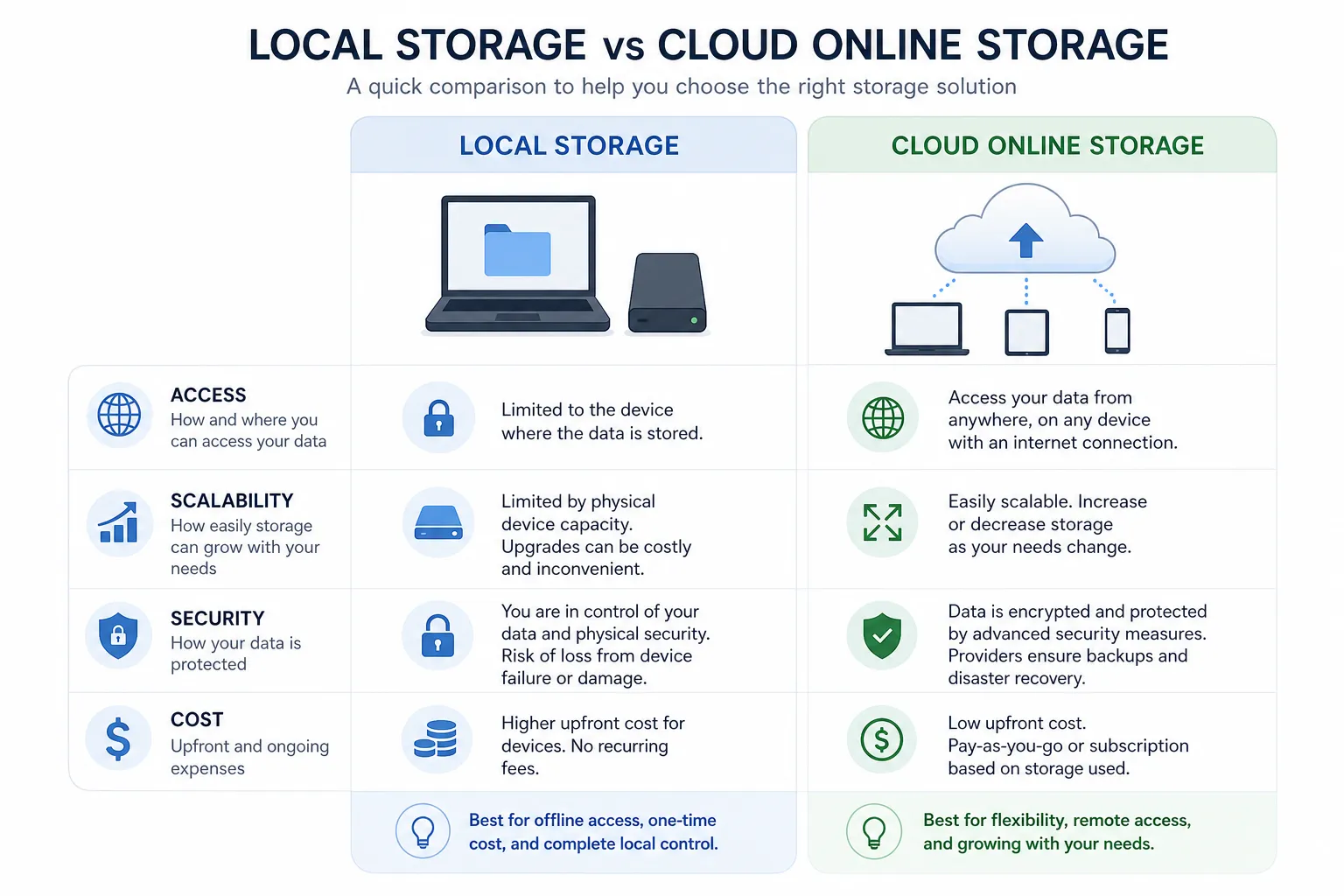
Common problems with local-only file storage
Problem | What it looks like in real life |
|---|---|
Version confusion | Team members edit different copies of the same file |
Limited access | Files are trapped on one device or office network |
Risk of loss | A stolen laptop or failed drive can wipe out key files |
Harder sharing | Sending attachments becomes slow and messy |
Poor scalability | Storage upgrades mean more hardware and more admin work |
Cloud-based systems solve most of these issues by centralizing files and making access much simpler.
The main benefits of cloud online storage
Competitor articles tend to repeat the basics: accessibility, scalability, and security. Those are important, but the real value goes deeper when you look at day-to-day operations for small and growing teams.
Access from anywhere
This is the most obvious benefit, and one of the most valuable. Team members can open files from home, on the road, at a client meeting, or across different offices.
That flexibility matters when:
- a founder needs investor documents while traveling
- a marketer needs approved logos from a client call
- a designer needs image assets without asking someone in another department
- an operations team needs policies and forms accessible at any time
Simpler file organization
A lot of businesses do not struggle because they lack storage. They struggle because they cannot find anything.
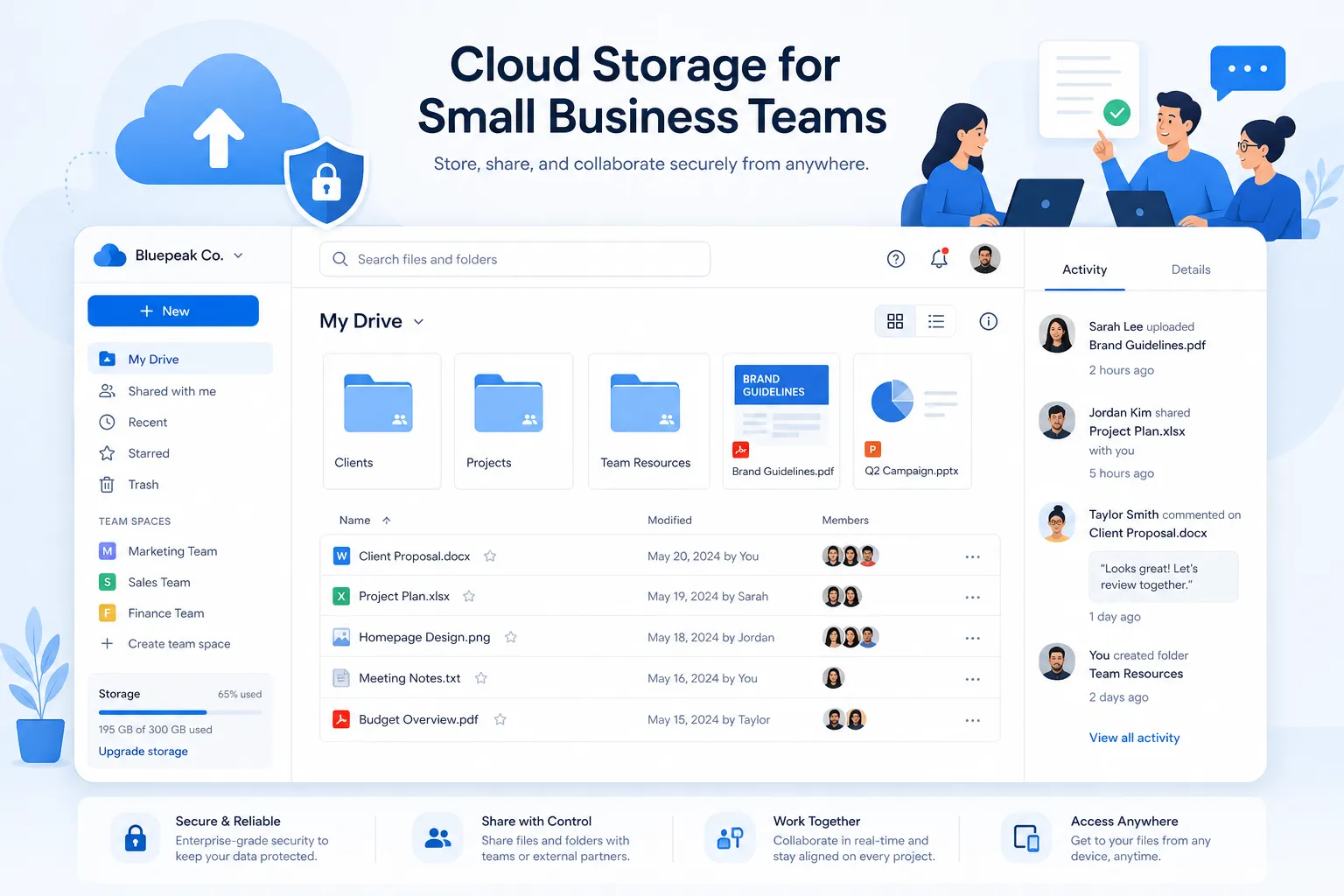
Good cloud online storage should make organization feel natural. That means clear folder structures, logical permissions, searchability, and the ability to preview files without downloading everything first.
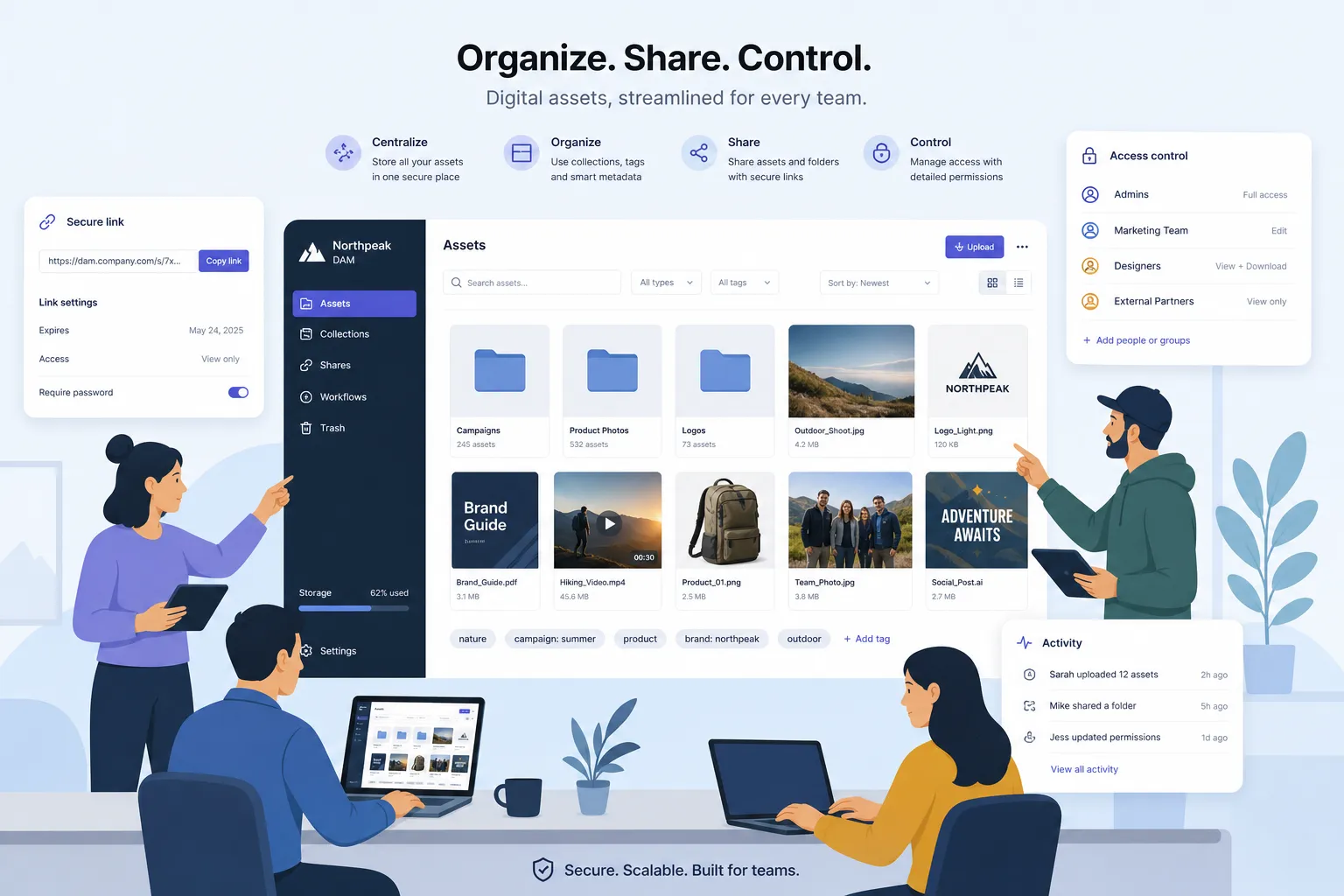
This is one of the reasons AssetHQ stands out for practical teams. It is built around simple, intuitive file management so users can organize documents, images, and shared files without wrestling with bloated interfaces or overengineered workflows.
Easier and safer sharing
File sharing is one of the biggest reasons companies adopt cloud storage, but not all sharing is equally secure.
A strong platform should let you:
- share files or folders quickly
- control who gets access
- set permissions
- create expiring links
- avoid sending permanent open-ended links by email
AssetHQ is especially well-suited here because it combines secure file sharing with access control and expiring links, making it easier to collaborate without losing oversight.
Better collaboration for growing teams
When teams grow, file management becomes a communication problem. People need shared access, clear ownership, and confidence they are working from the right source.
Cloud storage supports collaboration by creating one dependable place for current files. This is especially useful for:
- marketing teams managing campaign assets
- operations teams maintaining templates and internal docs
- client service teams sharing approved deliverables
- leadership teams storing sensitive planning materials
More predictable scaling
Traditional storage upgrades often mean buying hardware, estimating future capacity, and hoping you do not outgrow your setup too quickly.
Cloud online storage is more flexible. You expand as needed instead of making large upfront bets. That works well for startups and lean businesses that want room to grow without adding technical overhead.
Stronger resilience and backup protection
No storage system is completely risk-free, but cloud platforms usually reduce the chance that one hardware failure becomes a business emergency.
The biggest resilience benefits include:
- files stored away from a single device
- reduced dependence on office servers
- built-in redundancy from the provider
- easier recovery when a laptop is lost or damaged
Lower operational complexity
One of the biggest content gaps in competitor articles is usability. Many explain what cloud storage does but ignore how much value comes from not needing a specialist just to manage it.
For many smaller organizations, the best storage system is not the one with the most advanced feature set. It is the one your team will actually use correctly. Simple onboarding, clean navigation, and fast upload and file access often matter more than endless customization.
Common uses for cloud online storage
Cloud storage is useful in almost every industry, but the best-fit use cases tend to involve frequent access, regular sharing, and the need for clearer organization.
Document storage and internal knowledge
Businesses often need one reliable place for:
- contracts
- proposals
- SOPs
- onboarding documents
- HR forms
- finance records
- policy libraries
A structured cloud platform helps keep these materials centralized and easier to manage over time.
Image and creative asset management
This is a major area where basic storage tools can start to feel limiting. Teams handling product photos, campaign visuals, logos, graphics, and brand files usually need more than simple upload space.
They need:
- organized folders
- quick previews
- dependable retrieval
- secure external sharing
- room to grow as files multiply
AssetHQ is particularly strong here because it supports image preview and management capabilities alongside broader digital asset management needs, making it easier to keep visual files usable instead of buried.
Client file delivery
Agencies, consultants, photographers, and service businesses often need to send files to clients professionally and securely.
Cloud storage makes that easier by replacing scattered attachments with structured, controlled sharing. Expiring links and access permissions add a layer of trust and professionalism that generic email sharing does not provide.
Team collaboration across departments
When files sit in different places, departments drift apart. Marketing, sales, operations, and leadership may all maintain separate versions of key documents.
Centralized storage gives everyone a cleaner working system. A team does not need a massive enterprise content platform to get this benefit. In many cases, a simpler tool delivers better adoption and better habits.
Archiving and long-term storage
Not every file is actively used every day, but many still need to be retained. Cloud storage works well for archiving older materials that should remain accessible without cluttering local devices.
Examples include:
- past campaigns
- historical brand assets
- signed documents
- old project files
- internal reference materials
What to look for in a cloud online storage platform
This is where many articles stop too early. They explain the concept but do not help buyers evaluate options. If you are choosing a platform, these are the criteria that matter most.
1. Ease of use
If the system feels hard to learn, your team will avoid it. Look for:
- intuitive folder structure
- clear navigation
- low training burden
- quick uploads and fast access
2. Secure sharing controls
Sharing is essential, but it should not be careless. Useful controls include:
- permission-based access
- expiring share links
- restricted access for outside users
- administrative visibility
3. Support for mixed file types
Many teams do not just store documents. They also handle:
- images
- PDFs
- presentations
- spreadsheets
- contracts
- media files
A platform should support these naturally and make them easy to manage.
4. Organization that scales
A tool may work for a solo founder at first but fall apart once more people and files are added. Good structure should still work as the business grows.
5. Security and reliability
Look for enterprise-grade secure storage, even if you are a smaller business. That combination matters: strong protection without enterprise bloat.
6. Transparent pricing
A major pain point in software buying is surprise pricing. Teams often end up paying more for storage tiers, users, or features they assumed were included.
AssetHQ’s affordable flat pricing and no-hidden-fees approach is a meaningful advantage for businesses that want predictable costs.
Cloud storage vs digital asset management: what is the difference?
A lot of readers searching for storage solutions are actually closer to needing lightweight DAM functionality.
Cloud storage focuses on storing and accessing files
At its core, storage helps you keep files safe, available, and shareable.
DAM adds structure for managing valuable content
Digital asset management goes further by helping teams organize, preview, categorize, and govern important assets such as brand files, images, documents, and reusable materials.
For many small businesses, the best choice is not a giant enterprise DAM with months of setup. It is a platform that combines practical storage with smart asset organization and sharing.
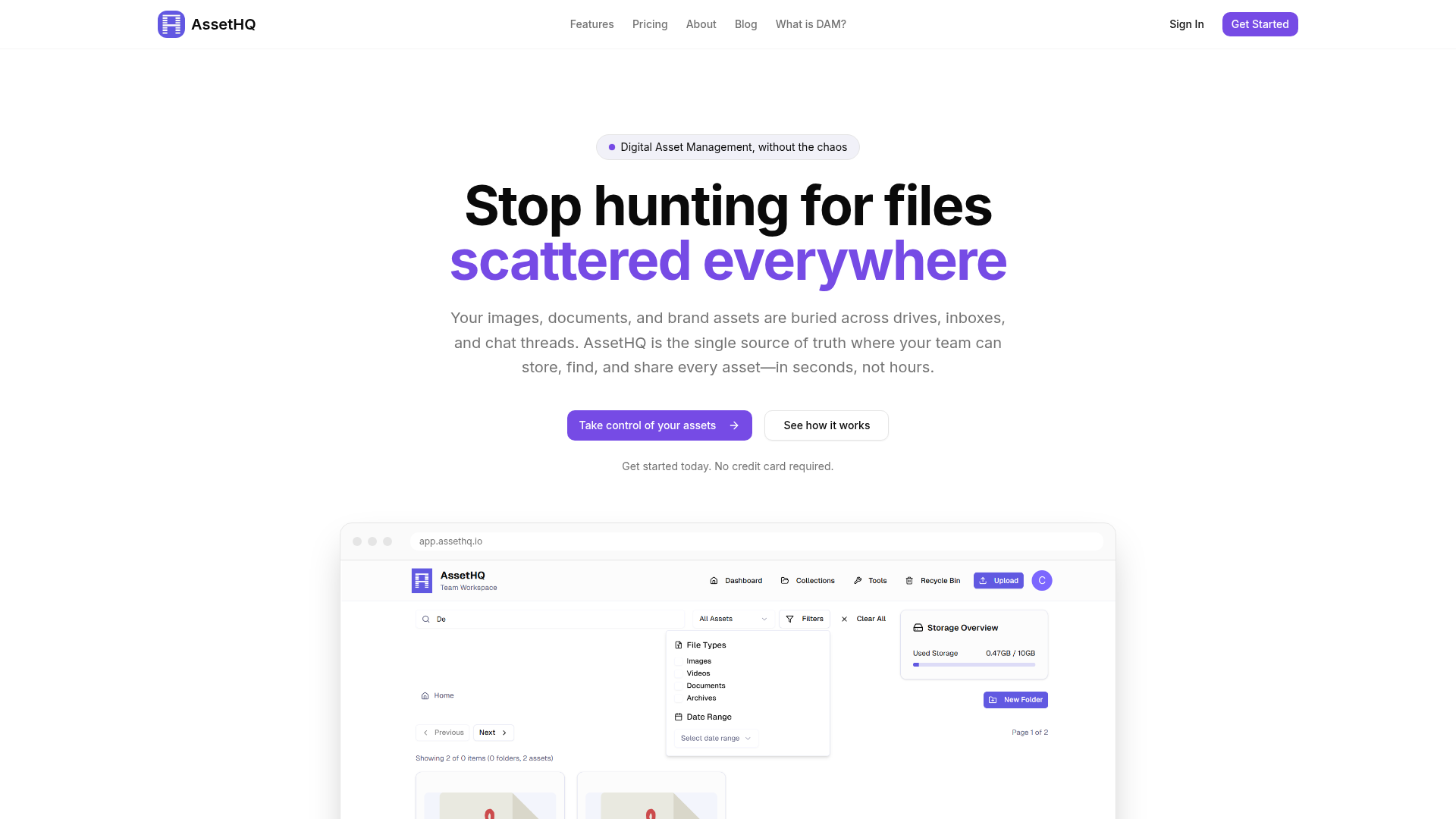
That is where AssetHQ fits naturally. It is a simple, scalable alternative for businesses that need real file management discipline without a complex enterprise rollout.
Who cloud online storage is best for
Not every team needs the same setup. The best fit depends on how often you share files, how many people need access, and how important organization is to your workflow.
Best fit: solo founders and freelancers
If you manage client files, business documents, media assets, or project materials, cloud storage gives you a dependable home base without requiring technical expertise.
Best fit: startups
Startups need speed, affordability, and room to grow. They often do not have time to maintain clunky systems or budget for overbuilt software. A clean platform with scalable organization is ideal.
Best fit: small businesses
Small businesses often feel the pain of messy file sprawl first. Teams are large enough to collaborate but not large enough to dedicate people to file governance. That makes simplicity especially valuable.
Best fit: growing teams
As more users, departments, and files get involved, structure becomes critical. A platform like AssetHQ supports team collaboration, secure storage, and scalable organization without introducing unnecessary complexity.
Less ideal fit
If your business needs highly customized regulatory workflows, deep legacy infrastructure integration, or extremely specialized enterprise records management, you may need a more complex system. But for most modern teams handling everyday documents and media, simpler often wins.
A practical comparison: local storage, generic cloud drives, and AssetHQ-style platforms
Option | Best for | Strengths | Limitations |
|---|---|---|---|
Local storage only | Individuals with minimal sharing needs | Full physical control, offline access | Hard to share, easy to lose, poor scalability |
Generic cloud drives | Basic storage and syncing | Familiar, widely available, easy access | Can become messy fast, limited asset organization |
AssetHQ-style platform | Teams needing organized storage and secure collaboration | Simple file management, image previews, secure links, access controls, scalable team use | More structured than casual tools, which is a benefit for most business teams |
Mistakes to avoid when choosing a cloud storage solution
Choosing based on storage size alone
More space is not the same as better management. If files are still hard to organize and share, extra capacity does not solve the real issue.
Ignoring sharing controls
A system that makes sharing easy but not secure creates future risk. Access control matters from day one.
Underestimating adoption
If your team cannot understand the platform quickly, usage breaks down. Simplicity is not a “nice to have.” It is a success factor.
Buying enterprise complexity too early
Many small and growing businesses overbuy. They choose tools designed for giant organizations and then end up stuck with a platform no one enjoys using.
Overlooking visual asset needs
If your business works with images, product shots, or marketing files, preview and image management capabilities can save significant time.
Why AssetHQ is a smart fit for teams that want simple, secure growth
The strongest gap across competitor content is that they explain cloud storage in broad terms but do not connect it to the real buying priorities of smaller teams: ease, speed, affordability, and structure.
AssetHQ addresses those priorities directly.
What makes AssetHQ especially practical
- simple and intuitive file management
- organized storage for documents, images, and files
- secure file sharing with expiring links and access control
- image preview and management capabilities
- team collaboration support for growing organizations
- enterprise-grade secure storage
- fast upload and file access
- affordable flat pricing with no hidden fees
- scalability for solo users and teams alike
That combination matters because many businesses are not looking for the biggest platform. They are looking for the one that helps them stay organized, protect important files, and collaborate confidently.
Final verdict
Cloud online storage is no longer just a nice convenience. For most modern teams, it is the most practical way to store, organize, access, and share business files without friction.
The real benefits go beyond backup. The right solution improves collaboration, reduces confusion, strengthens security, and gives your business room to grow without turning file management into a technical project.
If you want a platform that combines secure storage, intuitive organization, image-friendly asset management, and straightforward collaboration, AssetHQ is a compelling choice. It gives solo founders, small businesses, startups, and growing teams a cleaner way to manage digital assets without paying for complexity they do not need.
If your current setup feels scattered, slow, or hard to control, this is the right moment to move to a simpler system. Try AssetHQ and give your files a home that is organized, secure, and built to scale with your team.
FAQ
What are the 5 benefits of cloud computing?
The five most practical benefits are anywhere access, scalability, better collaboration, stronger backup and resilience, and lower operational complexity. For businesses managing documents, images, and shared files, these advantages make work faster and more organized.
Do I really need to pay for cloud storage?
Free tools can work for casual personal use, but businesses usually benefit from paying for better security, access controls, reliable sharing, and scalable organization. If your files matter to clients, operations, or team collaboration, a paid platform is usually worth it.
Related Posts

Brand Asset Management Software for Growing Teams
Discover brand asset management software for growing teams and learn how to organize files, share securely, and scale with ease.
min read
Cloud Based Digital Asset Management Benefits
Explore cloud based digital asset management benefits for secure file sharing, simpler teamwork, and organized growth. Try it today now
min read
File Sharing and Storage Made Simple for Teams
Discover file sharing and storage made simple for teams with secure access, better organization, and faster collaboration. Try AssetHQ!
min read