Cloud Solutions for Small Businesses Made Simple
Explore cloud solutions for small businesses and compare simple storage, sharing, and collaboration options to choose smarter today.
Cloud Solutions for Small Businesses Made Simple
If you run a small business, startup, or growing team, “moving to the cloud” can sound bigger and more technical than it really needs to be. In practice, most businesses just want a dependable way to store files, share documents securely, keep images organized, and help teams collaborate without adding a new layer of complexity.
That is exactly where modern cloud solutions for small businesses should help. The right setup makes everyday work easier: faster file access, less version confusion, secure sharing for clients and contractors, and room to grow when your team grows.
Many articles on this topic focus heavily on giant cloud platforms, enterprise infrastructure, or technical jargon. What they often miss is the practical middle ground: most small businesses do not need a complicated architecture diagram. They need a simple, scalable system for digital asset management, file storage, and collaboration that works today and still fits tomorrow.
At AssetHQ, we believe cloud software should feel straightforward. You should be able to organize documents, images, and shared files in a clean folder structure, preview assets quickly, control who has access, and share files securely with expiring links and permissions. No bloated setup. No hidden fees. No enterprise-heavy learning curve.
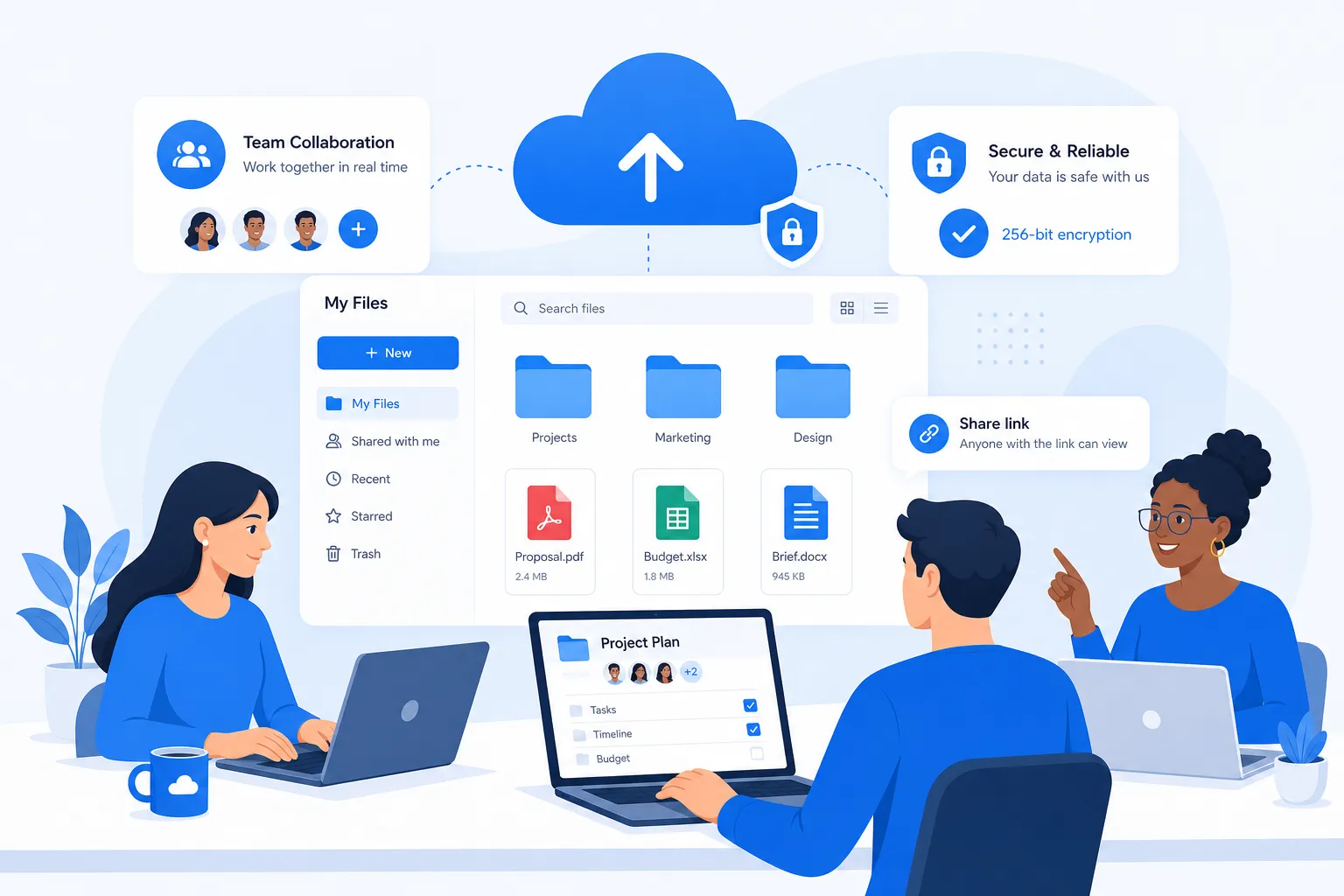
Why small businesses are moving faster to the cloud
Cloud adoption is not just a trend anymore. It has become the easiest way for smaller organizations to stay organized, flexible, and secure without building a full in-house IT stack.
"89% of small businesses utilize at least one cloud application for core business functions." - SMB Group
"Approximately 82% of studies reported improvements in operational efficiency, and 76% noted cost savings due to cloud adoption." - MDPI
Those numbers line up with what many teams experience firsthand: less time chasing files, fewer storage headaches, easier remote access, and lower friction when collaborating with clients or distributed teams.
What cloud solutions for small businesses actually include
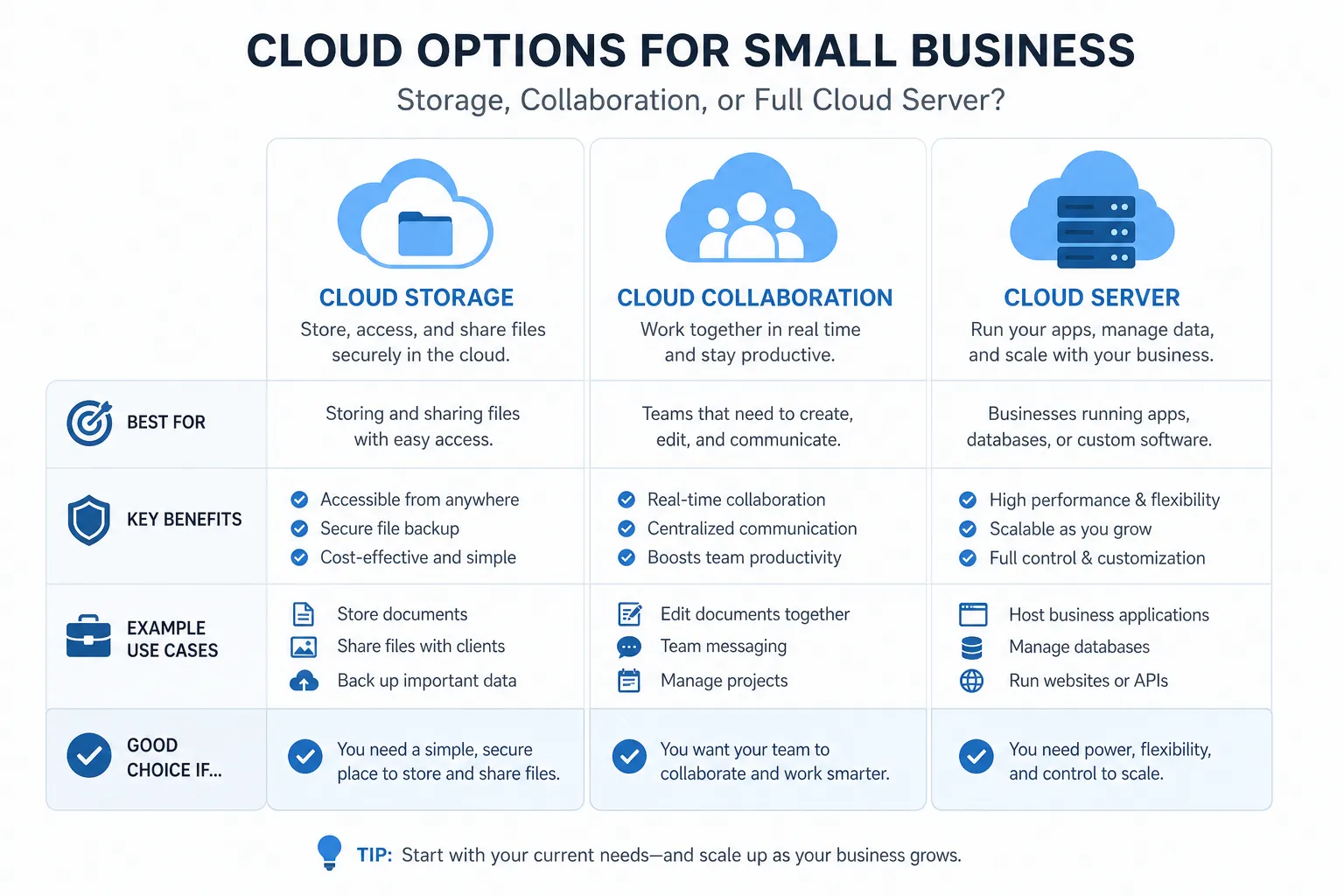
A lot of businesses hear the term “cloud” and assume it always means servers, infrastructure, and developer tools. Sometimes it does. But for most smaller teams, cloud services for small business usually fall into a few practical categories.
1. Cloud file storage
This is the most common starting point. Cloud file storage gives your team a central place to keep documents, images, videos, PDFs, brand assets, and internal files so they can be accessed from anywhere.
It is especially useful when you want to:
- replace scattered local folders
- reduce dependency on one employee’s laptop
- create a shared source of truth
- make files easier to find and reuse
For many teams, this is the fastest win.
2. Cloud-based collaboration tools
These tools let multiple people work from shared files and folders, often with permissions, previews, comments, and access controls. Collaboration matters most when several people touch the same content, such as operations documents, marketing images, proposals, contracts, or shared client files.
3. Cloud backup and recovery
Some cloud tools focus on protecting your files in case of hardware failure, accidental deletion, or ransomware events. Backup matters, but it is not the same as active file management. Many businesses need both.
4. Cloud server for small business
A cloud server for small business makes sense when you need to run applications, host websites, support databases, or manage custom business systems. This is more infrastructure-oriented than file storage.
Some companies truly need it. Many do not need it right away.
5. Digital asset management in the cloud
This is where businesses often gain more structure. A DAM platform helps teams store, organize, preview, manage, and share digital assets like images, documents, brand files, and media in a way that is easier than generic storage alone.
That is the gap many competitor articles skip: they explain cloud providers, but not how smaller teams actually manage growing content libraries day to day.
The simplest way to think about your cloud options
Instead of getting lost in product categories, think about your needs in plain language.
If you need to... | You likely need... |
|---|---|
Store and access files from anywhere | Cloud file storage |
Share files securely with clients or partners | Secure cloud sharing |
Organize images, documents, and assets clearly | Digital asset management |
Let a growing team collaborate in one place | Collaboration-focused cloud platform |
Run custom apps or infrastructure | Cloud server or cloud hosting |
Protect against file loss or downtime | Backup and recovery tools |
For many founders and small teams, the right answer is not “Which hyperscale cloud platform should I adopt?” It is “Which tool helps my team stay organized and productive without friction?”
When a cloud server for small business makes sense
A cloud server is useful, but it is often overestimated.
You probably need a cloud server if:
- you host your own web app or internal application
- you need database infrastructure
- you run custom workflows that require server resources
- your business depends on development, testing, or production environments
- you need more control over computing resources
You probably do not need a cloud server first if:
- your main need is file organization
- you mostly share documents, images, and business files
- your team wants an easier way to collaborate
- you need a secure asset library, not infrastructure
- you want to avoid technical maintenance
This distinction matters. A lot of top-ranking content jumps straight into AWS, Azure, or other big platforms. That is fine for infrastructure-heavy businesses, but for many smaller organizations, the bigger problem is not compute. It is content chaos.
If your team is spending too much time hunting through folders, resending assets, or worrying about who can access what, a simple cloud-based DAM and storage platform is often more valuable than spinning up a server.
The 3 practical cloud setups most small businesses choose
Here is a simple framework that works better than a generic “top 5 providers” list.
Setup 1: Simple file storage and sharing
Best for:
- solo founders
- consultants
- very small teams
- early-stage startups
This setup focuses on:
- secure storage
- folder-based organization
- quick uploads
- easy external sharing
- minimal admin work
If your business mostly needs a dependable home for documents and shared files, this is often enough.
Setup 2: Organized team collaboration and asset management
Best for:
- marketing teams
- agencies
- operations teams
- growing organizations
- businesses with frequent client or cross-team sharing
This setup adds:
- structured folders
- image previews
- access control
- link expiration
- better internal organization
- scalable team permissions
This is where AssetHQ fits naturally. It gives teams a simple and intuitive way to manage documents, images, and files without forcing them into an enterprise-style system. You get secure file sharing, organized storage, fast access, and collaboration features that feel approachable rather than overbuilt.
Setup 3: Infrastructure plus storage
Best for:
- software companies
- platforms with custom applications
- businesses running proprietary systems
This setup combines:
- cloud hosting or server infrastructure
- application services
- database tools
- separate file or asset management layers
This is powerful, but it is not the first step every business needs.
What to look for in cloud services for small business
Competitor articles often emphasize scalability and cost, but they do not always cover usability deeply enough. For smaller teams, ease of use is not a bonus feature. It is essential.
Prioritize simplicity first
If your team cannot adopt the platform quickly, you will not get the value. Choose a system that feels intuitive from day one.
Look for:
- familiar folder structure
- easy uploads
- quick search and browsing
- low training requirements
- clean permission controls
Make security practical, not just theoretical
Security should help your workflow, not slow it down.
Useful features include:
- role-based access controls
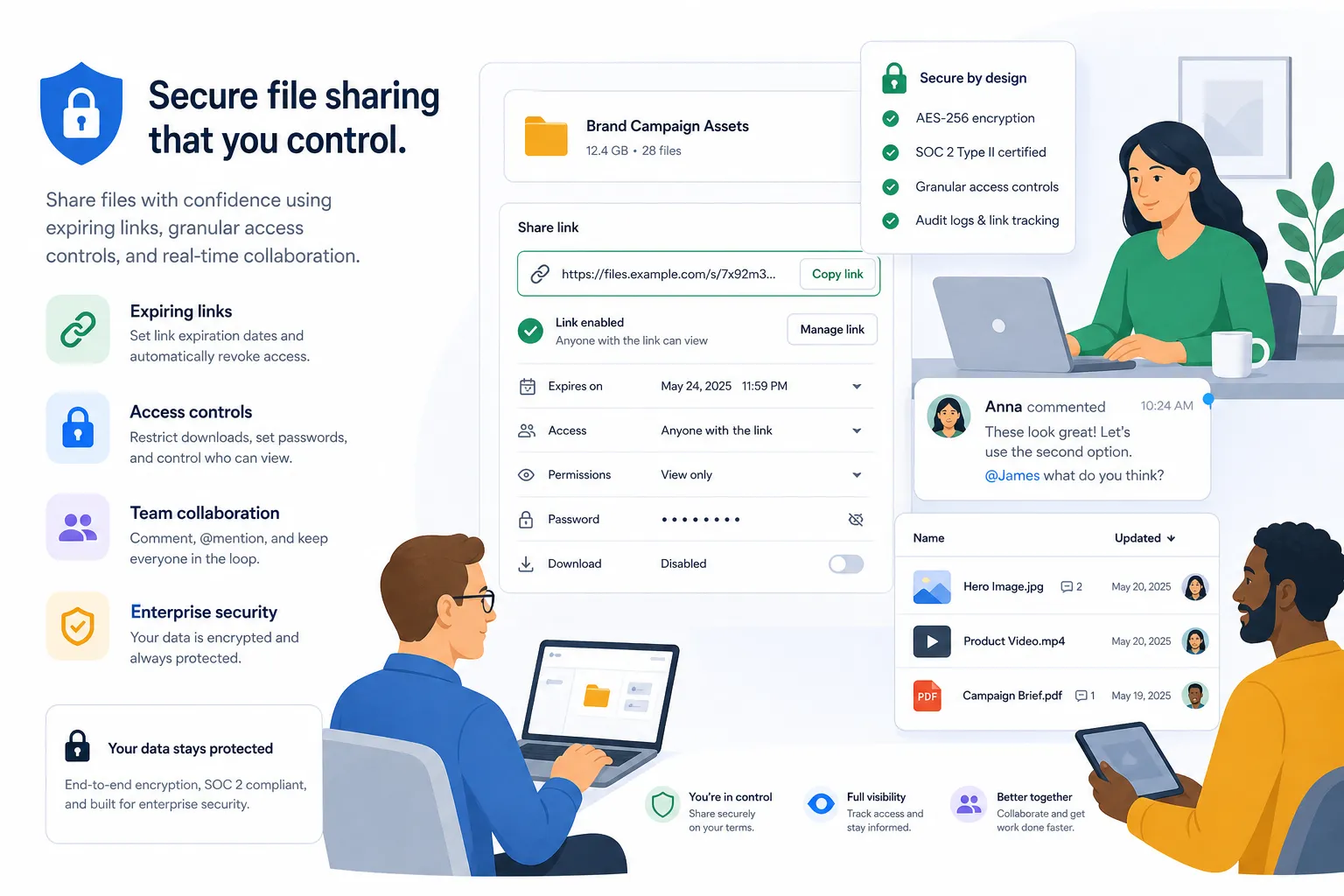
- secure sharing links
- expiring links
- limited download access
- controlled external sharing
- enterprise-grade storage practices
Think about the assets you actually manage
Not all businesses just store text files. Many teams manage:
- product photos
- creative assets
- proposals
- client deliverables
- contracts
- internal documents
- brand libraries
If images and visual assets matter, preview functionality becomes a major productivity boost. AssetHQ is especially helpful here because teams can manage visual files alongside documents in one organized system.
Avoid unpredictable pricing
Small businesses do not need billing surprises. Straightforward, flat pricing is often better than complex usage math, especially when budgeting for team growth.
Choose a tool that can grow with you
A platform should work for one person today and a larger team later. That means:
- easy user management
- clear organization
- secure sharing
- fast performance
- no need to rebuild your system when you scale
Cloud storage vs cloud server vs DAM: a practical comparison
Feature | Cloud Storage | Cloud Server | Cloud DAM Platform |
|---|---|---|---|
Main purpose | Store files | Run apps and infrastructure | Organize, manage, and share digital assets |
Best for | General file access | Technical workloads | Teams handling documents, images, and shared assets |
Technical complexity | Low | High | Low to medium |
Collaboration value | Moderate | Low | High |
Asset previews | Sometimes limited | No | Often central |
Access control | Basic to moderate | Advanced but technical | Practical and team-friendly |
Ideal user | Small teams, individuals | Developers, IT teams | Growing teams needing structure |
The important takeaway is this: not every cloud decision is an infrastructure decision. Sometimes the smartest move is simply choosing a better system for file management and collaboration.
Common mistakes small businesses make with cloud tools
This is another area where many competitor posts stay too high level. Choosing cloud solutions for small businesses is not just about features. It is also about avoiding avoidable mistakes.
Mistake 1: Buying for future complexity instead of current needs
Some teams adopt oversized platforms because they think that is more “professional.” But if the tool is too heavy, adoption drops and workflows slow down.
Start with what solves your real problems now.
Mistake 2: Confusing backup with collaboration
A backup tool protects data. It does not automatically make files easier to manage or share. If your pain point is workflow, you likely need more than backup alone.
Mistake 3: Ignoring permissions until later
Unclear access rules create risk and confusion. Your chosen system should make it easy to decide who can view, edit, or share files from the start.
Mistake 4: Storing everything with no structure
Cloud storage is not magic if your files are still a mess. Folder organization, naming rules, and shared access standards matter.
Mistake 5: Choosing a system your team avoids using
The best cloud platform is the one your team will actually use consistently. Usability drives ROI more than feature count.
A simple evaluation checklist for small businesses
Before choosing a platform, ask these questions:
For your business
- What types of files do we manage most?
- Do we need to collaborate internally, externally, or both?
- Are images and visual assets important?
- Do we need a server, or just better file organization?
- How fast do we expect our team to grow?
For the product
- Is it easy to learn?
- Can we organize files in a way that feels natural?
- Can we preview images and assets quickly?
- Can we share securely with controls and expiration?
- Is pricing easy to understand?
- Will it still work well when more people join?
If you answer those honestly, the best option often becomes much clearer.
Why many growing teams choose a simpler DAM-style approach
For startups and small organizations, the biggest bottleneck is often not missing infrastructure. It is messy information.
A simpler DAM-style cloud platform helps by giving your team:
- one home for documents, images, and files
- clear organization with intuitive folders
- fast upload and retrieval
- controlled team access
- secure external sharing
- asset visibility through previews
- affordable pricing that supports growth
That is the value AssetHQ is built around. Instead of overwhelming users with unnecessary enterprise complexity, it gives teams a dependable system for digital asset management and file storage that is easy to adopt and scale.
This makes it especially useful for:
- founders who need order without overhead
- small businesses replacing chaotic shared drives
- agencies managing client files
- teams working across documents and images
- growing companies that need better collaboration without more complexity
How AssetHQ fits into a modern small business cloud stack
AssetHQ is not trying to be everything. That is part of its strength.
It fits best as the simple, secure layer where your team stores, organizes, manages, and shares digital assets and files. That includes documents, images, project files, brand materials, and business content that people need to find quickly and use confidently.
What makes it a practical choice
- Simple file management: Easy folder-based organization that feels familiar
- Secure sharing: Expiring links and access controls for external collaboration
- Visual asset support: Image preview and management capabilities
- Fast access: Quick uploads and reliable file retrieval
- Team collaboration: Suitable for both solo use and growing teams
- Affordable flat pricing: No hidden fees or bloated enterprise packaging
- Scalable structure: Works for a single founder today and a broader team later
- Enterprise-grade secure storage: Reassuring protection without technical overhead
That combination matters because many small businesses want professional-grade file management without hiring a technical team just to maintain it.
Final verdict: keep your cloud strategy smaller, simpler, and smarter
The best cloud services for small business are not necessarily the biggest or most technical. They are the ones that solve the daily problems that slow your team down: disorganized files, scattered assets, insecure sharing, and collaboration friction.
If you need infrastructure, a cloud server for small business may absolutely be part of your future. But if your immediate need is a clean, dependable way to manage documents, images, and shared files, a simple cloud-based DAM and storage platform is often the smarter first move.
AssetHQ gives growing teams that middle ground: secure storage, intuitive organization, image previews, easy collaboration, and straightforward pricing. It is built for businesses that want to work faster and stay organized without getting buried under enterprise complexity.
If you want cloud software that feels practical from day one, AssetHQ is a strong place to start.
FAQ
Which cloud service is best for small business?
The best choice depends on what you need most. If your priority is simple file storage, secure sharing, and organized collaboration, a user-friendly platform like AssetHQ is often a better fit than a complex infrastructure tool.
What is the 3 4 5 rule in cloud computing?
There is no single universal 3 4 5 rule used across all cloud computing. People sometimes use the phrase informally to describe planning frameworks, but small businesses are usually better served by focusing on storage, collaboration, security, scalability, and cost.
What is the best cloud hosting for beginners?
For beginners, the best option is usually one that is easy to use and requires little technical setup. If you mainly need file management and team collaboration rather than app hosting, a simple platform like AssetHQ is easier to adopt than a full cloud server environment.
What's the cheapest cloud service?
The cheapest service is not always the best value. For small teams, a platform with clear flat pricing, secure sharing, and built-in organization can be more affordable in practice than low-cost tools that create extra admin work or hidden usage costs.
What are the 4 main cloud services?
The four common categories are cloud storage, cloud collaboration tools, cloud backup and recovery, and cloud server or hosting infrastructure. Many small businesses also benefit from a cloud-based DAM platform that combines storage, organization, and secure sharing in one place.
Related Posts

Brand Asset Management Software for Growing Teams
Discover brand asset management software for growing teams and learn how to organize files, share securely, and scale with ease.
min read
Cloud Based Digital Asset Management Benefits
Explore cloud based digital asset management benefits for secure file sharing, simpler teamwork, and organized growth. Try it today now
min read
File Sharing and Storage Made Simple for Teams
Discover file sharing and storage made simple for teams with secure access, better organization, and faster collaboration. Try AssetHQ!
min read