DAM Software: What Growing Teams Need in 2026
DAM Software: What Growing Teams Need in 2026 If your team is still juggling files across email, shared drives, chat threads, and scattered folders, you are already feeling the problem that DAM software is built to solve. For growing businesses, digital asset management is no longer just for giant enterprises with massive creative departments. Startups, solo founders, small businesses, and scaling teams all need a dependable way to organize documents, images, brand files, and shared assets wit
DAM Software: What Growing Teams Need in 2026
If your team is still juggling files across email, shared drives, chat threads, and scattered folders, you are already feeling the problem that DAM software is built to solve.
For growing businesses, digital asset management is no longer just for giant enterprises with massive creative departments. Startups, solo founders, small businesses, and scaling teams all need a dependable way to organize documents, images, brand files, and shared assets without adding more complexity. The real challenge in 2026 is not just storing files. It is making them easy to find, secure to share, and simple for everyone to use.
A modern DAM should help your team move faster, stay organized, and keep control over important files. It should not require weeks of training or an enterprise-sized budget to get value.
"The global digital asset management market was valued at USD 8.9 billion in 2025 and is expected to reach USD 32.8 billion by 2034." - Source
"In marketing, 33.4% of professionals spend around three weeks annually locating digital files, while 15% spend up to six weeks per year." - Source
What Is DAM Software?
DAM software, short for digital asset management software, is a system that helps businesses store, organize, manage, and share digital files from one central place.
These files can include:
- Documents
- Images
- Logos
- Brand guidelines
- Videos
- PDFs
- Creative files
- Sales collateral
- Product shots
- Internal resources
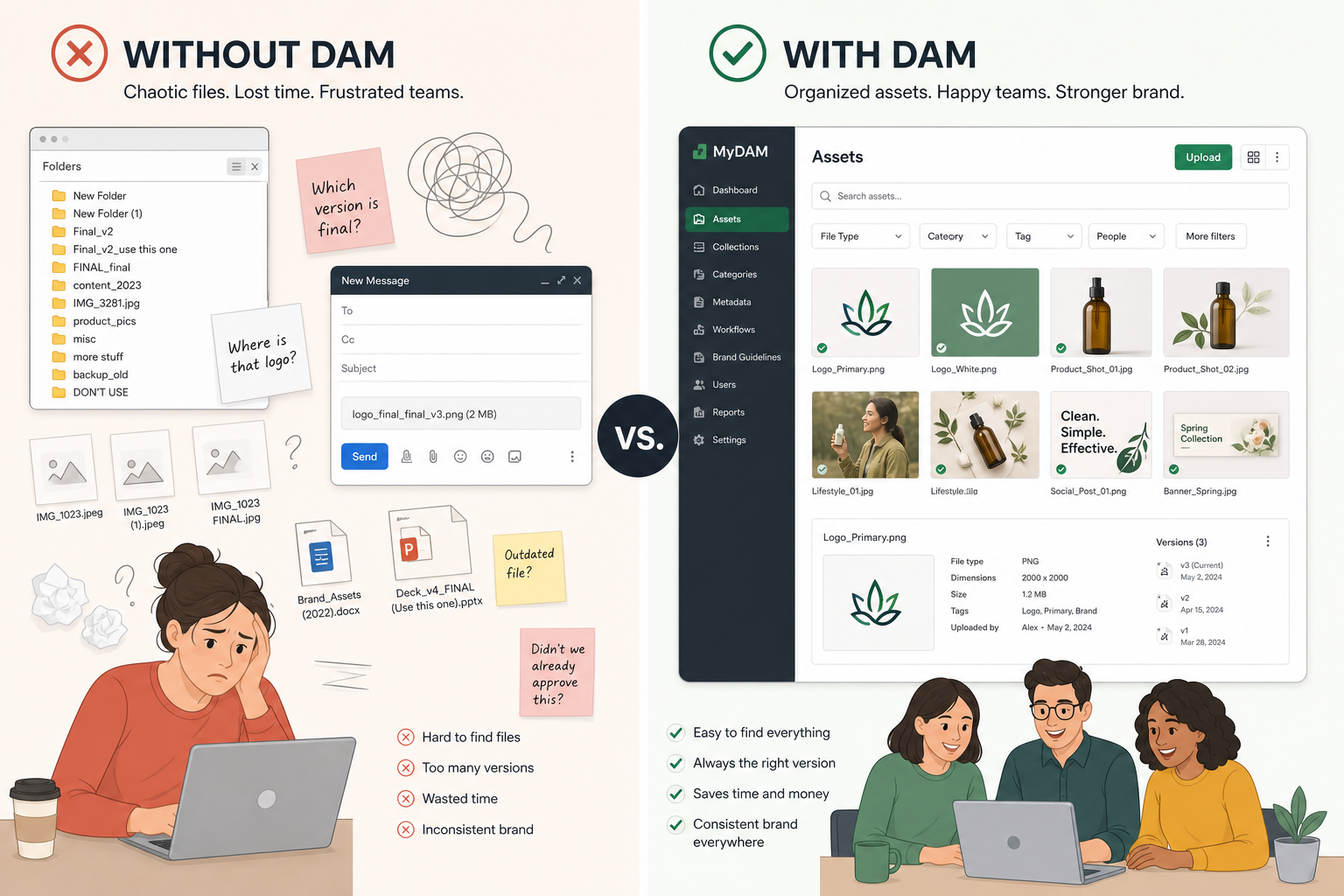
At its core, DAM software gives your team a single source of truth for important files. Instead of asking, “Who has the latest version?” or “Where was that file saved?”, your team can go to one organized system and find what they need quickly.
Why DAM Software Matters More in 2026
Teams are producing and sharing more digital content than ever. Even small organizations now manage a mix of marketing assets, proposals, contracts, images, social graphics, onboarding docs, and internal resources across multiple departments.
That creates predictable problems:
- Duplicate files
- Outdated versions floating around
- Slow approvals
- Risky file sharing
- Poor visibility into who can access what
- Lost time searching for assets
DAM software solves those issues by bringing structure and control to file management.
What Competitor Guides Usually Get Right - and What They Miss
Most DAM articles explain the same basics well:
- DAM centralizes files
- Search and tagging matter
- Permissions and version control are important
- Enterprises use DAM to manage brand consistency
That is all true. But many competitor guides focus too heavily on large enterprise buying criteria and not enough on the real needs of growing teams.
The biggest content gaps in most DAM software articles
Many articles gloss over these points:
- Simplicity matters just as much as features
- Small and mid-sized teams need usability, not bloat
- Secure sharing is often more important than advanced workflow automation
- Folder structure still matters, especially for teams that want intuitive organization
- Affordable flat pricing can be a major decision factor
- Fast adoption is essential when teams do not have dedicated admins
- Image previews and quick access are crucial for daily use
- Scalability without complexity is often a better fit than enterprise-heavy systems
This is exactly where a platform like AssetHQ stands out. For teams that want professional-grade DAM capabilities without unnecessary overhead, AssetHQ offers a simple and intuitive way to store, organize, preview, manage, and securely share files.
The Core Purpose of DAM Software
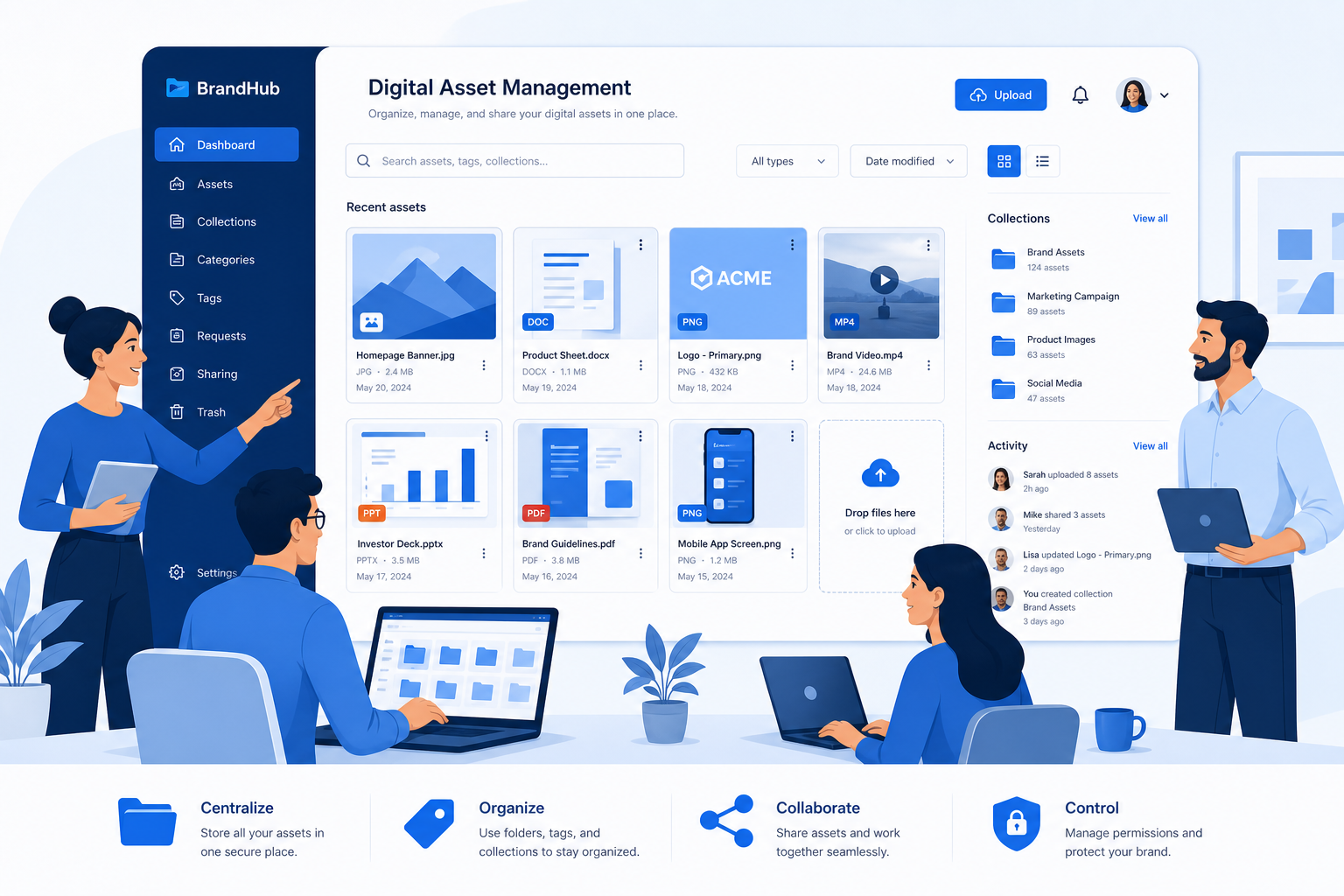
DAM software should do four things exceptionally well:
Core Function | Why It Matters |
|---|---|
Centralize files | Keeps assets in one dependable location |
Organize content | Makes files easy to browse and manage |
Control access | Protects sensitive files and reduces misuse |
Simplify sharing | Helps teams and clients access the right files fast |
If a DAM cannot do these basics in a clean, reliable way, the rest of the feature list does not matter much.
What Growing Teams Need Most From DAM Software
A growing team needs a DAM that supports momentum, not one that slows it down with over-engineered setup.
1. Simple and intuitive organization
The best DAM software is easy to understand on day one. Teams should be able to create a clear folder structure, upload files quickly, and know exactly where assets belong.
For many businesses, simple organization beats complex taxonomy systems. If people cannot navigate the system naturally, they will stop using it.
AssetHQ is designed around this practical reality. It gives teams a straightforward way to organize documents, images, and files without unnecessary friction.
2. Fast file upload and quick access
Speed matters. A DAM should make it easy to upload files in bulk, access them quickly, and retrieve them when needed. Slow systems create frustration and reduce adoption.
For startups and growing businesses, this is not just a nice-to-have. It directly affects productivity.
3. Secure file sharing
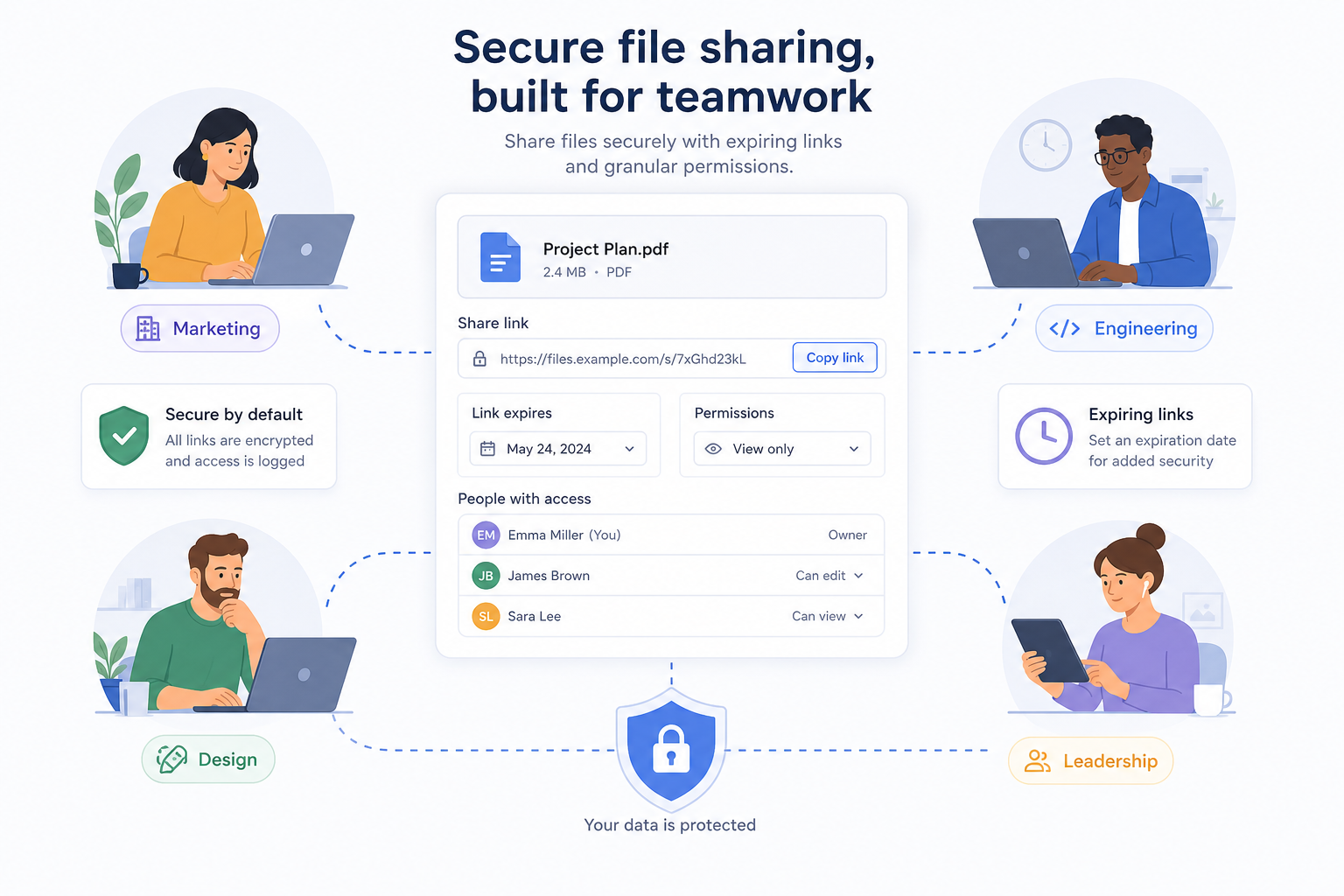
Modern teams constantly share files with coworkers, contractors, partners, and clients. That means secure sharing should be built in.
Look for DAM software with:
- Expiring links
- Access controls
- Permissions by user or team
- Secure external sharing
- Reliable storage infrastructure
AssetHQ makes this especially practical with secure file sharing tools that help businesses stay in control without complicating the process.
4. Clear image preview and asset visibility
If your team works with visual files, previews are essential. Designers, marketers, operations teams, and founders all benefit when they can quickly scan images without downloading each file first.
This is one of the most practical features in a modern DAM, and one that users notice immediately.
5. Team collaboration without confusion
Growing companies need shared access, but they also need order. A DAM should support collaboration while preventing chaos.
That means:
- Shared folders
- Controlled permissions
- Clear ownership
- Reliable access for distributed teams
- Easy handoff between internal and external stakeholders
6. Enterprise-grade security without enterprise complexity
Security matters at every company size. In 2026, even smaller teams need dependable protection for internal documents, client assets, and sensitive business files.
Look for:
- Secure cloud storage
- Role-based access
- Controlled sharing
- Strong infrastructure
- Audit-friendly organization
AssetHQ fits well here because it pairs enterprise-grade secure storage with a much simpler user experience than bulky enterprise DAM systems.
7. Affordable pricing that scales
Pricing is one of the biggest blind spots in competitor content. Many DAM systems look attractive until you discover per-user pricing, feature gates, onboarding fees, or hidden costs.
Growing businesses need predictable pricing that lets them scale with confidence. AssetHQ’s positioning around affordable flat pricing with no hidden fees is a meaningful advantage for teams that want long-term value without budget surprises.
Essential DAM Features to Look For in 2026
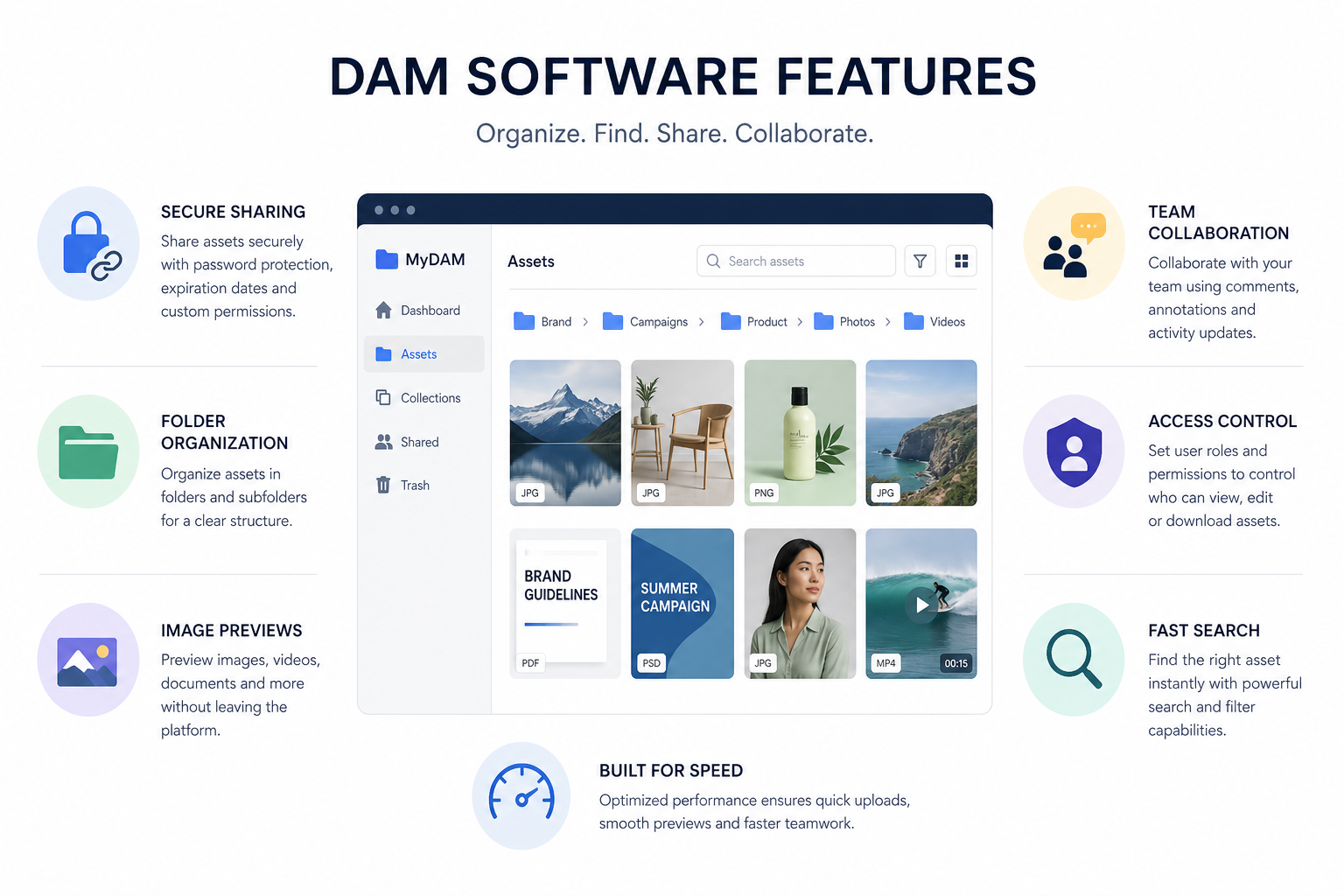
Here is a practical checklist of the capabilities that matter most.
Must-have features
Feature | Why It Matters for Growing Teams |
|---|---|
Centralized storage | Keeps everything in one place |
Folder-based organization | Easy for teams to understand and use |
Search and filtering | Helps users find files faster |
Image previews | Speeds up asset review and selection |
Secure file sharing | Supports external and internal collaboration |
Access controls | Protects files and limits misuse |
Team collaboration | Improves workflows across departments |
Fast uploads | Reduces friction when adding assets |
Scalable storage | Supports future growth |
Transparent pricing | Makes budgeting easier |
Nice-to-have features
Feature | When It Matters |
|---|---|
Advanced metadata | Helpful for larger libraries |
Approval workflows | Useful for creative review processes |
AI tagging | Good for high-volume content teams |
Brand portals | Helpful for agencies or distributed brands |
API integrations | Important for complex software stacks |
DAM Software vs Cloud Storage: What Is the Difference?
A lot of teams start with cloud storage tools and only later realize they need a DAM.
Here is the difference:
DAM Software | Basic Cloud Storage |
|---|---|
Built for organizing and managing assets | Built mainly for storing files |
Supports structured sharing and access control | Often limited to simple sharing |
Better for team-wide discoverability | Easy to lose files in folder sprawl |
Helps maintain version control and consistency | Can create duplicate and outdated copies |
Designed for growing operational use | Often becomes messy over time |
Cloud storage alone is fine for basic backup and personal file access. But once teams need better organization, image previews, secure collaboration, and clearer control, DAM software becomes the smarter solution.
DAM Software vs CMS
A common question is whether a DAM is the same as a content management system.
It is not.
DAM software
A DAM manages the files themselves: images, documents, creative assets, PDFs, logos, and other resources.
CMS software
A CMS manages published website content such as pages, posts, layouts, and web experiences.
A CMS may reference files, but a DAM is where those files are best stored, organized, and controlled.
DAM Software vs PIM
Another confusion point in competitor content is the DAM vs PIM comparison.
DAM
Best for managing digital assets like images, videos, documents, and brand resources.
PIM
Best for managing product data like SKUs, specifications, descriptions, pricing, and attributes.
If you are mainly trying to organize brand files, documents, and shared creative assets, you likely need DAM software, not PIM.
Signs Your Team Has Outgrown Basic File Storage
If any of these sound familiar, it may be time for a DAM:
- Your team keeps asking for the latest version of files
- Important documents live in multiple places
- Sharing files externally feels risky
- Team members waste time browsing endless folders
- Images are hard to preview or locate
- Access is inconsistent across team members
- Your file system works only because one person understands it
- Growth is making everything messier, not more efficient
Who Should Use DAM Software?
DAM software is especially useful for:
Solo founders
Founders need a central place for pitch decks, brand files, contracts, product assets, and internal documents without wasting time managing a complicated system.
Startups
Startups move fast. A simple DAM helps keep files organized from the beginning so growth does not create chaos later.
Small businesses
Small teams need tools that work immediately, support collaboration, and stay affordable.
Marketing teams
Campaign assets, social graphics, brand files, and content libraries are easier to manage when everything lives in one organized space.
Agencies and service teams
Secure file sharing, client collaboration, and asset organization are essential when multiple stakeholders need access.
Growing operations teams
Internal resources, onboarding docs, forms, and shared files all benefit from a structured DAM system.
How to Evaluate DAM Software Without Overbuying
One of the biggest mistakes buyers make is choosing a platform designed for a much larger, more complex organization.
Ask these questions first
- How many people will actually use the DAM weekly?
- What file types matter most?
- Do we need advanced enterprise workflows, or just clean organization and secure sharing?
- How important are previews and ease of browsing?
- Will this tool be easy for non-technical users?
- Is pricing predictable?
- Can it grow with us without becoming hard to manage?
If your answers lean toward simplicity, usability, collaboration, and predictable cost, then a streamlined solution like AssetHQ may be a far better fit than enterprise-heavy DAM software.
A Smarter DAM Checklist for Growing Teams
Use this checklist when comparing vendors:
- Easy folder-based organization
- Fast file upload and retrieval
- Secure file sharing with expiring links
- Image preview support
- Role-based access controls
- Team collaboration features
- Clean and intuitive interface
- Reliable, secure cloud storage
- Transparent pricing
- Flexible enough for solo users and teams
- Scalable without feature overload
Why Simplicity Is a Competitive Advantage in DAM Software
There is a false assumption in software buying that more features always means more value.
In reality, growing teams often get more value from software that is:
- Easier to learn
- Easier to maintain
- Easier to adopt across the team
- Easier to budget for
- Easier to trust for daily use
That is why AssetHQ’s approach is so relevant in 2026. It focuses on what most teams actually need from DAM software:
- Simple and intuitive file management
- Organized storage for documents, images, and files
- Secure sharing with permissions and expiring links
- Image preview and management
- Fast upload and file access
- Team collaboration
- Enterprise-grade secure storage
- Affordable flat pricing
- Scalable use for both individuals and teams
For many organizations, that combination is more useful than a bloated platform packed with rarely used enterprise features.
Final Verdict: What Growing Teams Really Need in DAM Software
In 2026, the best DAM software is not necessarily the biggest platform or the one with the longest enterprise feature list. It is the one that helps your team stay organized, move faster, and keep control of important files without adding friction.
Growing teams need a DAM that is:
- Simple to adopt
- Reliable every day
- Secure for internal and external sharing
- Organized enough to support scale
- Affordable enough to make sense
- Flexible enough to grow with the business
If that is what you are looking for, AssetHQ is a strong fit. It delivers the essentials that matter most: clean file organization, image-friendly asset management, secure sharing, team collaboration, dependable storage, and predictable pricing. For solo founders, startups, and growing businesses that want DAM software without enterprise bloat, it offers a practical path forward.
Ready to simplify file management with AssetHQ?
If your team needs a better way to store, organize, manage, and share digital assets, AssetHQ is built for exactly that. It gives you the structure of professional DAM software with the ease of use and affordability growing teams actually need.
Try AssetHQ to bring order to your files, improve collaboration, and scale with confidence.
FAQ
What is the best digital asset management software?
The best digital asset management software is the one that matches your team’s size, workflow, and budget. For growing businesses, AssetHQ stands out as a strong option because it combines simple organization, secure sharing, image previews, team collaboration, and predictable flat pricing without enterprise complexity.
What are dam systems?
DAM systems are platforms used to store, organize, manage, and share digital files such as documents, images, videos, brand assets, and creative resources. They help teams keep files easy to find, secure to access, and consistent across the business.
Who are the big 3 asset managers?
This question usually refers to the investment industry, where the “big 3 asset managers” are BlackRock, Vanguard, and State Street. In the context of DAM software, the better question is which platform best fits your team’s file organization, sharing, and collaboration needs.
Is DAM the same as CMS?
No, DAM is not the same as CMS. A DAM manages digital files like images, documents, and brand assets, while a CMS manages website pages and published content. Many teams use both together, but they serve different purposes.
Related Posts

Brand Asset Management Software for Growing Teams
Discover brand asset management software for growing teams and learn how to organize files, share securely, and scale with ease.
min read
Cloud Based Digital Asset Management Benefits
Explore cloud based digital asset management benefits for secure file sharing, simpler teamwork, and organized growth. Try it today now
min read
File Sharing and Storage Made Simple for Teams
Discover file sharing and storage made simple for teams with secure access, better organization, and faster collaboration. Try AssetHQ!
min read