Digital Asset Management Software Explained
Digital Asset Management Software Explained If your files live across email threads, shared drives, Slack messages, desktops, and random folders named “final-final-v2,” you do not have a file system. You have a bottleneck. That is exactly why digital asset management software exists. A digital asset management system software platform helps teams store, organize, find, manage, and share files from one central place. It gives structure to your content, control to your team, and confidence that
Digital Asset Management Software Explained
If your files live across email threads, shared drives, Slack messages, desktops, and random folders named “final-final-v2,” you do not have a file system. You have a bottleneck.
That is exactly why digital asset management software exists.
A digital asset management system software platform helps teams store, organize, find, manage, and share files from one central place. It gives structure to your content, control to your team, and confidence that the file you are using is actually the right one.
For solo founders, startups, small businesses, and growing teams, the challenge is not just storing files. It is finding them fast, sharing them securely, previewing them easily, and keeping everything organized without buying an oversized enterprise tool that is expensive and painful to use.
That is where a simpler platform like AssetHQ makes sense. It gives you the essentials most teams actually need: intuitive folders, image previews, secure sharing with access controls and expiring links, fast uploads, dependable file access, team collaboration, and enterprise-grade secure storage - all with straightforward pricing and no hidden fees.
What is digital asset management?
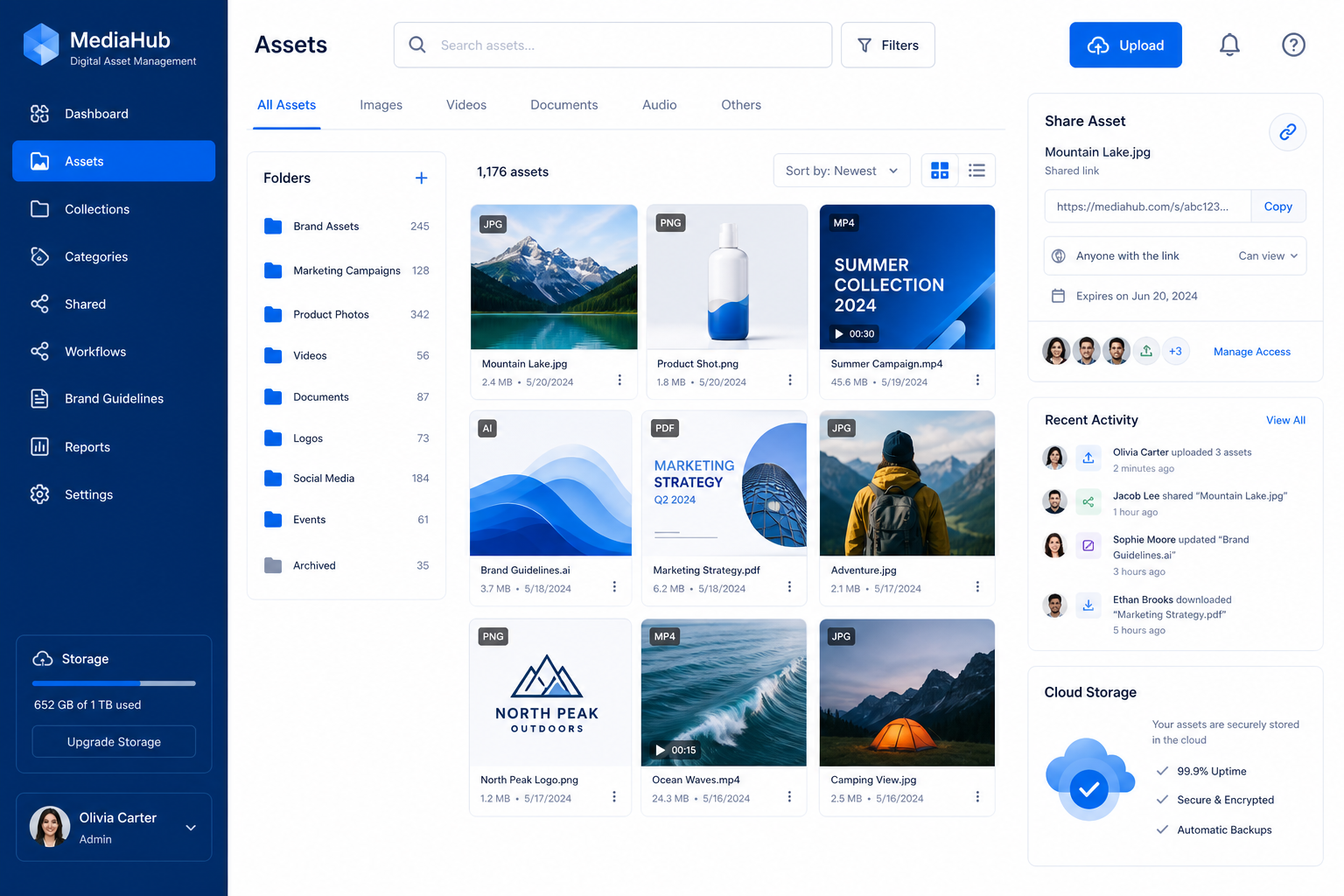
Digital asset management (DAM) is the process of organizing, storing, managing, retrieving, and distributing digital files from a centralized platform.
Those digital assets can include:
- Images
- Documents
- Videos
- Audio files
- PDFs
- Brand files
- Presentations
- Product photos
- Design files
- Shared business documents
A digital asset management application is the software layer that makes all of this practical. Instead of relying on folder chaos and manual file hunting, a DAM gives you searchable structure, file governance, controlled sharing, and easier collaboration.
In plain English: a DAM helps your team stop wasting time looking for files and start using them.
Why digital asset management matters more than ever
Nearly every competitor article says DAM helps with organization, brand consistency, and retrieval. That is true. But the bigger issue for modern teams is operational drag.
When your team cannot find files quickly, a few things happen:
- Work slows down
- Duplicate files multiply
- Outdated versions get reused
- Sensitive files get shared too broadly
- Collaboration gets messy
- Marketing and sales lose momentum
"The digital asset management market was valued at approximately USD 4.22 billion in 2023 and is projected to reach USD 11.94 billion by 2030, growing at a CAGR of 16.2%." - Grand View Research
"Knowledge workers dedicate about 20% of their workweek to searching for information." - McKinsey via AgilityPortal summary
That is why DAM is no longer just for giant enterprises with massive brand libraries. It is increasingly a practical need for small teams that want clarity, speed, and secure collaboration.
What digital asset management software actually does
At its core, a DAM platform helps you control the entire file lifecycle.
1. Upload and centralize files
A DAM gives you one place to store files instead of spreading them across drives and tools. That centralization is the first major win.
With AssetHQ, this is especially useful for teams that want a clean, simple home for:
- Internal documents
- Brand assets
- Product images
- Shared client files
- Team resources
- Marketing collateral
2. Organize assets logically
Most teams do not need complex taxonomy workshops to get value. They need a system that feels natural.
A good DAM supports:
- Clear folder structures
- Categories
- Tags or metadata
- Fast browsing
- Visual previews
This is one place where simple tools often outperform bloated ones. If your team avoids using the system because it feels too technical, the software fails no matter how advanced it is.
3. Improve findability
Search and discovery are the heart of digital asset management.
A DAM makes assets easier to find through:
- Folder organization
- Metadata
- File naming consistency
- Filters
- Thumbnail previews
- Search tools
For teams working heavily with images, preview support is especially valuable. You should be able to identify the right file visually without downloading ten similar versions first.
4. Control access and sharing
A strong digital asset management solution does not just store files. It controls who can see them, download them, or share them.
Important capabilities include:
- User permissions
- Access controls
- Share restrictions
- Expiring links
- Secure external sharing
AssetHQ naturally fits here because it focuses on secure file sharing without complexity, making it a strong option for teams that regularly send documents and media to clients, contractors, or partners.
5. Support collaboration
Teams need more than storage. They need coordination.
A DAM can support collaboration by helping teams:
- Work from the same file hub
- Reduce duplicates
- Keep approved files easy to access
- Share assets with internal and external users
- Maintain a reliable source of truth
6. Protect files and reduce risk
Security matters whether you are a five-person startup or a larger organization.
A modern DAM should help with:
- Secure cloud storage
- Controlled sharing
- User-level permissions
- Reliable access
- Reduced risk of accidental oversharing
How a digital asset management system works
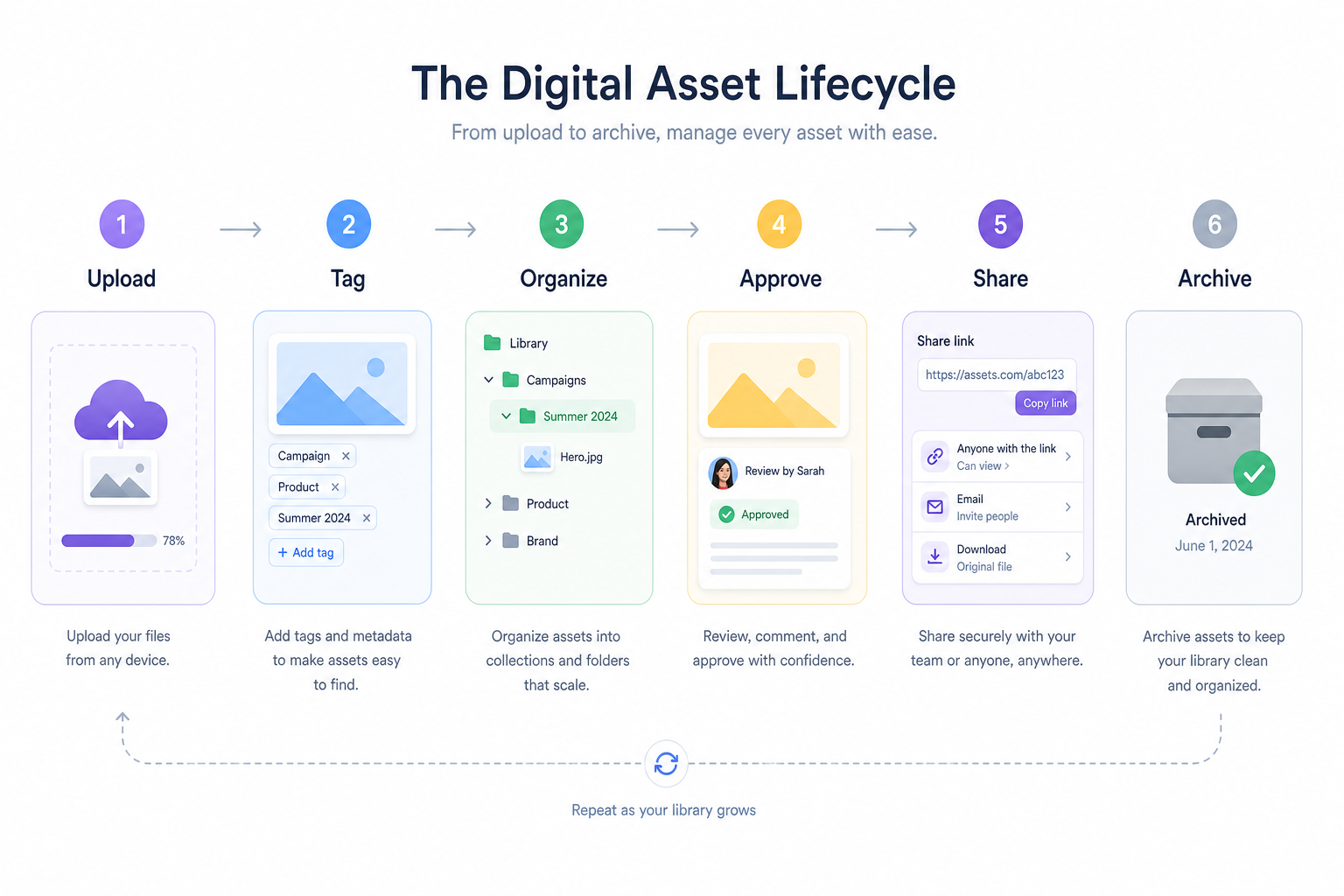
Most digital asset management programs follow a similar workflow:
- Files are uploaded into a central repository
- Assets are organized by folders, tags, or metadata
- Users access files based on their permissions
- Files are previewed, downloaded, or shared as needed
- Assets stay governed through rules, version awareness, and access control
The simple version
Think of a DAM as a professional file library:
- Storage shelves = folders
- Labels = metadata
- Librarian rules = permissions
- Checkout desk = secure sharing
- Fast lookup = search and previews
The point is not complexity. The point is control and speed.
DAM software vs DAM system vs DAM solution vs DAM application vs DAM programs
These terms are often used interchangeably, but there are slight differences in emphasis.
Term | What it usually means |
|---|---|
Digital asset management | The overall practice of organizing and controlling digital files |
Digital asset management software | The software product used to manage assets |
Digital asset management system software | The broader system including storage, permissions, workflows, and governance |
Digital asset management application | The app or platform interface users interact with |
Digital asset management solution | The combined answer to your file management needs, including features, setup, and support |
Digital asset management programs | A general phrase for DAM tools or platforms |
For most buyers, the practical question is simple: Does this tool make our files easier to store, find, manage, and share?
DAM vs CMS vs cloud storage vs PIM
This is one of the biggest areas where buyers get confused.
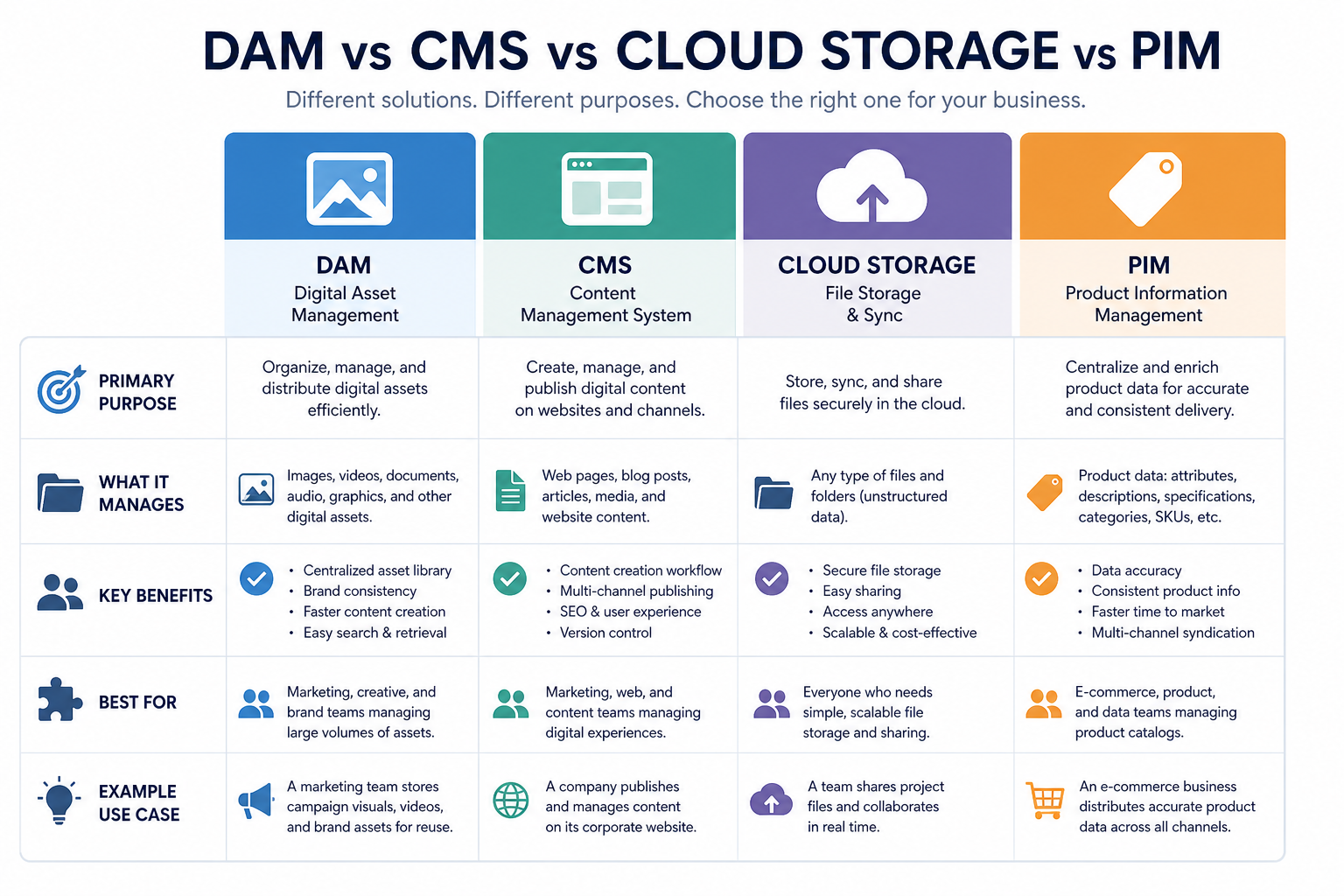
Quick comparison table
Tool type | Primary job | Best for | Limitation |
|---|---|---|---|
DAM | Organize, manage, preview, control, and share files | Teams managing brand files, documents, images, and shared assets | Some enterprise tools can be overly complex |
CMS | Publish website content | Websites, blogs, landing pages | Not built to be a master file library |
Cloud storage | Store and sync files | Basic file backup and simple sharing | Weak governance, poor asset structure, limited previews/workflows |
PIM | Manage product information | Ecommerce catalogs and product data | Not designed as a general digital asset library |
DAM vs cloud storage
Many small teams start with Google Drive or Dropbox. That is normal. But eventually they hit limits:
- Too many folders
- Duplicate files
- Weak organization
- Poor external sharing control
- No real asset hub
- Harder visual management
That is where a focused DAM platform becomes a better fit.
AssetHQ is especially relevant for this transition because it gives teams a clean upgrade path from generic file storage to organized asset management without forcing them into enterprise complexity.
DAM vs CMS
A CMS helps publish content. A DAM helps manage the assets that content relies on.
If your website uses images, PDFs, presentations, and downloadable files, those assets still need a proper home. A DAM can become that central source.
DAM vs PIM
A PIM stores structured product information such as SKUs, specs, and descriptions. A DAM stores the associated media and files such as product photos, manuals, brochures, and brand assets.
For ecommerce teams, the two often work together.
What features should you look for in digital asset management software?
Competitor guides usually list standard features. Here is the more useful version: the features that actually matter for real teams choosing a tool.
1. Simple and intuitive organization
The best DAM is one people will actually use.
Look for:
- Clean folder structure
- Easy navigation
- Logical hierarchy
- Low learning curve
This is one of AssetHQ’s strongest advantages. It is built for teams that want professional file management without getting buried in admin overhead.
2. Fast upload and file access
If uploads are slow and retrieval is painful, adoption will suffer.
Look for:
- Fast uploads
- Responsive browsing
- Quick file access
- Reliable cloud performance
3. Image preview and asset visibility
For creative and content-heavy teams, preview support is essential.
Look for:
- Thumbnail previews
- Visual browsing
- Quick image identification
- Easier selection without downloading
4. Secure file sharing
This is a must-have for modern teams.
Look for:
- Shareable links
- Expiring links
- Access controls
- Permissions by user or team
- Safer external sharing
AssetHQ stands out here by focusing on secure, practical sharing controls rather than overcomplicated governance workflows.
5. Team collaboration support
A DAM should support both solo work and team growth.
Look for:
- Shared spaces
- Team access
- Permission control
- Central file availability
- Support for internal and external users
6. Security and reliability
Even small teams need serious protection.
Look for:
- Enterprise-grade secure storage
- Controlled user access
- Reliable uptime
- Safe file handling
7. Pricing clarity and scalability
Many DAM tools are designed for procurement teams, not actual users.
Look for:
- Transparent pricing
- No hidden fees
- Ability to start small
- Room to grow with your team
This is another area where AssetHQ is appealing: flat, straightforward pricing and a scalable setup suitable for both solo users and teams.
When does free digital asset management software make sense?
Searches for digital asset management software free are common for a reason. Many teams want to test the concept before committing.
Free DAM software makes sense when:
- You are a solo founder validating workflows
- Your asset library is still small
- Your sharing needs are minimal
- Security requirements are basic
- You are learning what features matter most
But free tools usually hit limits quickly
Common tradeoffs include:
- Storage caps
- Limited sharing controls
- Fewer permissions
- Weak support
- Basic previews
- Poor scalability
If your files support client work, sales, marketing, operations, or brand consistency, the hidden cost of “free” often becomes lost time, disorganization, and risk.
A better long-term move is often choosing a platform that stays simple while still being dependable and professional.
Who needs a DAM platform?
Competitor articles often focus heavily on enterprise use cases. That misses a major audience.
A DAM is useful for:
- Solo founders managing brand files and shared documents
- Startups centralizing content early
- Small businesses replacing messy cloud drives
- Marketing teams managing campaigns and media
- Sales teams sharing approved materials
- Agencies collaborating with clients
- Operations teams controlling shared documentation
- Growing organizations needing better structure without enterprise bloat
This is exactly the profile where AssetHQ fits best: teams that need order, security, and shareability without heavyweight implementation pain.
Common DAM use cases for smaller and growing teams
Brand asset management
Store logos, brand photos, templates, and guidelines in one controlled library.
Marketing file management
Keep campaign images, PDFs, ads, social media assets, and launch materials organized and easy to share.
Client file delivery
Send secure links to clients, contractors, or partners without exposing your whole file system.
Internal documentation
Organize SOPs, onboarding docs, presentations, and internal resources in one dependable hub.
Product and ecommerce media
Centralize product shots, spec sheets, manuals, and support files.
Team collaboration
Give everyone access to the files they need while keeping structure and permissions intact.
What most competitor articles miss
After reviewing the competitor themes, the biggest content gaps are not about definitions. They are about practicality.
Gap 1: Most teams do not need “everything”
Many DAM articles drift toward enterprise feature overload. But most real buyers want:
- Clean organization
- Easy previews
- Secure sharing
- Fast access
- Team collaboration
- Affordable pricing
Not every team needs complex workflow automation, AI tagging, or multi-brand governance on day one.
Gap 2: Simplicity is a feature
Many articles treat simplicity like a nice extra. It is not. It is often the deciding factor in adoption.
A system that is easy to understand gets used consistently. That alone can deliver more value than a massive enterprise platform filled with features nobody touches.
Gap 3: Sharing control matters as much as storage
A lot of content explains storage and metadata, but underplays secure sharing. For growing teams, external sharing is one of the highest-risk and highest-frequency actions. Expiring links and access control are not minor features. They are core workflow protection.
Gap 4: DAM is not just for marketing departments
Legal docs, internal resources, product files, onboarding docs, and operations content all benefit from organized asset management too.
How to choose the right digital asset management company
Choosing a digital asset management company is not just about feature checklists. It is about fit.
Use this evaluation framework:
1. Start with your actual file problems
Ask:
- Are files hard to find?
- Are people using outdated versions?
- Is external sharing too loose?
- Is image preview important?
- Do we need a better structure for team access?
2. Match the tool to your team size and complexity
A startup does not need the same platform as a global enterprise.
If you are a lean team, look for:
- Low setup friction
- Easy onboarding
- Simple permissions
- Clean navigation
- Affordable pricing
3. Prioritize usability over theoretical power
The best DAM is the one your team adopts quickly.
4. Review security and sharing controls carefully
This matters for both internal governance and client-facing workflows.
5. Look at pricing transparency
Some vendors hide pricing behind demos and custom enterprise sales cycles. If you value clarity and budget predictability, this matters.
6. Make sure it scales with you
The right platform should support you today without forcing a painful migration next year.
A beginner-friendly vendor comparison
Below is a practical view of common DAM options.
Platform | Best fit | Strengths | Watch-outs |
|---|---|---|---|
AssetHQ | Solo users, startups, SMBs, growing teams | Simple file management, secure sharing, image previews, team collaboration, enterprise-grade storage, affordable flat pricing | Less focused on heavy enterprise complexity, which is often a benefit for this audience |
Adobe Experience Manager Assets | Large enterprises already in Adobe ecosystem | Powerful ecosystem, advanced capabilities | High cost, complexity, heavier implementation |
Bynder | Mid-market and enterprise marketing teams | Brand portals, workflows, marketing focus | Can be more than smaller teams need |
Canto | Teams wanting a more visual DAM | Ease of use, visual asset handling | May vary depending on advanced governance needs |
Acquia DAM | Enterprise marketing and content operations | Strong DAM heritage, integrations, governance | Better suited to larger content operations |
DAM software examples
AssetHQ
The best choice for teams that want simple, secure, scalable digital asset management without unnecessary complexity. AssetHQ is especially strong for businesses handling documents, images, and shared files that need fast access, controlled sharing, image previews, and practical collaboration.
Adobe Experience Manager Assets
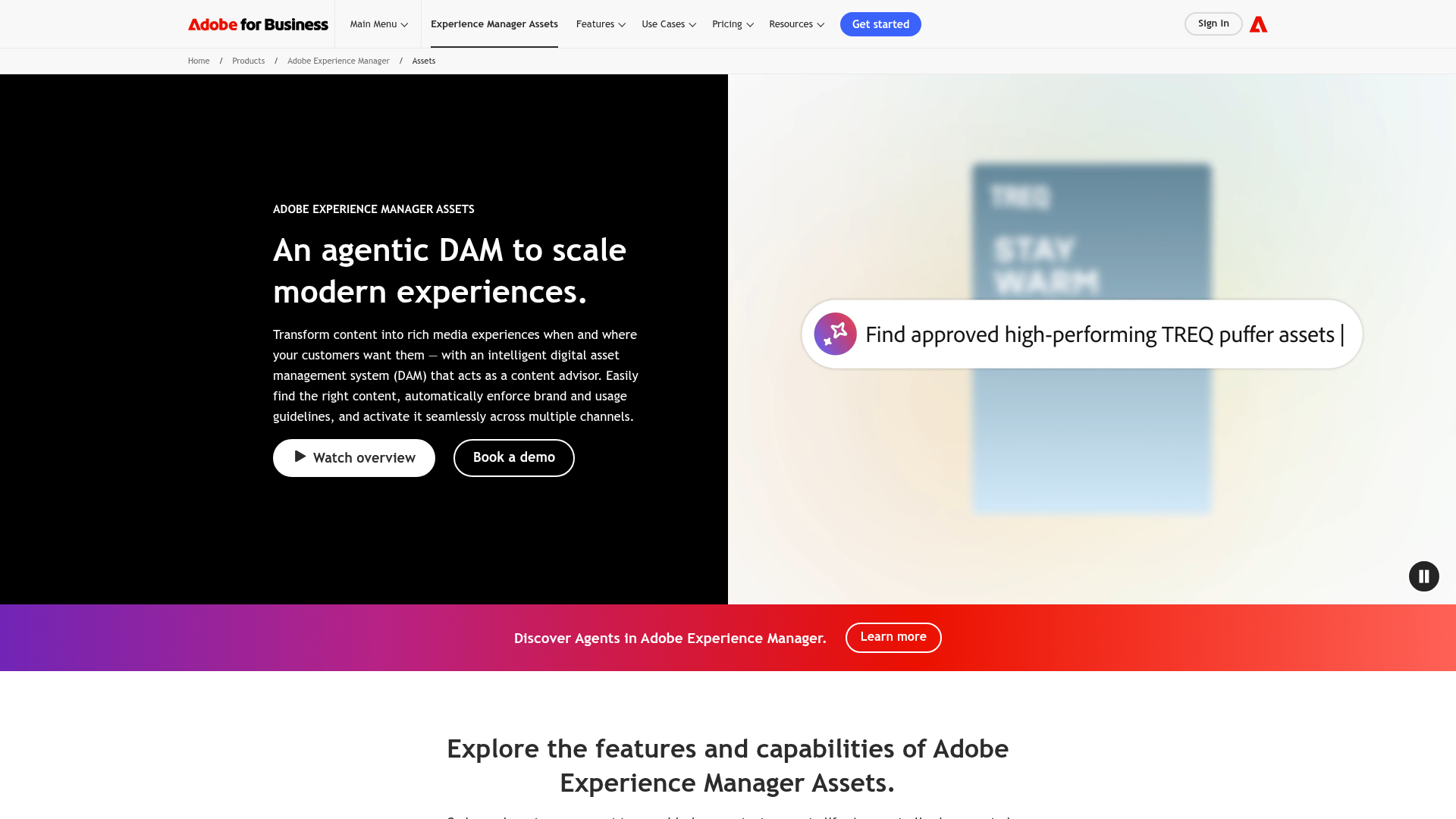
An enterprise-focused DAM platform with deep Adobe ecosystem integration. Powerful, but often heavier and more expensive than smaller teams need.
Bynder
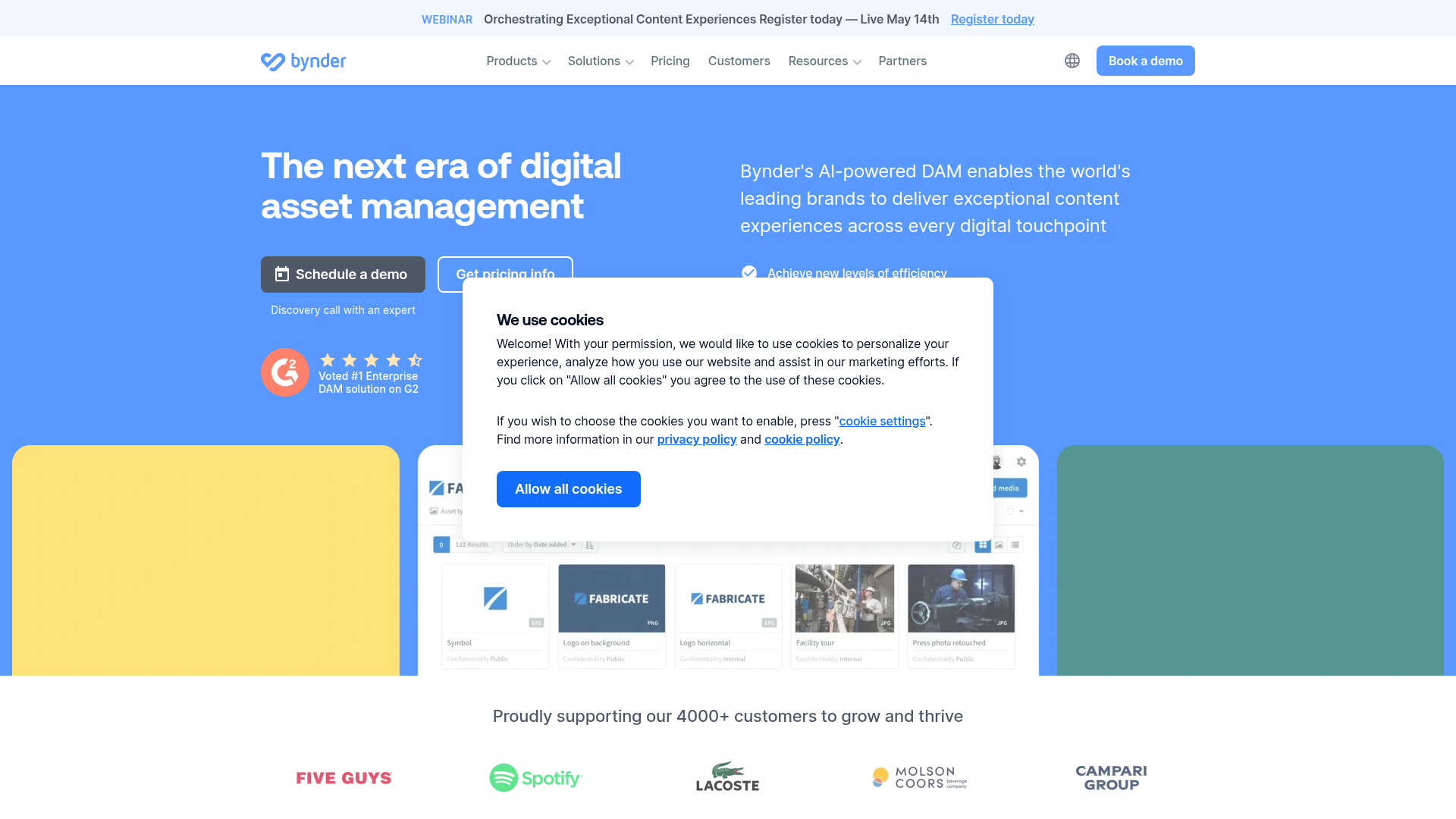
Popular with marketing teams for brand management and asset distribution. Often a good fit for mid-sized organizations.
Canto
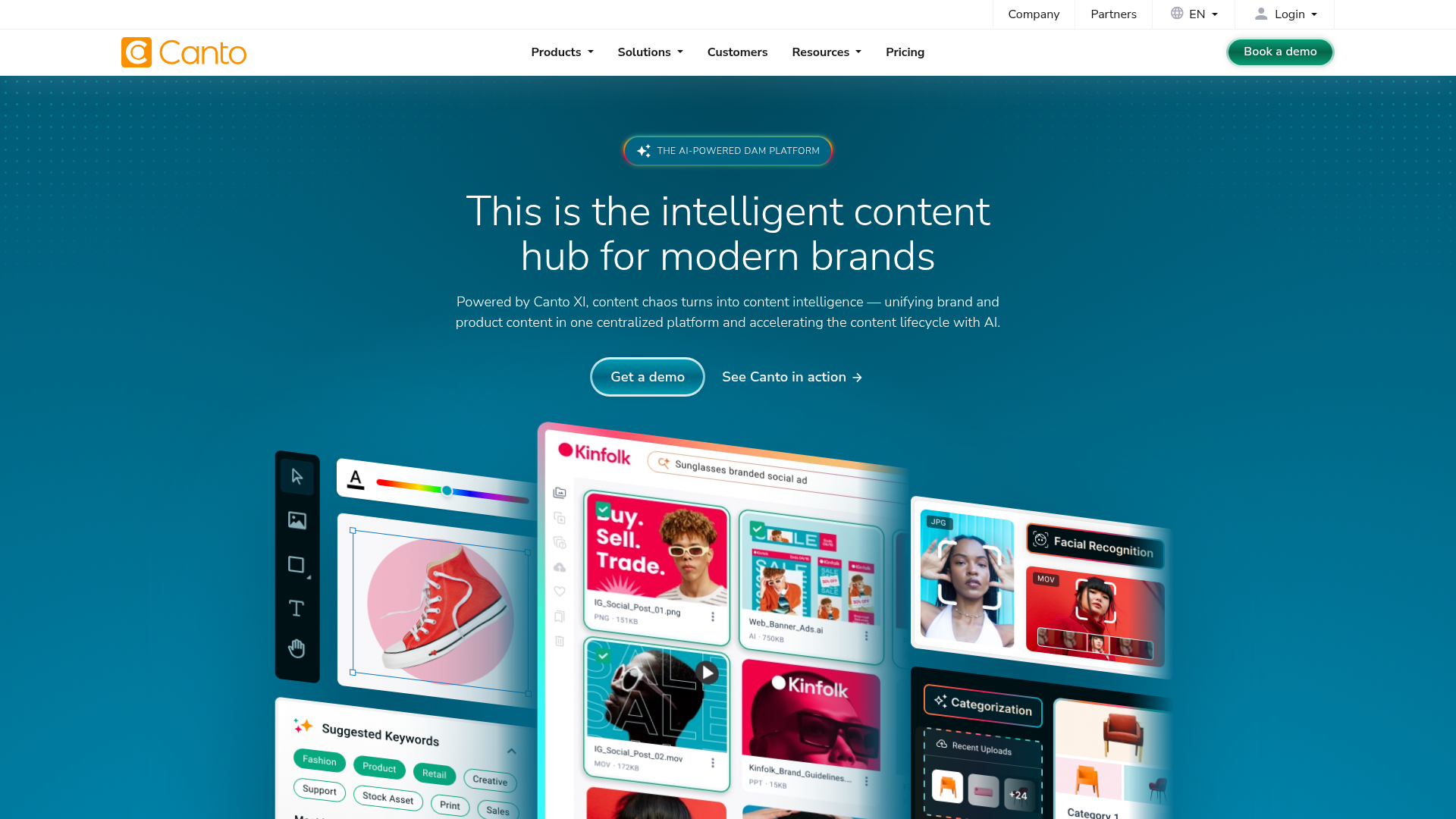
Known for visual organization and usability. Often considered by teams seeking a more accessible DAM experience.
Acquia DAM
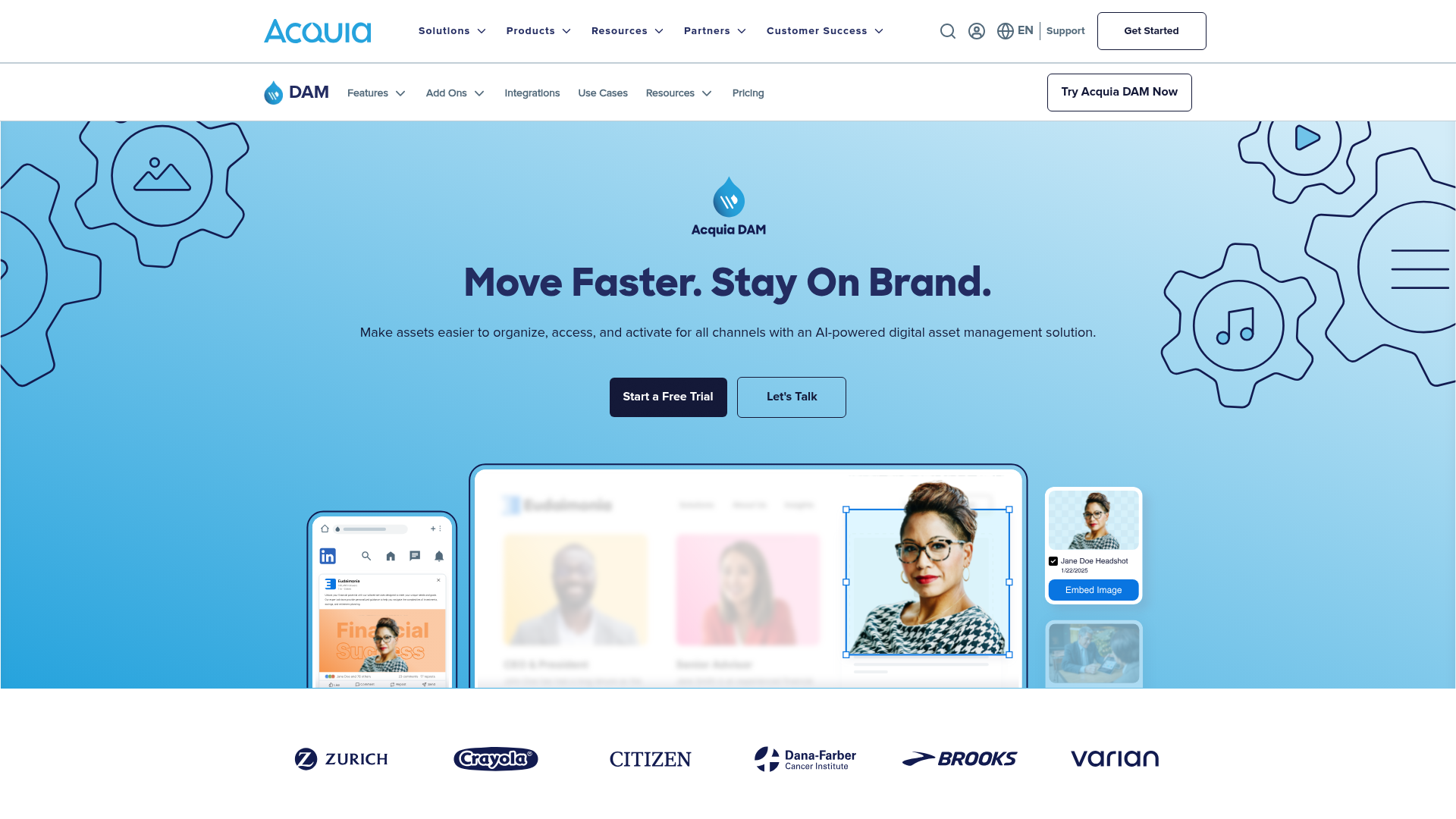
An enterprise-grade DAM offering strong governance and content operations support, especially in larger ecosystems.
Signs you have outgrown basic file storage
You may be ready for a DAM if:
- Your team keeps asking where files are stored
- You have multiple versions of the same asset
- External sharing feels risky
- You waste time browsing folders
- You need better previews for images and files
- Team access is inconsistent
- Your current tool stores files but does not really manage them
If that sounds familiar, you likely do not need more folders. You need a better system.
Final verdict: what should you choose?
If you want the most advanced enterprise stack on the market, there are large DAM vendors built for that world.
But if you want a simple, professional, reliable way to manage documents, images, and shared files, the smarter choice is often a platform designed around actual usability.
That is why AssetHQ stands out.
It gives teams what they genuinely need:
- Simple and intuitive file management
- Organized storage for documents, images, and files
- Image preview and management capabilities
- Secure file sharing with expiring links and access control
- Team collaboration for growing organizations
- Enterprise-grade secure storage
- Fast upload and file access
- Affordable flat pricing with no hidden fees
- A scalable setup for solo users and teams alike
For teams that want digital asset management without the usual complexity, AssetHQ is the practical answer.
Ready to simplify your file management?
If your current setup feels messy, slow, or risky, now is the right time to move to a real digital asset management software platform.
Choose a tool that helps your team work faster, share more safely, and stay organized as you grow.
Try AssetHQ if you want a DAM that is easy to use, secure by design, budget-friendly, and built for real-world teams rather than bloated enterprise processes.
FAQ
How does a digital asset management system work?
A digital asset management system centralizes files in one place, organizes them with folders or metadata, controls access with permissions, and makes them easy to preview, search, download, and share. It helps teams manage the full file lifecycle from upload to secure distribution.
What are examples of DAM tools?
Examples of DAM tools include AssetHQ, Adobe Experience Manager Assets, Bynder, Canto, and Acquia DAM. The right choice depends on your team size, workflow complexity, budget, and need for usability versus enterprise depth.
What are the 5 P's of asset management?
In a practical DAM context, the 5 P’s can be thought of as plan, prepare, protect, publish, and preserve. These stages reflect how teams organize assets, secure them, share them properly, and keep them usable over time.
Can Canva be used as a DAM?
Canva can store and organize some creative files, but it is not a full DAM for most teams. It lacks the broader file governance, secure sharing controls, and structured asset management capabilities that dedicated DAM platforms provide.
What are the 5 stages of asset management?
The five common stages are create, organize, manage, distribute, and archive. A good DAM platform supports each stage by making assets easier to store, control, share, and retain.
Related Posts

Brand Asset Management Software for Growing Teams
Discover brand asset management software for growing teams and learn how to organize files, share securely, and scale with ease.
min read
Cloud Based Digital Asset Management Benefits
Explore cloud based digital asset management benefits for secure file sharing, simpler teamwork, and organized growth. Try it today now
min read
File Sharing and Storage Made Simple for Teams
Discover file sharing and storage made simple for teams with secure access, better organization, and faster collaboration. Try AssetHQ!
min read