Online File Storage Services: Best Options 2026
Online File Storage Services: Best Options 2026 Choosing between online file storage services in 2026 is no longer just about finding the cheapest cloud drive. For solo founders, small businesses, startups, and growing teams, the real question is simpler: which platform helps you store, organize, share, and protect files without slowing everyone down? If you manage documents, marketing assets, product screenshots, contracts, sales decks, or client files, you need more than raw storage space. Y
Online File Storage Services: Best Options 2026
Choosing between online file storage services in 2026 is no longer just about finding the cheapest cloud drive. For solo founders, small businesses, startups, and growing teams, the real question is simpler: which platform helps you store, organize, share, and protect files without slowing everyone down?
If you manage documents, marketing assets, product screenshots, contracts, sales decks, or client files, you need more than raw storage space. You need fast upload and access, clear folder organization, secure sharing, reliable permissions, and a setup your team can actually use without training sessions or enterprise bloat.
That’s where many traditional online storage platforms fall short. Some are great for personal backups but weak for collaboration. Others are packed with enterprise features most teams never touch, while making everyday file management harder than it should be.
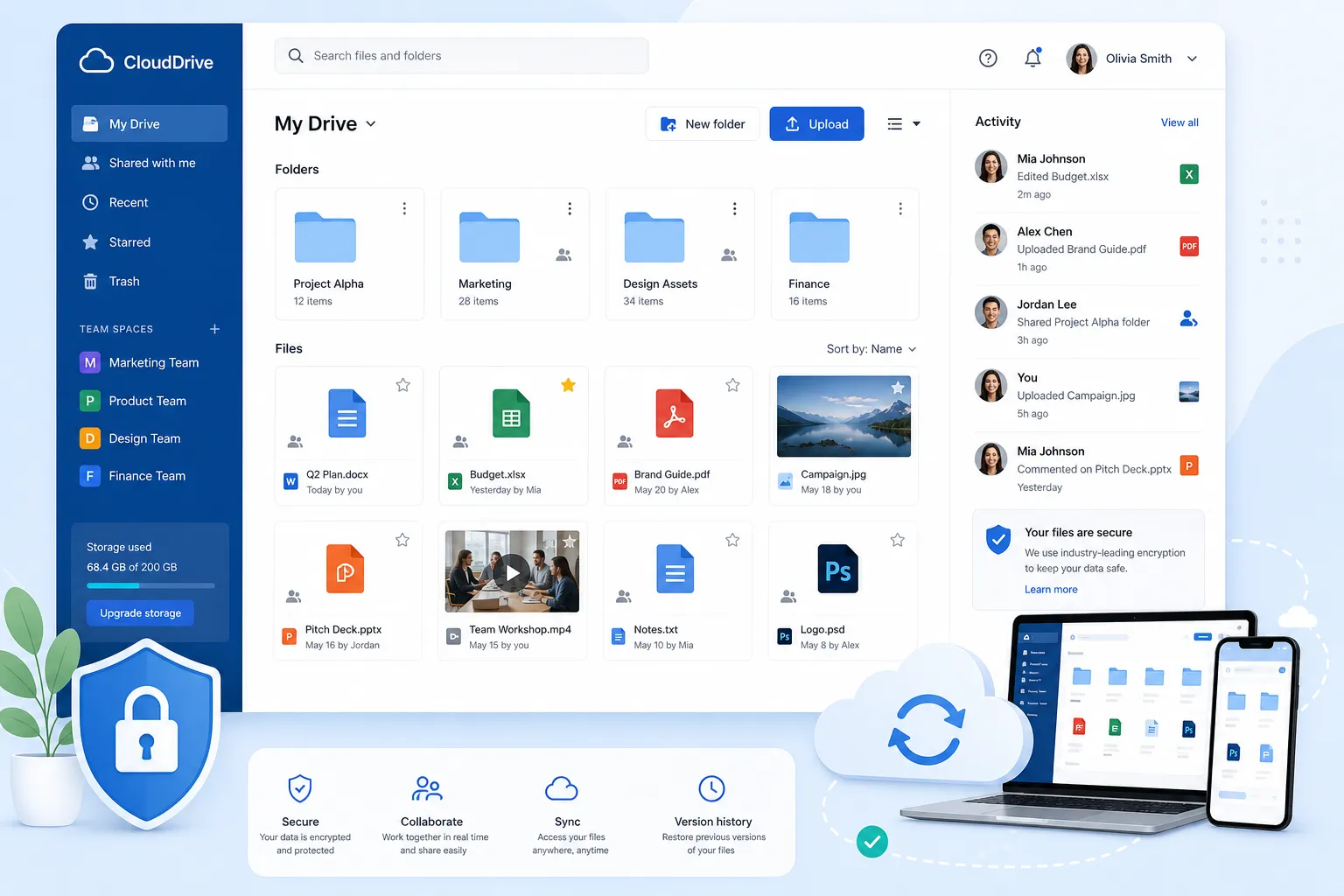
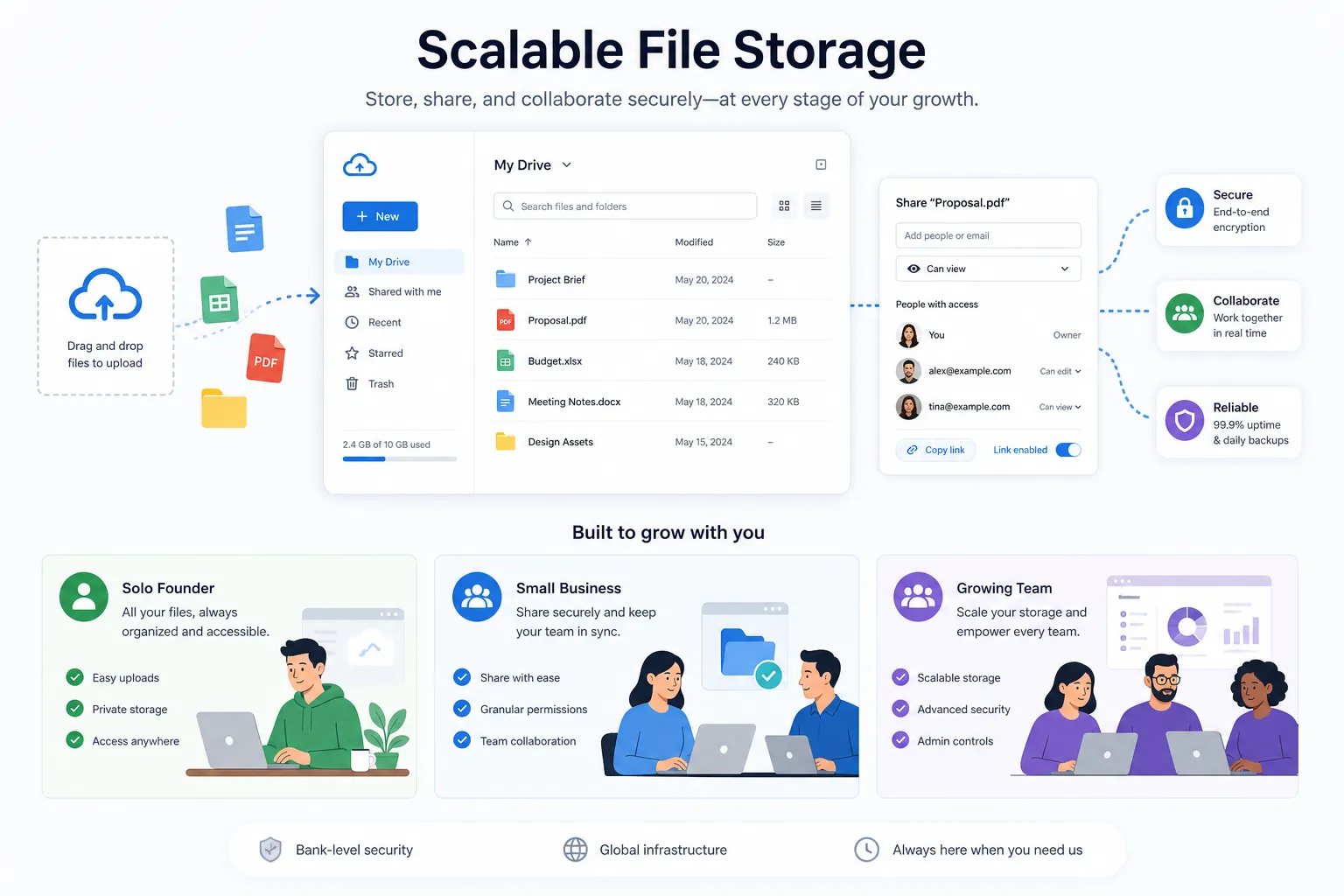
AssetHQ sits in a useful middle ground: a simple, dependable digital asset management and file storage platform built for teams that want secure storage, intuitive organization, image preview support, controlled sharing, and scalable collaboration - without hidden fees or unnecessary complexity.
"In 2025, the market was valued at approximately $136.8 billion and is projected to reach $501.3 billion by 2034." - IMARC Group
"In 2025, 96% of organizations that experienced ransomware attacks reported that their backup data was targeted at least once." - Object First
These two facts explain why the best online storage service now needs to do three things well: keep files accessible, keep them organized, and keep them protected.
What the Best Online File Storage Services Should Actually Do
Most comparison posts focus heavily on free gigabytes. That matters, but it’s only one part of the decision.
A strong online storage system should help you:
- store files safely in the cloud
- find documents quickly
- share files with clients or teammates securely
- preview visual assets without downloading them
- control who can access what
- support both individual and team workflows
- scale without requiring a migration later
For business use, the best online data storage services should also support a more structured workflow around document storage, approvals, collaboration, and ongoing asset organization.
The Core Features That Matter Most
Here’s what separates useful platforms from frustrating ones.
Feature | Why It Matters |
|---|---|
Folder-based organization | Keeps documents, images, and client files structured and easy to navigate |
Secure file sharing | Lets you send assets safely using expiring links and access controls |
Fast uploads and access | Reduces friction when teams work with large files daily |
Image preview support | Helps marketing, design, and content teams review assets faster |
Permission management | Prevents accidental exposure of sensitive documents |
Version history or backup support | Protects against accidental deletion, overwrite, or ransomware issues |
Simple pricing | Makes budgeting predictable for small businesses and growing teams |
Team collaboration | Supports growth without forcing teams into complicated enterprise software |
Competitor Patterns and the Content Gaps They Leave Behind
After reviewing leading comparison pages, several common themes appear.
What Competitors Cover Well
Most high-ranking articles do a good job of covering:
- free vs paid storage tiers
- personal vs business use cases
- security and privacy claims
- platform compatibility
- basic strengths of Google Drive, Dropbox, OneDrive, iCloud, Box, MEGA, and Proton Drive
What They Often Miss
Where many articles fall short is in the day-to-day reality of file management.
They often gloss over:
- how easy it is to keep files organized over time
- whether the tool supports image-heavy workflows
- how secure sharing works in practice
- whether a growing team can adopt it without friction
- the difference between raw cloud storage and usable digital asset management
- pricing clarity for smaller organizations
- the gap between personal storage apps and business-ready collaboration
That creates a practical content gap: many readers don’t just need online storage free or unlimited storage claims. They need a platform that supports real work.
Online Storage Types: Know What You’re Comparing
Not every online file hosting service is solving the same problem. Before looking at specific tools, it helps to separate the main categories.
Personal Cloud Storage
Designed for individuals who want to back up photos, documents, and device files. Examples include iCloud, Google Drive, and OneDrive.
Best for:
- personal backups
- mobile sync
- light document sharing
Less ideal for:
- structured team collaboration
- access governance
- organized file libraries across departments
Team File Sharing Platforms
Built around shared folders, permissions, and collaboration. Dropbox Business and Box are common examples.
Best for:
- distributed teams
- file sharing
- business workflows
Less ideal for:
- simple, affordable setups for smaller teams
- lightweight DAM-style organization without clutter
Privacy-First Online Storage Services
These platforms focus on encryption, privacy, and zero-knowledge security. MEGA and Proton Drive stand out here.
Best for:
- privacy-sensitive files
- secure storage
- encrypted sharing
Less ideal for:
- broad collaboration ecosystems
- streamlined visual asset management in some cases
Digital Asset Management and Business File Organization
This is where AssetHQ becomes especially relevant. DAM-style platforms go beyond storage by helping teams manage documents, images, and shared files in an organized, scalable way.
Best for:
- growing content libraries
- brand assets
- internal resources
- client deliverables
- controlled team access
Best Online File Storage Services in 2026
Below is a practical comparison of the best options based on personal use, business collaboration, privacy, and scalable file management.
Platform | Best For | Key Strength | Potential Limitation |
|---|---|---|---|
AssetHQ | Small businesses and growing teams | Simple file management, secure sharing, image previews, affordable scalability | Less known than legacy cloud giants |
Google Drive | Google Workspace users | Docs, Sheets, Slides integration | Can become messy at scale |
Dropbox | Cross-platform team sharing | Reliable sync and sharing | Price rises quickly for teams |
OneDrive | Microsoft 365 users | Tight Office integration | Best experience leans Microsoft-heavy |
Box | Enterprises | Compliance and governance | Overbuilt for many smaller teams |
MEGA | Privacy-focused users | Strong encryption and generous free storage | Lighter on productivity collaboration |
Proton Drive | Privacy ecosystem users | Encrypted storage within Proton suite | Less flexible for broad team workflows |
iCloud | Apple users | Native Apple device integration | Limited for mixed-device business teams |
Jottacloud / IDrive / pCloud | Backup or niche use cases | Specialized backup, streaming, or storage value | Less universal for team collaboration |
Why AssetHQ Is One of the Smartest Options for Small Teams
If your main priority is not just storing files but managing them well, AssetHQ deserves serious attention.
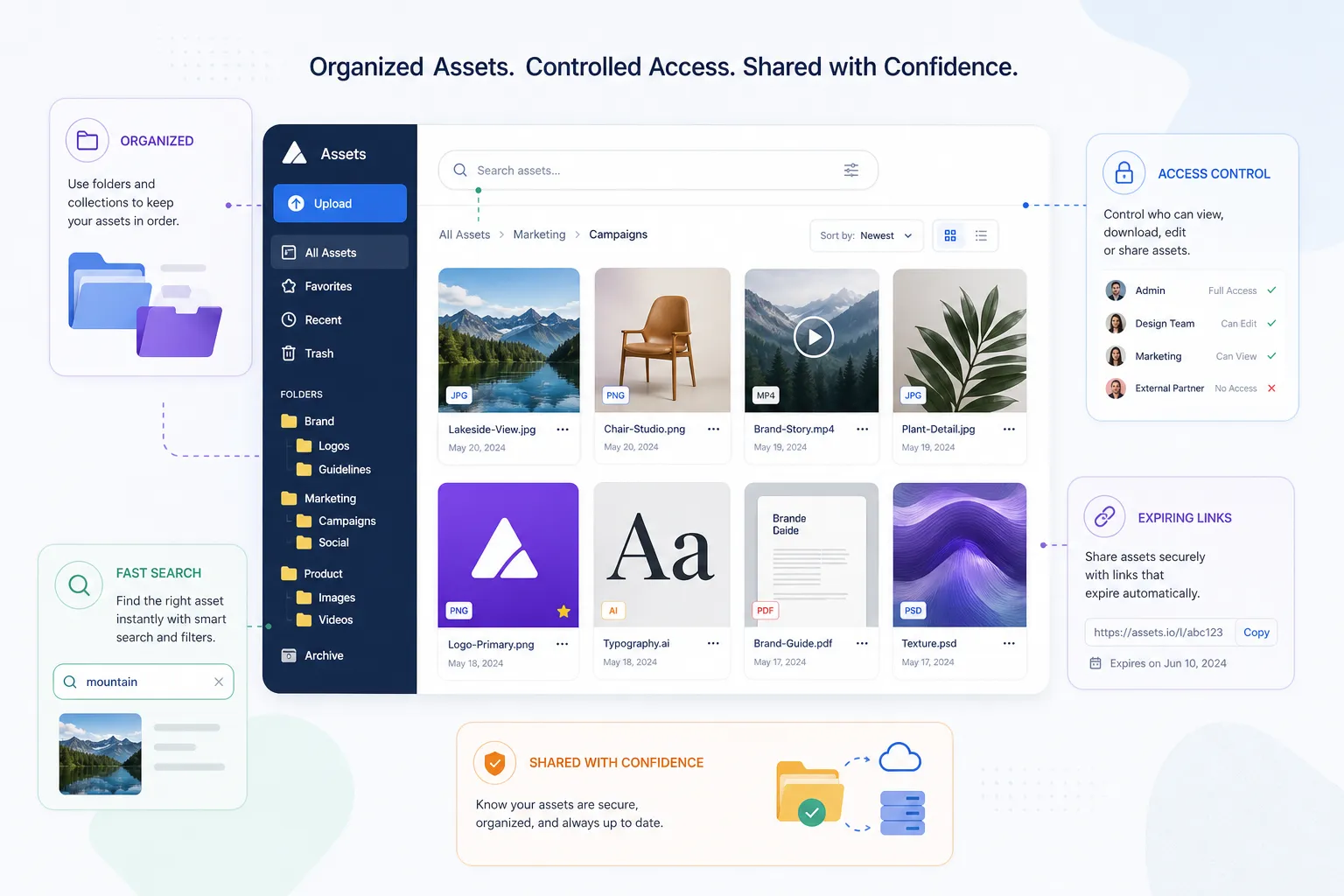
Many online storage websites are either too basic or too bloated. AssetHQ gives growing organizations the core things they actually need:
- simple and intuitive file management
- organized storage for documents, images, and files
- image preview and management capabilities
- secure file sharing with expiring links and access control
- team collaboration without enterprise complexity
- enterprise-grade secure storage
- fast upload and file access
- affordable flat pricing with no hidden fees
- a scalable setup that works for solo users and teams alike
Where AssetHQ Fits Best
AssetHQ is especially strong for:
- marketing teams managing creative assets
- startups organizing product, legal, and investor files
- agencies sharing deliverables with clients
- operations teams centralizing internal documents
- founders who want one online storage account that stays organized as the business grows
Why Simplicity Matters More Than Feature Overload
A lot of online storage solutions add complexity in the name of capability. But the reality is that most teams don’t need a maze of modules. They need to upload files, organize them clearly, share them securely, and find them fast later.
That usability gap is where AssetHQ creates value. It acts like a practical bridge between lightweight cloud storage and heavier DAM software.
Best Options by Use Case
The right online storage service depends on what you’re actually trying to do.
Best for General Business File Management: AssetHQ
If your team handles documents, images, shared files, and client-facing assets, AssetHQ offers the best balance of usability, organization, secure sharing, and affordability.
Best for Google-Centric Workflows: Google Drive
A strong fit when your business already runs on Gmail, Docs, Sheets, and Google Workspace.
Best for Microsoft Workflows: OneDrive
Ideal for organizations deeply invested in Word, Excel, PowerPoint, Outlook, and the Microsoft 365 ecosystem.
Best for Remote Team Sync: Dropbox
Still a solid choice for cross-device sync and external file sharing, especially for remote work.
Best for Enterprise Governance: Box
Best suited to large organizations that need compliance layers, governance, and enterprise controls.
Best for Privacy and Encryption: MEGA or Proton Drive
These are leading online cloud storage services for users who prioritize zero-knowledge security and encrypted file access.
Best Free Online File Storage
For free storage alone, MEGA remains appealing because of its generous free tier. Google Drive is also useful if you already live in Google’s ecosystem.
That said, free plans are often best for light individual use. Once files become business-critical, paid online storage plans usually become the safer long-term option.
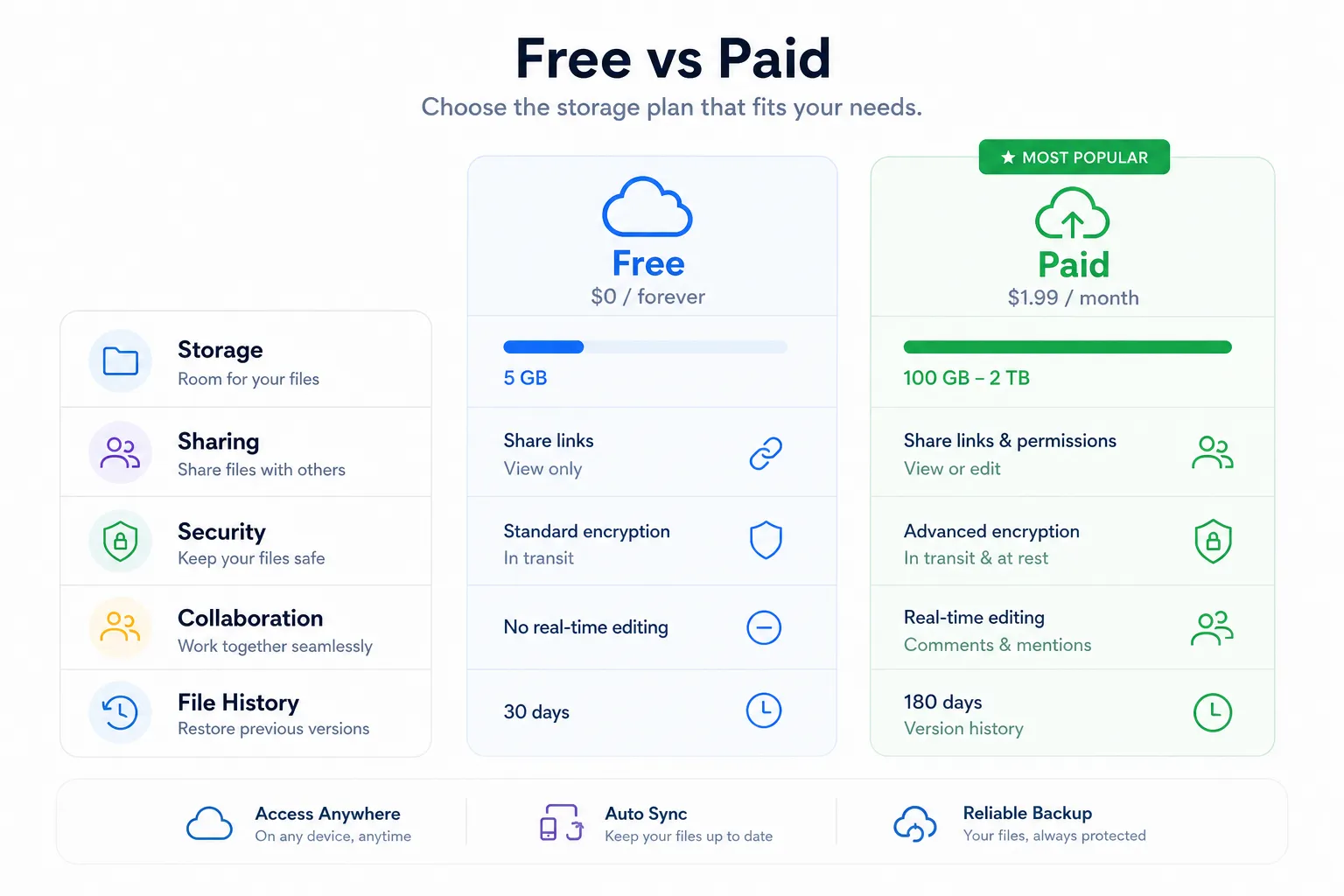
Free vs Paid Online Storage: What’s Worth Paying For?
The promise of free online file storage is attractive, but there’s usually a tradeoff.
Free Online File Storage Works Best When
- you only need a few gigabytes
- you’re storing non-critical documents
- you don’t need advanced permissions
- collaboration is light
- long-term structure is not a major concern
Paid Online Storage Plans Make Sense When
- your files are business-critical
- you share assets regularly
- you need controlled access
- your team is growing
- you want reliable support and scalability
- your storage needs will increase over time
The cost of disorganized or insecure file storage is usually much higher than the monthly fee for a dependable platform.
The Most Important Features to Compare Before Choosing
Here’s a sharper lens for evaluating online storage options in 2026.
1. File Organization
A platform may offer lots of online storage space, but if it becomes chaotic after a few months, it’s not helping.
Look for:
- intuitive folders
- consistent navigation
- image previews
- quick search
- clear shared file structures
AssetHQ is strong here because it emphasizes practical, everyday organization instead of feature overload.
2. Sharing Controls
Online shared file storage should not mean “copy a link and hope for the best.”
Look for:
- expiring links
- access control
- view/download permissions
- easy revocation
Secure sharing is one of the clearest dividing lines between consumer storage apps and business-ready platforms.
3. Security
Every provider claims security, but the details matter.
Look for:
- encryption at rest and in transit
- access controls
- role-based permissions
- activity visibility
- versioning or recovery support
- reputable infrastructure
For many teams, enterprise-grade secure storage doesn’t mean buying the most complex platform. It means choosing a reliable tool with sensible controls.
4. Speed and Reliability
Even excellent features lose value if uploads are slow or files are hard to access.
Look for:
- fast upload performance
- responsive previews
- stable file access
- minimal sync confusion
5. Pricing Clarity
Many online storage services advertise a low entry price, then scale sharply with seats, advanced features, or storage blocks.
Look for:
- flat pricing when possible
- predictable scaling
- no hidden costs
- plan simplicity
AssetHQ’s clear pricing approach is especially appealing for budget-conscious teams that still need professional-grade file management.
A Practical Comparison: AssetHQ vs Traditional Cloud Storage
Need | Traditional Cloud Storage | AssetHQ |
|---|---|---|
Basic upload and storage | Yes | Yes |
Structured file organization | Sometimes | Strong |
Image preview and visual asset handling | Varies | Strong |
Secure sharing with control | Varies | Strong |
Collaboration for growing teams | Often available, sometimes clunky | Built to stay simple |
Affordable pricing clarity | Not always | Strong |
Designed for business file management | Inconsistently | Yes |
Easy adoption for small teams | Mixed | Strong |
What About Unlimited Storage?
Unlimited storage is still a popular talking point, but it’s not always the best value.
In practice, most teams don’t need online file storage free unlimited as much as they need:
- enough storage for current workflows
- simple upgrades
- better organization
- secure sharing
- confidence in access and recovery
Unlimited plans can be helpful for archives, backups, or heavy media libraries. But for many businesses, a well-organized platform with predictable scaling is a better investment than chasing theoretical unlimited capacity.
Best Online Storage for Different Business Scenarios
Solo Founder or Freelancer
You likely need:
- straightforward file storage
- organized folders
- easy client sharing
- affordable monthly cost
Best fit:
- AssetHQ
- Google Drive if already in Google Workspace
- MEGA if privacy matters most
Startup Team
You likely need:
- shared assets
- permissions
- image previews
- scalable collaboration
- clean structure from day one
Best fit:
- AssetHQ
- Dropbox
- OneDrive if fully Microsoft-based
Agency or Client Services Team
You likely need:
- branded and secure file sharing
- fast access to deliverables
- reliable asset organization
- controlled external access
Best fit:
- AssetHQ
- Dropbox
- Box for larger, compliance-heavy teams
Privacy-Sensitive Business
You likely need:
- encrypted storage
- secure sharing
- minimal exposure of sensitive files
Best fit:
- MEGA
- Proton Drive
- AssetHQ if you need stronger business organization alongside secure storage practices
How to Choose the Right Online Storage Service in 10 Minutes
If you want a fast decision framework, use this.
Choose AssetHQ if:
- you want a simple but professional online file management system
- your team handles documents, images, and shared files regularly
- you want secure storage and easy sharing without enterprise complexity
- you value predictable, affordable pricing
- you need a scalable solution for a growing organization
Choose Google Drive if:
- your entire workflow already runs through Google Workspace
- live document editing matters more than structured file management
Choose OneDrive if:
- you are deeply invested in Microsoft 365
- Office integration is central to your operations
Choose Dropbox if:
- sync reliability and broad external sharing are your top priorities
- you’re comfortable with a more expensive long-term path
Choose MEGA or Proton Drive if:
- privacy and encryption are your first concern
- you are willing to trade some workflow convenience for stronger privacy positioning
A Better Framework Than “Which Has the Most Free Storage?”
The smartest question is not “Which online storage site gives me the most free space?”
It’s this:
Which platform will still feel easy to use, secure to share from, and organized to manage six months from now?
That’s the practical angle too many comparison posts miss.
Storage alone is cheap. Clarity, control, and collaboration are what actually save teams time.
Final Verdict
The best online file storage services in 2026 are not just cloud lockers. They are working systems for storing, finding, sharing, and protecting the files your business depends on.
If you want a familiar ecosystem, Google Drive and OneDrive remain strong choices. If privacy is your top concern, MEGA and Proton Drive are compelling. If you need enterprise governance, Box has depth.
But if you want the most practical balance of simplicity, secure sharing, organized storage, visual asset handling, team collaboration, fast file access, and affordable scalability, AssetHQ stands out as one of the best options for modern small businesses and growing teams.
It gives you the benefits most teams actually need - without drowning you in complexity.
If your current setup feels messy, hard to scale, or too expensive for what it delivers, this is the right time to switch to a platform built for real-world file management.
Why Try AssetHQ Now
- keep documents, images, and files organized from day one
- share files securely with expiring links and access controls
- collaborate across teams without tool sprawl
- manage visual assets with image preview support
- get enterprise-grade secure storage at a straightforward price
- choose a platform that grows with your team, not against it
FAQ
What is the best cloud platform for 2026?
For most small businesses and growing teams, the best cloud platform in 2026 is the one that combines storage, organization, secure sharing, and collaboration without unnecessary complexity. Based on those needs, AssetHQ is a strong choice, while Google Drive, OneDrive, and MEGA remain good fits for specific ecosystems or privacy priorities.
What is the best online storage for files?
The best online storage for files depends on how you work, but for businesses managing documents, images, and shared assets, AssetHQ offers one of the best balances of usability, secure sharing, and scalable organization. If you mainly need personal backup or ecosystem integration, Google Drive, OneDrive, or iCloud may also work well.
What is the best way to store photos in 2026?
The best way to store photos in 2026 is to use a platform with reliable cloud storage, clear organization, and preview support. For personal photo backup, iCloud or Google Photos can work well, while teams managing brand or product imagery benefit more from a structured platform like AssetHQ.
What is the best way to store photos in 2026?
If you need to store photos for business use, choose a service that supports image previews, secure sharing, and easy folder organization. That makes it easier to review, manage, and distribute files across a team, which is why AssetHQ is a practical option for growing organizations.
Related Posts

Brand Asset Management Software for Growing Teams
Discover brand asset management software for growing teams and learn how to organize files, share securely, and scale with ease.
min read
Cloud Based Digital Asset Management Benefits
Explore cloud based digital asset management benefits for secure file sharing, simpler teamwork, and organized growth. Try it today now
min read
File Sharing and Storage Made Simple for Teams
Discover file sharing and storage made simple for teams with secure access, better organization, and faster collaboration. Try AssetHQ!
min read