Best Cloud Backup for Small Business in 2026
Best Cloud Backup for Small Business in 2026 Choosing the best cloud backup for small business is no longer just an IT decision. It is a business continuity decision. If you run a startup, agency, ecommerce brand, law office, consultancy, or any growing team, your files are constantly moving: contracts, images, product files, financial records, proposals, internal docs, and customer data. The problem is that many small businesses still rely on scattered local drives, ad hoc Google Drive folder
Best Cloud Backup for Small Business in 2026
Choosing the best cloud backup for small business is no longer just an IT decision. It is a business continuity decision.
If you run a startup, agency, ecommerce brand, law office, consultancy, or any growing team, your files are constantly moving: contracts, images, product files, financial records, proposals, internal docs, and customer data. The problem is that many small businesses still rely on scattered local drives, ad hoc Google Drive folders, or sync tools that are not true backup systems. That works until ransomware hits, a laptop dies, or someone deletes the wrong folder.
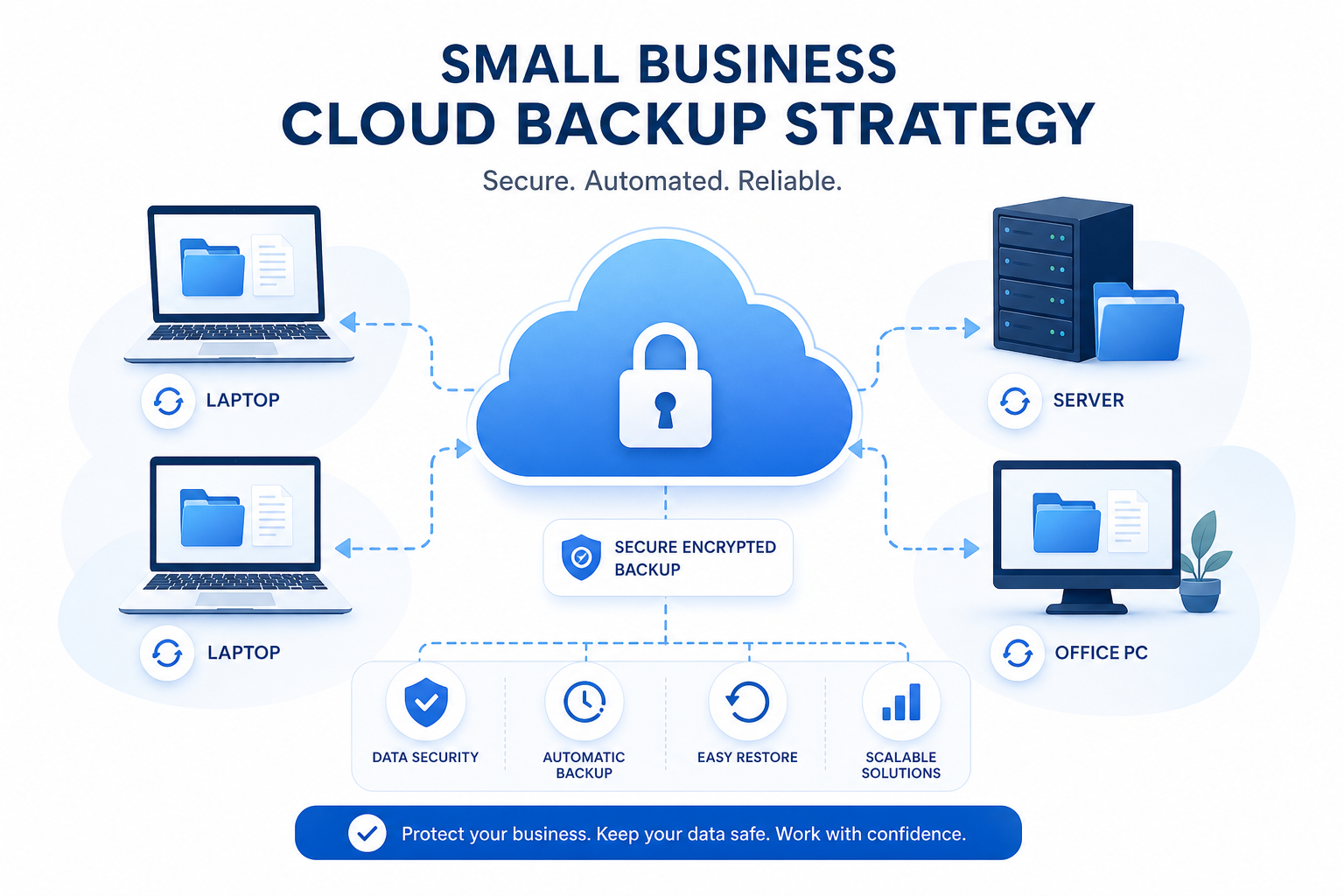
The best cloud backup for business should help you do three things well:
- protect critical files automatically
- restore data quickly when something goes wrong
- keep files organized and accessible for the team
That last point is where many backup roundups fall short. Backup is essential, but so is day-to-day file management. A growing company does not just need copies of data in the cloud. It also needs a simple, secure way to organize, preview, share, and collaborate on files without the overhead of bloated enterprise systems. That is where platforms like AssetHQ become especially valuable alongside or in place of traditional storage workflows: intuitive organization, secure sharing with expiring links and access controls, fast uploads, dependable access, image preview support, and flat, affordable pricing for both solo users and teams.
"In 2024, 44% of small businesses reported experiencing a cyberattack, with 61% of those affected incurring losses exceeding $10,000." - McAfee
"In 2024, only 32% of organizations that paid the ransom successfully retrieved their data." - TechRadar
Quick Verdict: What Is the Best Cloud Backup for Small Business?
If you want the short answer, the best option depends on what your business values most.
Need | Best Fit |
|---|---|
Broad feature set and strong business protection | Acronis |
Best overall value across devices and backup types | IDrive |
Simple set-it-and-forget-it endpoint backup | Backblaze |
Unlimited business endpoint backup | CrashPlan |
Legacy brand many businesses know | Carbonite |
Better file organization, secure sharing, and team-friendly asset management | AssetHQ |
Here is the key distinction that most competitor articles blur:
- Cloud backup protects against loss and disaster
- Cloud storage / DAM / file management helps teams actually find, use, and share files every day
For many small businesses, the strongest setup is a combination:
- a backup platform for disaster recovery
- a clean operational layer like AssetHQ for organizing live business assets
That combination gives you protection and productivity.
What Competitor Articles Get Right - and What They Miss
After reviewing leading pages from Acronis, EXPERTE, and PCWorld, the common themes were clear:
What they cover well
- security and ransomware protection
- pricing tiers
- storage limits
- backup speed
- business vs personal plans
- support for servers, endpoints, and mobile devices
What they often gloss over
- the difference between backup, sync, and active file management
- how small teams actually collaborate on shared files after they are backed up
- the role of secure file sharing, access controls, and asset organization
- the practical reality that many teams need both resilience and usability
- how hard enterprise-style systems can be for startups and lean teams
That gap matters. A backup product can restore your files after a disaster, but it may do very little to help your team manage documents, images, or brand assets efficiently every day. AssetHQ fills that operational gap with organized storage, image previews, access control, simple folder structures, team collaboration, and fast file access without hidden pricing complexity.
What Small Businesses Should Look For in Cloud Backup
Before comparing tools, know what actually matters.
1. Automatic backup
Manual backup is not a strategy. The best cloud backup for business should support scheduled, continuous, or policy-based backup.
2. Fast recovery
Backup is only half the story. Recovery speed is what saves operations when systems fail.
3. Version history
If a file is overwritten, corrupted, or encrypted by malware, version history helps you roll back safely.
4. Strong security
Look for:
- encryption in transit and at rest
- MFA or 2FA
- ransomware protection
- immutable backup options where available
- access controls for admin and team users
5. Device and workload coverage
Small businesses often use a messy mix of:
- employee laptops
- desktops
- shared drives
- NAS devices
- Microsoft 365 or Google Workspace
- image libraries and document repositories
A tool should match your real environment.
6. Ease of use
This is underestimated. If the product is difficult to manage, backups get ignored. Simple tools win in small teams.
7. Affordability and predictability
Growing businesses need pricing that is easy to forecast. Hidden overages and feature gating become expensive fast.
8. File access and team workflow support
This is where AssetHQ stands out naturally. Even if your backup vendor handles protection, your team still needs:
- quick access to current files
- secure sharing links
- organized folders for documents and images
- visibility into who can access what
- a scalable way to keep files manageable as the company grows
Cloud Backup vs Cloud Storage vs DAM
This is the most important section for buyers.
Category | Primary Purpose | Best For | Limitation |
|---|---|---|---|
Cloud Backup | Recovery after loss, corruption, or attack | Disaster recovery and compliance | Often not ideal for daily collaboration |
Cloud Storage / Sync | Access files across devices | Convenience and lightweight sharing | Deletions and changes may sync everywhere |
DAM / File Management | Organize, manage, preview, and securely share assets | Teams handling documents, images, and brand files | Usually not a full disaster recovery system by itself |
Why this matters
Many small businesses think Dropbox, Google Drive, or OneDrive equals backup. It does not. Sync is helpful, but it can mirror deletions and errors.
A more resilient setup is:
- backup software to protect against loss
- AssetHQ to manage live files with less chaos
That way, your team is not digging through confusing folders or paying enterprise-level DAM pricing just to share documents and images securely.
The Best Cloud Backup for Small Business in 2026
1. Acronis
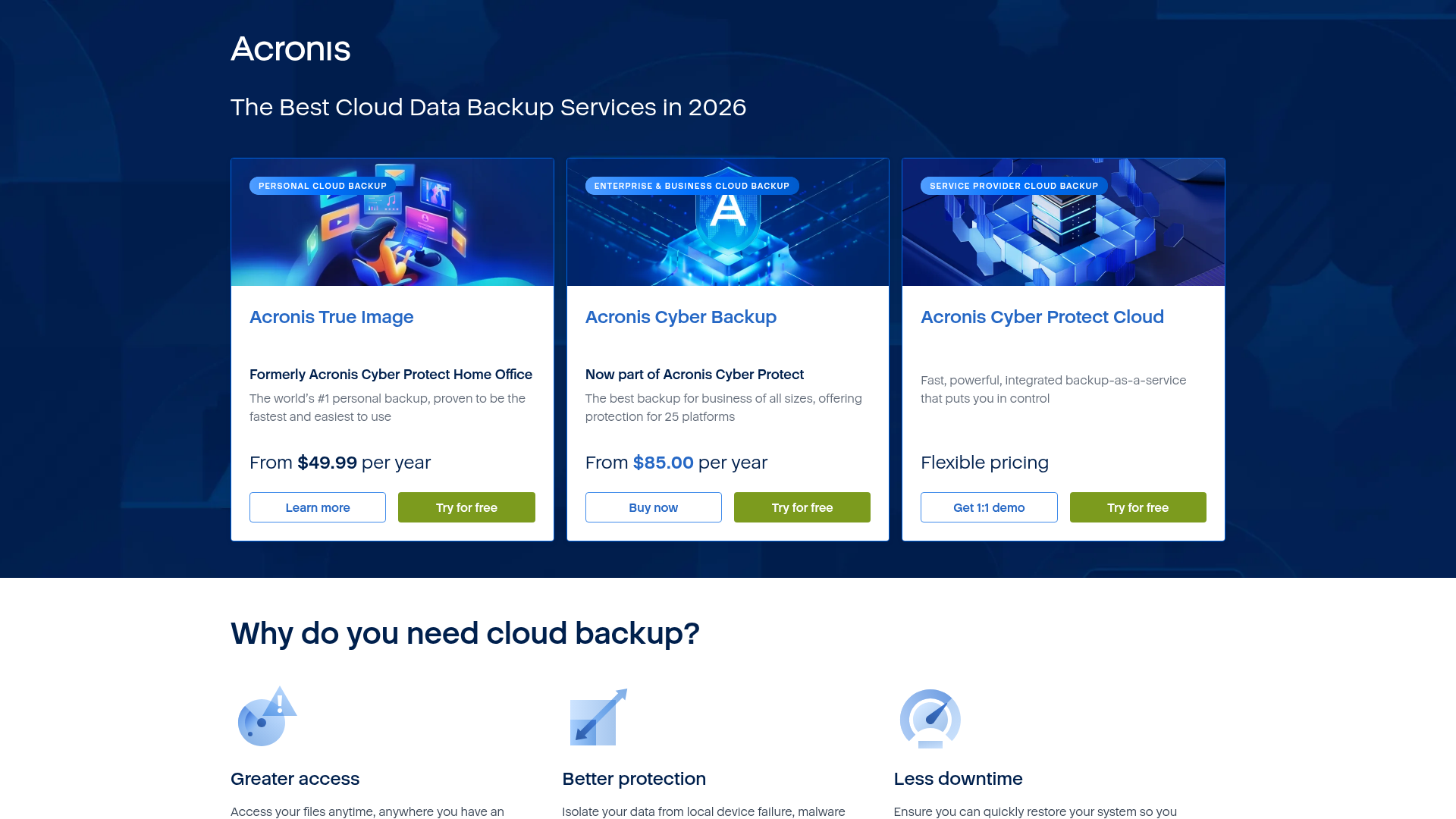
Acronis remains one of the strongest all-around choices for businesses that want backup plus cyber protection in one platform. Competitor reviews consistently rate it highly for flexibility, platform support, and security features.
Best for
Businesses that want a powerful, security-heavy backup platform with support for endpoints, servers, virtual machines, and hybrid environments.
Strengths
- strong ransomware protection features
- image-based and file-level backups
- broad platform support
- centralized management
- strong reputation in business backup
Weaknesses
- more expensive than simpler tools
- can feel heavy for very small teams
- more functionality than some startups actually need
Bottom line
Acronis is excellent if your backup requirements are complex. If your team also needs a simpler layer for organizing and sharing active files, AssetHQ complements it well by giving non-technical users an easier place to manage documents, images, and client-facing assets.
2. IDrive
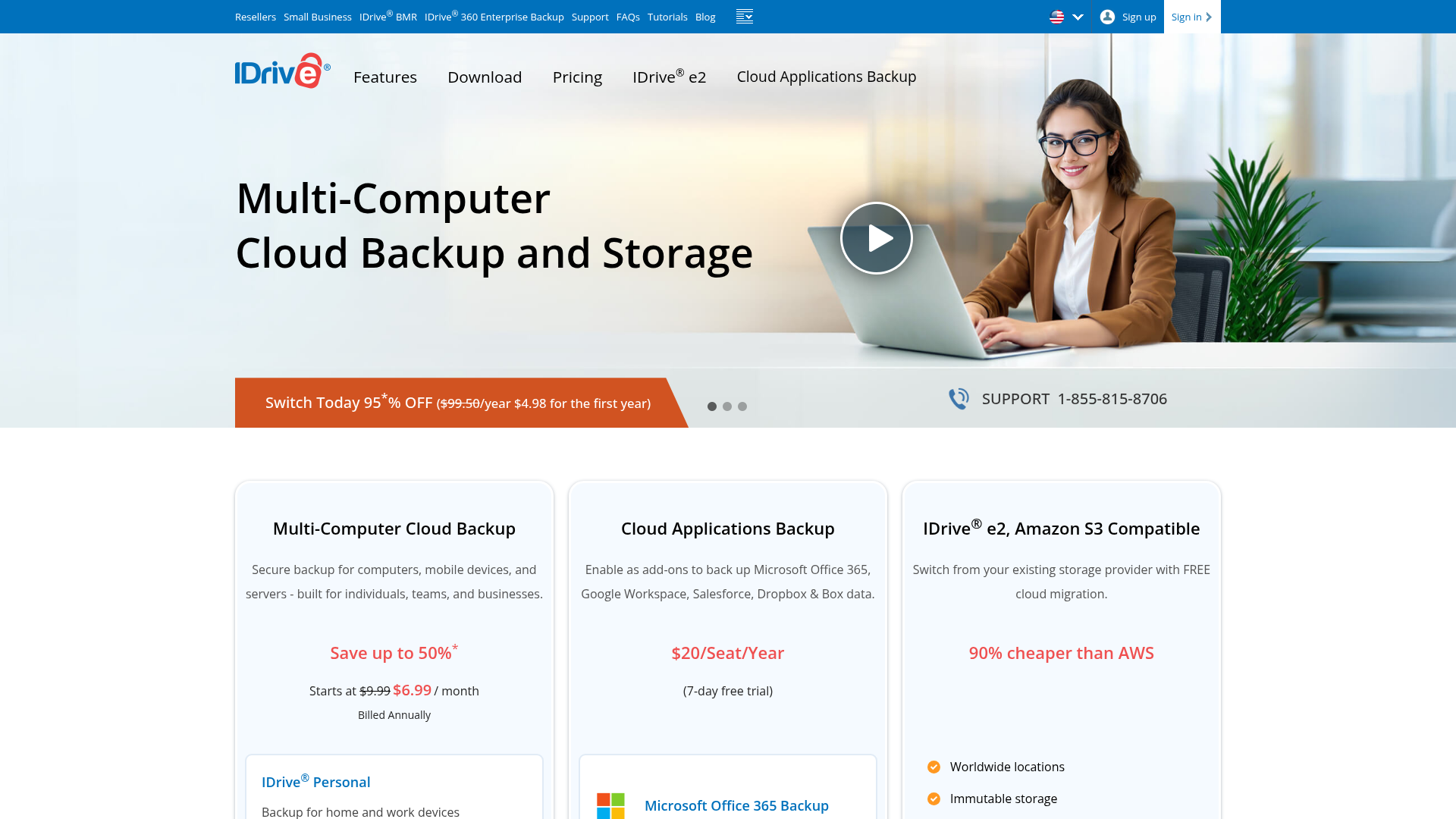
IDrive is one of the best-value services for small businesses that want broad support without paying premium enterprise pricing. PCWorld ranked it as the best overall online backup, largely due to breadth of features and cost efficiency.
Best for
Small businesses that want flexible cloud backup across multiple devices and workloads at a competitive price.
Strengths
- supports multiple devices under one account
- can back up Office 365, Google Workspace, and NAS
- local and cloud backup options
- solid overall value per terabyte
Weaknesses
- interface is not the most modern
- disaster recovery features are present but not market-leading
- setup can feel a little less polished than simpler competitors
Bottom line
IDrive is often the best practical choice for budget-conscious teams that still need serious backup. Pairing it with AssetHQ gives you a cleaner everyday file experience, especially if your team regularly shares images, proposals, or internal documents.
3. Backblaze
Backblaze is popular because it removes friction. It is easy to deploy, largely automatic, and appeals to businesses that want endpoint backup without much babysitting.
Best for
Small teams that want simple, automatic workstation backup with minimal admin work.
Strengths
- easy setup
- low maintenance
- predictable pricing
- good reputation for simplicity
Weaknesses
- less feature-rich than Acronis
- not as comprehensive for complex business environments
- better for endpoints than for broader infrastructure strategy
Bottom line
If your main goal is protecting employee machines quickly, Backblaze is compelling. But if your team also needs an organized, professional place to store and share current project files, AssetHQ gives you the missing collaboration and asset management layer.
4. CrashPlan
CrashPlan has stayed relevant by focusing tightly on business backup. It is especially attractive to small businesses that like unlimited backup for endpoints.
Best for
Small businesses that want business-only backup with unlimited endpoint storage.
Strengths
- unlimited storage on qualifying plans
- straightforward business focus
- solid security posture
- simple deployment
Weaknesses
- fewer advanced features than Acronis
- slower uploads noted by some reviewers
- not ideal if you want broader file management capabilities
Bottom line
CrashPlan works best when you want reliable endpoint protection without getting lost in complexity. For day-to-day organization, image previews, structured storage, and secure external sharing, AssetHQ can handle the collaboration side more elegantly.
5. Carbonite
Carbonite is one of the older names in online backup. That brand familiarity still appeals to many small business buyers.
Best for
Businesses that want a recognized backup provider and relatively familiar backup workflows.
Strengths
- established name
- decent basic backup coverage
- accessible for less technical buyers
Weaknesses
- often outperformed by newer competitors on flexibility and features
- less compelling value in many side-by-side comparisons
- not particularly strong for modern collaborative file workflows
Bottom line
Carbonite can still work, but it is no longer the default best choice for most small businesses. Teams comparing options often find better value or stronger features elsewhere.
Comparison Table: Best Cloud Backup for Business
Provider | Best For | Key Strength | Main Tradeoff | Good Fit With AssetHQ? |
|---|---|---|---|---|
Acronis | All-around business protection | Backup + cybersecurity | Higher cost, more complexity | Yes |
IDrive | Best value overall | Broad coverage, fair pricing | Interface not as polished | Yes |
Backblaze | Simple endpoint backup | Easy automation | Fewer advanced business features | Yes |
CrashPlan | Unlimited endpoint backup | Business focus, predictable use case | Slower uploads, fewer extras | Yes |
Carbonite | Familiar legacy option | Known brand | Less competitive overall | Yes |
AssetHQ | Organized file storage and collaboration | Simple DAM, secure sharing, scalable organization | Not a replacement for every advanced backup workload | Core platform for daily use |
Why AssetHQ Deserves a Place in This Conversation
Most articles about the best cloud backup for small business stop at recovery. But small businesses do not only need to recover files. They need to manage them well every day.
That is why AssetHQ deserves a place in your stack.
What AssetHQ does especially well
- simple, intuitive file organization for documents, images, and shared assets
- secure file sharing with expiring links and access control
- image previews and media-friendly management
- team collaboration without the overhead of enterprise-heavy DAM software
- fast uploads and fast file access
- enterprise-grade secure storage
- affordable flat pricing with no hidden fees
- scales cleanly from solo founder to growing team
Where it fits
If you are a small business deciding on backup, ask two separate questions:
- How will we recover from loss?
- How will we keep our files usable, organized, and secure every day?
Backup tools answer the first question. AssetHQ answers the second.
For startups and lean teams, that matters enormously. A product that is easy to adopt is more likely to be used correctly. AssetHQ is particularly useful for businesses that deal with a steady stream of:
- marketing assets
- client documents
- project files
- product imagery
- shared internal resources
- downloadable deliverables
Best Setup by Business Type
Solo founder or freelancer
You likely need:
- simple cloud backup for your laptop
- organized storage for client files
- secure sharing links
Recommended approach: Backblaze or IDrive for backup + AssetHQ for client-facing file organization and delivery.
Small agency or creative team
You likely need:
- backup for multiple devices
- image previews
- permission control
- easy internal and external sharing
Recommended approach: Acronis or IDrive for backup + AssetHQ for image management, collaboration, and secure sharing.
Growing startup
You likely need:
- affordable scaling
- team access controls
- better file structure than generic storage tools
- reliable business continuity
Recommended approach: IDrive or Acronis for backup + AssetHQ as the operational file hub.
Compliance-sensitive small business
You likely need:
- encrypted backup
- retention controls
- secure access
- better governance around shared assets
Recommended approach: Acronis for backup protection + AssetHQ for controlled access, organized storage, and clearer file governance.
How to Choose the Right Solution
Use this short checklist.
Choose Acronis if:
- you need advanced backup and cyber protection
- you protect servers, VMs, and mixed environments
- you can handle a higher price point
Choose IDrive if:
- you want strong overall value
- you need multi-device backup
- you want coverage for cloud apps and NAS too
Choose Backblaze if:
- simplicity matters most
- you want endpoint backup with minimal setup
- your environment is straightforward
Choose CrashPlan if:
- unlimited business endpoint backup matters
- you want a business-focused backup product
- you can live with fewer extras
Choose AssetHQ if:
- your team struggles with file chaos
- you want organized storage for documents and images
- you need secure sharing with better control
- you want a scalable, easy-to-use DAM and file management platform without enterprise complexity
Common Mistakes Small Businesses Make
Mistaking sync for backup
Google Drive and Dropbox are useful, but sync is not the same as backup.
Only backing up laptops, not shared assets
Important files often live across multiple platforms, not just one device.
Ignoring restore testing
A backup plan is incomplete if you have never tested recovery.
Buying too much complexity
Small teams often overbuy enterprise software and underuse it.
Neglecting daily file operations
Even the best backup does not solve messy folder structures, insecure file sharing, or asset sprawl. That is why a clean platform like AssetHQ creates value beyond storage alone.
Final Verdict
The best cloud backup for small business in 2026 depends on what you need to protect and how your team works.
- Acronis is the strongest all-around choice for robust business protection.
- IDrive offers the best balance of features and value for many small businesses.
- Backblaze is ideal when simplicity wins.
- CrashPlan is strong for unlimited endpoint backup.
- Carbonite is serviceable, but usually no longer the frontrunner.
But there is a larger takeaway here: the best cloud backup for business is not always the complete answer by itself.
Small businesses also need a practical way to store, organize, preview, share, and collaborate on files every day. That is exactly where AssetHQ stands out. It gives solo founders, startups, and growing teams a simpler, more affordable way to manage digital assets professionally, with secure sharing, fast access, clean organization, and enterprise-grade security without the bloat.
If you want fewer file headaches, better control, and a system your team will actually enjoy using, try AssetHQ as the operational layer for your business files.
FAQ
What is the best cloud storage for a small business?
The best option depends on your goal. If you need disaster recovery and automated protection, tools like Acronis or IDrive are strong choices. If you need organized file storage, secure sharing, image previews, and easy collaboration, AssetHQ is a smart fit for small businesses and growing teams.
What is the 3/2/1 rule for backups?
The 3/2/1 backup rule means keeping three copies of your data, on two different types of storage, with one copy stored offsite. It is still one of the best ways for small businesses to reduce risk from hardware failure, accidental deletion, or ransomware.
What is better than carbonite?
For many small businesses, IDrive, Acronis, or CrashPlan offer better value or stronger features than Carbonite. If your issue is not just backup but also file organization and secure team sharing, AssetHQ can be a better operational solution for everyday use.
What is better than carbonite?
If you want more modern flexibility, simpler workflows, or broader business functionality, many teams now prefer Acronis for security, IDrive for value, or AssetHQ for organized storage and collaboration. The best choice depends on whether your priority is backup recovery, team access, or managing digital assets efficiently.
Related Posts
Dropbox Shared Link Dl 0 Explained
Learn what Dropbox shared link dl 0 means, how to verify link safety, open files correctly, and share smarter with confidence today
min read
Cloud Storage and File Sharing: Best Free Options
Discover cloud storage and file sharing tools to compare free options for links, large transfers, and team use. Find your best fit now.
min read
End to End Encrypted File Sharing Benefits
Discover end to end encrypted file sharing benefits, use cases, and security tips for modern teams, then choose the right tool now.
min read