Dropbox Shared Link Guide for Safer File Access
Dropbox Shared Link Guide for Safer File Access If you are searching for what a Dropbox shared link is, how it works, and whether it is actually safe for business use, the short answer is this: a shared link is convenient, but convenience alone is not the same as control. For solo founders, startups, and growing teams, Dropbox links are often the fastest way to send files to clients, contractors, or coworkers. But as file sharing grows, so do the common headaches: unclear permissions, old link
Dropbox Shared Link Guide for Safer File Access
If you are searching for what a Dropbox shared link is, how it works, and whether it is actually safe for business use, the short answer is this: a shared link is convenient, but convenience alone is not the same as control.
For solo founders, startups, and growing teams, Dropbox links are often the fastest way to send files to clients, contractors, or coworkers. But as file sharing grows, so do the common headaches: unclear permissions, old links still floating around, limited visibility into who has access, and too much reliance on people remembering the right settings every time.
That is why this guide goes beyond the basics. We will cover:
- what a Dropbox shared link really is
- how teams use it
- where the risks and limitations appear
- what safer file access should look like
- when it makes sense to move to a simpler, more controlled platform like AssetHQ
What is a Dropbox shared link?
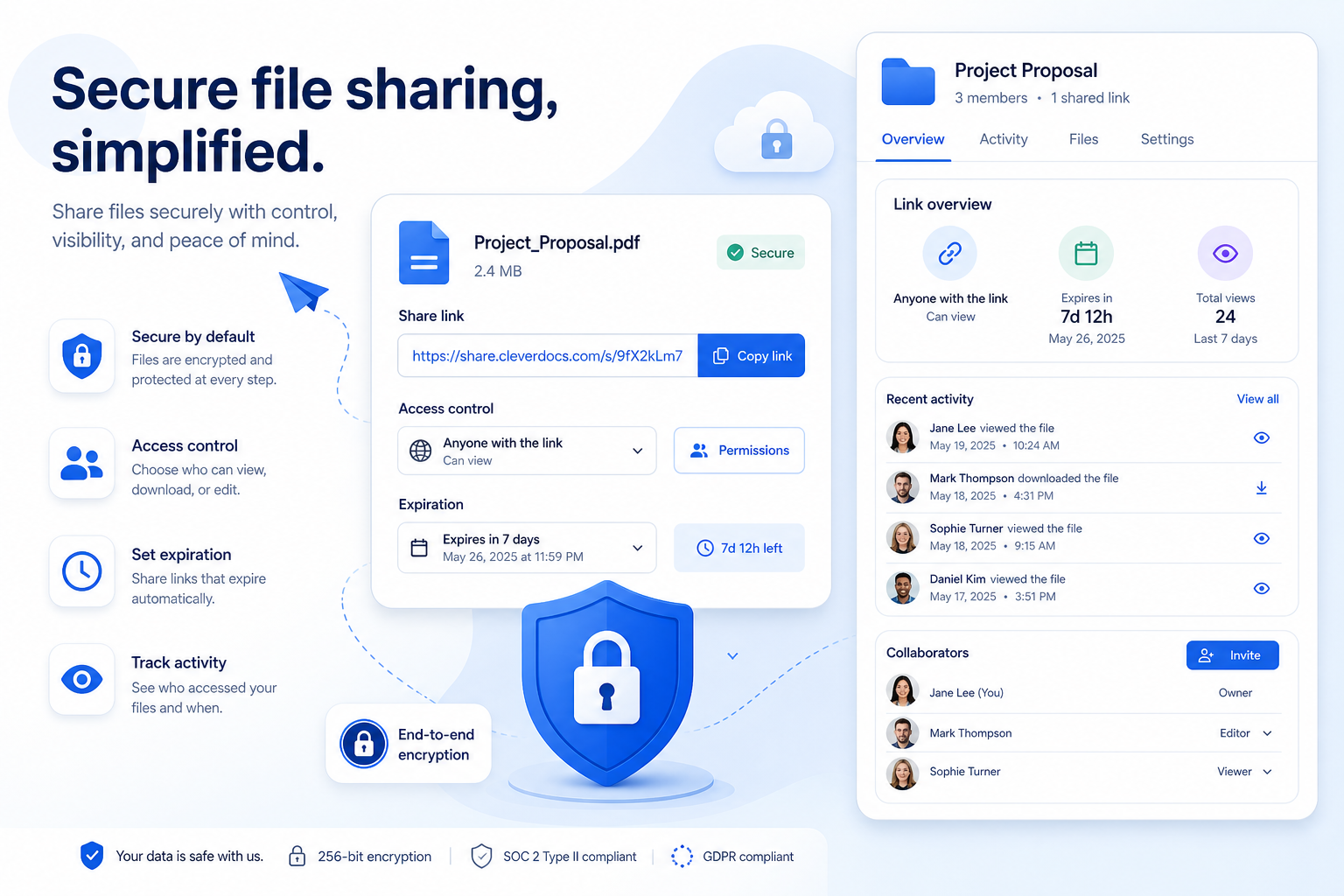
A Dropbox shared link is a URL that gives other people access to a file or folder stored in Dropbox. Instead of attaching a file to an email, you send a link. The recipient opens the link and can view, download, or sometimes edit the content, depending on the permissions you set.
In simple terms, it is Dropbox’s shortcut for file delivery.
Shared links vs direct sharing
This distinction matters more than most people realize.
Method | How it works | Best for | Main limitation |
|---|---|---|---|
Shared link | You send a URL to a file or folder | Fast distribution | Access can spread beyond intended recipients if settings are loose |
Direct sharing | You invite specific people by email | Ongoing collaboration | More setup and account dependence |
Shared folder | Multiple people join and work in the same folder | Team projects | Harder to keep tightly scoped if membership grows |
A shared link is ideal when speed matters. But for sensitive files, compliance needs, or growing teams, a link can become too broad unless it is carefully managed.
How Dropbox shared links are commonly used
Dropbox shared links are popular because they solve a real problem quickly. Teams use them to:
- send proposals, contracts, and presentations
- share image galleries or brand assets with clients
- deliver internal documents across departments
- pass large files that email cannot handle
- let vendors or freelancers preview files without full workspace access
Why people like them
The appeal is easy to understand:
- no bulky attachments
- fast to create
- easy to copy and paste into email or chat
- recipients may not need full folder access
- can support view-only or edit-based use cases
For a one-off send, that is often enough. But the more your team relies on links as a core process, the more you need consistency, access control, and visibility.
How Dropbox shared link permissions work
Dropbox gives users a few useful controls for shared links, depending on plan level and admin settings. These may include:
- view-only or edit access
- password protection
- expiration dates
- download restrictions
- access limited to invited people or team members
That sounds strong on paper, and for many basic scenarios it is. The issue is not whether features exist. The issue is whether they are simple enough to apply correctly every time across a growing team.
The practical problem
Many teams do not fail because the tool has zero security options. They fail because file sharing becomes inconsistent:
- one person shares “anyone with the link”
- another shares directly by email
- someone forgets to expire a link
- an old freelancer still has access
- a folder link gets reused beyond the original purpose
This is where small mistakes become operational risk.
"According to Verizon's 2022 Data Breach Investigations Report, 13% of data breaches were caused by human errors, with misconfigured cloud storage being a significant contributor." - Source
What a Dropbox shared link does not automatically protect you from
A shared link is not automatically “secure” just because it comes from Dropbox. Safety depends on the settings, the content being shared, and who can forward or retain access.
1. Link forwarding
If a link is broadly accessible, recipients can forward it to others. That creates a gap between the person you intended to share with and the people who may actually end up using it.
2. Old links staying active
Unless a link expires or is removed, it may continue working long after the project or relationship ends.
3. Permission confusion
There is often confusion between:
- link permissions
- direct member permissions
- folder membership
- editing rights inherited from a parent folder
That confusion can lead to accidental overexposure.
4. Limited operational visibility
As teams grow, it becomes harder to answer basic questions quickly:
- Who still has access?
- Which links are still active?
- Which folder created this exposure?
- Was this file meant to be downloadable?
- Are we relying on too many manual settings?
Dropbox shared link risks growing teams should watch for
For individual users, Dropbox links may be manageable. For teams, especially those handling documents, images, or client files daily, the risk becomes less about one link and more about system sprawl.
Common risks
Access control becomes manual
Security depends on each person choosing the right option each time.
Sharing behavior becomes inconsistent
Different employees create different types of links for similar content.
Asset organization gets messy
Files may be technically stored, but not clearly organized for long-term retrieval and controlled sharing.
Client delivery and internal collaboration get mixed together
The same storage environment may serve too many purposes at once.
Auditing becomes harder
When you need to clean up access or confirm exposure, link-based sharing can be cumbersome.
What safer file access should look like
Safer file sharing is not just about turning on a password. It should combine:
- clear file organization
- predictable permissions
- simple access management
- easy revocation
- fast file retrieval
- secure storage by default
- low training overhead for teams
That is where many growing businesses start looking beyond generic file-sharing habits and toward purpose-built digital asset management.
The content gap most Dropbox shared link guides miss
Most articles about Dropbox links explain how to create a link. Far fewer explain when a link-based workflow stops being enough.
That is the real decision point for businesses.
Signs your team has outgrown ad hoc link sharing
- You manage large volumes of documents, images, or client assets
- Team members frequently ask who has access to what
- You need faster retrieval and clearer folder structure
- You want secure sharing without enterprise-heavy complexity
- You are tired of buried settings and inconsistent link behavior
- You need a more scalable system for both solo work and team collaboration
This is exactly where AssetHQ fits.
Why teams look for a simpler alternative to Dropbox link chaos
Dropbox is well known, but many small businesses and growing teams do not need more complexity. They need clarity.
AssetHQ is designed for teams that want to store, organize, manage, and share files without wrestling with bloated enterprise workflows.
What makes AssetHQ a stronger fit for safer access
- Simple and intuitive file management
- Secure file sharing with expiring links and access control
- Organized storage for documents, images, and files
- Image preview and management capabilities
- Team collaboration features for growing organizations
- Enterprise-grade secure storage
- Fast upload and file access
- Affordable flat pricing with no hidden fees
- Scalable setup for solo users and teams
Instead of patching together good habits around link sharing, AssetHQ helps make safe sharing part of the workflow from the start.
Dropbox shared link vs AssetHQ for growing teams
Feature | Dropbox Shared Links | AssetHQ |
|---|---|---|
Basic file sharing | Yes | Yes |
View or edit access options | Yes | Yes |
Expiring links | Available on eligible plans | Yes, designed as part of secure sharing workflows |
Password protection | Available on eligible plans | Secure sharing and access control built into platform value |
Folder organization | General-purpose | Intuitive, structured organization for business assets |
Image preview and asset management | Limited to Dropbox workflow | Strong fit for teams managing documents and image assets |
Collaboration for growing teams | Yes, but can become permission-heavy | Built for simple team collaboration without unnecessary overhead |
Ease of use | Familiar but can sprawl | Simplicity-focused |
Pricing clarity | Plan-dependent | Affordable flat pricing, no hidden fees |
Best fit | Broad cloud storage use | Businesses wanting simple, dependable DAM and file storage |
When to use a Dropbox shared link and when not to
Dropbox shared links are usually fine for:
- one-time sharing of a non-sensitive file
- quick client review
- temporary distribution of large files
- lightweight personal collaboration
You may need a better system if:
- you manage business-critical files daily
- multiple people on your team create links
- you need consistent access control
- you share branded assets, internal docs, and external deliverables in one place
- you want less friction and more structure
Best practices for safer Dropbox file sharing
If you are staying with Dropbox for now, follow these principles to reduce risk.
Use the narrowest access possible
Do not default to “anyone with the link” unless the file is intentionally public.
Set expiration dates whenever possible
If the file is time-sensitive, the access should be too.
Add password protection for sensitive content
Especially for proposals, financial documents, client data, or internal business files.
Review old links regularly
Legacy access is one of the easiest risks to ignore.
Separate internal collaboration from external delivery
Not every working folder should double as a client delivery channel.
Train your team on one standard
File security often breaks at the process level, not the software level.
"Secure file sharing is crucial for protecting sensitive business information from unauthorized access and potential data breaches. Implementing robust security measures, such as encryption and access controls, ensures that only authorized individuals can access shared files, thereby safeguarding confidential data." - Source
A visual look at Dropbox’s sharing workflow
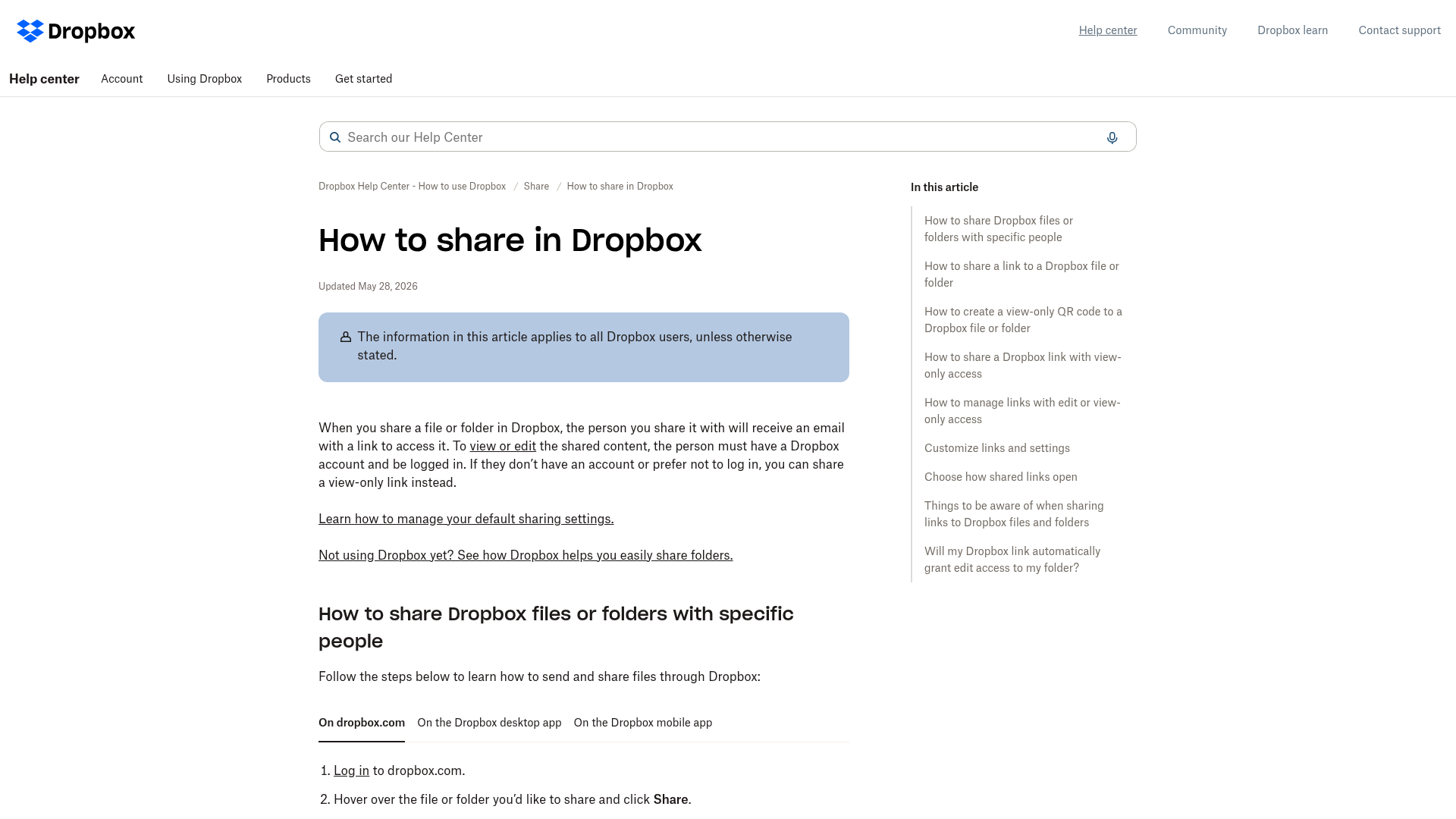
Even in Dropbox’s own documentation, there are separate paths for:
- direct sharing
- copy link sharing
- edit vs view access
- passwords
- expiration dates
- download restrictions
- member management
That flexibility can be useful, but it can also create friction for teams that just want a dependable, secure, and simple file-sharing system.
A better model: organized assets first, sharing second
One of the smartest shifts a growing business can make is this:
Stop treating file sharing as the center of the workflow. Start with organized asset management.
When your files are stored in a clear structure with logical permissions, secure sharing becomes easier. You spend less time fixing access issues and less time hunting for the right version of a file.
That is why AssetHQ resonates with founders, marketing teams, operations managers, and small businesses that need reliable file storage without enterprise bloat. It gives you:
- an intuitive place to store documents and images
- secure sharing controls that support real-world collaboration
- fast access when files need to move quickly
- enterprise-grade security without complexity
- a scalable foundation as your team grows
Final verdict
A Dropbox shared link is a useful tool, but it is not a complete file access strategy.
For individuals and occasional sharing, it works well. For teams managing a growing library of documents, images, and shared files, the real challenge is not creating links. It is maintaining control, consistency, and simplicity over time.
If your business wants a cleaner way to organize assets, collaborate with confidence, and share files securely without hidden complexity, AssetHQ is the better long-term answer. It combines secure storage, intuitive organization, image and file management, team collaboration, and affordable flat pricing in one straightforward platform.
If you are ready to move beyond scattered shared links and into a system built for dependable business file access, try AssetHQ.
FAQ
Is it safe to share a Dropbox link?
It can be safe if you use tight access settings, such as invited-user access, passwords, and expiration dates. However, a Dropbox link is only as secure as the permissions you choose and how consistently your team manages them.
Can you give someone individual access to files on Dropbox but that's it?
Yes, you can share directly with a specific person instead of using a broad public link. That gives more targeted access control, but you still need to review permissions and existing folder access carefully.
What is the difference between a shared link and a shared folder in Dropbox?
A shared link is a URL that lets someone access a file or folder, while a shared folder is a collaborative space multiple people can join and work in. Shared folders are better for ongoing teamwork, while links are better for quick distribution.
How to securely share files via Dropbox?
Use the narrowest access possible, add password protection when available, set an expiration date, and avoid using open public links for sensitive files. It also helps to review old links regularly and standardize sharing practices across your team.
How to tell if a Dropbox link is safe?
A safer Dropbox link usually has clear restrictions such as limited access, expiration, or password protection. If you do not know who can open it, whether it can be forwarded, or how long it stays active, treat it cautiously.
What is the difference between a shared link and a shared folder in Dropbox?
A shared link is mainly for accessing or distributing content, while a shared folder is designed for continued collaboration among members. The folder model involves membership and ongoing permissions, whereas links are simpler but easier to over-distribute.
Related Posts
Dropbox Shared Link Dl 0 Explained
Learn what Dropbox shared link dl 0 means, how to verify link safety, open files correctly, and share smarter with confidence today
min read
Cloud Storage and File Sharing: Best Free Options
Discover cloud storage and file sharing tools to compare free options for links, large transfers, and team use. Find your best fit now.
min read
End to End Encrypted File Sharing Benefits
Discover end to end encrypted file sharing benefits, use cases, and security tips for modern teams, then choose the right tool now.
min read