Cloud Data Storage Services Price Comparison
Cloud Data Storage Services Price Comparison Choosing between cloud data storage services sounds simple until you start comparing the real numbers. One provider advertises a low monthly rate, another gives free storage but limits sharing, and a third looks affordable until download fees, user limits, or regional pricing are added. For solo founders, startups, and growing teams, the challenge is not just finding storage. It is finding a practical system for storing, organizing, previewing, shari
Cloud Data Storage Services Price Comparison
Choosing between cloud data storage services sounds simple until you start comparing the real numbers. One provider advertises a low monthly rate, another gives free storage but limits sharing, and a third looks affordable until download fees, user limits, or regional pricing are added. For solo founders, startups, and growing teams, the challenge is not just finding storage. It is finding a practical system for storing, organizing, previewing, sharing, and controlling access to files without overpaying or overcomplicating the workflow.
That is where this guide helps. Instead of looking only at headline prices, we will compare how cloud storage actually works across business and personal use cases, what drives cloud data storage cost, where “free” options stop being useful, and what to watch for in providers such as Google Cloud, Box, and infrastructure-first platforms like Backblaze.
For teams that need more than a storage bucket, this is also where AssetHQ stands out. AssetHQ gives businesses a simpler way to manage documents, images, and shared files with secure access controls, expiring links, intuitive folder organization, image previews, and fast file access. It is built for companies that want reliable digital asset management and team collaboration without the sprawl, hidden fees, or complexity of enterprise-heavy systems.
"According to Statista, the volume of data created, captured, copied, and consumed worldwide is projected to reach 181 zettabytes by 2025." - Statista
"As of 2025, approximately 94% of enterprises worldwide are using some form of cloud computing." - DataStackHub
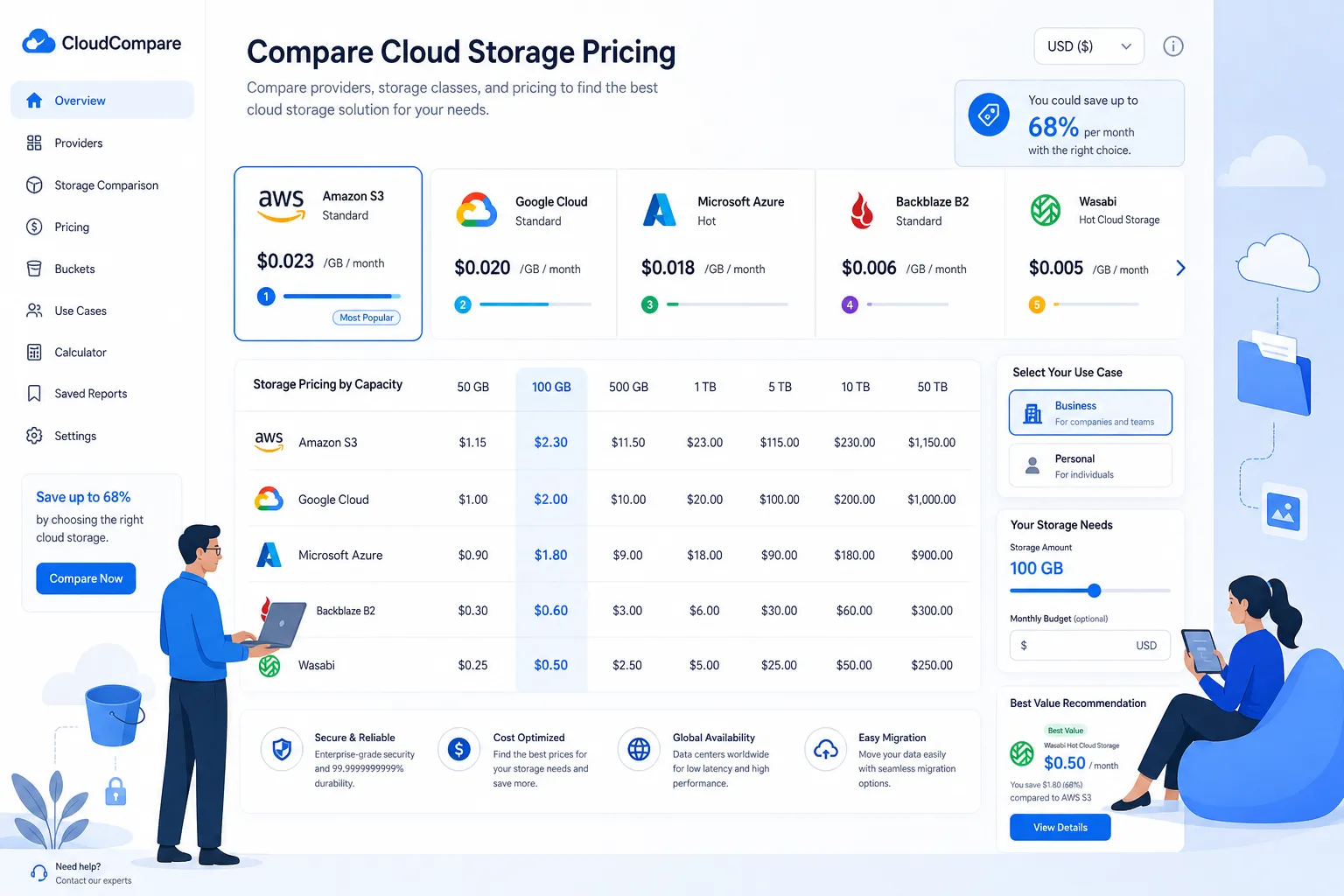
What most cloud storage pricing comparison articles get wrong
Many cloud storage comparison pages focus on one of two things:
- The cheapest storage price per GB or TB
- A short list of popular brands with shallow feature summaries
That is useful, but incomplete.
The real decision usually comes down to four questions:
- How much will storage cost once your data volume grows?
- How easy is it to find, preview, and share files across a team?
- Are there hidden charges for downloads, users, regions, or API activity?
- Is the platform built for raw storage, or for day-to-day file management?
This difference matters. A low-cost infrastructure provider may be perfect for backup archives or application storage, but frustrating for marketing teams, operations teams, agencies, or internal stakeholders who need secure file sharing and organized collaboration. On the other hand, a polished collaboration suite may be easy to use but expensive once you scale users, storage, and admin requirements.
The main types of cloud storage options
Before comparing providers, it helps to separate them into categories.
1. Consumer cloud storage
These are tools designed mostly for individuals and light sharing. Think Google One, iCloud, Dropbox personal plans, and Microsoft OneDrive personal tiers.
Best for:
- Personal backups
- Light photo and document storage
- Basic syncing across devices
Less ideal for:
- Structured team collaboration
- Permission-heavy business workflows
- Asset organization across departments
2. Business file storage and collaboration platforms
These platforms include Box, Dropbox Business, Google Workspace, Microsoft OneDrive for Business, and solutions like AssetHQ.
Best for:
- Shared folders
- Team collaboration
- Access controls
- Centralized storage for business files
- Easier file retrieval and workflow management
Less ideal for:
- Ultra-low-cost raw bulk storage at infrastructure scale
3. Infrastructure cloud object storage
This includes Amazon S3, Google Cloud Storage, Azure Blob Storage, and Backblaze B2.
Best for:
- App storage
- Backup and disaster recovery
- Data pipelines
- Media storage at scale
- Developer-heavy use cases
Less ideal for:
- Non-technical teams that need a simple UI for managing assets daily
What actually affects cloud data storage cost
A fair cloud storage pricing comparison has to go beyond the sticker price.
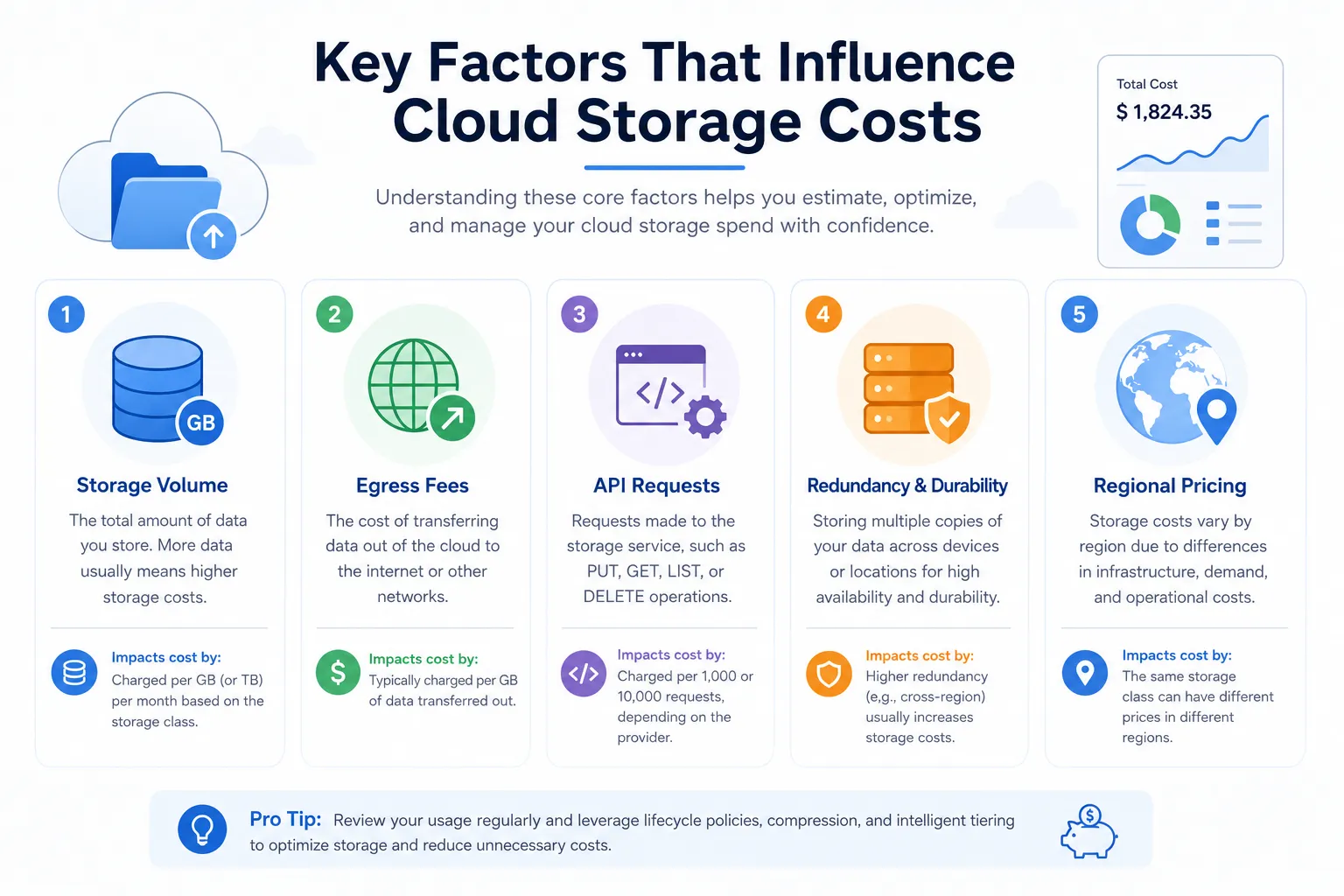
Storage volume
This is the base fee: how much you pay for storing 100 GB, 1 TB, 10 TB, or more. Some providers charge per user plus pooled storage, while others charge purely by storage consumed.
Egress or download fees
This is one of the biggest hidden variables in cloud data storage services. Some infrastructure providers charge when data leaves their platform. If your team frequently downloads media files, customer documents, or exports, this can materially increase your bill.
API and transaction fees
Object storage services may charge for requests such as uploads, retrievals, list operations, and lifecycle events. These costs may be tiny for small teams but meaningful at scale.
Redundancy and access tier
Hot storage, cold storage, archive storage, and multi-region storage all carry different pricing. Lower-cost tiers often come with slower retrieval or minimum retention periods.
User count and admin features
Business-focused platforms often charge per seat. A service that looks inexpensive for one user can become much pricier for a 20-person team.
Security and compliance features
SSO, audit logs, advanced permissions, legal hold, retention controls, and governance tools may be gated to higher plans.
Region-specific pricing
Cloud storage pricing in India, Australia, Europe, and the U.S. can vary meaningfully, especially on infrastructure platforms. Global teams should always validate local or regional pricing, not rely only on U.S. benchmark rates.
Quick cloud storage comparison by use case
Use Case | Best-Fit Type | What to Prioritize |
|---|---|---|
Personal file backup | Consumer cloud storage | Low monthly price, simple sync, mobile access |
Startup team files | Business file storage / lightweight DAM | Folder organization, secure sharing, easy onboarding |
Marketing asset library | DAM or file collaboration platform | Image previews, permissions, version clarity, external sharing |
Developer app storage | Object storage | API support, scalability, low storage cost |
Backup and archive | Object storage or cold storage | Price per TB, retrieval costs, durability |
Client file delivery | Business storage with share controls | Expiring links, download permissions, fast access |
Growing operations team | Scalable business platform | Flat pricing clarity, team permissions, easy search and structure |
Cloud storage plans and pricing: side-by-side overview
The table below simplifies the market into the provider types most buyers compare first.
Provider Type | Typical Pricing Model | Strengths | Trade-Offs |
|---|---|---|---|
Google One / iCloud / personal OneDrive | Monthly subscription by storage tier | Good for personal use, easy setup | Weak business governance and asset management |
Google Workspace / Microsoft 365 | Per-user subscription with included storage | Productivity suite integration | Storage may not be the cheapest at scale |
Box Business | Per-user business pricing | Enterprise controls, strong admin features | Can become costly for smaller teams |
Dropbox Business | Per-user pricing | Familiar UX, quick sync and sharing | Business cost scales with seats |
Amazon S3 / Google Cloud Storage / Azure Blob | Usage-based | Massive scalability, developer flexibility | Egress, requests, and admin complexity |
Backblaze B2 | Usage-based by TB stored | Competitive storage pricing, simpler than hyperscalers | More infrastructure-oriented than collaboration-oriented |
AssetHQ | Straightforward business-focused pricing model | Simple file management, secure sharing, image previews, team collaboration, affordable flat pricing | Not designed as raw object storage infrastructure |
Comparing major providers in practical terms
Google Cloud Storage pricing
Google Cloud Storage is an infrastructure platform, not a typical end-user file cabinet. It works well for engineering teams, applications, and large-scale storage workflows.
Pros:
- Strong global infrastructure
- Multiple storage classes
- Native GCP integration
- Good for apps, pipelines, and analytics
Cons:
- More complex billing
- Charges vary by class, region, and operations
- Not ideal for non-technical file collaboration workflows
If you are searching for google cloud storage pricing because you need pure backend storage, it is worth evaluating. If your actual need is organized shared files, approval workflows, asset previews, and access control for business users, it may be more platform than you need.
Box cloud storage pricing
Box is often considered by businesses that want governance, structured sharing, and enterprise controls.
Pros:
- Mature enterprise file management
- Strong compliance posture
- Granular permissions
- Good for regulated organizations
Cons:
- Business plans can get expensive
- Per-user pricing may exceed what small teams need
- Can feel heavy for simple use cases
Teams often compare box cloud storage pricing when they need secure collaboration, but not every company needs an enterprise-heavy environment. Smaller teams may prefer a simpler setup with faster onboarding.
Backblaze B2 pricing
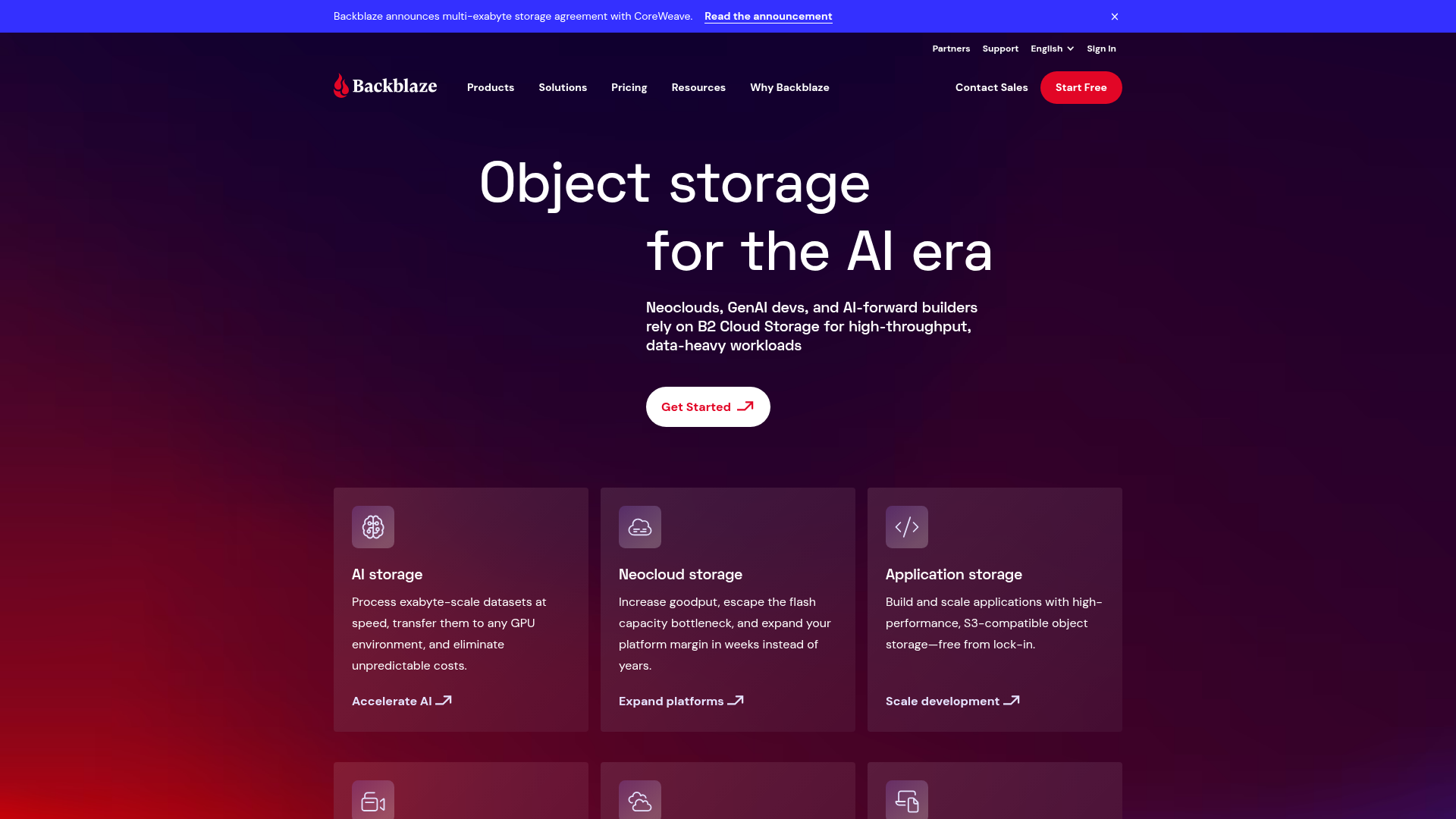
Backblaze positions B2 as always-hot object storage with low pricing and fewer surprise fees than major hyperscalers.
According to the pricing information shown on Backblaze’s site, B2 Cloud Storage starts at $6.95/TB/month, with free egress up to 3x storage and free transactions in many cases, while B2 Overdrive starts at $15/TB/month for throughput-intensive workloads.
This makes Backblaze appealing for:
- Backup and recovery
- Media storage
- Application storage
- Cost-sensitive high-volume environments
But again, it is important to distinguish between cheap storage and usable file operations for non-technical teams. Backblaze is strong as cloud data infrastructure. AssetHQ is better when the goal is to help a team actually organize, preview, find, and securely share working files every day.
Google Drive and OneDrive business pricing
When people look up drive cloud storage price, they are often considering familiar ecosystems first. Google Workspace and Microsoft 365 can be sensible choices when your team already lives in Docs, Sheets, Word, Excel, or Teams.
Pros:
- Tight office suite integration
- Familiar user experience
- Device syncing
- Solid collaboration basics
Cons:
- Storage policy can be tied to user plans
- Shared drive structure can become messy
- Asset-heavy teams may outgrow basic file organization
These platforms are often good starting points, but they can become chaotic when files multiply across departments, clients, campaigns, and approvals.
Personal vs business cloud storage pricing
One of the most common mistakes is comparing personal and business plans as if they serve the same need.
Cloud storage pricing for personal use
Personal plans usually optimize for:
- Simplicity
- Device sync
- Family plans
- Basic document and photo backup
- Lower monthly subscription cost
These plans are usually fine if you need a place to store your own files and access them from multiple devices.
Cloud storage for business pricing
Business plans generally include:
- Shared workspaces
- Team access controls
- Admin visibility
- File ownership continuity
- Better security policies
- Collaboration features
- Auditability
If multiple people need to use the same documents, images, or brand files, business-grade storage is the better fit. Otherwise, files quickly become fragmented across personal accounts, disconnected folders, and uncontrolled shares.
Why “free cloud data storage” is rarely enough for real teams
Free options absolutely have value. They are useful for:
- Testing a service
- Storing a small personal archive
- Simple one-user workflows
- Temporary evaluation
But free cloud data storage usually breaks down when teams need:
- Consistent permissions
- Shared ownership
- Image previews
- External collaboration
- Expiring links
- Storage predictability
- Long-term organization
In other words, free plans solve space problems, not process problems.
For startups and small businesses, the bigger cost is often not storage itself. It is wasted time spent looking for the right file, sending the same document repeatedly, revoking old access manually, or wondering whether anyone is working from the latest version.
Regional pricing matters more than most buyers expect
Searches around cloud storage pricing India and cloud storage pricing Australia highlight an important issue: not every bill looks the same worldwide.
What changes by region
- Base storage rates
- Data transfer rates
- Tax treatment
- Currency impact
- Data residency considerations
- Performance and latency expectations
For global teams, it is smart to evaluate pricing in the region where your data and users actually operate. Large cloud data platforms may have region-by-region pricing calculators, while business software often offers more predictable subscription billing regardless of infrastructure location.
The hidden costs beyond storage space pricing
A provider may seem affordable until operational friction is added. Here are the less obvious cost categories that matter in real environments:
Time lost to poor organization
If your team cannot quickly find assets, the platform is costing you productivity every day.
Risk from uncontrolled sharing
Public links without expiry, unclear permissions, and poor access visibility can create avoidable security issues.
Rework from duplicate files
When design assets, contracts, proposals, and reports are scattered across tools, teams waste time recreating or reconfirming files.
Admin overhead
Complex permission models and inconsistent folder structures create management burden as teams grow.
Tool sprawl
Many organizations end up using one service for storage, another for sharing, and a third for visual asset management. That fragmentation increases both cost and confusion.
What small businesses and growing teams should prioritize instead
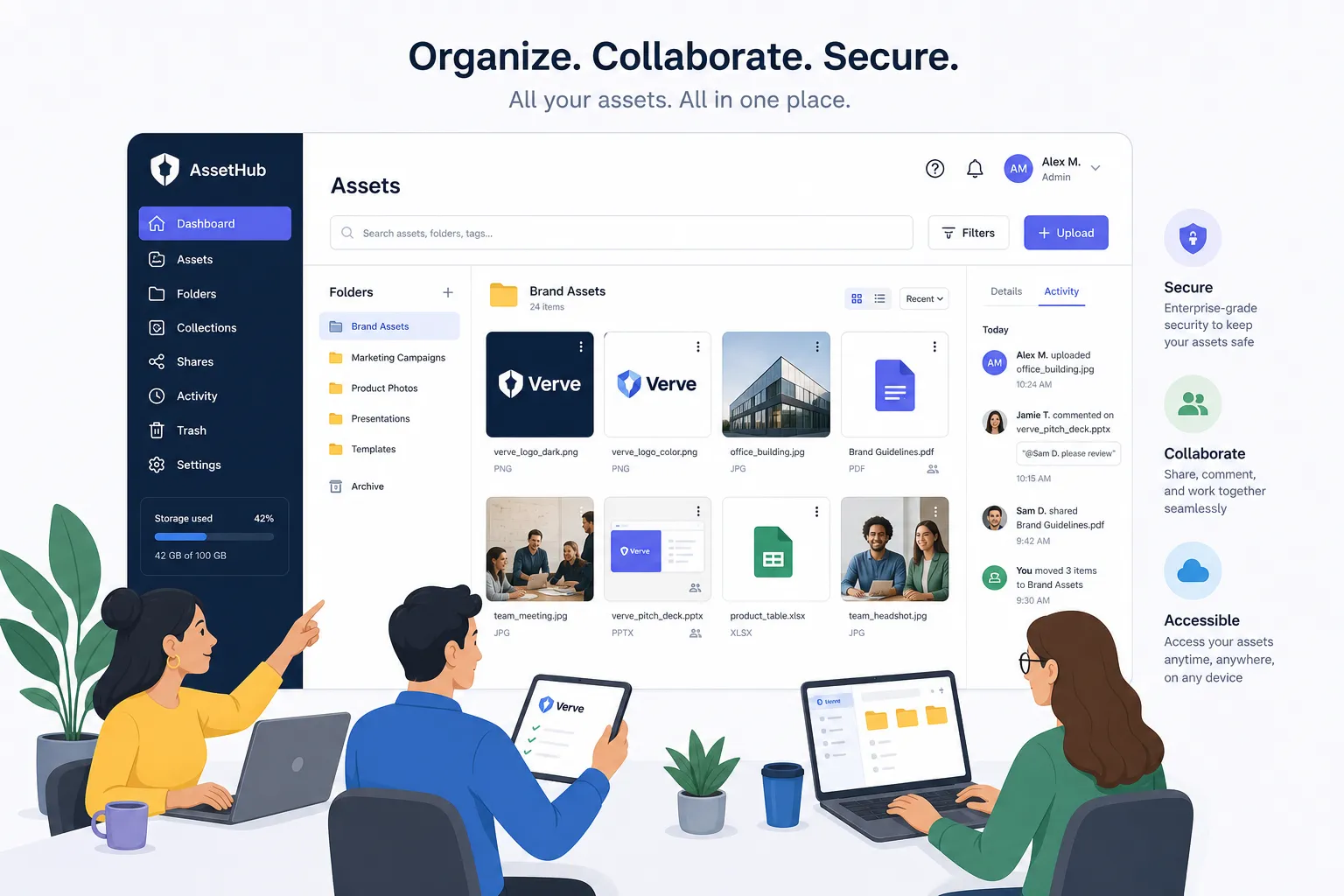
If you are not building an application on top of storage infrastructure, your buying criteria should usually shift from “cheapest TB” to “best working system.”
That means prioritizing:
- Simple and intuitive file management
- Secure file sharing with expiring links and access controls
- Organized storage for documents, images, and operational files
- Fast upload and file access
- Image preview and visual asset handling
- Smooth collaboration across a growing team
- Enterprise-grade secure storage without enterprise-heavy complexity
- Predictable, affordable pricing with no hidden fees
This is the space where AssetHQ fits naturally.
Where AssetHQ fits in a cloud storage comparison
AssetHQ is not trying to be a hyperscale object store for backend apps. It is designed for businesses that need a dependable way to store, organize, manage, and share digital assets with less complexity.
Why AssetHQ is a smarter fit for many teams
It keeps file management simple
Teams do not need to fight a bloated interface to manage documents, images, and shared files. AssetHQ makes folder-based organization intuitive, which matters when multiple people need to find assets quickly.
It improves secure collaboration
Instead of uncontrolled sharing, AssetHQ supports secure file sharing with access control and expiring links. That gives you far more confidence when sending assets to clients, contractors, or cross-functional stakeholders.
It supports visual workflows
For teams managing creative files and images, preview capabilities matter. AssetHQ helps teams work with image-heavy libraries more efficiently than storage tools that treat every file like a generic object.
It scales without unnecessary complexity
Solo founders can start cleanly, and growing organizations can expand without being forced into an enterprise maze. That balance is difficult to find in the broader cloud file storage options market.
It offers pricing clarity
Many businesses are tired of unpredictable storage bills, layered admin upsells, and hidden usage fees. AssetHQ’s approach is refreshingly straightforward: affordable flat pricing, no hidden fees, and value that remains easy to understand as your team grows.
A practical decision framework
If you are trying to compare cloud storage pricing without getting lost in feature checklists, use this framework:
Choose infrastructure storage when:
- You need backend application storage
- Your team is technical
- API access and scalability matter most
- You are optimizing for raw cloud data storage cost
Choose a business file platform when:
- People need to collaborate inside the platform
- Secure sharing is a regular workflow
- Folder organization and permissions matter
- You need visibility and control over active files
Choose AssetHQ when:
- You want simple, professional file management
- Your team handles documents, images, and shared assets regularly
- You need secure collaboration without bloated enterprise software
- You want a scalable system with predictable pricing and fast access
Final verdict: the best cloud storage service depends on what you are really buying
The best cloud storage pricing is not always the lowest cloud storage price. The right choice depends on whether you need raw storage capacity, personal backup space, or a better operating system for business files.
If your primary goal is inexpensive bulk storage for apps, archives, or backups, platforms like Backblaze B2 or Google Cloud Storage may make sense.
If you need basic personal file syncing, consumer plans from Google, Apple, or Microsoft are usually enough.
But if you are a founder, startup, small business, or growing team that needs organized storage, secure sharing, image previews, dependable collaboration, and straightforward pricing, then the better answer is not just more storage. It is better file management.
AssetHQ gives you that middle path: secure, scalable, easy to use, and built for real teams that want clarity instead of complexity.
Ready to simplify your cloud file management?
If your current setup is scattered, expensive, or harder to manage than it should be, try AssetHQ. It gives you a cleaner way to organize documents, images, and files, share them securely, collaborate across teams, and scale confidently without hidden fees or unnecessary complexity.
Related Posts

Brand Asset Management Software for Growing Teams
Discover brand asset management software for growing teams and learn how to organize files, share securely, and scale with ease.
min read
Cloud Based Digital Asset Management Benefits
Explore cloud based digital asset management benefits for secure file sharing, simpler teamwork, and organized growth. Try it today now
min read
File Sharing and Storage Made Simple for Teams
Discover file sharing and storage made simple for teams with secure access, better organization, and faster collaboration. Try AssetHQ!
min read