Documents Management Software for Growing Teams
Documents Management Software for Growing Teams Growing teams usually hit the same wall at the same time: files start living in too many places, version confusion becomes normal, sharing gets messy, and nobody is fully sure who has access to what. That is where documents management software becomes essential. If your team is juggling contracts, proposals, brand files, client deliverables, internal docs, and images across email threads, cloud drives, and chat tools, the real problem is not jus
 Emma LarsonMay 9, 202612 min read
Documents Management Software for Growing Teams
Growing teams usually hit the same wall at the same time: files start living in too many places, version confusion becomes normal, sharing gets messy, and nobody is fully sure who has access to what.
That is where documents management software becomes essential.
If your team is juggling contracts, proposals, brand files, client deliverables, internal docs, and images across email threads, cloud drives, and chat tools, the real problem is not just storage. It is documents management: how your team organizes, finds, protects, shares, and collaborates on important files without slowing down.
AssetHQ is built for exactly this stage of growth. It gives solo founders, startups, and growing teams a simple, scalable, and secure way to manage documents, images, and shared files without the complexity of enterprise-heavy systems. You get intuitive file organization, fast uploads, secure sharing, image previews, team collaboration, enterprise-grade protection, and flat pricing with no hidden surprises.
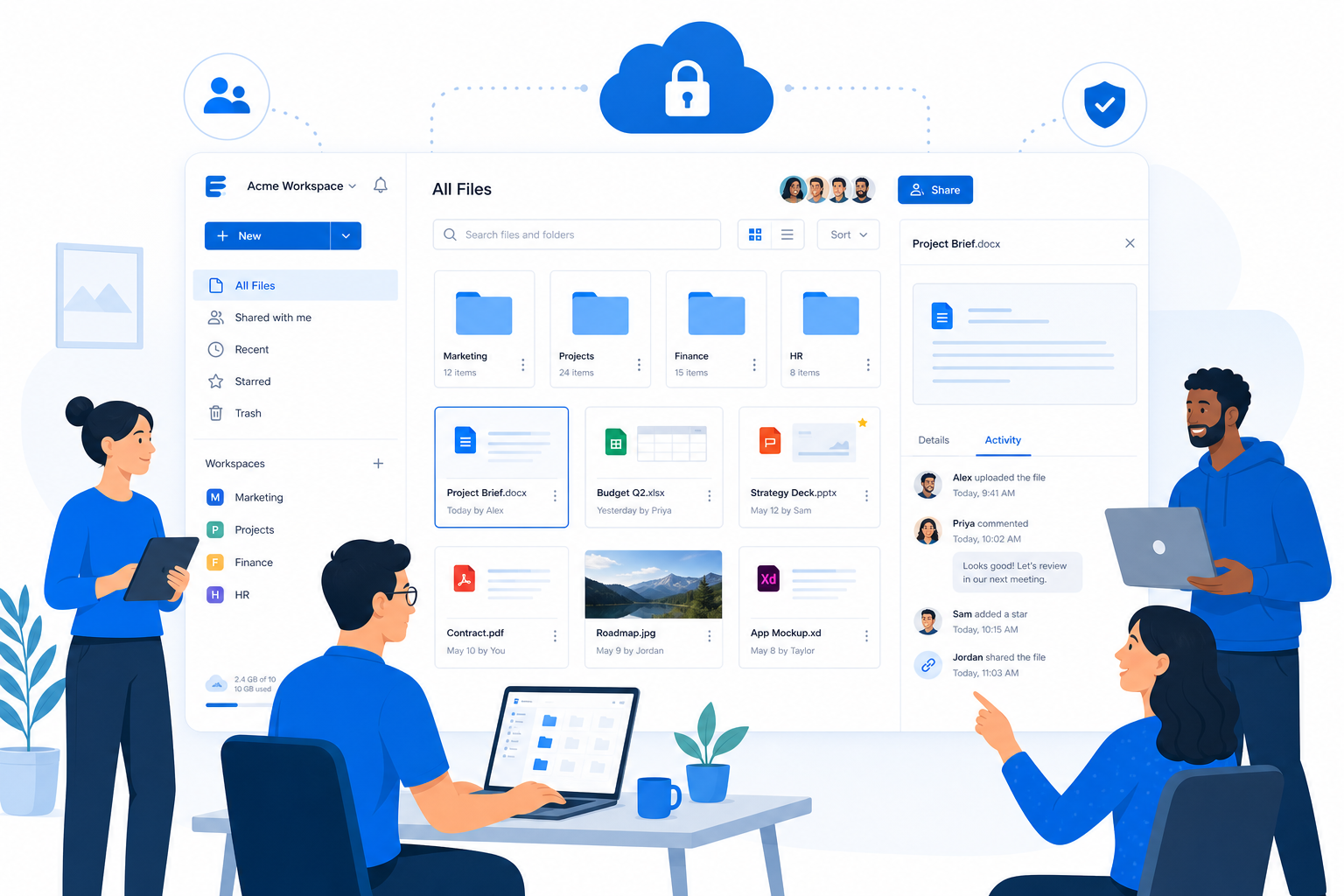
What is documents management software?
Documents management software is a system that helps teams store, organize, retrieve, share, and control documents digitally.
A strong platform typically includes:
- Centralized file storage
- Folder structure and organization
- Search and retrieval
- Permissions and access control
- Version tracking
- Secure sharing
- Collaboration features
- Audit visibility
- Retention and governance support
In simple terms, it helps your team stop asking:
- “Where is the final version?”
- “Who changed this file?”
- “Can you resend that doc?”
- “Why can the client still access this folder?”
- “Where did we save the approved images?”
Instead, everyone works from one dependable system.
Why growing teams outgrow basic file storage
Basic cloud storage works at first. Then growth happens.
As your company adds employees, contractors, agencies, clients, departments, and more content, your file setup needs to do more than just hold files. It needs to support real workflows and reduce risk.
Common pain points growing teams face
Problem | What it looks like in practice | Impact |
|---|---|---|
File sprawl | Documents spread across email, desktops, chats, and drives | Lost time and duplicate work |
Version confusion | Multiple “final” files exist | Errors and rework |
Weak permissions | Too many people have access, or the wrong people do | Security risk |
Slow retrieval | Team members cannot quickly find documents | Lower productivity |
Poor external sharing | Uncontrolled links get passed around | Compliance and brand risk |
No visual organization | Images and assets are hard to review | Slower marketing and creative workflows |
Rising complexity | Different tools for storage, sharing, previews, and approvals | More cost and more friction |
"According to Gartner, unstructured data comprises approximately 80% to 90% of all new enterprise data and is growing three times faster than structured data." - Source
That matters because most business content is unstructured: PDFs, contracts, proposals, product docs, invoices, screenshots, images, presentations, and folders full of shared working files.
Without better documents management, growth creates chaos.
What modern documents management should actually include
Many articles describe document management at a high level, but they often gloss over what small and growing teams really need: clarity, speed, control, and simplicity.
1. Centralized storage
Your files should live in one place your team can trust. That includes documents, images, internal resources, and externally shared assets.
AssetHQ helps teams create a clean central source of truth with structured folders and easy navigation, so everyone knows where things belong.
2. Simple organization
Great documents management is not only about search. It is also about a folder structure people can understand immediately.
AssetHQ focuses on simple and intuitive file management, which is especially useful for teams that do not want to spend weeks configuring a complicated enterprise DAM or ECM system.
3. Secure file sharing
Sharing should be easy without being risky.
Look for features like:
- Link sharing
- Expiring links
- Access control
- Internal vs external permissions
- Easy revocation
AssetHQ makes this practical with secure file sharing, expiring links, and access control, helping teams share confidently with clients, partners, and contractors.
4. Fast access and retrieval
If your team cannot find files quickly, your system is failing.
Search matters, but so do:
- Logical folder paths
- Clear naming
- Image previews
- Predictable storage rules
- Fast upload and access
AssetHQ is designed for fast upload and file access, making everyday work smoother for busy teams.
5. Collaboration that does not add friction
Your document system should support teamwork, not create another admin task.
That means:
- Shared folders
- Clear permissions
- Team-level access
- Simple handoff of files
- Easy visibility into who can use what
AssetHQ supports team collaboration for growing organizations without overwhelming smaller teams with enterprise-heavy complexity.
6. Strong security without complexity
Security should not be optional, but it also should not require a specialist to operate.
AssetHQ combines enterprise-grade secure storage with a product experience built for everyday users. That is especially valuable for small businesses and startups that need professional-level security without an IT-heavy rollout.
The difference between documents management and simple file storage
This is where many businesses get stuck.
File storage gives you a place to put files
Basic file storage helps you upload and access files online. That is useful, but limited.
Documents management helps you govern and use files properly
Documents management adds structure and control around those files:
- Who can access them
- How they are organized
- How they are shared
- Whether versions are tracked
- How teams collaborate around them
- How risk is reduced as the business grows
Here is the practical difference:
Capability | Basic File Storage | Documents Management Software |
|---|---|---|
Upload files | Yes | Yes |
Organize with structure | Limited | Strong |
Manage permissions | Basic | Granular |
Secure external sharing | Sometimes | Core feature |
Version control | Limited | Usually stronger |
Collaboration support | Basic | Purpose-built |
Governance and consistency | Weak | Stronger |
Scales with team growth | Often poorly | Designed to |
For growing teams, the leap is not about getting “more software.” It is about getting a better operating system for files.
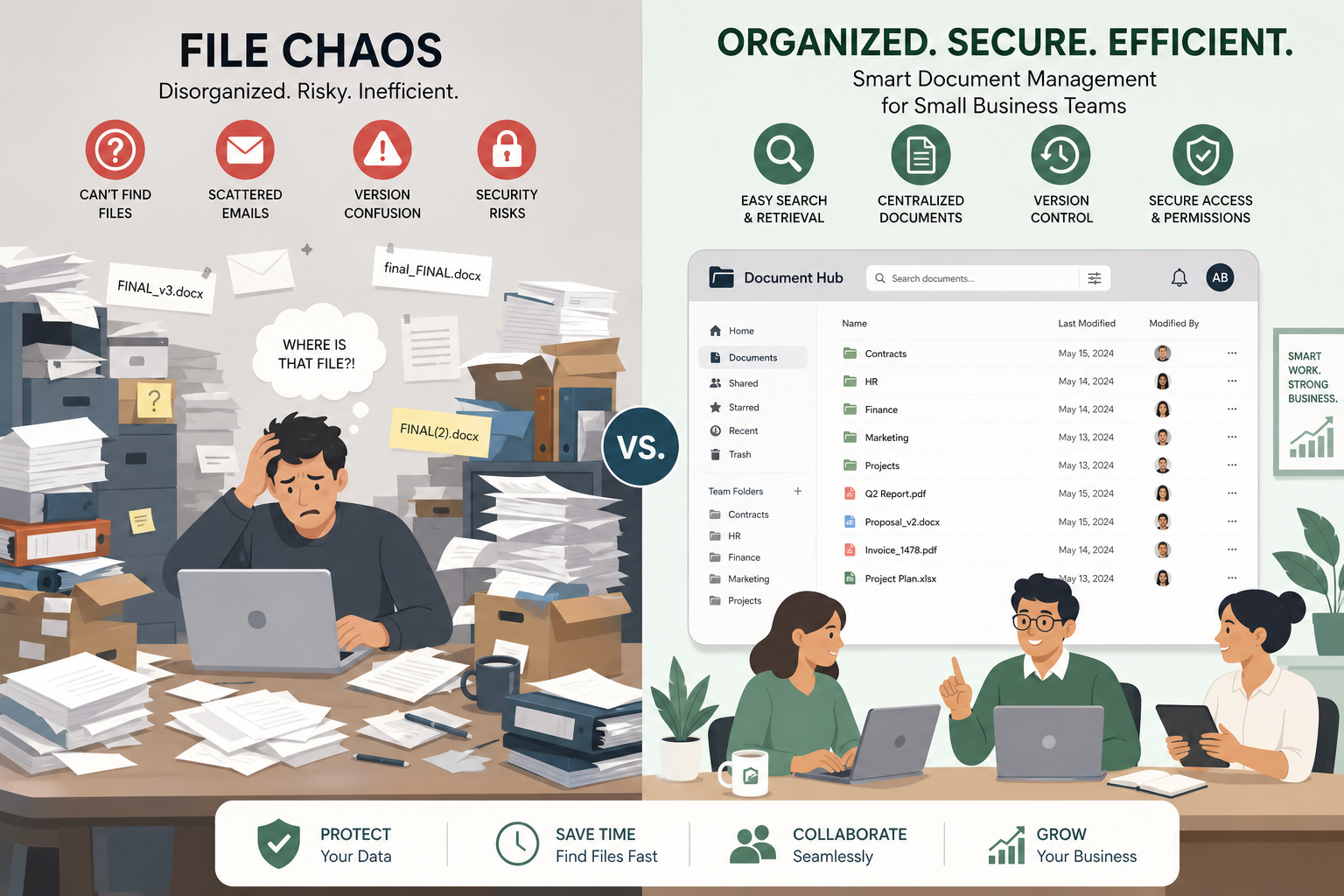
How documents management improves day-to-day operations
The best documents management software creates benefits that show up immediately in daily work.
Better organization
A structured system reduces clutter and confusion. Instead of storing files wherever there is space, teams use a consistent approach.
This improves:
- Onboarding
- Handoffs
- Cross-team collaboration
- Client communication
- File retrieval
Faster collaboration
When files are organized and easy to share securely, teams move faster.
Marketing can find approved images. Sales can access updated decks. Operations can share current documents with vendors. Leadership can review the right version without hunting for it.
Stronger access control
Not every file should be visible to every user.
Documents management software gives teams a way to control access by role, project, team, or external stakeholder. This is critical for sensitive financial files, contracts, HR documents, and client materials.
More professional external sharing
Sending attachments back and forth is slow and hard to control. Shared links without expiration are worse.
A better system lets teams share assets professionally, revoke access when needed, and keep control over what is visible.
Less wasted time
"McKinsey & Company reports that knowledge workers dedicate approximately 20% of their workweek - equivalent to one full day - searching for and gathering information." - Source
This is one of the clearest business cases for improving documents management. If your team is growing, every wasted minute multiplies.
Key features to look for in documents management software
Not every platform is built for the same kind of team. Some are overly complex. Some are too lightweight. Some are built for enterprise records governance but feel painful for everyday collaboration.
For growing teams, the right feature mix is practical.
Essential features checklist
Feature | Why it matters |
|---|---|
Centralized file storage | Keeps everything in one trusted location |
Intuitive folders and organization | Makes adoption easier for everyone |
Secure sharing links | Enables external collaboration safely |
Expiring links | Reduces access risk over time |
Access controls | Protects sensitive files |
Image preview support | Helps visual teams manage creative assets faster |
Team collaboration | Supports cross-functional work |
Fast uploads and retrieval | Saves time daily |
Scalable storage and permissions | Supports growth without migration pain |
Predictable pricing | Avoids tool sprawl and billing surprises |
AssetHQ is especially strong for teams that want these essentials without bloated complexity, hidden fees, or a steep learning curve.
Why AssetHQ is a strong fit for growing teams
Many businesses do not need a heavyweight enterprise content platform with months of setup. They need a reliable system their team can start using quickly.
That is where AssetHQ stands out.
What makes AssetHQ different
Simple and intuitive file management
AssetHQ is designed so teams can organize documents, images, and files in a way that feels immediately understandable. That means less training, less confusion, and faster adoption.
Secure file sharing with real control
Teams can share files externally without giving up control. Features like expiring links and access controls help reduce risk while keeping collaboration easy.
Built for documents and visual assets
Some tools treat images as an afterthought. AssetHQ supports image preview and management capabilities, making it useful for marketing teams, agencies, product teams, and any business managing visual assets alongside documents.
Collaboration-friendly for scaling organizations
Whether you are a solo founder, a startup team, or a growing business, AssetHQ supports structured teamwork without the friction of over-engineered systems.
Enterprise-grade storage without enterprise friction
AssetHQ gives teams the confidence of secure, dependable storage while staying easy to manage.
Affordable flat pricing
Pricing matters, especially for startups and smaller businesses. AssetHQ offers a more accessible path with affordable flat pricing and no hidden fees, which helps teams scale without surprise costs.
Documents management software vs DAM vs ECM
This is one of the biggest sources of confusion in the market.
Document management software
Focused on storing, organizing, controlling, and sharing documents and files.
DAM (Digital Asset Management)
Focused more specifically on rich media and digital assets such as images, videos, brand files, creative materials, and reusable content.
ECM (Enterprise Content Management)
A broader category that may include records management, compliance workflows, governance, archival policies, and large-scale enterprise integrations.
Where AssetHQ fits
AssetHQ is a practical bridge between document management, digital asset management, and team file storage.
It is ideal for teams that need:
- Reliable file storage
- Organized document management
- Visual asset handling
- Easy team collaboration
- Secure sharing
- Scalable simplicity
For many growing organizations, that is the sweet spot.
A practical documents management workflow for growing teams
Many competitor pages define document management, but do not show how to run it well. Here is a practical workflow your team can actually use.
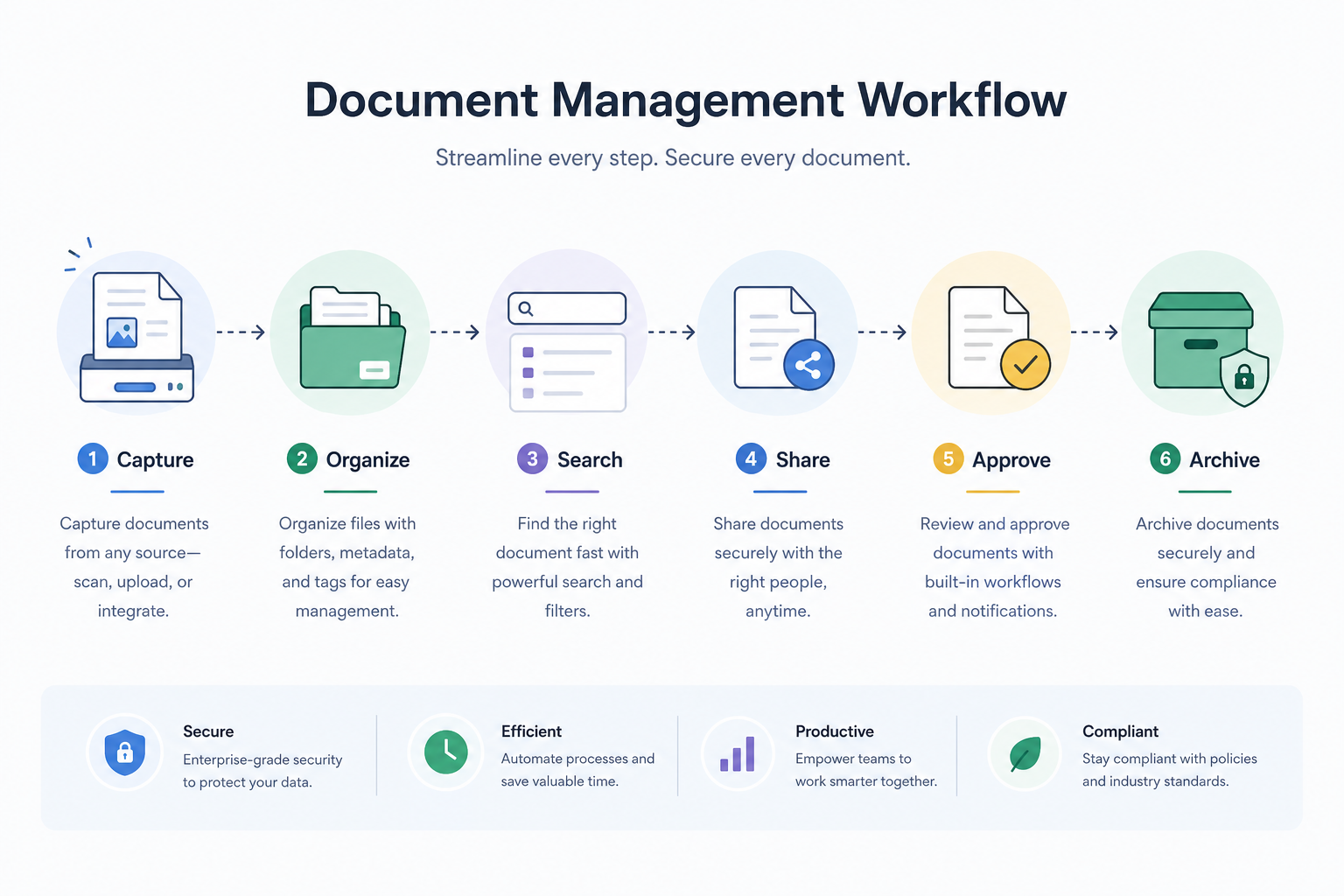
Step 1: Create a clear folder structure
Build folders around how your business works, not around random habits.
Examples:
- Clients
- Marketing
- Finance
- HR
- Product
- Operations
- Brand Assets
- Sales Materials
Step 2: Standardize naming conventions
Use consistent file names so people can understand a file before opening it.
Example:
client-name_contract_v3_2026-05-09.pdf
Step 3: Separate internal and external sharing
Not all files should be shared the same way. Use different rules for:
- Internal working documents
- Client deliverables
- Sensitive documents
- Public-facing assets
Step 4: Set access by role
Decide who should view, edit, upload, or share.
This keeps work moving while reducing accidental exposure.
Step 5: Use previews where possible
For image-heavy teams, previews speed up review and retrieval dramatically. AssetHQ’s image preview support makes visual browsing far easier than opening files one by one.
Step 6: Review and archive regularly
A good system stays clean. Review folders periodically, remove outdated clutter, and archive what no longer needs active access.
What competitor content usually misses
After reviewing common document management content from leading software pages and category definitions, several gaps stand out.
Gap 1: They explain what a DMS is, but not what growing teams actually need
Many pages are aimed at enterprises or broad software categories. They explain document management in abstract terms but skip the practical needs of startups and scaling SMBs.
Gap 2: They overemphasize complexity
Large platforms often highlight workflows, governance, and enterprise infrastructure. Those matter, but many teams first need a system that is simply easy to adopt and dependable.
Gap 3: They rarely connect documents and visual assets well
Modern teams manage both documents and images every day. A platform that handles both well can remove a lot of operational friction.
Gap 4: They underplay usability
A system that looks powerful but is hard to use often fails in practice. Simplicity is not a compromise. For many businesses, it is the reason a system gets adopted at all.
Gap 5: They skip pricing clarity
Growing teams care about cost predictability. Flat, transparent pricing can be a major differentiator when compared with layered enterprise pricing models.
Examples of document-heavy teams that benefit most
Startups
Startups move quickly and need structure without overhead. AssetHQ helps them organize contracts, product files, investor docs, marketing assets, and shared internal files from one place.
Agencies
Agencies handle constant file exchange with clients and contractors. Secure sharing, expiration controls, and visual asset management make a big difference.
Small businesses
Small businesses often outgrow ad hoc folders and email attachments before they realize it. Documents management software creates consistency and saves time.
Marketing teams
Marketing teams handle images, drafts, final assets, decks, and campaign materials. Image previews and organized file storage are critical.
Operations teams
Operations needs reliable access to SOPs, forms, vendor docs, and internal process files. A structured system reduces delays and confusion.
How to choose the right documents management software
Here is a simple framework for evaluating your options.
Ask these questions
- Is it easy for non-technical users to adopt?
- Can it organize both documents and images well?
- Does it offer secure sharing with expiring links?
- Are permissions clear and manageable?
- Will it scale with our team?
- Is pricing transparent?
- Will it reduce daily friction instead of adding more?
Simple buyer comparison table
Criteria | AssetHQ | Complex Enterprise DMS | Basic Cloud Storage |
|---|---|---|---|
Ease of use | High | Often moderate to low | High |
Document organization | Strong | Strong | Basic |
Image preview management | Strong | Varies | Limited |
Secure sharing controls | Strong | Strong | Basic to moderate |
Best for growing teams | Excellent | Sometimes too heavy | Often too limited |
Setup complexity | Low | High | Low |
Pricing clarity | Strong | Often variable | Varies |
Real-world inspiration from the broader market
The broader document management market highlights several recurring themes: secure storage, role-based access, search, version control, collaboration, and governance.
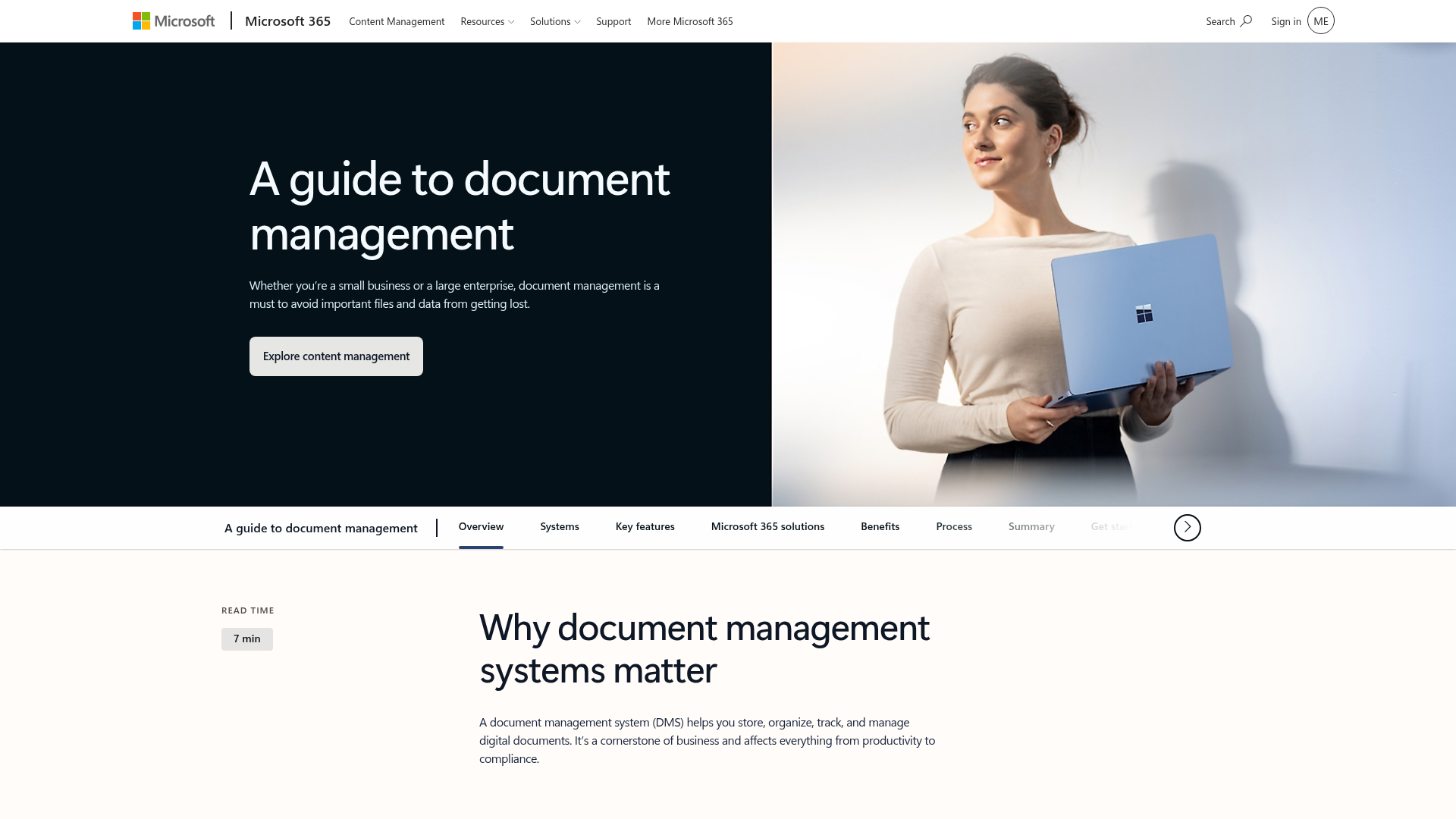
For example, Folderit emphasizes secure document control, OCR search, workflows, audit trails, and role-based access. Microsoft 365 highlights SharePoint and OneDrive for collaboration, versioning, and centralized storage.
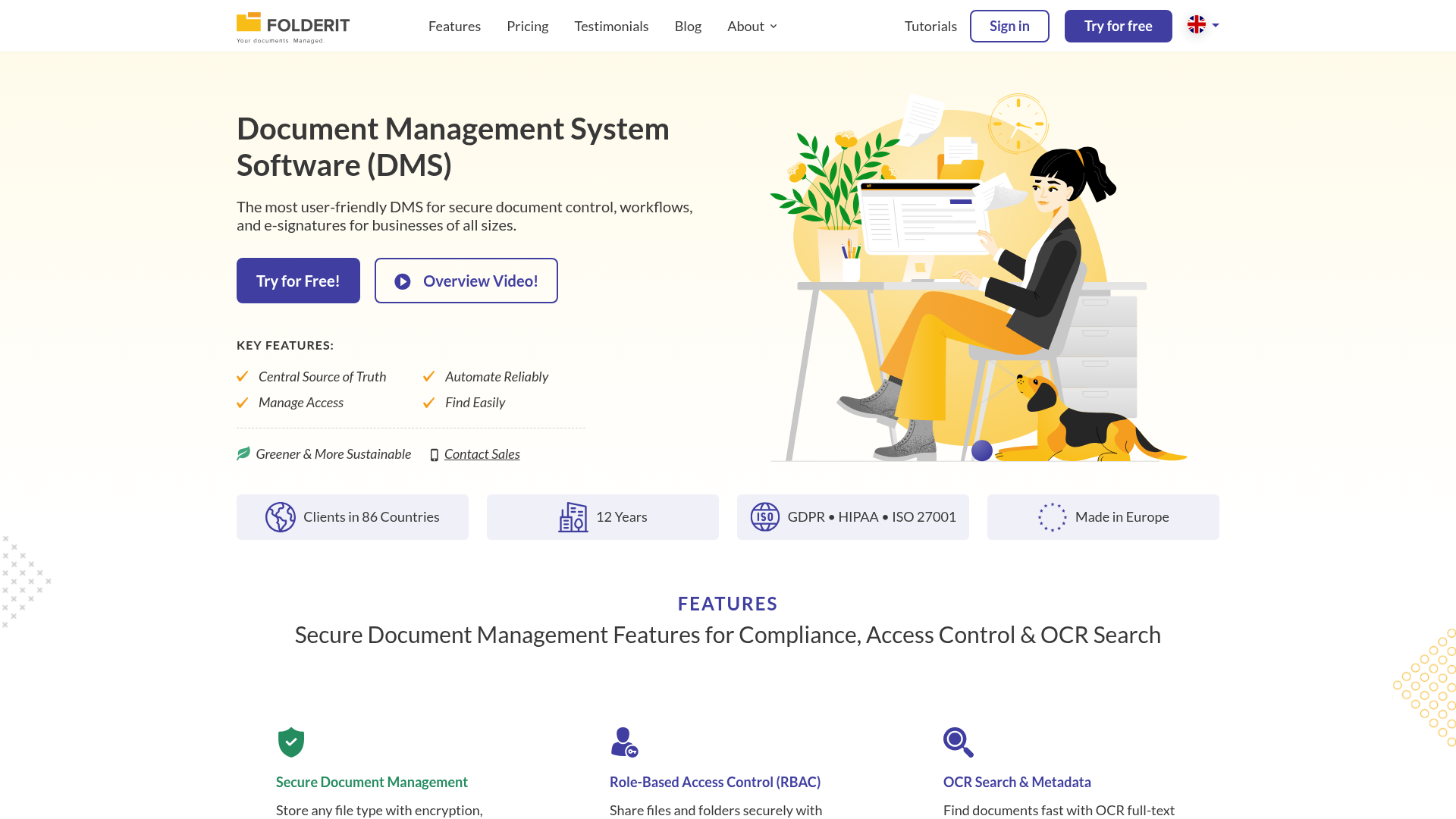
The takeaway is not that every team needs every enterprise feature. The real takeaway is that strong documents management consistently depends on a few core principles:
- Centralization
- Access control
- Searchability
- Shareability
- Collaboration
- Security
- Ease of use
AssetHQ delivers these principles in a way that is especially practical for smaller and mid-sized growing teams.
Best practices for better documents management
Even the best software works better with good habits.
Keep your structure simple
If your folder system is too complicated, people will ignore it.
Define who owns what
Each major folder or area should have a clear owner.
Use permissions intentionally
Do not give everyone access to everything by default.
Review shared links regularly
Expire or revoke links that are no longer needed.
Build around real work
Your structure should match how your team operates, not how a software vendor thinks you should work.
Choose software your team will actually use
Adoption matters more than feature checklists.
Final verdict
Documents management software is no longer optional once your team starts growing. Without it, files become harder to find, harder to secure, and harder to manage across people, projects, and external partners.
The best solution is not always the most complex one. For many startups, solo founders, small businesses, and growing teams, the right platform is the one that combines organized storage, secure sharing, collaboration, image handling, speed, and simplicity.
That is exactly why AssetHQ is such a strong choice.
It gives you:
- Simple and intuitive file management
- Secure file sharing with expiring links and access control
- Organized storage for documents, images, and files
- Image preview and management capabilities
- Team collaboration features
- Enterprise-grade secure storage
- Fast uploads and file access
- Affordable flat pricing with no hidden fees
- Scalable support for solo users and growing teams
If your current setup feels messy, slow, or risky, now is the right time to upgrade your documents management process. Try AssetHQ and give your team a cleaner, faster, and more dependable way to manage files as you grow.
FAQ
What are the top 5 document management systems?
There is no single universal top 5 for every business, but commonly discussed options include Microsoft 365, Google Drive, Dropbox, Box, and AssetHQ for teams that want a simpler, more scalable approach. The best choice depends on your need for usability, security, collaboration, and how well the platform handles both documents and visual assets.
What are the 4 C's of documentation?
The 4 C’s are often described as clear, concise, complete, and consistent. In documents management, those principles help teams create files that are easier to find, understand, share, and maintain over time.
What is the document management system in teams?
A document management system in teams is the shared platform and process used to store, organize, access, and control files collaboratively. It should support permissions, version control, secure sharing, and simple organization so growing teams can work efficiently from one trusted source.
Does Microsoft 365 have a document management system?
Yes, Microsoft 365 includes document management capabilities through tools like SharePoint and OneDrive. These tools support centralized storage, collaboration, versioning, and access control, though some growing teams may prefer a simpler alternative if they want less complexity.
Does Microsoft 365 have a document management system?
Yes, Microsoft 365 offers a built-in approach to document management through SharePoint and OneDrive. It is a strong option for organizations already invested in the Microsoft ecosystem, but usability and setup needs can vary depending on the team.
What are the 4 C's of documentation?
The 4 C’s of documentation are generally clarity, consistency, completeness, and conciseness. These principles help teams create better file systems and better documents, especially when scaling collaboration across departments or external partners.
Related Posts
Data Storage Software for Smarter Data Storage
Discover data storage software that improves security, organization, and scaling for growing teams. Learn how to choose smarter now.
min read
DAM for Video: Best Practices for Teams
DAM for Video: Best Practices for Teams Video libraries grow fast. What starts as a few product demos, social clips, webinars, training recordings, and customer stories can quickly turn into hundreds or thousands of files spread across laptops, shared drives, cloud folders, and editing tools. Once that happens, teams lose time hunting for the right version, re-uploading files, answering “can you send that again?” messages, and worrying about who can access what. That is exactly where a well-s
min read
DAM Management: Best Practices for Growing Teams
DAM Management: Best Practices for Growing Teams As your team grows, file chaos usually grows with it. What worked for one founder storing files in a few folders quickly breaks down when multiple people need fast access to documents, images, brand assets, and shared files at the same time. Good dam management solves that problem. It helps growing teams keep assets organized, easy to find, safe to share, and simple to manage without turning file storage into a complicated IT project. For start
min read