Dropbox Browser Version for Faster File Access
Dropbox Browser Version for Faster File Access If you are searching for the Dropbox browser version, you probably want one of three things: faster access to files, a way to work without installing software, or a simpler way to share and review content with your team. The good news is that Dropbox does have a full web version. You can open Dropbox in your browser, upload and download files, preview documents, share links, manage folders, and collaborate with others from almost anywhere. For man
Dropbox Browser Version for Faster File Access
If you are searching for the Dropbox browser version, you probably want one of three things: faster access to files, a way to work without installing software, or a simpler way to share and review content with your team.
The good news is that Dropbox does have a full web version. You can open Dropbox in your browser, upload and download files, preview documents, share links, manage folders, and collaborate with others from almost anywhere. For many users, especially on locked-down work devices, shared computers, or quick-access workflows, the browser version is the easiest way to get the job done.
But there is also an important reality: browser-based convenience is not always the same as a streamlined file management system. Teams that handle large sets of images, documents, or client assets often need something more organized, more intuitive, and more affordable than a traditional storage-first platform. That is where AssetHQ stands out, giving solo founders, startups, and growing teams a clean, secure, and scalable place to manage digital assets without the overhead of enterprise-heavy DAM software.
"As of 2026, Dropbox has over 700 million registered users across approximately 180 countries." - Source
"Employees spend, on average, at least two hours a day - or 25% of their workweek - looking for the documents, information, or people they need to do their jobs." - Source
What is the Dropbox browser version?
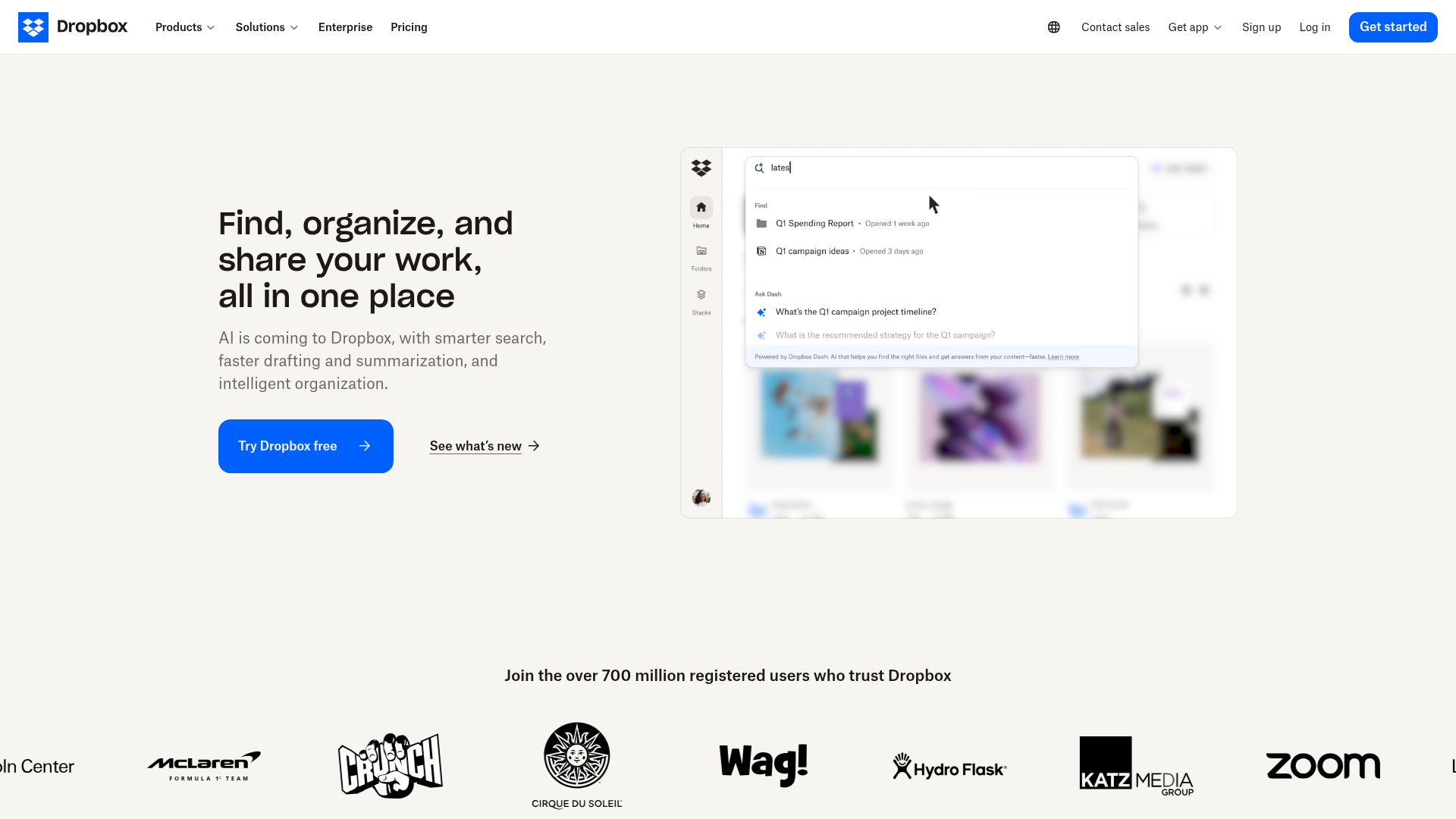
The Dropbox browser version is the web-based version of Dropbox that runs directly in Chrome, Edge, Safari, Firefox, and other modern browsers. Instead of using the desktop app, you log in at Dropbox.com and work from a web interface.
That means you can:
- Access files from any internet-connected computer
- Upload files and folders
- Preview many file types without downloading them
- Share links with coworkers, clients, or vendors
- Organize files into folders
- Leave comments and manage collaboration
- Download files when needed
For users who just need quick access, this can feel faster and more convenient than opening a desktop sync folder.
How Dropbox works in a browser
When you use Dropbox in a browser, your files stay tied to your online Dropbox account instead of depending on a local sync folder. You sign in, browse your folders, open previews, and take actions from the web dashboard.
Core browser-based actions
In the web version, users can typically:
Feature | Available in Dropbox Browser Version? | Why it matters |
|---|---|---|
View files and folders | Yes | Fast access from any device |
Upload files | Yes | Easy drag-and-drop file intake |
Download files | Yes | Useful when working temporarily |
Preview images and documents | Yes | Reduces unnecessary downloads |
Share links | Yes | Quick collaboration with others |
Manage permissions | Yes | Better control over access |
Comment on files | Yes | Helps with feedback workflows |
Install-free access | Yes | Great for guest devices or remote work |
Why some users prefer the browser version
For many people, the web version feels simpler because it removes the friction of desktop syncing. You do not have to worry about local storage, app installation, or whether your laptop has enough disk space.
A browser workflow can make sense when:
- You are on a borrowed or shared computer
- Your company restricts software installs
- You only need occasional access
- You want to quickly share or review files
- You are troubleshooting sync or local app issues
When the Dropbox browser version feels faster
People often search for “Dropbox browser” because they are trying to solve a speed problem, not just find a login page.
In many cases, the browser version feels faster because it skips certain local-system bottlenecks, such as:
- Sync delays
- File Explorer or Finder integration issues
- Heavy local indexing
- Limited storage on the computer
- Conflicts with antivirus or backup tools
- Problems tied to desktop app settings
This matters for teams that need fast file access without desktop complexity. If your priority is simply finding, previewing, and sharing the right file quickly, a browser workflow can be the better choice.
What you can realistically do in Dropbox on the web
A lot of articles stop at “yes, Dropbox has a web version.” That is not enough. What matters is whether the browser version is practical for real work.
Good use cases for Dropbox in a browser
The web version works well for:
- Reviewing images and documents
- Sending files to clients
- Accessing files while traveling
- Downloading a file from a secondary device
- Uploading new assets from freelancers or contractors
- Browsing folders when you do not want to sync everything locally
Less ideal use cases
The browser version may feel limiting if you need:
- Deep offline access
- Always-on desktop syncing
- Very large-scale asset libraries with complex organization
- Highly visual asset management
- A cleaner DAM-style experience for growing teams
- Straightforward, scalable collaboration without tool sprawl
That is the gap many businesses run into. Dropbox can be fine for storage and file access, but teams often need more structure once files, people, and workflows multiply.
Dropbox browser vs desktop app
Choosing between the browser and desktop version depends on how your team works.
Quick comparison
Category | Dropbox Browser Version | Dropbox Desktop App |
|---|---|---|
Setup required | None | Installation required |
Works on shared/public devices | Better | Less practical |
Offline access | Limited | Better |
Local sync | No full desktop sync experience | Yes |
Disk space impact | Low | Can use local storage |
Quick file sharing | Excellent | Good |
Browser-based previews | Excellent | Varies by workflow |
Best for | Quick access, review, sharing | Ongoing synced workflows |
The practical takeaway
If you want speed, simplicity, and access from anywhere, the browser version is a strong option.
If you want continuous local sync and offline work, the desktop app still has advantages.
But if what you actually need is organized, secure, easy-to-manage digital asset storage for a team, the better question is not browser vs desktop. It is whether your platform is built for modern file management at all.
Where Dropbox browser workflows still fall short for growing teams
Dropbox is widely known, but growing organizations often outgrow the “cloud folder plus share links” model.
Common friction points include:
- Too much reliance on users keeping folder structures clean
- Limited visual organization for image-heavy teams
- Storage-first design rather than asset-management-first design
- Confusing sprawl as clients, contractors, and departments grow
- Difficulty balancing simple sharing with clear access control
- Cost creep as collaboration needs become more advanced
For solo founders and small businesses, this matters a lot. You want a platform that feels professional and secure, but not overloaded with enterprise complexity.
That is why many teams start looking for alternatives that are easier to operate day to day.
A simpler option for browser-based file management: AssetHQ
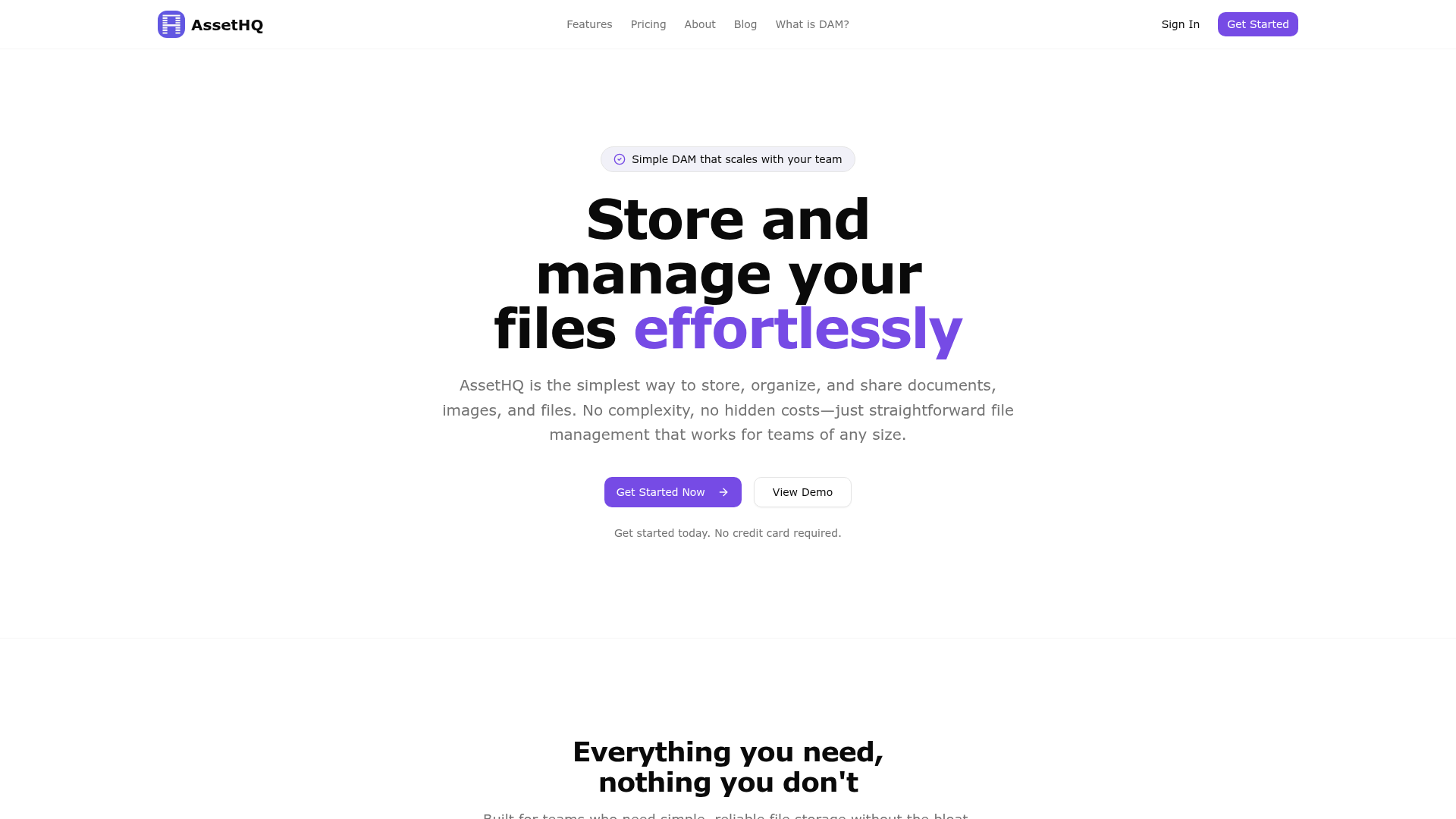
If you like the idea of the Dropbox browser version because it is easy to access, but you want something more structured and more intuitive for team use, AssetHQ is worth a serious look.
Why AssetHQ fits modern teams better
AssetHQ is designed for teams that need to store, organize, manage, and share files without unnecessary friction.
It naturally fits businesses that want:
- Simple and intuitive file management
- Secure file sharing with expiring links and access control
- Organized storage for documents, images, and other files
- Image preview and management capabilities
- Team collaboration for growing organizations
- Enterprise-grade secure storage
- Fast upload and file access
- Affordable flat pricing with no hidden fees
- A scalable platform for both solo users and teams
Instead of forcing teams into bloated, enterprise-heavy DAM systems, AssetHQ focuses on the essentials that actually matter in everyday work.
Where AssetHQ can beat a browser-only Dropbox workflow
Need | Dropbox Browser | AssetHQ |
|---|---|---|
Easy browser access | Yes | Yes |
Basic file sharing | Yes | Yes |
Cleaner file organization | Limited by storage-first approach | Strong, intuitive structure |
Secure external sharing | Good | Strong with practical controls |
Visual management of images | Basic | Better suited for asset workflows |
Team growth without clutter | Can get messy | Built for scalable organization |
Simple pricing | Varies by plan and use case | Flat, transparent, affordable |
Ease for non-technical users | Moderate | High |
When a browser-based workflow makes the most sense
A browser-based workflow is often the best choice when your team values convenience over local syncing.
Best-fit scenarios
Remote and hybrid teams
If employees work across locations and devices, browser access removes setup friction and makes it easier to get to files fast.
Client-facing collaboration
When you need to send documents, creative assets, or approvals quickly, browser-based sharing is often the fastest path.
Lightweight operations
Solo founders and startups do not always need complex infrastructure. Browser access lets them move quickly without IT overhead.
Contractor or freelancer access
External collaborators can access what they need without being pulled into a complex desktop workflow.
Teams with locked-down devices
Some organizations cannot freely install software. In that case, a browser-first platform is essential.
How to make Dropbox browser workflows more efficient
If you are sticking with Dropbox on the web for now, these habits help:
Keep folder structures shallow
Deeply nested folders slow down navigation and make assets harder to find.
Standardize naming
Use clear file names, dates, and version labels so people do not waste time searching.
Share links intentionally
Avoid oversharing. Use permissions, expiration options, and clear folder ownership.
Separate active vs archive assets
Do not keep everything mixed together. Segment current projects from old material.
Use previews before downloading
This speeds up review cycles and reduces duplicate local files.
Audit access regularly
Remove outdated collaborators and tighten permissions around sensitive content.
These are also the kinds of needs that a purpose-built system like AssetHQ handles more elegantly from the start.
Signs your team needs more than Dropbox in a browser
If any of these sound familiar, you may have outgrown a basic browser-storage workflow:
- Your team spends too much time hunting for files
- Shared folders are getting messy
- You manage lots of images, documents, and client deliverables
- External sharing needs stronger control
- You want a cleaner way to preview and organize assets
- Your costs rise as your team grows
- You need something secure but still easy to use
At that point, the conversation shifts from “Can Dropbox run in a browser?” to “What is the best platform for how we actually work?”
Final verdict
Yes, Dropbox has a web version, and for many users it is a practical way to access files faster, avoid local app issues, and work from anywhere. If your goal is occasional access, quick sharing, or browser-based convenience, it can absolutely do the job.
But if your business is growing and your files are becoming central to operations, marketing, sales, or client delivery, convenience alone is not enough. You need a platform that combines organized storage, fast access, secure sharing, image-friendly management, and team-ready collaboration without becoming expensive or complicated.
That is where AssetHQ delivers more value. It gives you the simplicity people like about browser-based file access, but with the structure, security, and scalability teams actually need. If you want dependable digital asset management without enterprise bloat, AssetHQ is the smarter next step.
FAQ
How to make Dropbox files upload faster?
To make Dropbox uploads faster, use a stable high-speed internet connection, avoid uploading huge batches all at once, and close unnecessary apps that consume bandwidth. If the desktop app feels slow, the Dropbox browser version can be a useful alternative for quick uploads.
How to get Dropbox on Quick Access?
On Windows, open File Explorer, find your Dropbox folder, right-click it, and choose Pin to Quick Access. This helps you reach Dropbox faster from your desktop workflow, though some users may still prefer the browser version for simpler access.
What browser works best with Dropbox?
Dropbox generally works well in modern browsers such as Chrome, Edge, Firefox, and Safari. The best browser is usually the one that is most updated, stable, and responsive on your device.
Does Dropbox have a web version?
Yes, Dropbox has a full web version that you can access through your browser. You can view files, upload content, organize folders, preview documents, and share links without installing the desktop app.
How to increase file upload speed?
To increase upload speed, reduce competing internet traffic, compress very large files when possible, and organize uploads into manageable batches. For teams, using a platform with fast upload and clean file organization like AssetHQ can also improve the overall workflow.
How do I upload files to Dropbox quickly?
Log in to Dropbox in your browser, open the target folder, and use drag and drop or the upload button to add files quickly. For smoother team file handling and sharing, many growing businesses eventually prefer a more structured platform like AssetHQ.
Related Posts

Brand Asset Management Software for Growing Teams
Discover brand asset management software for growing teams and learn how to organize files, share securely, and scale with ease.
min read
Cloud Based Digital Asset Management Benefits
Explore cloud based digital asset management benefits for secure file sharing, simpler teamwork, and organized growth. Try it today now
min read
File Sharing and Storage Made Simple for Teams
Discover file sharing and storage made simple for teams with secure access, better organization, and faster collaboration. Try AssetHQ!
min read