Dropbox Shared Link Dl 0 Explained
Learn what Dropbox shared link dl 0 means, how to verify link safety, open files correctly, and share smarter with confidence today
Dropbox Shared Link dl=0 Explained
If you've landed on a Dropbox URL ending in ?dl=0, you're probably trying to answer one of a few practical questions: Is this link safe? Will it download a file? Why does it open a preview page instead? Can I change it? Those are valid concerns - especially for solo founders, startups, and growing teams that share files often and need predictable behavior.
A Dropbox shared link with dl=0 usually means the link is meant to open a Dropbox preview page, not immediately force a download. That sounds simple, but the full story includes link structure, different Dropbox URL formats, safety checks, permissions, and what to do if you're sharing files with clients or teammates.
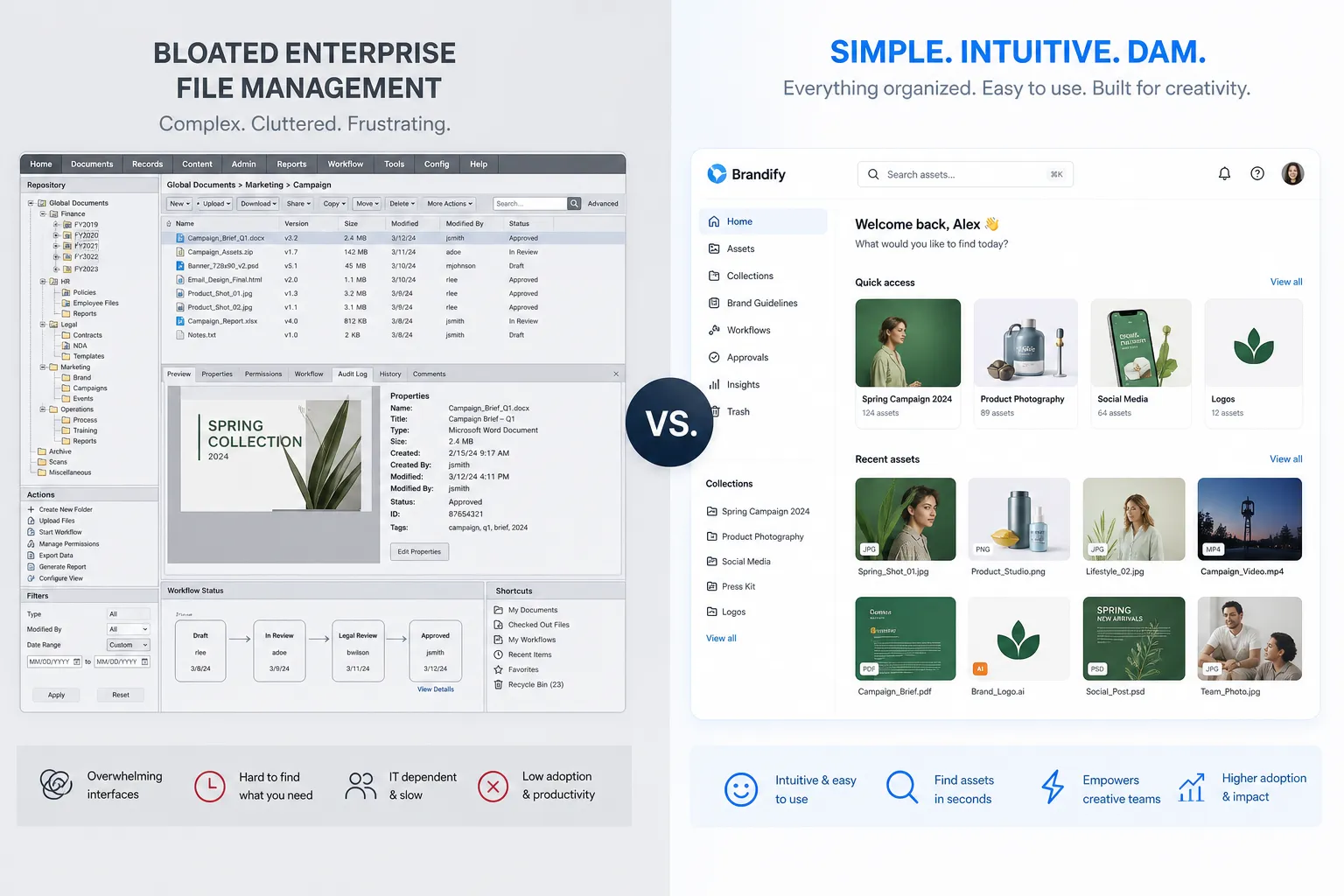
For teams that are outgrowing ad-hoc link sharing, this is also where a simpler digital asset management approach matters. Platforms like AssetHQ make file organization, image preview, secure sharing, and access control much easier to manage than hunting through inconsistent shared links across folders and accounts.
What does dl=0 mean in a Dropbox link?
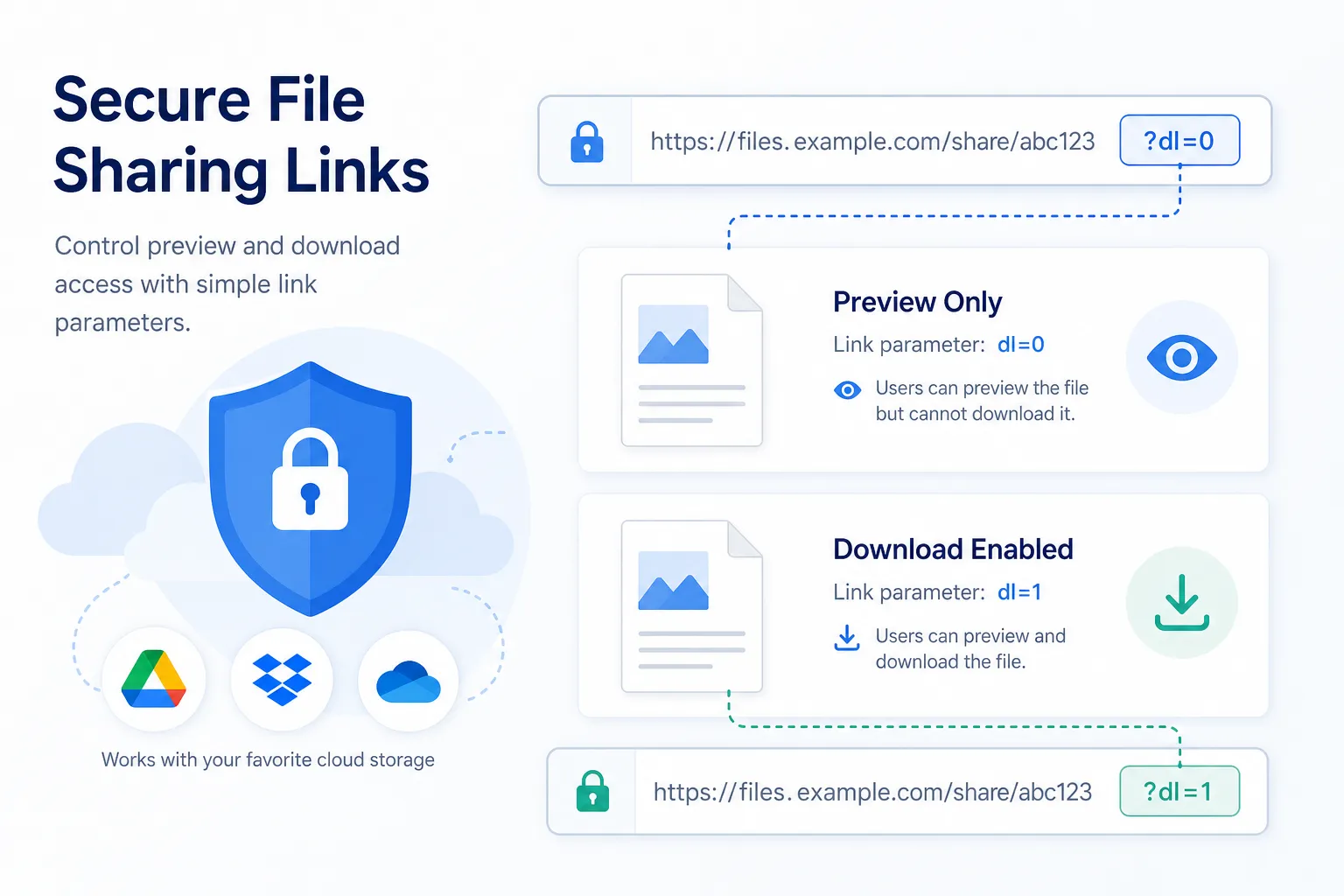
In Dropbox shared URLs, dl=0 is a query parameter. In most cases, it tells Dropbox to show the file or folder in the browser using Dropbox's preview or landing page rather than force a direct download.
That means when someone clicks the link, they typically see:
- A preview page for the file
- A landing page for a folder
- Dropbox controls like download, sign in, or request access if needed
This is the default behavior for many shared links because it is more user-friendly for casual viewing.
Quick definition
dl=0= open preview/landing pagedl=1= force download behaviorraw=1= try to render the file directly in the browser, with redirects possible
"To force a browser to download the contents of a link rather than display them, you can use dl=1 as a query parameter in your URL." - Dropbox Help CenterWhy Dropbox uses dl=0 by default
Dropbox is optimized for sharing with a broad range of users, including people who may not want an immediate download. A preview-first link helps recipients:
- Confirm the file is the correct one
- Preview documents, images, or videos before downloading
- Access shared content across devices more easily
- Avoid surprise downloads on mobile or work devices
This is useful in many scenarios, but it can be confusing when users expect a direct file download.
How Dropbox shared link structures work
Dropbox shared links are not always identical. Over time, Dropbox has used multiple link patterns for files and folders.
Common Dropbox shared URL formats
Link type | Example pattern | Meaning |
|---|---|---|
Shared file link |
| A single shared file |
Shared folder link |
| A shared folder |
Newer structured link |
| A newer Dropbox shared file URL |
Raw/download redirect target |
| Redirected delivery URL in some cases |
Breaking down the parts
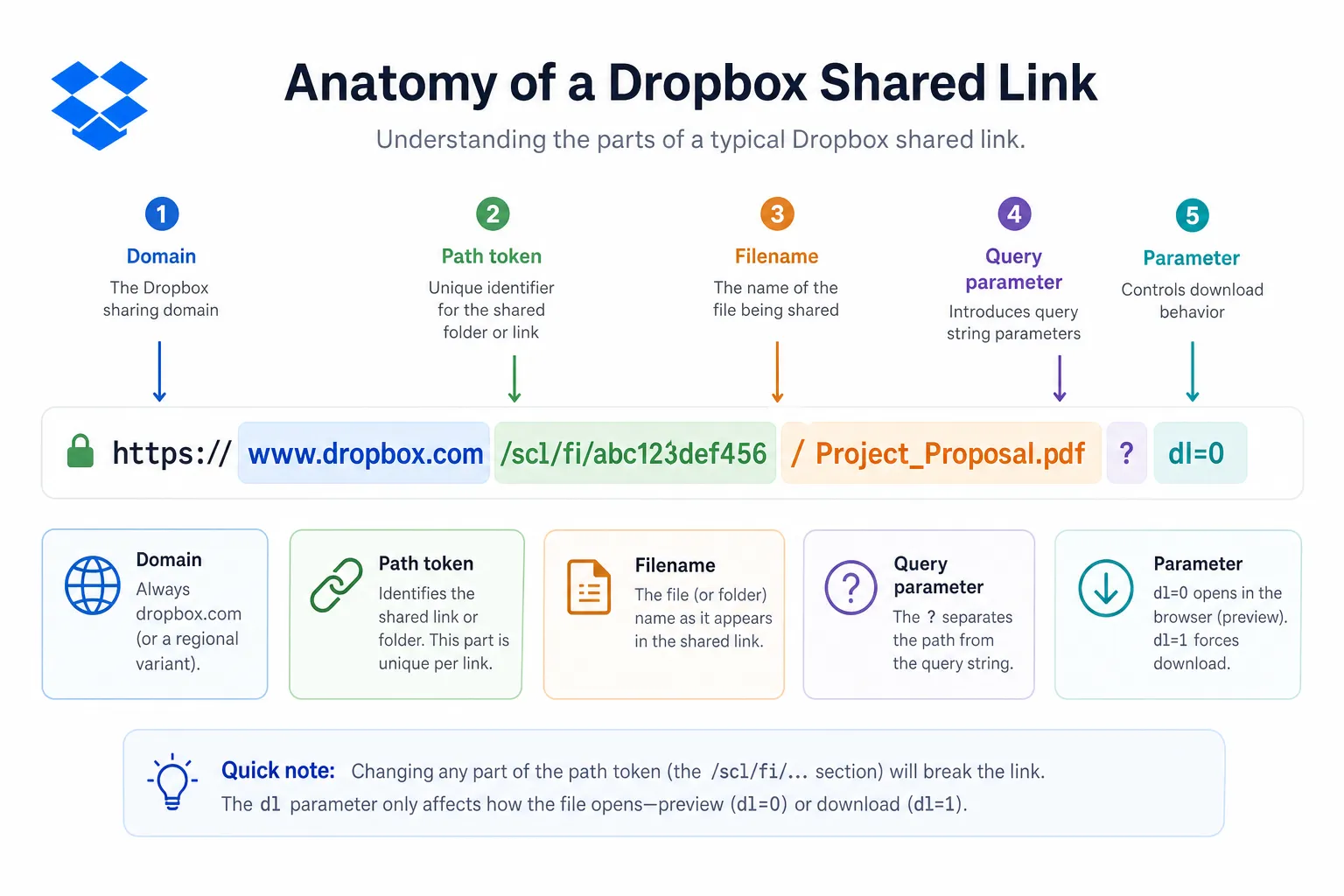
A Dropbox URL often contains:
- Domain:
dropbox.com - Resource type:
/s/,/sh/, or/scl/fi/ - Unique token(s): identify the shared resource
- File name or folder path
- Query parameter: such as
dl=0
Why the long token matters
That long random-looking string in a Dropbox URL is not clutter. It is the unique identifier that points to the shared resource and its permission context. You generally cannot remove it and expect the link to keep working.
This matters when people try to interpret or modify unusual-looking URLs manually. For example, a long shared URL ending in dl=0 is not suspicious just because it looks complex. In many cases, that's simply how Dropbox formats secure public share links.
Is a Dropbox dl=0 link safe to use?
Usually, yes - if you trust the sender and verify the destination. A dl=0 parameter itself is not dangerous. It only affects how the content opens.
What determines safety is not the dl=0 value alone, but:
- Who sent the link
- Whether the domain is genuinely Dropbox
- Whether the file type is expected
- Whether the link requests unusual permissions or credentials
Safe signs to look for
A Dropbox shared link is generally safer when:
- The domain is exactly
dropbox.comor a legitimate Dropbox subdomain - The sender is known to you
- The file name matches what you expected
- You are not being asked to enter credentials on a suspicious page
- The content opens in Dropbox's normal preview interface
Red flags to watch for
Be cautious if:
- The link comes from an unknown sender
- The message creates urgency or pressure
- The linked file name is unrelated to the context
- The page imitates Dropbox but uses a lookalike domain
- You're asked to download executable files unexpectedly
How to verify a Dropbox shared link before opening it
For business users and teams, this is one of the biggest content gaps most guides skip. Understanding dl=0 is useful, but knowing how to verify a link safely is even more valuable.
1. Check the domain carefully
Look for:
https://www.dropbox.com/...- legitimate Dropbox-owned redirects
Avoid typo domains or suspicious variants.
2. Hover before clicking
On desktop, hover over the link and inspect the destination. If the visible text says Dropbox but the target is not Dropbox, that is a warning sign.
3. Inspect the file context
Does the sender normally share this kind of file? Does the file extension make sense? A shared invoice PDF is different from an unexpected .exe or macro-enabled document.
4. Open in a secure environment if needed
If the file is business-critical or from a new contact, open it in a controlled environment, use browser protection, or scan the downloaded file with security tools.
5. Confirm access expectations
Some Dropbox links are public; others may require sign-in or explicit permission. If a supposedly public asset triggers a strange login path, double-check with the sender.
dl=0 vs dl=1 vs raw=1
This is where many users get confused. Here is the simplest comparison.
Parameter | What it usually does | Best use case |
|---|---|---|
| Opens Dropbox preview or landing page | Viewing before downloading |
| Forces download behavior | Sending files meant to be downloaded immediately |
| Attempts direct browser rendering, often via redirect | Displaying supported files in-browser |
"Changingdl=1ordl=0toraw=1in a URL will cause an HTTP redirect." - Dropbox Help Center
When to use each one
Use dl=0 when:
- You want recipients to preview first
- You are sharing folders
- You want a more controlled, familiar Dropbox viewing experience
Use dl=1 when:
- You want to trigger download directly
- You are sending a deliverable or export file
- The recipient does not need preview context
Use raw=1 when:
- You want a browser to render supported content directly
- You understand that redirects may occur
- You are embedding or referencing files in technical workflows
How to change a Dropbox link from dl=0 to dl=1
If you already have a shared link and want it to download directly, the change is often simple.
Basic method
If the URL ends with ?dl=0, change it to:
?dl=1
If the URL already contains other parameters, edit the existing dl value rather than adding a duplicate blindly.
Example
From:
https://www.dropbox.com/s/a1b2c3d4ef5gh6/example.docx?dl=0
To:
https://www.dropbox.com/s/a1b2c3d4ef5gh6/example.docx?dl=1
Important note for developers
Dropbox links may redirect, and newer link formats may include extra parameters like rlkey. Your code should parse the URL properly rather than string-replacing carelessly.
How to open a Dropbox dl=0 link correctly
If someone sends you a dl=0 link, you normally do not need to edit it.
On desktop
- Click the link
- Review the Dropbox preview or folder page
- Use Download if you want a local copy
- Sign in only if required and expected
On mobile
- Open the link in your browser or Dropbox app
- Preview the file if supported
- Save or download if needed
- Watch for data usage if the file is large
If the link does not work
Possible reasons include:
- The link was removed
- Access settings changed
- The file was deleted or moved
- Your organization blocks Dropbox
- Browser extensions are interfering
Why some Dropbox links look different now
Dropbox has older and newer URL styles. That is normal.
You may see:
/s/links for older shared files/sh/links for shared folders/scl/fi/links withrlkeyfor newer sharing formats
These differences do not automatically indicate a problem. They often reflect product evolution, not risk.
Can a dl=0 link point to a folder?
Yes. In fact, folder shares often use Dropbox landing pages, which makes dl=0 especially common there.
A shared folder link may open:
- The top-level folder view
- A preview-style Dropbox page
- A download option for the folder, sometimes as ZIP
For users trying to access many files programmatically, there is an important limitation: Dropbox link tokens are unique to the shared resource. You generally cannot invent a clean, human-readable direct URL for each file by file name alone.
What developers and advanced users should know
If you're building an app or automating access to Dropbox shared content, the link itself is only part of the story.
Shared links are not simple path-based public URLs
Dropbox uses unique identifiers for security and routing. That means you typically cannot derive every child file's URL from a parent folder name alone.
API-based access is often the correct approach
For shared folders, Dropbox API workflows can be used to list contents and retrieve files more reliably than manually guessing URLs.
"To list the contents of a folder shared via a Dropbox link using the Dropbox API, you can utilize thelist_folderendpoint with theshared_linkparameter." - Dropbox Community / API guidance
This matters for teams managing libraries of images, brand assets, documents, or downloadable resources at scale.
The problem with relying on shared links as your file system
This is where many businesses hit operational friction. Dropbox links are useful, but once your process depends on scattered URLs, things get messy fast:
- No consistent asset naming governance
- Broken links when permissions change
- Harder client handoff
- Limited visibility into asset organization
- Confusing share states across team members
For startups and growing teams, this is often the point where a lightweight DAM becomes the better solution.
A better way to manage shared files at scale
If your team regularly shares images, documents, and downloadable files, you eventually need more than a link parameter workaround.
Why AssetHQ fits this use case well
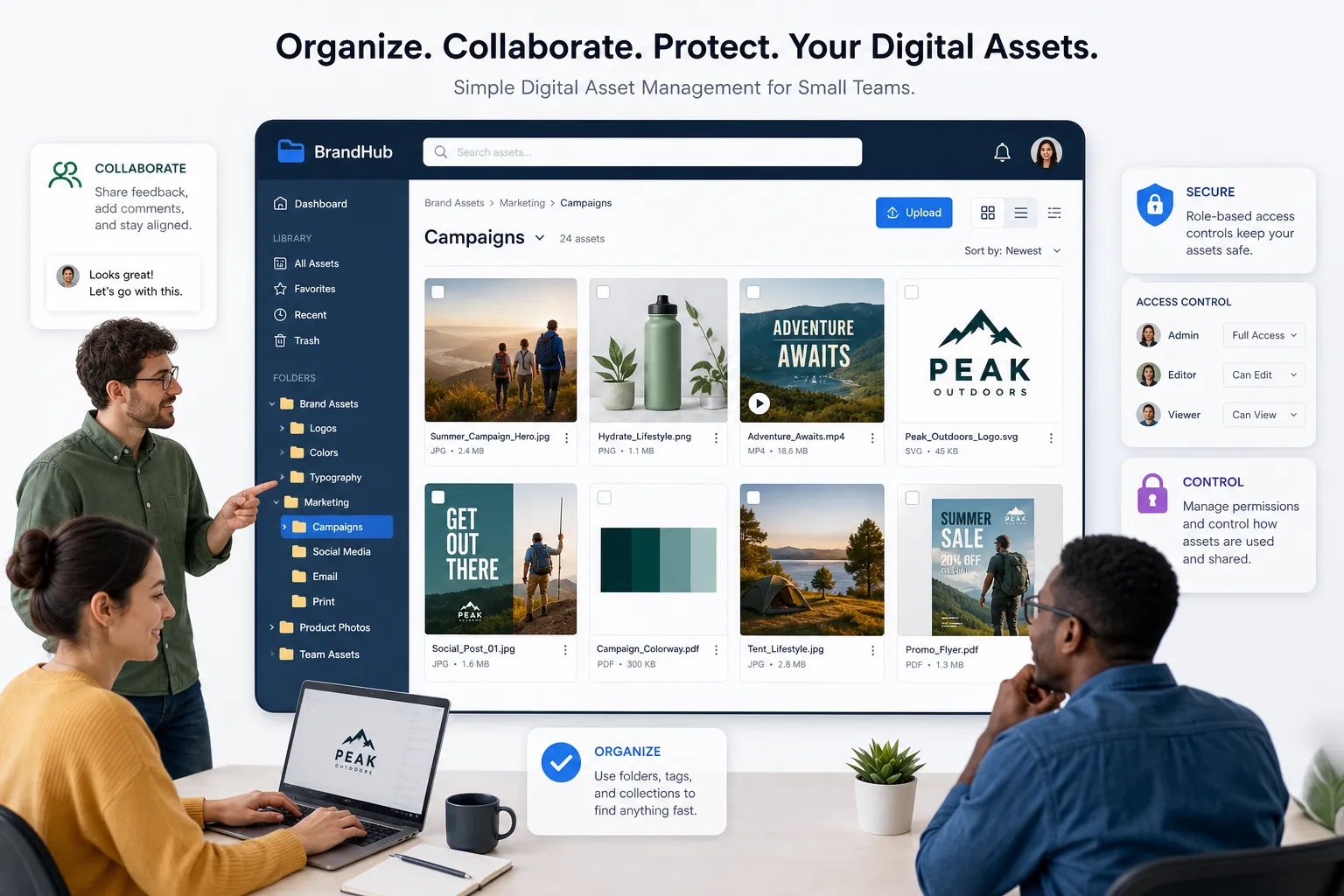
AssetHQ is designed for teams that want:
- Simple and intuitive file management
- Organized storage for documents, images, and shared assets
- Fast upload and file access
- Image preview and management capabilities
- Secure file sharing with access controls and expiring links
- Team collaboration without enterprise-heavy complexity
- Enterprise-grade secure storage
- Affordable flat pricing with no hidden fees
- A scalable system that works for solo operators and teams alike
Instead of teaching every teammate when to use dl=0 versus dl=1, you can centralize assets in a cleaner structure, share confidently, and reduce friction.
Especially useful for:
- Solo founders managing client files
- Small businesses sharing proposals, PDFs, and deliverables
- Marketing teams organizing brand assets and images
- Operations teams maintaining internal document libraries
- Growing organizations that need a reliable DAM without bloat
Dropbox shared links vs a structured DAM workflow
Need | Dropbox shared links | AssetHQ |
|---|---|---|
Quick one-off sharing | Good | Good |
Direct control over shared asset organization | Limited | Strong |
Visual image preview workflows | Basic | Strong |
Centralized team asset management | Moderate | Strong |
Expiring links and access control | Available, but can be fragmented | Built for controlled sharing |
Simple onboarding for non-technical teams | Moderate | Strong |
Predictable file management at scale | Limited | Strong |
Affordable, no-bloat collaboration | Varies by setup | Strong |
Best practices when sharing Dropbox links
Whether you stay with Dropbox for certain workflows or use it alongside a DAM, these habits help.
Use clear file names
A clean file name improves trust and usability immediately.
Choose the right link behavior
Use preview links when context matters, download links when delivery matters.
Avoid manually hacking URLs too much
Editing dl=0 to dl=1 is common, but broader URL manipulation can break expected behavior.
Review permissions before sending
Make sure recipients can access what you intend - and nothing more.
Standardize team sharing habits
Create simple internal rules for naming, sharing, expiration, and external access.
Move critical asset libraries into a dedicated system
For recurring business workflows, a platform like AssetHQ creates more control with less overhead.
Final verdict
A Dropbox shared link ending in dl=0 is usually normal, safe, and intended to open a preview page instead of forcing a download. It is not a warning sign by itself. What matters more is the source, the domain, the permissions, and whether the file matches your expectations.
For occasional sharing, Dropbox links work fine. But if your business depends on organized documents, image libraries, secure client sharing, and smooth collaboration, shared URLs alone become fragile. AssetHQ offers a cleaner, faster, and more scalable way to store, organize, preview, and share files - without the complexity or cost of bloated enterprise systems.
If you want a dependable home for digital assets that is simple to manage and easy for your team to adopt, try AssetHQ.
FAQ
How do Dropbox share links work?
Dropbox share links create a public or permission-controlled URL that points to a file or folder stored in Dropbox. The link includes unique identifiers and may use parameters like dl=0 for preview or dl=1 for direct download behavior.
How to get a DL Dropbox link?
If you already have a Dropbox shared link, you can usually change dl=0 to dl=1 to force a download. You can also generate a share link in Dropbox first, then edit the query parameter carefully if needed.
Can you tell if someone that you've shared a Dropbox link with has viewed it?
In standard sharing workflows, Dropbox does not always provide simple view tracking for every shared link in the way many users expect. If view visibility is business-critical, teams often need a more controlled file-sharing workflow or platform.
What should a Dropbox link look like?
A normal Dropbox link usually includes the dropbox.com domain, a shared resource path such as /s/, /sh/, or /scl/fi/, and sometimes a parameter like dl=0. The long token in the URL is typically a normal part of how Dropbox identifies the shared file or folder.
Can you tell if someone that you've shared a Dropbox link with has viewed it?
A shared Dropbox link does not automatically guarantee detailed recipient view confirmation for every use case. If you need stronger oversight, centralized asset management and controlled sharing tools like AssetHQ can offer a more dependable workflow.
Related Posts
Cloud Storage and File Sharing: Best Free Options
Discover cloud storage and file sharing tools to compare free options for links, large transfers, and team use. Find your best fit now.
min read
End to End Encrypted File Sharing Benefits
Discover end to end encrypted file sharing benefits, use cases, and security tips for modern teams, then choose the right tool now.
min read
Enterprise Cloud Backup for Business Continuity
Enterprise Cloud Backup for Business Continuity When a business loses access to critical files, customer records, contracts, images, or internal documentation, the real damage is rarely limited to the missing data itself. The bigger problem is interruption: teams stop working, customers wait, compliance risks rise, and recovery becomes expensive fast. That is why enterprise cloud backup matters. A strong backup strategy is not just about keeping copies of files somewhere in the cloud. It is ab
min read