End to End Encrypted File Sharing Benefits
Discover end to end encrypted file sharing benefits, use cases, and security tips for modern teams, then choose the right tool now.
End-to-End Encrypted File Sharing Benefits
Modern teams share contracts, creative files, invoices, product documents, client assets, and internal plans every day. The problem is simple: the easier it becomes to move files around, the easier it can also become to expose them to the wrong people. If you are researching end to end encrypted file sharing, you are likely trying to balance three things at once: security, ease of use, and collaboration.
For solo founders, startups, and growing teams, that balance matters even more. You need a dependable way to store and share files without adding enterprise-level complexity, slowing people down, or paying for features you will never use. That is where a practical, well-designed platform makes the difference.
AssetHQ is built around that need. It gives teams a simple and intuitive way to organize documents, images, and shared files, while also supporting secure file sharing, access control, fast uploads, image previews, and scalable collaboration. Instead of forcing your team into a bloated system, it helps you keep file management clean, controlled, and affordable.
What end-to-end encrypted file sharing actually means
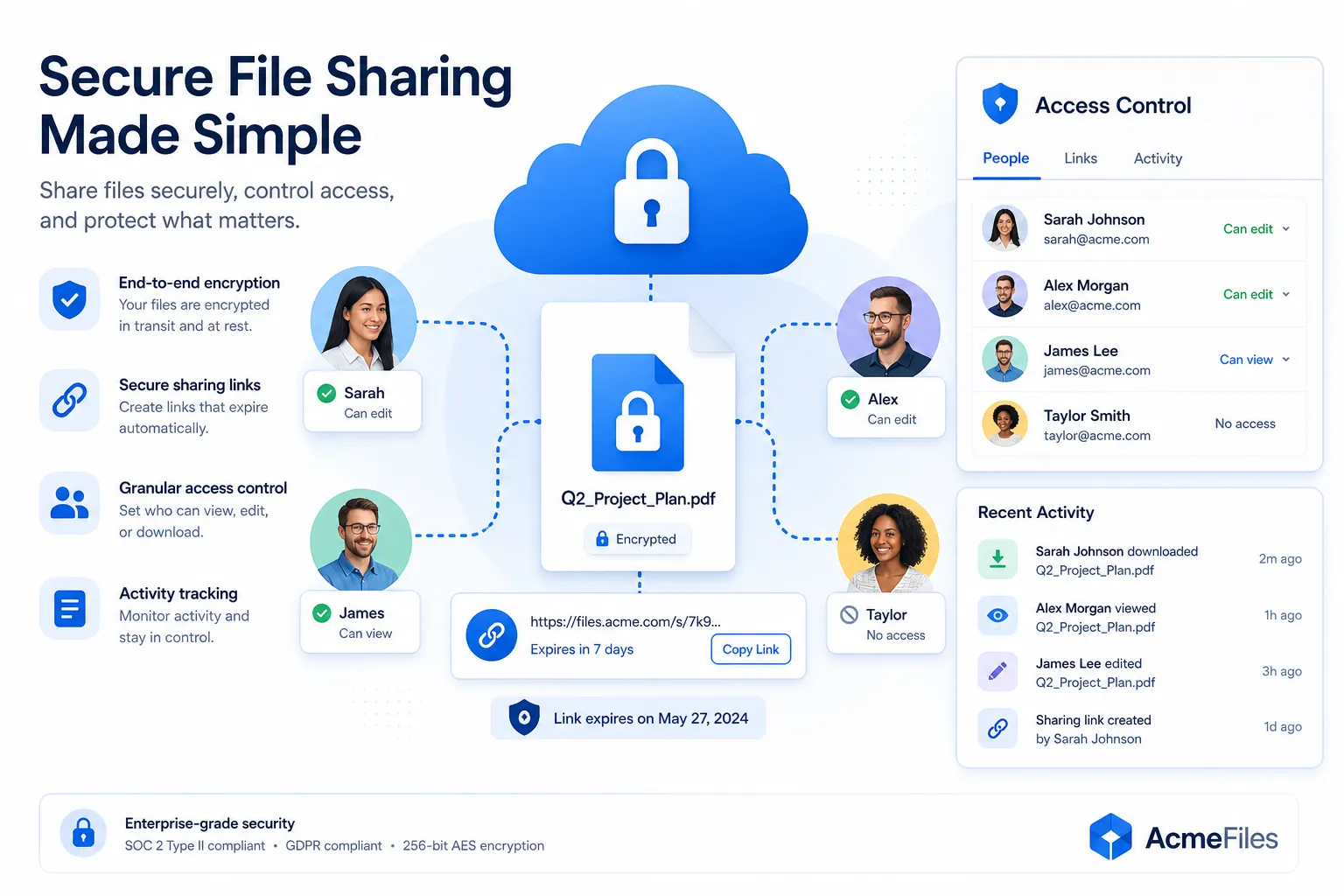
End-to-end encrypted file sharing means a file is protected so that only the intended sender and recipient can access its readable contents. In a properly designed setup, the service provider, outside attackers, and unauthorized intermediaries cannot simply open the file content while it is being transferred.
This matters because many teams assume a file is secure just because it is in the cloud or behind a login. That is not always enough. Basic cloud sharing may protect an account with passwords and server security, but end-to-end encryption is specifically designed to reduce who can see the actual file contents.
How it works in simple terms
At a high level, the process usually looks like this:
- A file is encrypted before or during sharing.
- The encrypted version travels or is stored in unreadable form.
- Only authorized recipients with the proper access can decrypt and view it.
That means if someone intercepts the transfer or gains access without authorization, the file is far less useful to them.
Why this matters more than ever for modern teams
Teams are more distributed, more collaborative, and more dependent on digital files than ever. That creates more opportunities for accidental exposure, oversharing, and risky workarounds.
"In the United States, the average cost of a data breach rose to $10.22 million." - IBM
Even if your organization is not a large enterprise, the consequences of weak file sharing can still be serious: client trust loss, compliance issues, delayed projects, and internal confusion over who has access to what.
Competitor articles often focus heavily on encryption theory. What they gloss over is the operational reality: teams do not just need security. They need security that people will actually use consistently. If a system is too complicated, employees work around it. That is when risk increases.
The biggest benefits of end-to-end encrypted file sharing
Stronger privacy for sensitive files
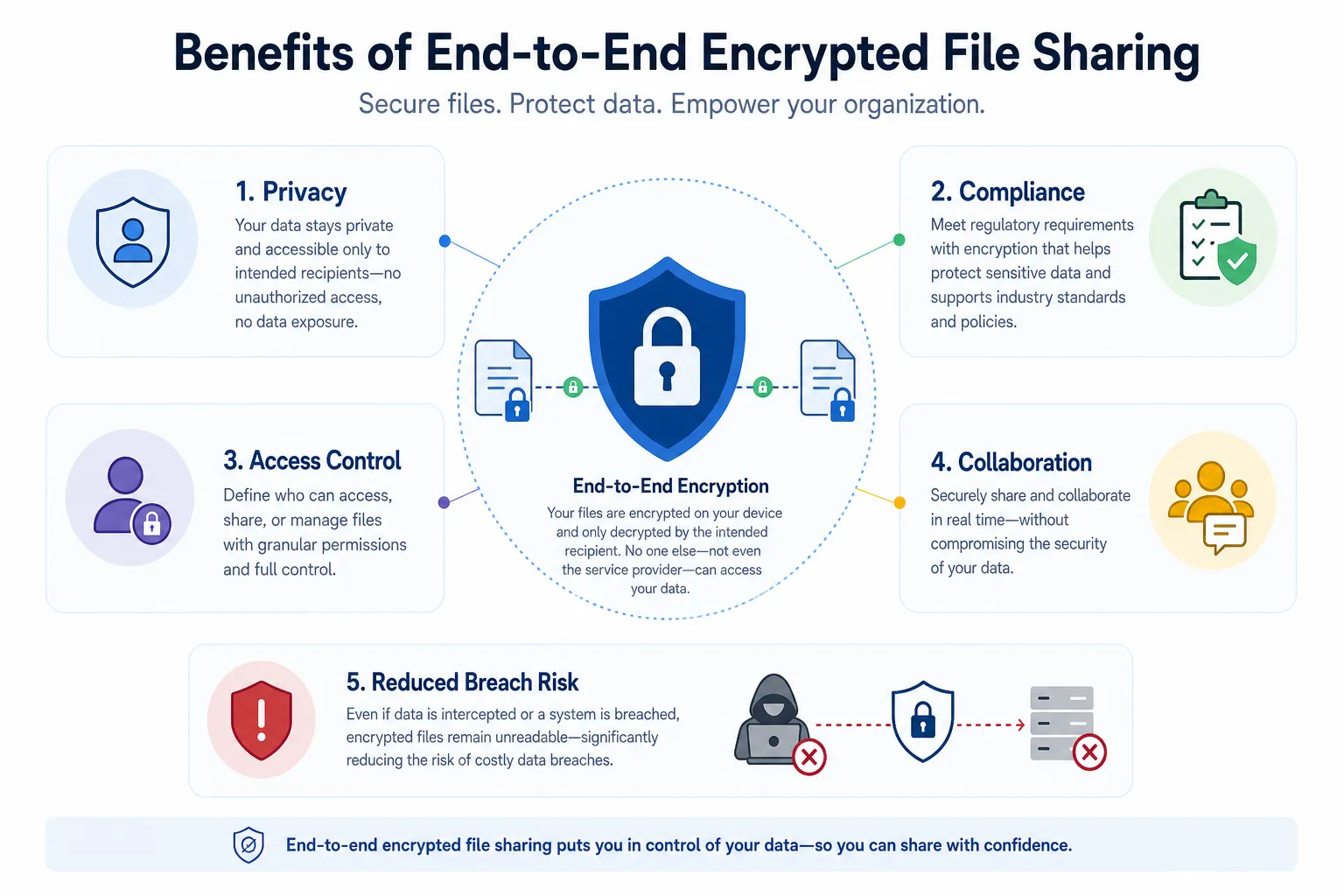
The most obvious benefit is privacy. Sensitive files such as proposals, legal agreements, financial spreadsheets, HR documents, and customer records should not be casually accessible during transfer.
End-to-end encryption adds a stronger privacy layer by making the content unreadable to unauthorized viewers. This is especially valuable when teams share files externally with clients, contractors, or partners.
Reduced risk during sharing and transfer
A file is often most vulnerable when it is moving between people, devices, or systems. End-to-end encryption helps reduce the risk of exposure in transit.
This does not make good access management optional, but it does make interception far less damaging.
Better control over who can access content
Encryption is most useful when paired with practical file-sharing controls. Teams need to do more than send a file securely once. They need to manage access over time.
That is why strong solutions should also include features like:
- expiring links
- permission-based access
- revocable sharing
- visibility into who can view or download files
AssetHQ fits naturally into this workflow by helping teams securely store and share files with organized folder structures, controlled access, and collaboration features that are easy to manage.
More confidence when collaborating
Security should support teamwork, not block it. If people trust the system, they are more likely to use the approved workflow instead of sending files through scattered, less secure channels.
"73% of employees produce better work when collaborating." - Nulab
For growing teams, secure collaboration is not just an IT issue. It is a productivity issue.
Support for compliance and internal governance
Many businesses must handle regulated or sensitive information. End-to-end encryption can help support privacy and compliance efforts, especially when paired with good storage hygiene, retention practices, and access controls.
It will not single-handedly make a company compliant, but it is often an important part of a stronger security posture.
End-to-end encryption vs standard encrypted file sharing
A common point of confusion is that all secure file sharing is the same. It is not.
Feature | Standard encrypted sharing | End-to-end encrypted sharing |
|---|---|---|
File protected in transit | Usually yes | Yes |
File protected at rest | Often yes | Often yes |
Provider can potentially access file contents | Sometimes | Ideally no |
Limits exposure to intermediaries | Partially | More strongly |
Best for highly sensitive sharing | Sometimes | Yes |
This distinction matters when evaluating vendors. Some platforms market themselves as secure because they encrypt data on their servers. That is useful, but it is not identical to a model designed to limit provider visibility into file contents.
Common business use cases
Client document exchange
Agencies, consultants, law firms, and service businesses often share statements of work, deliverables, onboarding documents, and approvals with clients. These files may contain pricing, contracts, or sensitive account details.
Secure sharing with controlled access and expiration dates helps prevent old links from staying open indefinitely.
Internal HR and finance files
Payroll records, employee agreements, budgets, and vendor information are some of the most sensitive documents in any organization. These should never float around without clear controls.
A platform like AssetHQ helps centralize these files in an organized structure so teams can avoid the chaos of scattered attachments and unclear permissions.
Creative asset delivery
Marketing teams and content teams regularly share image libraries, brand files, presentations, and approved creative assets. The need here is both security and speed.
AssetHQ is especially useful in this environment because it combines image preview and management capabilities with intuitive organization and fast file access.
Startup fundraising and legal review
Early-stage companies frequently share investor decks, forecasts, cap table documents, and legal paperwork. These files are confidential but need to move quickly among a small set of stakeholders.
That is a perfect use case for secure links, restricted access, and a storage structure that does not feel overly technical.
Vendor and partner collaboration
Growing organizations work with freelancers, agencies, operations partners, and external advisors. You want these collaborators to access only the files they need, for only as long as they need them.
That is where expiring links and revocable access become especially valuable.
What competitors covered well - and what they missed
After reviewing competitor themes from Proton Drive, NordLocker, and Box, a few consistent ideas stand out:
What they covered well
- encryption protects file contents
- secure links and email sharing matter
- access controls are essential
- compliance is a major buying factor
- cloud sharing is more practical than manual transfer methods
The content gaps they left behind
This is where a better article should go further:
They underexplained usability
Competitors talk about encryption, but they spend less time addressing a real buyer concern: if a secure system is clunky, teams avoid it. Simplicity is not a bonus feature. It is part of security success.
They did not focus enough on smaller teams
Most competitor messaging leans enterprise or privacy-heavy. There is less guidance for startups, solo operators, and growing companies that need professional-grade storage and sharing without overhead.
They glossed over operational organization
Secure sharing is only half the story. Teams also need reliable organization for documents, images, and files. Folder structure, searchability, image previews, and intuitive navigation reduce mistakes and make secure collaboration easier in practice.
They did not emphasize pricing clarity
Secure file management tools can become expensive quickly. Businesses want straightforward pricing, no hidden fees, and a system that scales without forcing an early jump into enterprise-level costs.
AssetHQ is well positioned here because it pairs secure sharing and enterprise-grade storage with an approachable product experience and flat, predictable pricing.
What to look for in a secure file sharing solution
Choosing the right solution is not just about the strongest technical claim. It is about whether the system fits how your team actually works.
1. Easy organization
If files are hard to find, teams will create duplicates, download local copies, or send files through side channels. A clean folder structure and intuitive management experience reduce that risk.
AssetHQ is designed around simple file management, making it easier for solo users and teams to keep assets organized from the start.
2. Access control that is easy to manage
Good sharing tools should let you:
- decide who can view or edit
- remove access quickly
- create secure links
- set expiration dates
- avoid permanent open-ended sharing
These controls matter just as much as encryption itself.
3. Fast uploads and reliable access
Security should not slow people down unnecessarily. Teams need to upload files quickly, preview them easily, and access them from wherever work happens.
This is especially important for image-heavy teams and companies working with large documents.
4. Support for collaboration
A useful system should allow teams to work together without turning every shared file into a loose copy. Centralized storage and controlled access make collaboration cleaner and more dependable.
5. Security you can trust without complexity
The best solution is one people can understand and adopt. For many teams, especially non-technical ones, clarity matters. Enterprise-grade secure storage is important, but so is a product experience that does not require constant hand-holding.
6. Pricing that scales sensibly
Founders and growing teams should not have to choose between weak tools and oversized enterprise platforms. Look for affordable, transparent pricing with room to grow.
How AssetHQ fits into a secure sharing workflow
AssetHQ is not positioned as an overly complex security suite. Its strength is that it makes professional file storage and sharing practical for real teams.
Why it stands out
- simple, intuitive file and folder management
- secure file sharing with expiring links and access control
- organized storage for documents, images, and other files
- image preview and management capabilities
- team collaboration features for growing organizations
- enterprise-grade secure storage
- fast upload and file access
- affordable flat pricing with no hidden fees
- scalable for both solo users and teams
That combination matters because many businesses do not need a massive platform full of features they will never use. They need a dependable digital asset management and file storage system that keeps work organized and sharing controlled.
Practical best practices for secure file sharing
Even with end-to-end encryption, teams still need good habits. The strongest solution combines technology with smart workflow choices.
Limit access by role
Only give access to the people who need it. Avoid broad folder permissions just because it is faster in the moment.
Use expiring links
If a file only needs to be available for a short time, the link should not stay active forever. This is one of the easiest ways to reduce long-tail exposure.
Revoke access when projects end
Contractors, vendors, and clients do not always need continued access after a project is complete. Build this review into your process.
Keep files centralized
When people download files and resend them as attachments repeatedly, version control breaks down. Centralized storage improves both security and efficiency.
Organize before you scale
Messy file systems create permission mistakes. Set up logical folders and naming conventions early, especially if your team is growing.
Misconceptions about end-to-end encrypted file sharing
“Encryption alone solves everything”
It does not. You still need good permissions, secure user accounts, and internal policies.
“Only large enterprises need it”
Not true. Small businesses, agencies, startups, and solo operators often handle highly sensitive files without having dedicated security teams. Practical secure sharing can be even more important in these environments.
“Secure file sharing has to be complicated”
This is one of the biggest myths. The right platform should make secure behavior easier, not harder. That is why usability is such a major factor when choosing a tool.
Final verdict
End-to-end encrypted file sharing matters because modern work depends on moving sensitive information quickly without losing control over it. The benefits are clear: stronger privacy, reduced exposure risk, better access control, smoother collaboration, and stronger support for compliance-minded workflows.
But encryption alone is not enough. The best secure file sharing solution is one your team can actually use every day. It should help you organize files clearly, collaborate confidently, and control access without turning storage into a burden.
For teams that want a simpler path, AssetHQ offers a practical alternative to bloated systems. It combines secure sharing, structured file management, image-friendly organization, team collaboration, and scalable storage in one straightforward platform. If you want professional file management without enterprise friction or unpredictable pricing, AssetHQ is well worth a closer look.
FAQ
What are the advantages of end-to-end encryption?
End-to-end encryption helps keep files private by making them unreadable to unauthorized users during transfer. It also improves trust, reduces exposure risk, and supports stronger control over sensitive business documents.
What are the drawbacks of end-to-end encryption?
The main drawback is that some systems can become harder to manage if they are poorly designed. Teams may also face usability issues if secure sharing tools are too complex, which is why simplicity and access control matter alongside encryption.
What are the pros and cons of file sharing?
File sharing improves speed, collaboration, and convenience, especially for distributed teams. The downside is that weak sharing practices can lead to oversharing, version confusion, and security risks if access is not properly controlled.
Is it better to have end-to-end encryption on or off?
For sensitive files, it is generally better to have end-to-end encryption on. It adds a stronger layer of protection for data in transit and helps limit who can access readable file contents.
What are the drawbacks of end-to-end encryption?
End-to-end encryption can add friction if the platform is not user-friendly or if key access is poorly managed. That is why businesses should choose tools that combine strong protection with intuitive sharing and organized storage.
Why are they getting rid of end-to-end encryption?
Most reputable providers are not trying to remove it entirely, but some services limit it because of usability, moderation, or technical tradeoffs. Businesses should look for platforms that preserve privacy and controlled access without creating unnecessary complexity.
Related Posts
Dropbox Shared Link Dl 0 Explained
Learn what Dropbox shared link dl 0 means, how to verify link safety, open files correctly, and share smarter with confidence today
min read
Cloud Storage and File Sharing: Best Free Options
Discover cloud storage and file sharing tools to compare free options for links, large transfers, and team use. Find your best fit now.
min read
Enterprise Cloud Backup for Business Continuity
Enterprise Cloud Backup for Business Continuity When a business loses access to critical files, customer records, contracts, images, or internal documentation, the real damage is rarely limited to the missing data itself. The bigger problem is interruption: teams stop working, customers wait, compliance risks rise, and recovery becomes expensive fast. That is why enterprise cloud backup matters. A strong backup strategy is not just about keeping copies of files somewhere in the cloud. It is ab
min read