Enterprise Cloud Backup for Business Continuity
Enterprise Cloud Backup for Business Continuity When a business loses access to critical files, customer records, contracts, images, or internal documentation, the real damage is rarely limited to the missing data itself. The bigger problem is interruption: teams stop working, customers wait, compliance risks rise, and recovery becomes expensive fast. That is why enterprise cloud backup matters. A strong backup strategy is not just about keeping copies of files somewhere in the cloud. It is ab
Enterprise Cloud Backup for Business Continuity
When a business loses access to critical files, customer records, contracts, images, or internal documentation, the real damage is rarely limited to the missing data itself. The bigger problem is interruption: teams stop working, customers wait, compliance risks rise, and recovery becomes expensive fast.
That is why enterprise cloud backup matters. A strong backup strategy is not just about keeping copies of files somewhere in the cloud. It is about making sure your business can recover quickly, continue operating, and scale safely as data volumes, teams, and security requirements grow.
For modern organizations, that includes more than databases and infrastructure. It also includes the everyday digital assets that keep operations moving: sales collateral, signed documents, product images, marketing files, client deliverables, and shared internal resources. If those assets are hard to find, difficult to restore, or exposed to unauthorized access, business continuity suffers.
AssetHQ fits into this reality well. While many platforms overcomplicate digital asset management, AssetHQ gives teams a simple, secure, and scalable place to store, organize, preview, and share files. For growing companies that need dependable access to documents and images without enterprise-heavy complexity, that simplicity becomes a real continuity advantage.
"The average cost of data center downtime was approximately $7,900 per minute." - Ponemon Institute
"49% of ransomware victims detected the intrusion only after their data had already been stolen, up from 31% the previous year." - ExtraHop Global Threat Landscape Report, cited by TechRadar
What enterprise cloud backup really means
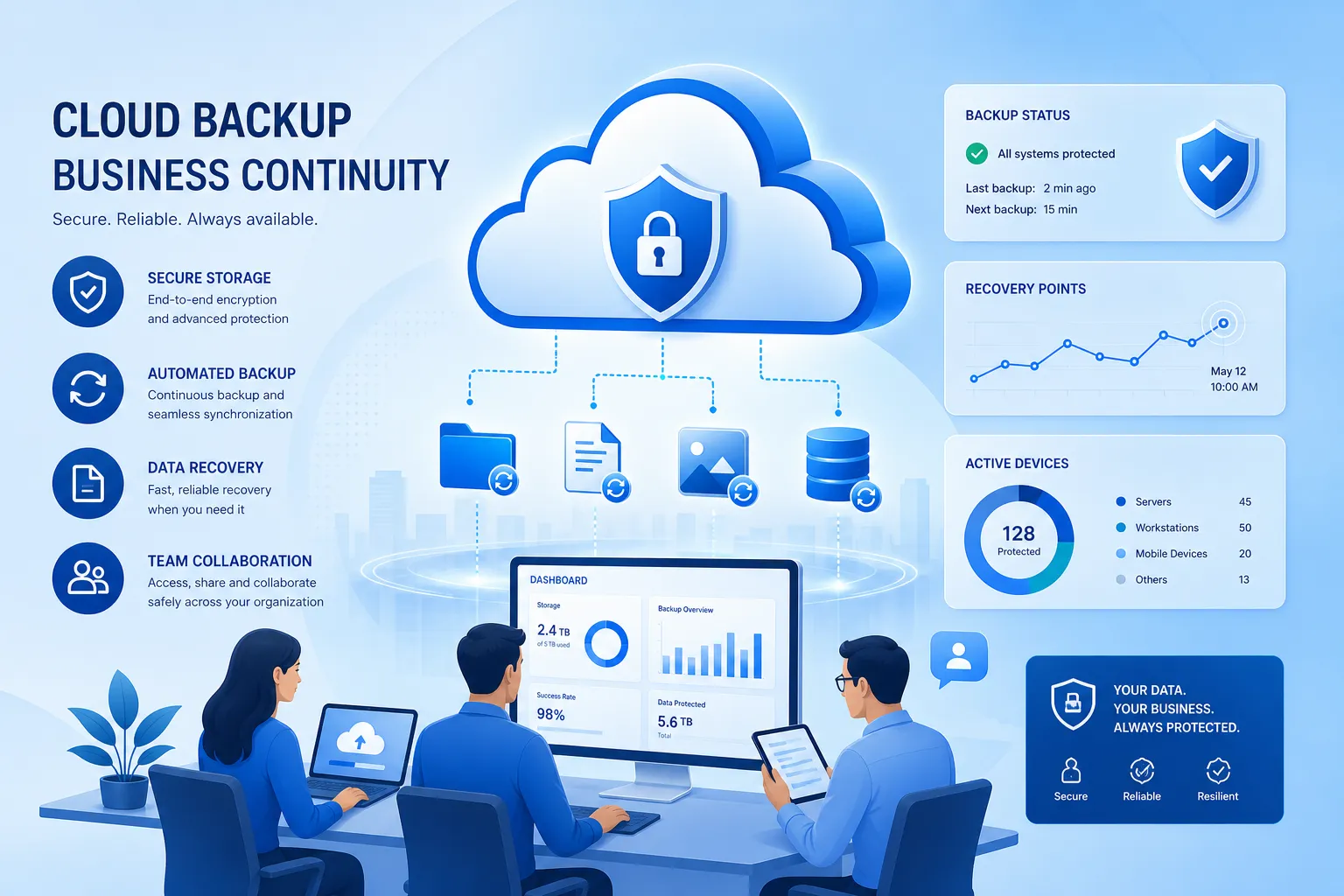
Enterprise cloud backup is the practice of automatically copying business-critical data to secure cloud-based storage so it can be recovered after deletion, corruption, ransomware, hardware failure, or outage.
At the enterprise level, the expectation is higher than basic file syncing. Buyers typically want:
- reliable backup automation
- secure offsite storage
- fast recovery workflows
- retention controls
- compliance support
- access governance
- audit visibility
- scalable storage architecture
That is why the best enterprise cloud backup solutions focus on resilience, not just storage.
Backup is not the same as sync
One of the biggest content gaps in competitor articles is the lack of distinction between backup and sync.
A sync tool mirrors the current state of files. If a file is deleted, corrupted, or encrypted by ransomware, the bad version can sync too. Backup creates recoverable point-in-time copies, which is what makes restoration possible.
For teams managing documents, images, and shared working files, this distinction matters. A secure file platform like AssetHQ helps keep content organized, accessible, and safely shared, but businesses still need a continuity mindset around versioning, protection, retention, and recovery.
Why business continuity depends on cloud backup
Business continuity is the ability to keep operating during and after disruption. Backup supports that by ensuring business data and digital assets remain recoverable.
Without a dependable business cloud backup approach, organizations face avoidable risks:
Risk | What happens without backup | Business impact |
|---|---|---|
Accidental deletion | Files disappear with no clean restore point | Lost productivity and rework |
Ransomware | Encrypted or stolen files become inaccessible | Downtime, extortion pressure, reputational damage |
Hardware or local failure | On-device or on-prem data becomes unavailable | Interrupted operations |
Poor file organization | Teams cannot find current versions quickly | Delays and duplicate work |
Uncontrolled sharing | Sensitive files spread without visibility | Security and compliance exposure |
Team growth | File sprawl increases across users and folders | Operational complexity |
Competitor content often focuses heavily on infrastructure backup, which is important, but many businesses also need continuity for everyday working assets. Those are often the files employees touch every hour. AssetHQ is especially relevant here because it gives teams a clean, intuitive structure for storing, previewing, organizing, and securely sharing those assets without friction.
The core components of a modern backup strategy
A complete enterprise cloud backup strategy should include several layers.
1. Automated backup scheduling
Manual backups fail because people forget. Automation ensures files and systems are protected consistently.
Look for:
- scheduled backups
- policy-based retention
- version history
- alerts for failures
- minimal manual intervention
2. Fast recovery options
Recovery speed matters just as much as backup frequency. A platform that stores data safely but makes recovery slow can still hurt continuity.
Important recovery features include:
- point-in-time restore
- file-level recovery
- full-environment recovery where relevant
- rapid access to current and historical versions
3. Security controls
Backup data becomes a target during cyber incidents. Strong protection should include:
- encryption at rest and in transit
- role-based permissions
- immutable or tamper-resistant copies
- multi-user access controls
- secure sharing policies
4. Compliance and governance
Enterprises and growing companies alike need to prove that data is protected correctly.
That means:
- retention policies
- audit trails
- permission control
- secure access logs
- documented recovery procedures
5. Usability for real teams
This is another major content gap in competitor pieces. They talk about recovery architecture, but not enough about day-to-day usability.
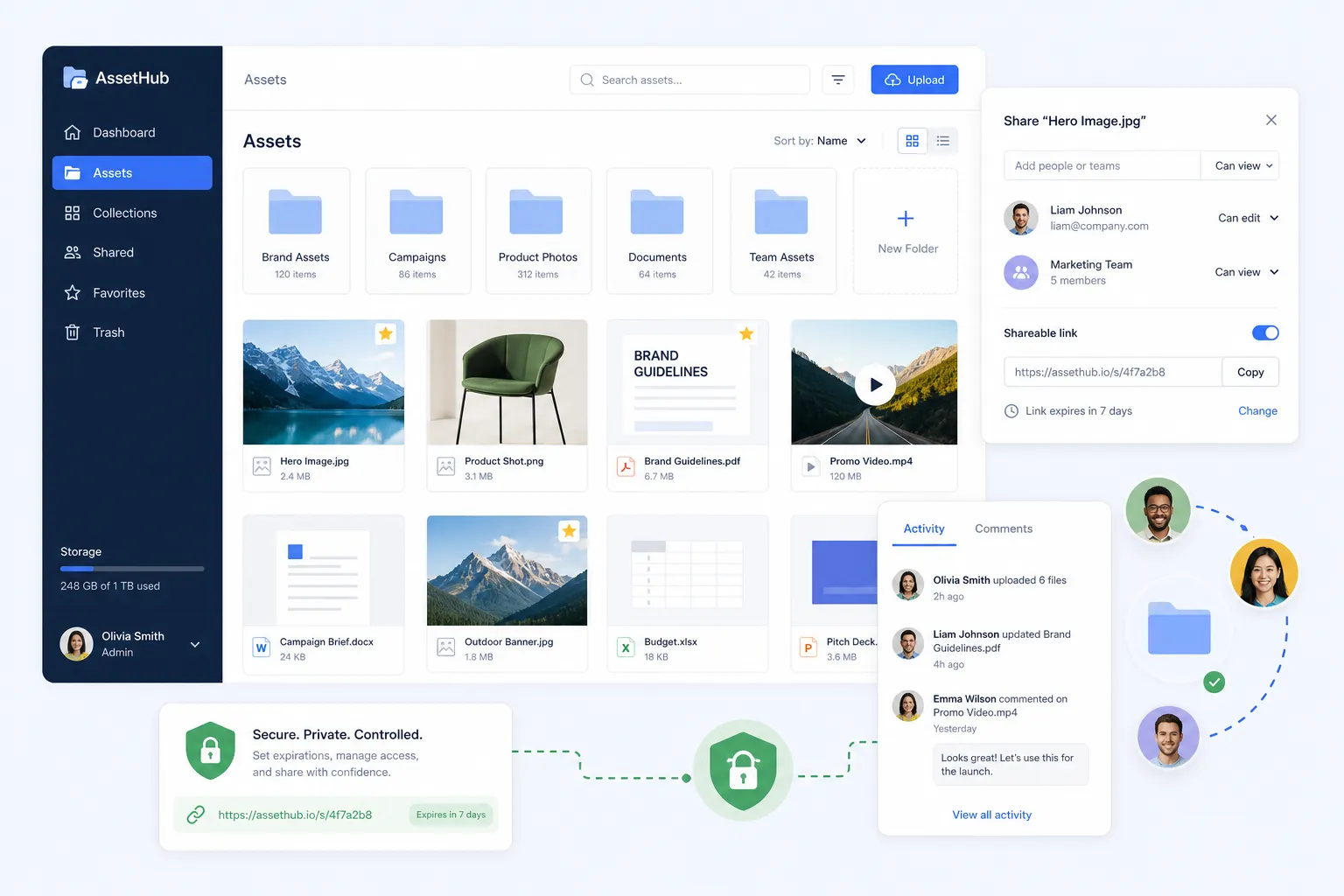
A backup and file management strategy only works if teams can actually use it. AssetHQ stands out here because it combines enterprise-grade secure storage with an intuitive experience. Teams can organize documents, preview images, manage access, and share files securely without getting buried in unnecessary features.
What buyers should evaluate in enterprise cloud backup solutions
If you are comparing enterprise cloud backup solutions or business cloud backup solutions, focus on the buying criteria that affect continuity outcomes.
Recovery speed and reliability
Ask:
- How quickly can files be restored?
- Can the platform recover individual items and large data sets?
- Is recovery tested regularly?
- Are restore workflows simple enough for non-specialists?
Scalability
Your file footprint will grow. The right solution should support that growth without becoming confusing or expensive to operate.
AssetHQ is especially valuable for teams that want scalable storage for documents, images, and files with straightforward organization and flat, predictable pricing.
Access control and secure sharing
Many businesses need backup-adjacent capabilities around access, collaboration, and file distribution.
Look for:
- expiring links
- password-protected access
- granular user permissions
- internal and external sharing controls
These are practical business continuity features too. If the right people cannot securely access the right files at the right time, continuity breaks down even if the files technically exist.
Ease of use
The best platform is not the one with the longest feature list. It is the one your team will actually use consistently.
AssetHQ’s strength is that it keeps file management simple: organized storage, fast upload and access, image preview support, secure sharing, and easy collaboration. That makes it a strong operational layer for businesses that want order and reliability without bloated enterprise software.
Total cost of ownership
Competitor articles often mention storage pricing but ignore hidden operational costs. In reality, total cost includes:
- admin time
- training overhead
- storage growth
- recovery testing effort
- vendor complexity
- migration friction
Flat pricing and usability can save more money over time than a low sticker price with difficult administration.
Enterprise backup vs everyday file continuity
A useful way to think about this topic is to split continuity into two layers:
Layer | Purpose | Example tools |
|---|---|---|
Infrastructure and system recovery | Protects servers, workloads, databases, and cloud environments | Veeam, Druva, Commvault, AWS Backup |
Operational file continuity | Protects the documents, images, and shared files teams use daily | AssetHQ and related file management workflows |
Businesses need both. Competitor articles mostly cover the first layer. The opportunity many of them miss is the second.
If a company can recover its systems but employees still cannot quickly locate the latest sales proposal, brand assets, signed agreement, or client deliverable, operations still slow down. AssetHQ addresses that gap by making business files easier to organize, access, preview, share, and control.
Leading enterprise cloud backup options to know
Below are several well-known solutions often considered in the market. Each serves a slightly different use case.
Veeam
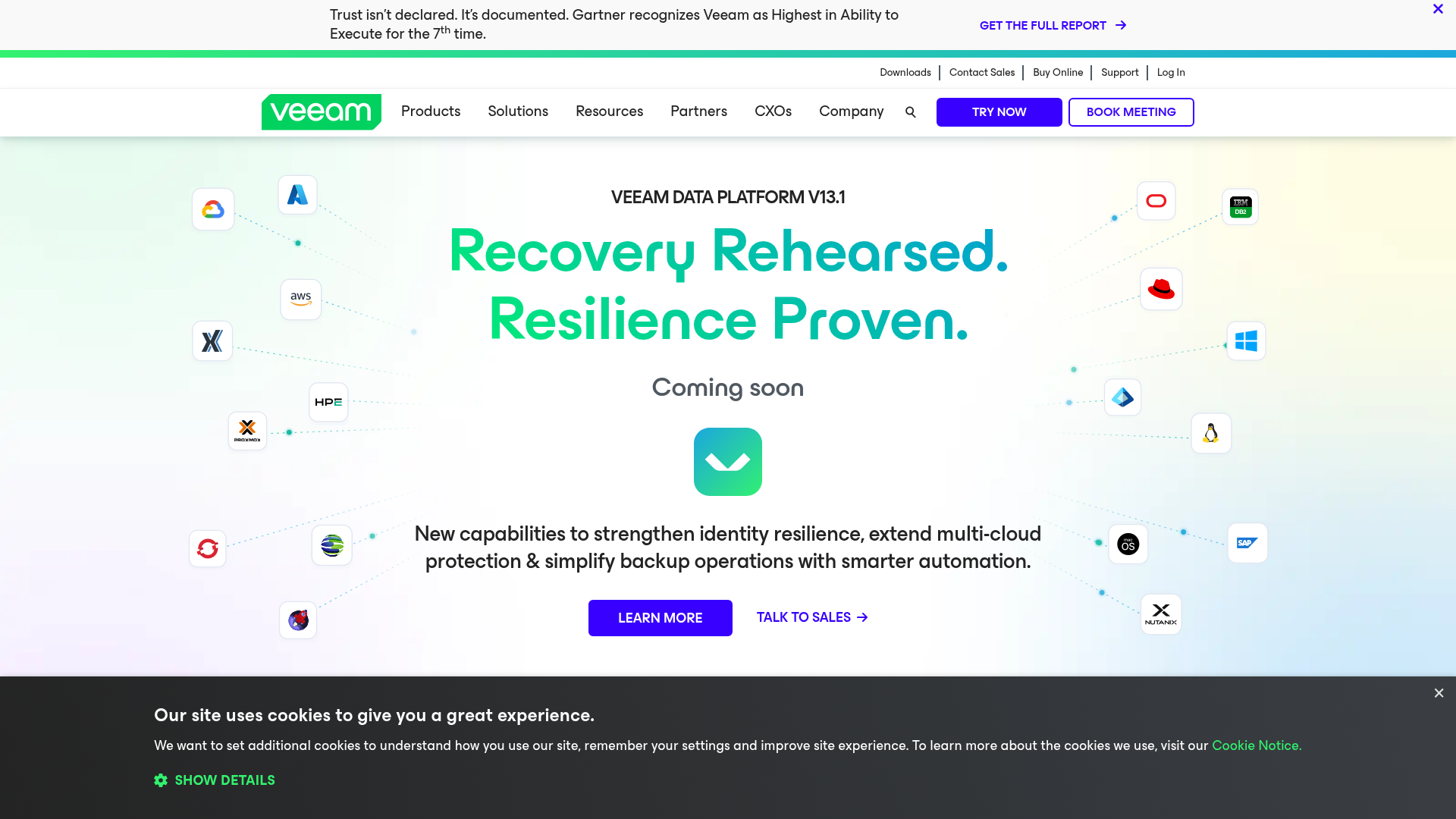
Veeam is widely used for enterprise backup and recovery across virtual, physical, and cloud workloads. It is often chosen by larger IT teams that need mature disaster recovery features and broad infrastructure support.
Best for: complex enterprise environments and IT-led backup operations.
Druva
Druva is a SaaS-based backup platform known for cloud-native protection and centralized management. It appeals to organizations that want to reduce infrastructure overhead.
Best for: teams seeking managed, cloud-first backup operations.
Commvault
Commvault offers broad workload coverage, advanced governance, and enterprise-grade recovery capabilities. It is often considered by large organizations with strict compliance and data management requirements.
Best for: enterprises with complex governance and data protection needs.
AWS Backup
AWS Backup is a native option for organizations heavily invested in AWS. It centralizes backup policies across supported AWS services and fits well in AWS-centric environments.
Best for: businesses running most workloads inside AWS.
Where AssetHQ fits
AssetHQ is not trying to be a giant infrastructure recovery suite. Its value is different and highly practical: it helps teams store, organize, manage, preview, and securely share business files with far less complexity.
That makes it a strong choice for:
- solo founders who need dependable file organization
- startups managing rapid content growth
- small businesses that want secure storage without heavy admin work
- growing teams that need collaboration, access control, and structured file sharing
If your continuity risk includes document sprawl, misplaced images, insecure sharing, or slow file retrieval, AssetHQ directly addresses those problems.
The 3-2-1-1 backup rule explained
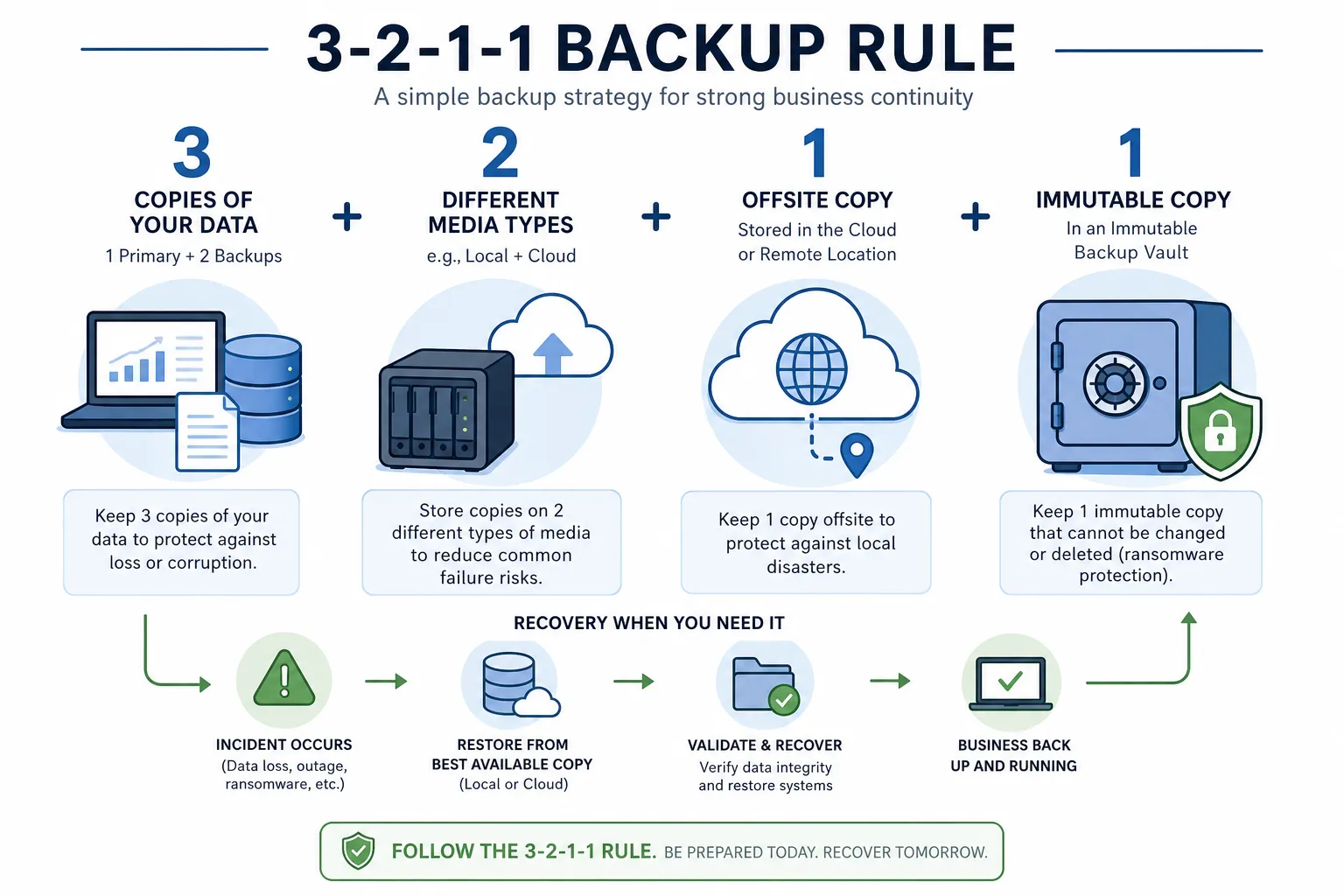
One of the most important frameworks in long-term data protection is the 3-2-1-1 rule.
- 3 copies of data
- 2 different media types
- 1 copy offsite
- 1 immutable or isolated copy
This model reduces the chance that a single event destroys every recoverable version of your data.
For digital assets and shared team files, this principle is still relevant. Businesses should think beyond simple storage and ask whether their most important documents and media files are:
- stored in a structured system
- recoverable from previous versions
- protected from accidental deletion
- secure from unauthorized changes
- accessible during an incident
Compliance, governance, and audit readiness
Many buyers looking for business cloud backup solutions are also trying to satisfy compliance expectations. That is not just a storage issue. It is a process issue.
A good continuity setup should support:
- documented retention
- secure access control
- data handling consistency
- audit-friendly permissions
- controlled file sharing
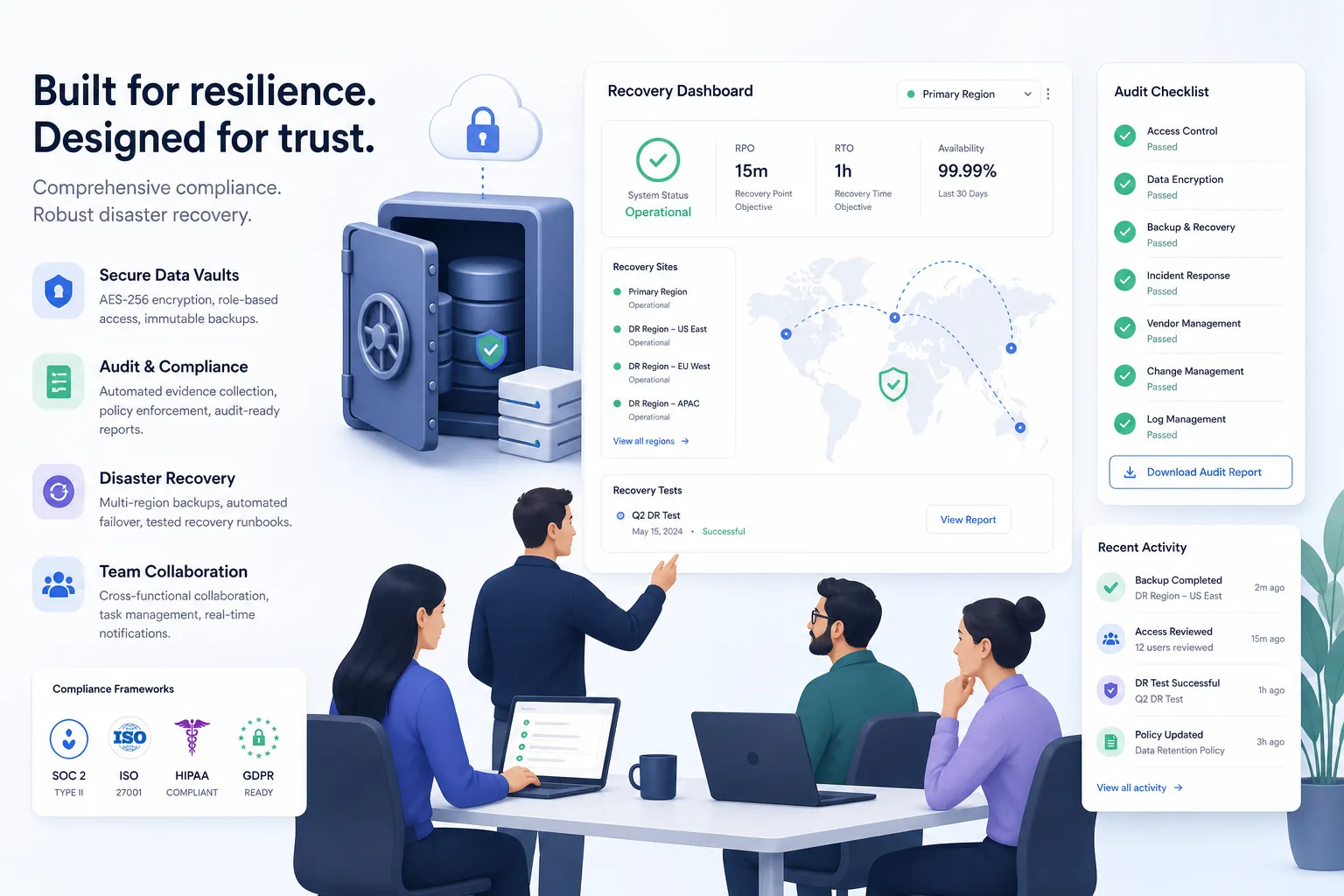
AssetHQ helps on the governance side by giving teams enterprise-grade secure storage, structured organization, and controlled file sharing with features like access control and expiring links. That is especially useful when sensitive files need to be shared externally without losing oversight.
Common mistakes businesses make
Competitor content often explains features, but not enough about failure patterns. Here are the mistakes that commonly weaken continuity.
Treating cloud storage as backup
A storage location alone is not a continuity strategy. You still need recovery planning, version protection, and access controls.
Ignoring business files outside core systems
Contracts, decks, images, and client documents are critical too. If they are scattered across inboxes and local folders, recovery becomes messy.
Choosing tools that are too complex
A feature-rich platform that nobody understands can create more risk than a simpler, well-adopted system.
Overlooking secure sharing
External collaboration is part of normal operations. Without controlled sharing, businesses increase risk even while trying to stay efficient.
Failing to plan for growth
As teams expand, disorganized folders and inconsistent permissions create continuity issues. Systems should scale cleanly.
How AssetHQ strengthens business continuity in practice
AssetHQ supports continuity differently from legacy enterprise backup products, but in a way that many modern teams urgently need.
Simple and intuitive file management
A clean folder structure helps teams quickly find what they need during normal operations and during disruption.
Secure file sharing
Expiring links and access controls reduce the risk that files spread beyond intended recipients.
Organized storage for documents, images, and files
Structured storage reduces duplication, confusion, and time lost searching for assets.
Image preview and management
Visual teams can review assets faster without downloading everything or hunting through disconnected tools.
Team collaboration for growing organizations
As more users need access, collaboration stays organized instead of chaotic.
Enterprise-grade secure storage
Security matters even for simple tools. AssetHQ balances usability with strong protection.
Fast upload and file access
Speed matters for adoption. If uploading and finding files is frictionless, teams use the system consistently.
Affordable flat pricing with no hidden fees
For startups and small businesses, budget predictability matters. Simplicity should not come with surprise costs.
Scalable for solo users and teams
A good platform should work for one founder today and a broader team tomorrow.
Final verdict
Enterprise cloud backup is ultimately about confidence: confidence that your organization can recover data, continue operating, and protect what matters when something goes wrong.
The top enterprise cloud backup solutions help with infrastructure, systems, compliance, and recovery orchestration. But business continuity also depends on something more practical: how well your team manages the files it uses every day.
That is where AssetHQ becomes compelling. It gives businesses a simple, secure, and scalable way to organize digital assets, collaborate across teams, and share files with control. For companies that want dependable file management without bloated software or hidden costs, it is a smart part of a resilient business continuity strategy.
If your team wants professional file storage and digital asset management that is easy to adopt, secure to use, and built to grow with you, AssetHQ is well worth trying.
FAQ
What is the best enterprise backup solution?
The best solution depends on what you need to protect. For full infrastructure recovery, platforms like Veeam, Druva, Commvault, or AWS Backup are common choices. For organizing and securely managing everyday business files, AssetHQ is a strong fit because it keeps documents, images, and shared assets easy to access and control.
What is the 3 2 1 1 backup rule?
The 3-2-1-1 backup rule means keeping 3 copies of your data, on 2 different media types, with 1 copy offsite and 1 copy immutable or isolated. It is a practical framework for reducing the risk of total data loss during outages, deletion, or ransomware incidents.
What are the leading cloud recovery options for business continuity?
Leading options include Veeam, Druva, Commvault, and AWS Backup for system and workload recovery. For continuity around operational files and digital assets, AssetHQ helps teams securely store, organize, and share the content they use every day.
What is the difference between a backup and a business continuity plan?
A backup is a protected copy of data that can be restored later. A business continuity plan is broader: it covers how the business keeps operating during and after disruption, including recovery processes, access to critical files, communication, and security controls.
How much does 20 TB of cloud storage cost?
The cost of 20 TB of cloud storage varies widely based on the provider, access frequency, redundancy, and recovery features. The real cost should also include administration, security, retention, and recovery complexity, not just the raw storage rate.
What is the 3 2 1 1 backup rule?
It is a best-practice model for long-term resilience: 3 copies of data, 2 media types, 1 offsite copy, and 1 immutable or isolated copy. Businesses use it to improve recoverability and strengthen protection against accidental loss and cyberattacks.
Related Posts
Dropbox Shared Link Dl 0 Explained
Learn what Dropbox shared link dl 0 means, how to verify link safety, open files correctly, and share smarter with confidence today
min read
Cloud Storage and File Sharing: Best Free Options
Discover cloud storage and file sharing tools to compare free options for links, large transfers, and team use. Find your best fit now.
min read
End to End Encrypted File Sharing Benefits
Discover end to end encrypted file sharing benefits, use cases, and security tips for modern teams, then choose the right tool now.
min read